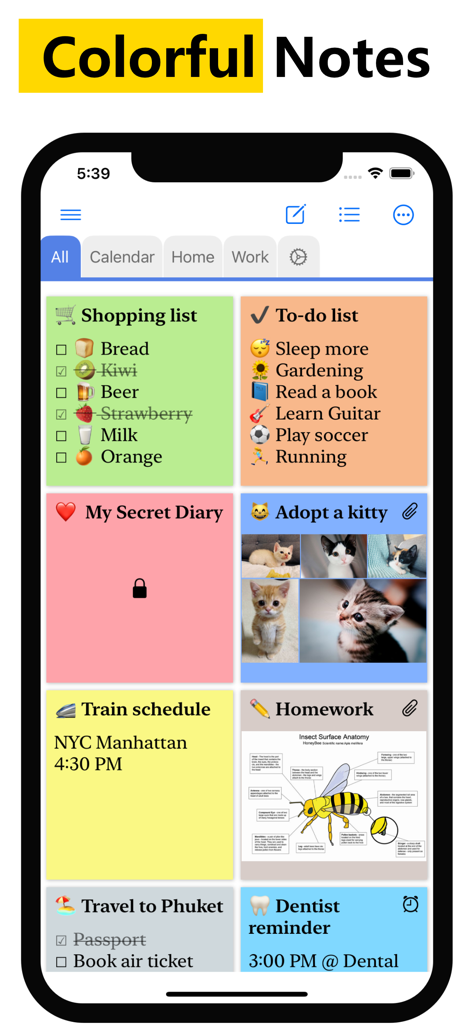
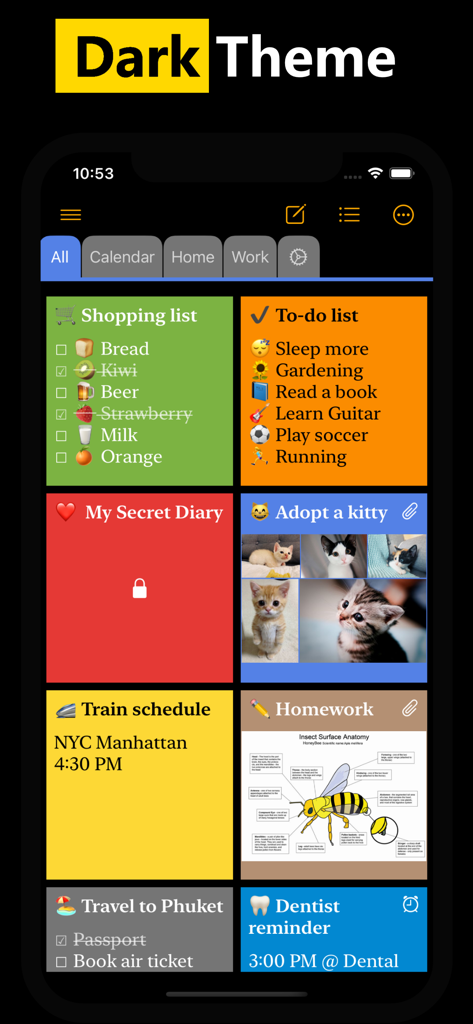
어두운 테마 인터페이스에서 다양한 색상별 스티커 메모 및 체크리스트를 표시하는 WeNote 앱 대시보드
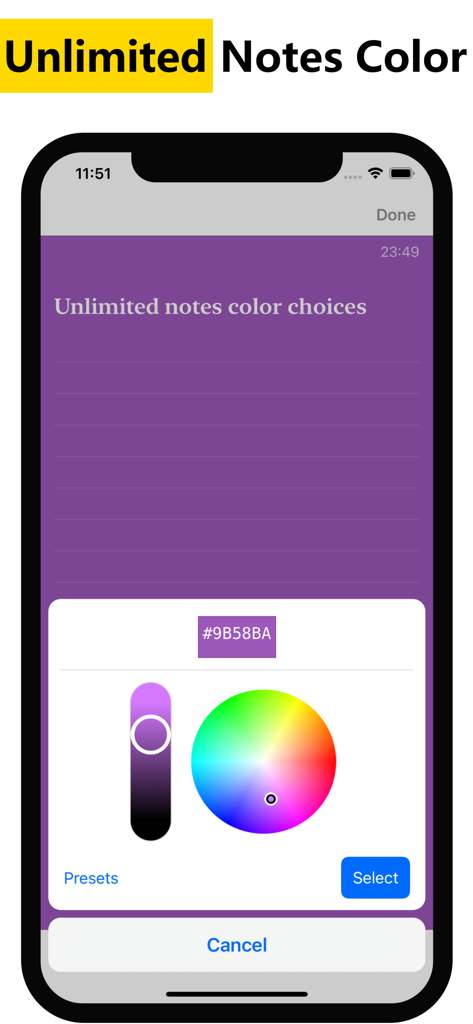
무제한 사용자 지정 메모 색상을 선택하기 위한 WeNote 앱 색상 선택기 인터페이스
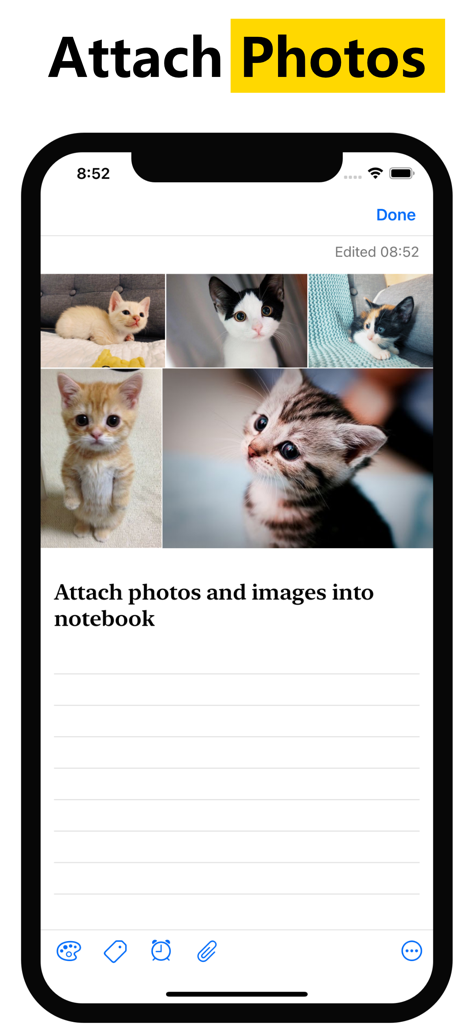
상단에 여러 마음에 드는 고양이 사진이 첨부된 WeNote 앱의 메모를 보여주는 스마트폰 화면
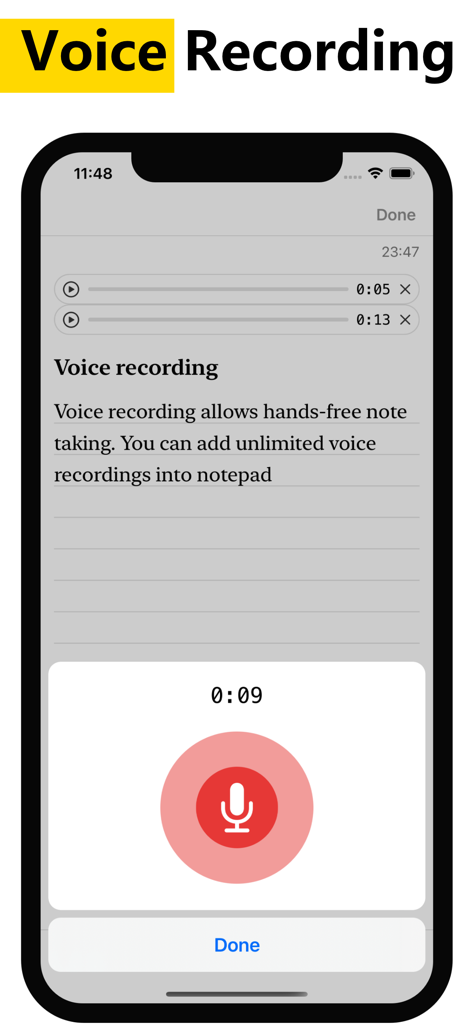
손쉬운 메모 작성을 위한 WeNote 앱의 음성 녹음 기능을 보여주는 스마트폰 인터페이스
일상의 부담을 손쉽게 관리하세요
이 앱을 돋보이게 하는 도구, 256K+ 명의 사용자가 선택.
📑
매우 빠른 탭 탐색
고유한 색상별 탭 시스템을 사용하여 간단한 스와이프로 쇼핑 목록, 업무 메모, 개인 프로젝트 간을 전환하세요.
🔒
신뢰할 수 있는 프라이버시
생체 인식 잠금으로 민감한 정보를 안전하게 보관하세요. WeNote는 완전히 오프라인으로 작동하며 로그인이 필요하지 않아 데이터가 기기를 벗어나지 않도록 보장합니다.
📅
통합 라이프 플래너
250개국 공휴일이 포함된 강력한 캘린더와 할 일 목록을 결합하여 가족 행사 및 마감일을 한눈에 관리하세요.
앱 소개
에 대해 알아야 할 모든 것 WeNote - Notes, Notepad, To do.
설명
# Simple notepad & memo. Take notes, shopping list, to-do list, calendar, reminder
WeNote - Notes,To-do,Calendar is a simple and awesome note taking app. You can create color notes, to do lists, shopping lists, reminders, and calendars quickly.
Users love WeNote® as their life organizer, work planner, or study note app. Note taking with WeNote® is easier than any other notepad, memo app.
When you write down memos, emails, phone numbers, messages, cooking recipes, diary, journal, shopping lists, and to do list, you will realize this is a good notes taking app.
WeNote® is a privacy-focused notepad. WeNote® can work offline perfectly, even without an Internet connection. No login is required.
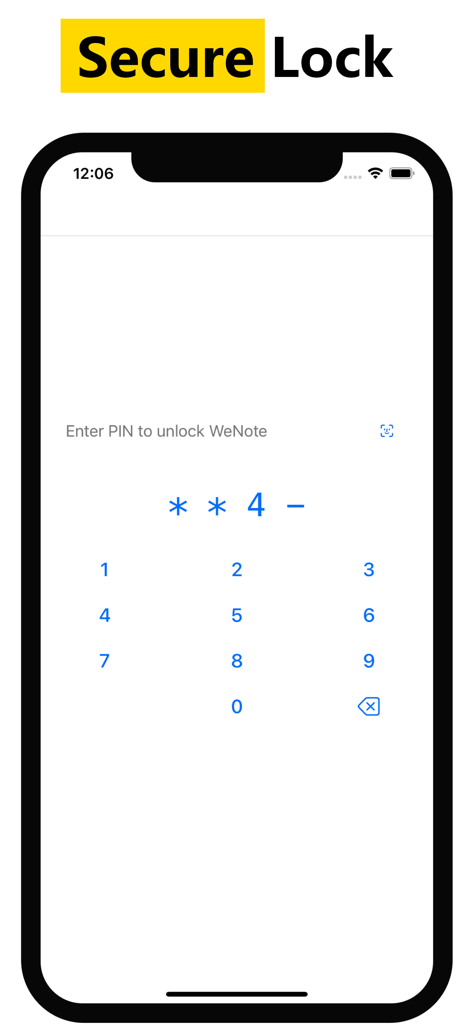
Lock notes and to do list via PIN, pattern, password, or fingerprint, to protect confidential information.
# How to Take a Note?
WeNote® can act as a simple word processing app. You can type unlimited characters. After saving the note, you can pin it to the top screen, check off, password lock, share or delete through the menu.
# How to Make Todo List or Shopping List?
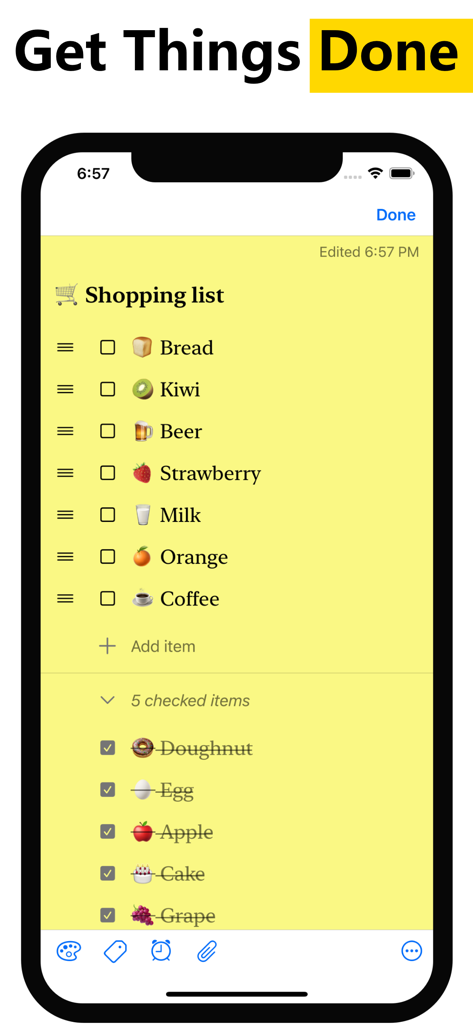
In to-do list mode, you can add an unlimited checklist. Arrange their order with a simple tap and move. When finishing with an item, you can perform a simple tap to strikethrough it.
# Features
• Create color notes and todo list
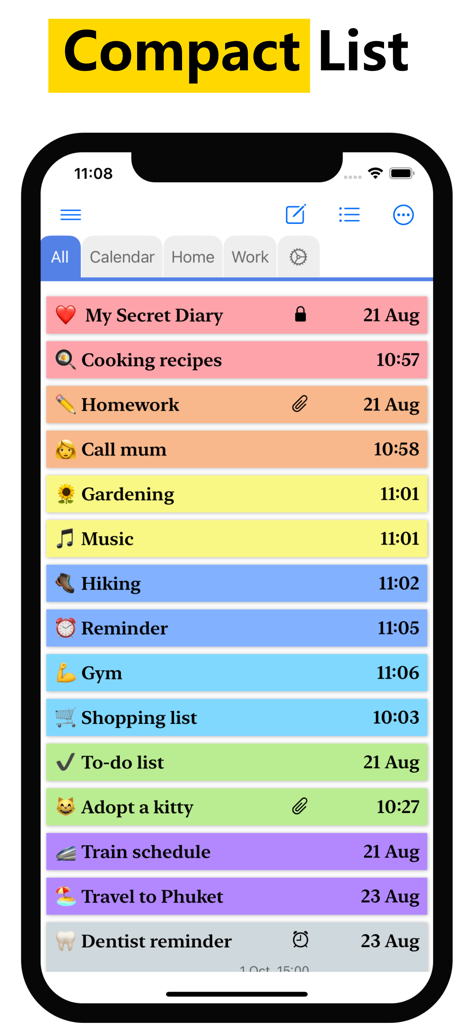
• Organize memo using label & color
• Labels designed as tabs, to let you swipe between notes at blazing fast speed
• Attach photos and images into notebook
• Voice recording allows hands-free note taking. You can add unlimited voice recordings into notepad
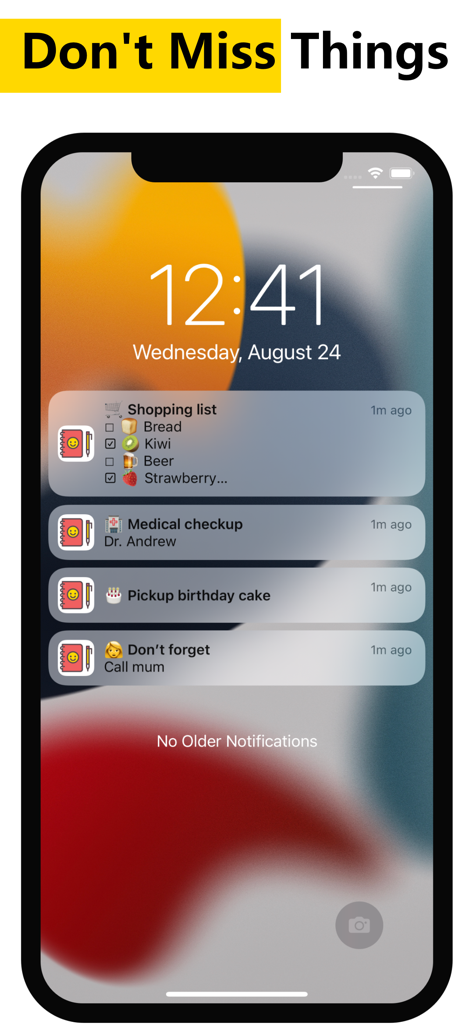
• Pin important notes to the top. You will not miss out on any important thing
• Place a sticky note widget on your Home Screen. View and access your note directly from Home Screen
• Secure lock notes and keep them private
• The completed to-do list will move to the bottom of the checklist
• Customize notes via various fonts, viewing modes, sorting modes
• 13 different app color themes to make notebook looks great
• Unlimited notes color choices
• Reminders memo and calendar
• Powerful notes reminder. Notepad able to repeat daily, weekly, monthly, yearly, and highly customizable. Never miss anything from the notebook
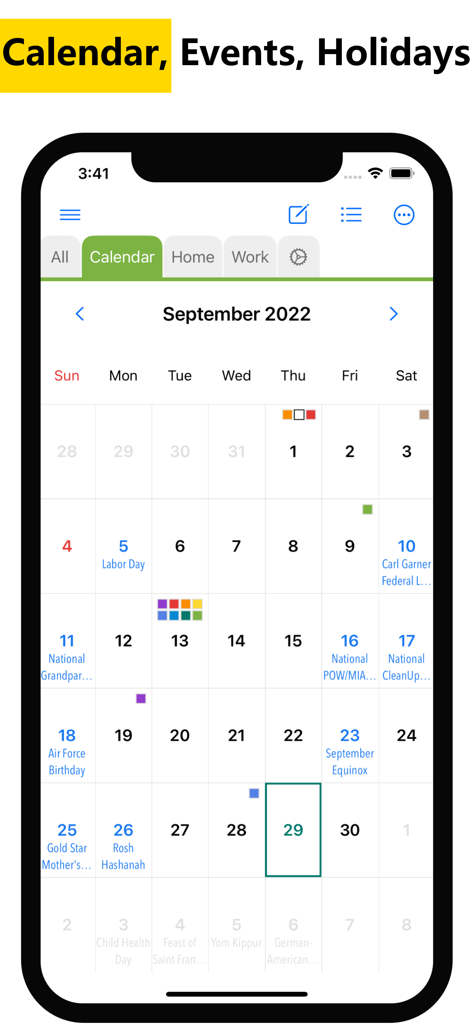
• Show holidays on the calendar notes, which supports up to 250 countries, 3,680 states & provinces
• Secure sync to iCloud. Never lose any notes
• Local backup and restore to keep notes safe
• Share notes to email, SMS, social networking & messaging apps
• Undo/ redo enables mistake correction during note typing
• Convert URL and phone number to clickable links
• Export notes to PDF
• Search notes and todo list, instantly
# Color Notes
This notebook can categorize notes into different colors. Manage notes with 12 pre-defined beautiful colors. WeNote® also provides an unlimited favorite color.
# Notes Category
WeNote® allows you to categorize notes by creating labels. Labels can display as Tabs.
# Calendar Memo
This notepad has a calendar. You can write a memo and create a reminder in the calendar.
Due to its remarkable easy-to-use built-in calendar, you can use WeNote® as agenda planner and family organizer. Either plan next trip itinerary or schedule business meetings.
# Secure Lock to Keep Notebook Private
This notepad can secure lock and keep notes private. Either lock a note or lock the entire app to keep the notebook safe.
Terms of Use: https://www.apple.com/legal/internet-services/itunes/dev/stdeula/
최신 버전
1.70
크기
34.0 MB
출시일
2022년 8월 24일
매일의 혼돈을 마스터할 준비가 되셨나요?
250,000명 이상의 사용자와 함께 빠르고, 프라이빗하며, 색상별로 구분된 메모장으로 삶을 정리하세요. 계정 없음, 추적 없음—순수한 생산성만 있습니다.
FAQ
자주 묻는 질문
에 대해 알아야 할 모든 것 WeNote - Notes, Notepad, To do
WeNote - Notes, Notepad, To do는 무엇인가요?
WeNote은 사용자가 색상 메모, 할 일 목록, 쇼핑 목록, 미리 알림을 만들고 캘린더를 관리할 수 있는 간단한 메모 앱입니다. 삶의 정리 도구이자 업무 계획 도구로 기능합니다.
WeNote - Notes, Notepad, To do는 인터넷 연결이나 로그인이 필요한가요?
아니요, WeNote은 인터넷 연결 없이도 완벽하게 작동하는 개인 정보 보호 중심의 메모장입니다. 사용자 로그인이 필요하지 않습니다.
WeNote - Notes, Notepad, To do에서 메모를 어떻게 보호할 수 있나요?
사용자는 PIN, 패턴, 비밀번호 또는 지문을 사용하여 WeNote의 메모와 할 일 목록을 안전하게 잠글 수 있습니다. 이를 통해 앱 내의 기밀 정보를 보호할 수 있습니다.
WeNote - Notes, Notepad, To do에서 메모를 어떻게 작성하나요?
WeNote에서 메모를 작성하려면 사용자는 워드 프로세싱 인터페이스에 무제한으로 문자를 입력할 수 있습니다. 저장 후에는 메모를 고정하거나, 완료 표시하거나, 비밀번호로 잠그거나, 공유하거나, 삭제할 수 있습니다.
WeNote - Notes, Notepad, To do에서 할 일 목록과 쇼핑 목록을 만들 수 있나요?
예, WeNote은 할 일 목록 모드로 작동하여 무제한 체크리스트를 만들 수 있습니다. 사용자는 항목을 탭하여 이동시켜 배열하고, 간단한 탭으로 항목을 완료로 표시할 수 있습니다.
WeNote - Notes, Notepad, To do는 정리용 색상 코딩 및 라벨을 지원하나요?
예, WeNote은 사용자가 색상 메모를 만들고 라벨 및 색상을 사용하여 메모를 정리할 수 있도록 합니다. 라벨은 탭 형태로 디자인되어 메모 간 빠른 스와이핑이 가능합니다.
WeNote - Notes, Notepad, To do에 사진과 음성 녹음을 메모에 추가할 수 있나요?
예, WeNote은 사용자가 자신의 노트북에 사진과 이미지를 첨부할 수 있도록 합니다. 이 앱은 핸즈프리 메모 작성을 위한 무제한 음성 녹음도 지원합니다.
WeNote - Notes, Notepad, To do에 캘린더 및 미리 알림 기능이 포함되어 있나요?
예, WeNote에는 메모 및 미리 알림을 위한 캘린더가 포함되어 있습니다. 강력한 미리 알림 시스템은 매우 사용자 정의가 가능하며, 매일, 매주, 매월 또는 매년 반복되며 많은 국가의 공휴일을 표시합니다.
WeNote - Notes, Notepad, To do는 몇 가지 색상 테마를 제공하나요?
WeNote은 노트북의 모양을 사용자 정의할 수 있는 13가지 앱 색상 테마를 제공합니다. 또한 개별 메모에 대한 무제한 메모 색상 선택 옵션을 제공합니다.
WeNote - Notes, Notepad, To do는 데이터 백업 및 복원 옵션을 제공하나요?
예, WeNote은 데이터 손실을 방지하기 위해 iCloud로 안전하게 동기화합니다. 또한 메모를 안전하게 보관하기 위한 로컬 백업 및 복원 옵션도 제공합니다.
WeNote - Notes, Notepad, To do에서 메모를 내보낼 수 있나요?
예, WeNote은 사용자가 메모를 PDF 형식으로 내보낼 수 있도록 합니다. 이 기능을 통해 앱 외부에서 메모를 공유하거나 저장할 수 있습니다.
WeNote - Notes, Notepad, To do에 홈 화면 위젯이 있나요?
예, WeNote은 사용자가 고정 메모 위젯을 홈 화면에 직접 배치할 수 있도록 합니다. 이를 통해 홈 화면에서 메모를 보거나 액세스할 수 있습니다.
App information, icons, screenshots, and descriptions displayed on this page are sourced from the Apple App Store and are the property of their respective developers. Download estimates and rankings are based on MWM's proprietary models and may not reflect actual figures. This page is provided for informational and analytical purposes only.
Believe this page infringes your intellectual property? File a dispute