X-Plane Flight Simulator

X-Plane Flight Simulator


다운로드: App Store다운로드: Google Play
로고: X-Plane Flight Simulator

X-Plane 비행 시뮬레이터: 세계에서 가장 현실적인 항공 경험

FAA 인증 시뮬레이터와 동일한 비행 모델로 하늘을 정복하세요. 진정한 항공 애호가를 위해 설계된 대화형 3D 조종석, 복잡한 시스템 모델링, 전 세계적인 풍경을 경험하세요.

개발사

Laminar Research

카테고리

Games

다운로드

11M+

사용자 평점

3.9/5

총 평가 수

49K+

지원 언어

1

조종석으로 들어가세요

이 인터페이스를 사용하는 11M+ 명의 사용자.

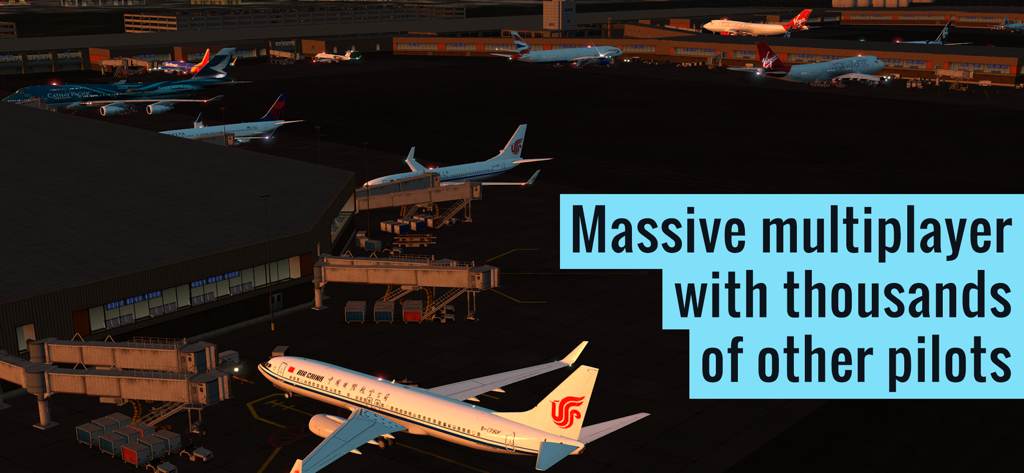
X-Plane 비행 시뮬레이터의 멀티플레이어 기능을 강조하는 상세한 공항 터미널의 야간 상업용 비행기

X-Plane 비행 시뮬레이터의 멀티플레이어 기능을 강조하는 상세한 공항 터미널의 야간 상업용 비행기

X-Plane 비행 시뮬레이터에서 조명이 켜진 활주로가 있는 대형 공항의 항공 일몰 전망

X-Plane 비행 시뮬레이터에서 조명이 켜진 활주로가 있는 대형 공항의 항공 일몰 전망

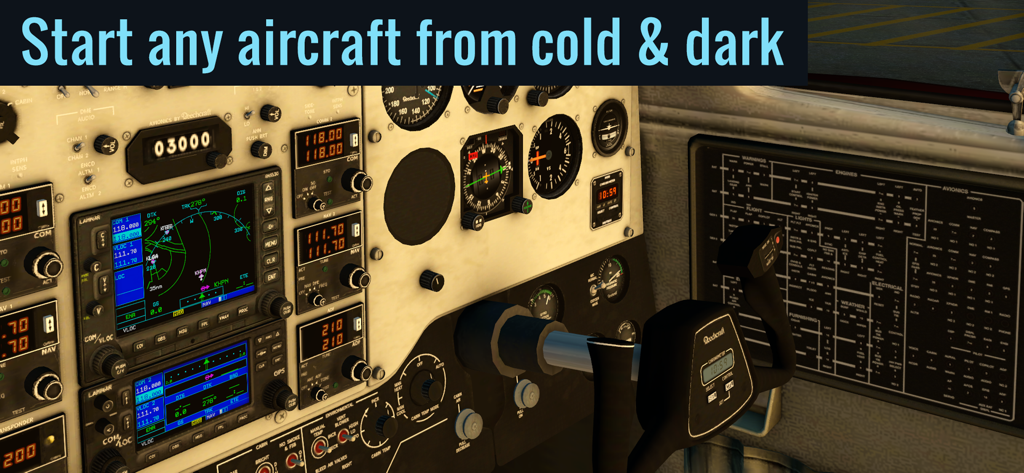
X-Plane 비행 시뮬레이터의 대화형 계기 장치가 있는 상세한 항공기 조종석

X-Plane 비행 시뮬레이터의 대화형 계기 장치가 있는 상세한 항공기 조종석

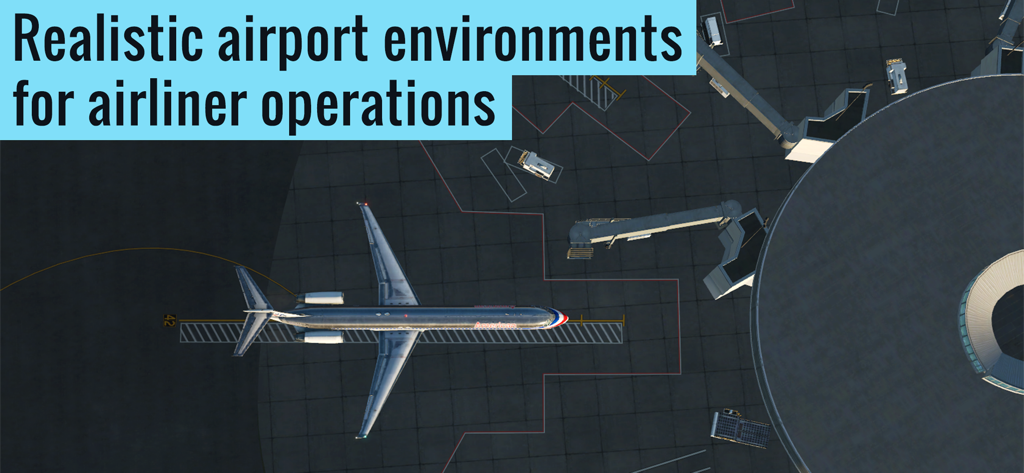
X-Plane 비행 시뮬레이터의 현실적인 공항 터미널 게이트에 있는 항공기의 위에서 내려다본 모습

X-Plane 비행 시뮬레이터의 현실적인 공항 터미널 게이트에 있는 항공기의 위에서 내려다본 모습

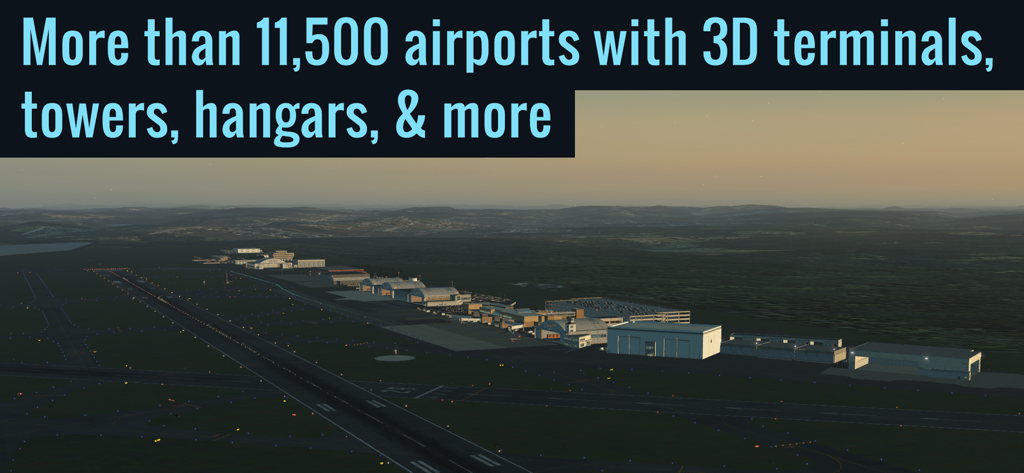
황혼의 X-Plane 비행 시뮬레이터의 상세한 3D 공항 터미널 및 격납고

황혼의 X-Plane 비행 시뮬레이터의 상세한 3D 공항 터미널 및 격납고

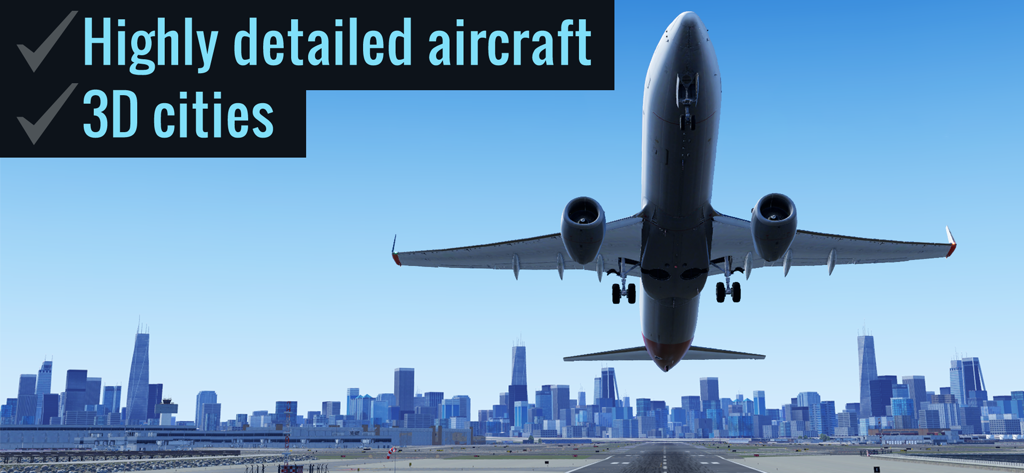
X-Plane 비행 시뮬레이터의 3D 도시 스카이라인을 넘어 이륙하는 상세한 상업용 비행기

X-Plane 비행 시뮬레이터의 3D 도시 스카이라인을 넘어 이륙하는 상세한 상업용 비행기

X-Plane 비행 시뮬레이터의 일몰 시 멋진 산악 풍경

X-Plane 비행 시뮬레이터의 일몰 시 멋진 산악 풍경

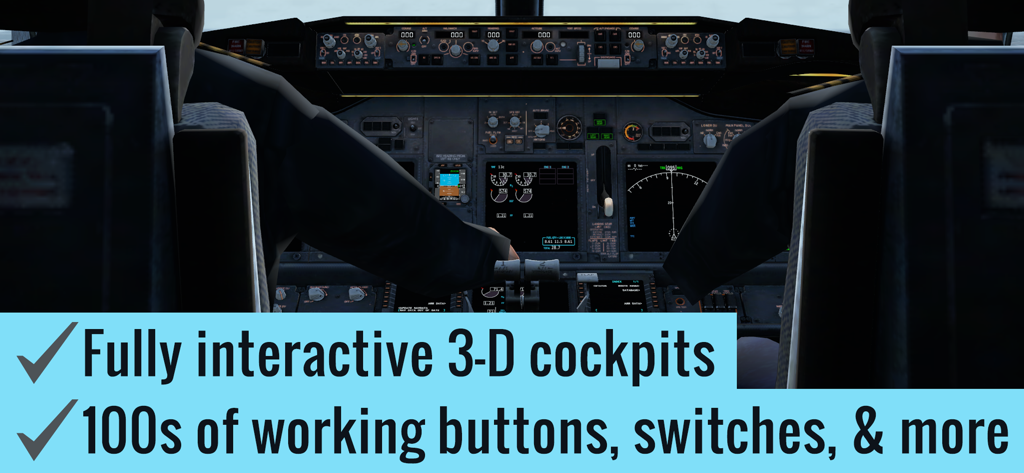
X-Plane 비행 시뮬레이터의 대화형 버튼과 스위치가 있는 상세한 3D 항공기 조종석.

X-Plane 비행 시뮬레이터의 대화형 버튼과 스위치가 있는 상세한 3D 항공기 조종석.

궁극의 현실감을 위해 설계됨

이 앱을 돋보이게 하는 도구, 11M+ 명의 사용자가 선택.

📐

전문 비행 모델

윙 플렉스 및 랜딩 기어 기울기를 수술 수준의 정밀도로 모델링하는 FAA 인증 데스크탑 시뮬레이터와 동일한 물리 엔진을 활용하세요.

🔘

대화형 3D 조종석

고충실도 조종석에서 수백 개의 버튼과 스위치를 조작하세요. 실제 시스템을 사용하여 완전한 '콜드 앤 다크' 시동 절차를 수행하세요.

🌍

전 세계 MMO 생태계

수천 명의 조종사 및 관제사의 공유 세계에 참여하세요. 상세한 3D 터미널과 전 세계 지형을 갖춘 37,000개 이상의 공항에 액세스하세요.

앱 소개

에 대해 알아야 할 모든 것 X-Plane Flight Simulator.

설명

The most realistic aircraft. The world at your fingertips. It’s not a game, it’s a flight simulator. ▶ "Highly recommended." — Mel Martin, Engadget ◀ ▶ Featured by Apple in "Best New Games" ◀ ▶ Over 1 million downloads! ◀ Come experience why real pilots fly X-Plane. It starts with the flight model—the same flight model used in our FAA-certified desktop simulator—that’s complete enough to model the flex in your wings & the tilt in your landing gear. Add to that our desktop-quality aircraft with multiple liveries and interactive 3-D cockpits—so detailed you can do a full startup procedure using the hundreds of buttons, knobs, & switches in the cockpit. With working gauges, flight displays, & more, these cockpits are as realistic as those in our full desktop sim. But aircraft are no good without a place to fly them. That's why each of our 5 ▸free◂ regions features detailed terrain, lifelike city buildings, & 3D airports—complete with terminal buildings, jetways, hangars, & more. Want more? Subscribe to unlock global scenery, and get access to over 37,000 airports, with more than 11,500 airports featuring 3D terminals, hangars, & more. ▶ FEATURES √ 9 ▸free◂ tutorials, teaching the basics of takeoffs & landings, traffic patterns, helicopters, & more √ Massive multiplayer with thousands of other pilots and controllers in a single shared world (Professional subscribers only; non-subscribers can get free trial flights for a limited time) √ Fully interactive cockpits on many aircraft, wired to real systems models, with working gauges, displays, buttons, & switches √ Full startup procedures supported on many aircraft (optionally start any aircraft from cold & dark) √ More than 50 systems modeled, each of which can be failed on command √ Emergency scenarios √ Combat missions ▶ AIRCRAFT The app includes 2 aircraft (plus 5 scenery regions) for free. In addition, the following aircraft are available as in-app purchases: • ▸Free!◂ Cessna 172SP w/ 4 liveries • ▸Free!◂ Cirrus Vision SF50 w/ 5 liveries • Cirrus SR22 w/ 3 liveries • Cessna Citation X w/ 3 liveries • Airbus A320 Airliner w/ 3 liveries • Airbus A330-300 Airliner w/ 3 liveries • Boeing B737-800 Airliner w/ 3 liveries • Boeing B777-200ER Airliner w/ 3 liveries • Boeing B747-400 Jumbo Jet w/ 3 liveries • Bombardier CRJ200 Regional Jet w/ 3 liveries • Douglas DC-3 Airliner w/ 3 liveries • McDonnell Douglas MD-80 w/ 3 liveries • A-10 Thunderbolt II (“Warthog”) Fighter • F-22 Raptor Fighter • F-4 Phantom II Fighter • Beechcraft Baron B58 • Beechcraft King Air C90B • Piper PA-18 Super Cub • Piaggio P.180 Avanti • Sikorsky S76 Helicopter ▶ SCENERY 5 scenery regions are ▸free◂ for everyone! • Oahu, Hawaii • Grand Canyon • Seattle/Tacoma, Washington • Juneau, Alaska • Innsbruck, Austria Global scenery is available by purchasing a monthly or yearly subscription. ▶ MULTIPLAYER Come join tens of thousands of other pilots and controllers in a single, shared world! Try the Fly-In of the Day to meet up with hundreds of other pilots, or explore the MMO world for more chance encounters. Massive multiplayer is in early access—we wanted to get it in your hands as soon as possible—so we’re going to continue adding new features & improvements over the coming months. Terms of Service available at: https://www.x-plane.com/x-plane-mobile-terms-of-service/ Download X-Plane now to experience aviation like never before.

최신 버전

12.3.6

크기

1.0 GB

출시일

2014년 12월 17일

이륙 준비 완료: 당신의 조종석이 기다립니다

1,100만 항공 애호가와 함께 세계에서 가장 진보된 비행 시뮬레이터의 전문가 수준 현실감을 경험하세요. 이것은 게임이 아니라 비행입니다.

다운로드: App Store다운로드: Google Play
FAQ

자주 묻는 질문

에 대해 알아야 할 모든 것 X-Plane Flight Simulator

X-Plane Flight Simulator는 무엇인가요?

X-Plane Flight Simulator는 FAA 인증 데스크탑 시뮬레이터에서 사용되는 비행 모델을 에뮬레이션하도록 설계된 현실적인 비행 시뮬레이터이지 게임이 아닙니다. 모바일 장치에서 몰입감 있는 항공 경험을 제공합니다.

X-Plane Flight Simulator는 현실적인가요?

네, X-Plane Flight Simulator는 데스크탑 버전과 동일한 FAA 인증 비행 모델을 사용하여 날개 굽힘 및 랜딩 기어 기울임과 같은 측면을 정확하게 모델링합니다. 이를 통해 매우 현실적인 비행 경험을 보장합니다.

X-Plane Flight Simulator는 어떤 항공기 세부 정보를 제공하나요?

X-Plane Flight Simulator는 여러 도색 옵션과 완전히 상호 작용 가능한 3D 조종석을 갖춘 데스크탑 품질의 항공기를 제공합니다. 이 조종석에는 작동하는 계기, 비행 디스플레이, 수백 개의 버튼, 노브 및 스위치가 있어 완전한 시동 절차를 수행할 수 있습니다.

X-Plane Flight Simulator에서 항공기를 '콜드 앤 다크' 상태에서 시동할 수 있나요?

네, X-Plane Flight Simulator는 많은 항공기에서 완전한 시동 절차를 지원하며, 사용자는 선택적으로 모든 항공기를 '콜드 앤 다크' 상태에서 시동할 수 있습니다. 이 기능은 현실감을 향상시킵니다.

X-Plane Flight Simulator는 튜토리얼을 제공하나요?

X-Plane Flight Simulator에는 이착륙, 교통 패턴 및 헬리콥터 운용의 기본을 가르치는 9가지 무료 튜토리얼이 포함되어 있습니다. 이 튜토리얼은 사용자가 기본적인 비행 기술을 배우는 데 도움이 됩니다.

X-Plane Flight Simulator는 멀티플레이를 지원하나요?

네, X-Plane Flight Simulator는 대규모 멀티플레이 기능을 제공하여 수천 명의 조종사와 관제사가 공유된 세계에서 상호 작용할 수 있습니다. 프로 구독자는 전체 액세스 권한을 가지며, 비구독자는 무료 체험 비행을 받을 수 있습니다.

X-Plane Flight Simulator에서 사용할 수 있는 무료 지역은 무엇인가요?

X-Plane Flight Simulator는 오아후, 하와이, 그랜드 캐니언, 시애틀/타코마, 워싱턴, 주노, 알래스카, 인스브루크, 오스트리아의 5가지 무료 경치 지역을 제공합니다. 각 지역은 상세한 지형과 3D 공항을 특징으로 합니다.

X-Plane Flight Simulator에서 전역 경치를 어떻게 얻나요?

X-Plane Flight Simulator를 구독하면 37,000개 이상의 공항에 액세스할 수 있는 전역 경치가 잠금 해제됩니다. 이 확장된 경치에는 상세한 3D 터미널, 격납고 및 타워가 있는 11,500개 이상의 공항이 포함됩니다.

X-Plane Flight Simulator의 시스템 모델링은 얼마나 상세한가요?

X-Plane Flight Simulator는 50개 이상의 시스템을 모델링하며, 각 시스템은 현실적인 훈련 시나리오를 위해 명령에 따라 고장 날 수 있습니다. 이 깊은 시스템 충실도는 시뮬레이션 경험을 향상시킵니다.

X-Plane Flight Simulator에는 비상 시나리오나 전투 임무가 포함되어 있나요?

네, X-Plane Flight Simulator에는 비상 시나리오와 전투 임무가 기능의 일부로 포함되어 있습니다. 이는 표준 비행 운영 이상의 다양한 게임 플레이 옵션을 추가합니다.

X-Plane Flight Simulator에는 어떤 무료 항공기가 포함되어 있나요?

X-Plane Flight Simulator에는 4개의 도색 옵션이 있는 Cessna 172SP와 5개의 도색 옵션이 있는 Cirrus Vision SF50의 두 가지 무료 항공기가 포함되어 있습니다. 5개의 무료 경치 지역도 포함됩니다.

X-Plane Flight Simulator에서 추가 항공기를 이용할 수 있나요?

X-Plane Flight Simulator는 인앱 구매를 통해 다양한 추가 항공기를 제공합니다. 여기에는 Boeing B737-800과 같은 다양한 항공기, F-22 Raptor와 같은 전투기, 헬리콥터가 포함됩니다.

X-Plane Flight Simulator에는 현실적인 공항 환경이 있나요?

네, X-Plane Flight Simulator는 터미널 건물, 제트웨이 및 격납고를 갖춘 항공기 운영에 최적화된 현실적인 공항 환경을 특징으로 합니다. 이는 제공되는 상세한 지상 운영에서 분명하게 나타납니다.

App information, icons, screenshots, and descriptions displayed on this page are sourced from the Apple App Store and are the property of their respective developers. Download estimates and rankings are based on MWM's proprietary models and may not reflect actual figures. This page is provided for informational and analytical purposes only.

Believe this page infringes your intellectual property? File a dispute