XpenseTracker Pro

XpenseTracker Pro

다운로드: App Store
로고: XpenseTracker Pro

XpenseTracker Pro: 전문가를 위한 최고의 경비 및 주행 거리 추적기

주행 기록을 자동화하고, 세금 공제를 극대화하며, 감사 준비 보고서를 생성하세요. 2008년부터 부동산 중개인, 계약자 및 사업주들이 시간과 비용을 절약하기 위해 신뢰해 왔습니다.

다운로드: App Store

개발사

Silverware Software, LLC

카테고리

Finance

다운로드

800

사용자 평점

4.7/5

총 평가 수

800

지원 언어

5

모든 보기에서 효율성

이 인터페이스를 사용하는 800 명의 사용자.

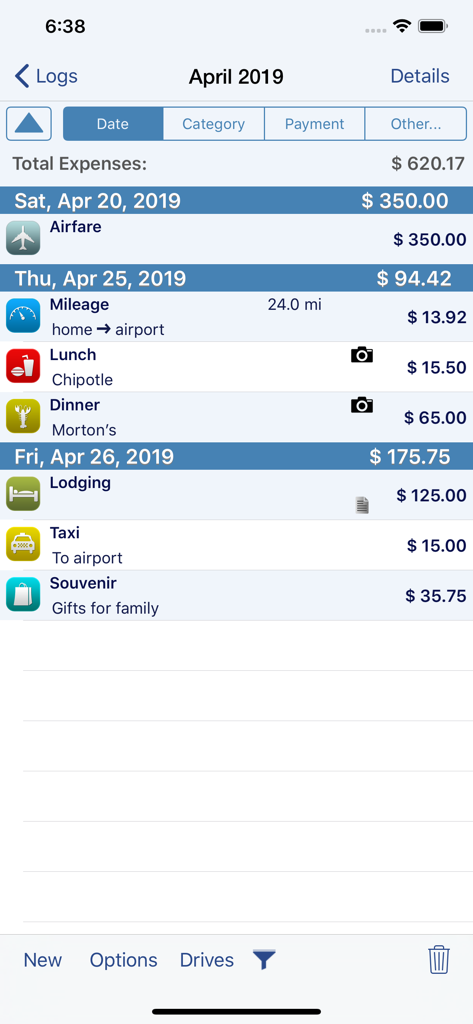
XpenseTracker Pro 앱 스크린샷으로 항공료, 주행 거리, 식사 등 상세한 사업 경비 목록 표시

XpenseTracker Pro 앱 스크린샷으로 항공료, 주행 거리, 식사 등 상세한 사업 경비 목록 표시

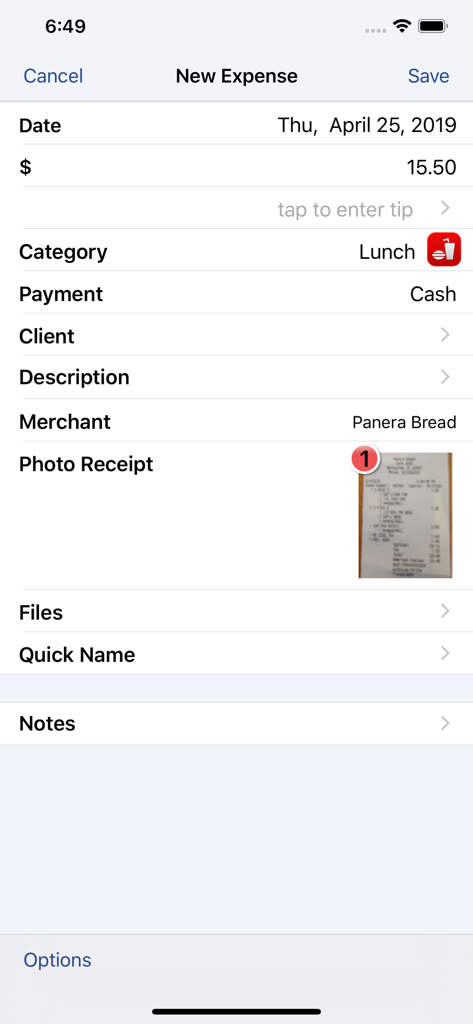
XpenseTracker Pro 앱 인터페이스로 사진 영수증이 첨부된 비즈니스 점심 식사 새 경비 입력 표시

XpenseTracker Pro 앱 인터페이스로 사진 영수증이 첨부된 비즈니스 점심 식사 새 경비 입력 표시

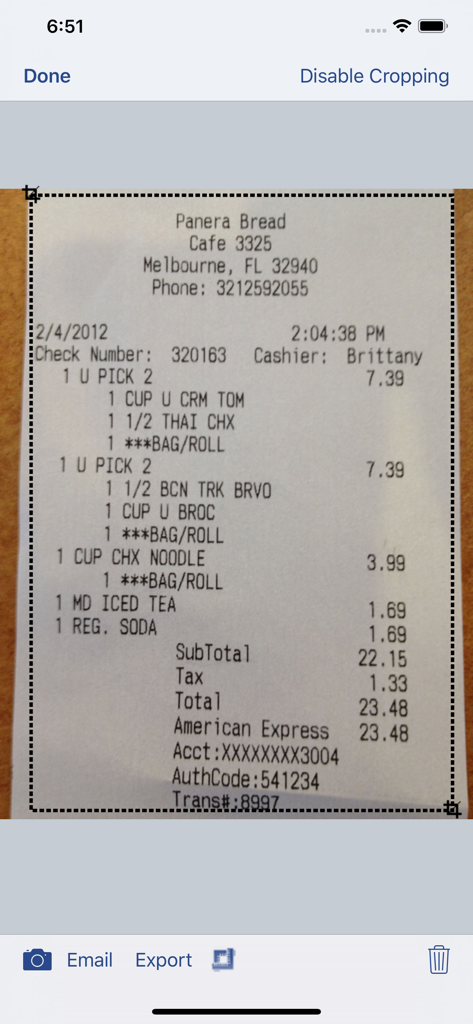
XpenseTracker Pro 앱에서 레스토랑 영수증 스캔 및 자르기

XpenseTracker Pro 앱에서 레스토랑 영수증 스캔 및 자르기

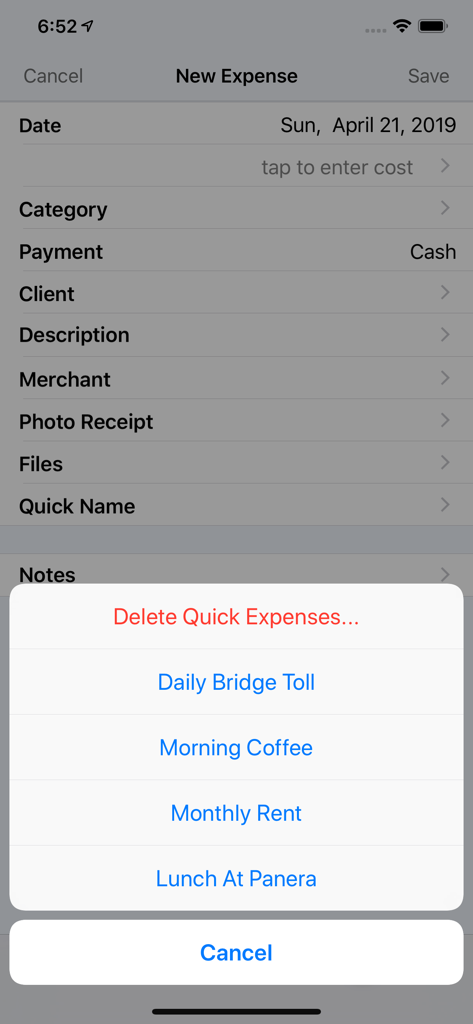
XpenseTracker Pro의 새 경비 입력 화면으로 다리 통행료 및 커피와 같은 자주 사용하는 경비에 대한 빠른 선택 메뉴 표시

XpenseTracker Pro의 새 경비 입력 화면으로 다리 통행료 및 커피와 같은 자주 사용하는 경비에 대한 빠른 선택 메뉴 표시

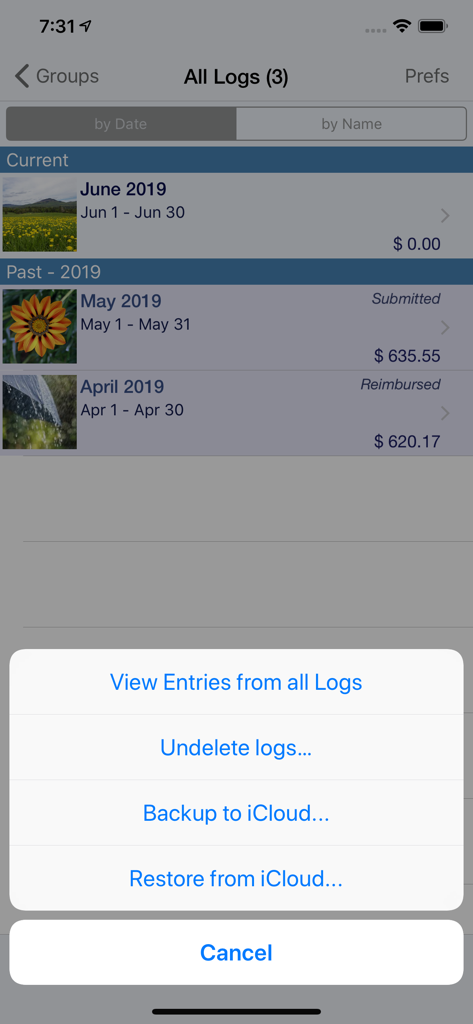
XpenseTracker Pro 앱 인터페이스로 iCloud 백업 및 복원 옵션 액션 메뉴가 있는 월별 경비 기록 표시

XpenseTracker Pro 앱 인터페이스로 iCloud 백업 및 복원 옵션 액션 메뉴가 있는 월별 경비 기록 표시

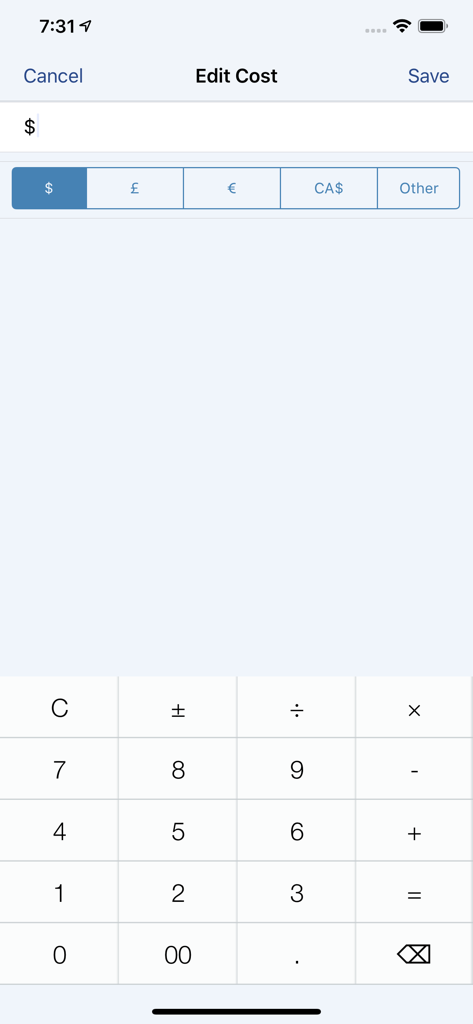
통화 선택기와 숫자 계산기가 있는 XpenseTracker Pro 비용 편집 화면

통화 선택기와 숫자 계산기가 있는 XpenseTracker Pro 비용 편집 화면

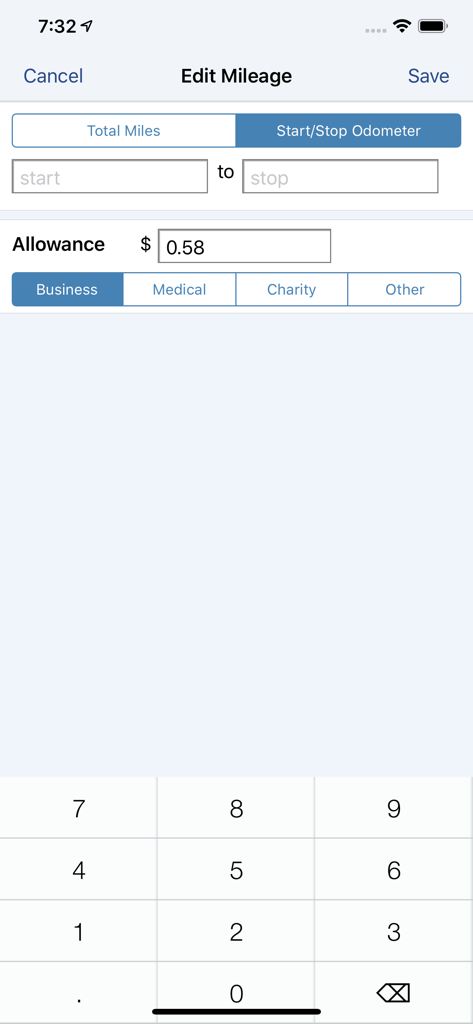
시작 및 중지 계기판 판독값과 사업 경비 분류를 사용하여 주행 거리 편집을 위한 XpenseTracker Pro 앱 인터페이스

시작 및 중지 계기판 판독값과 사업 경비 분류를 사용하여 주행 거리 편집을 위한 XpenseTracker Pro 앱 인터페이스

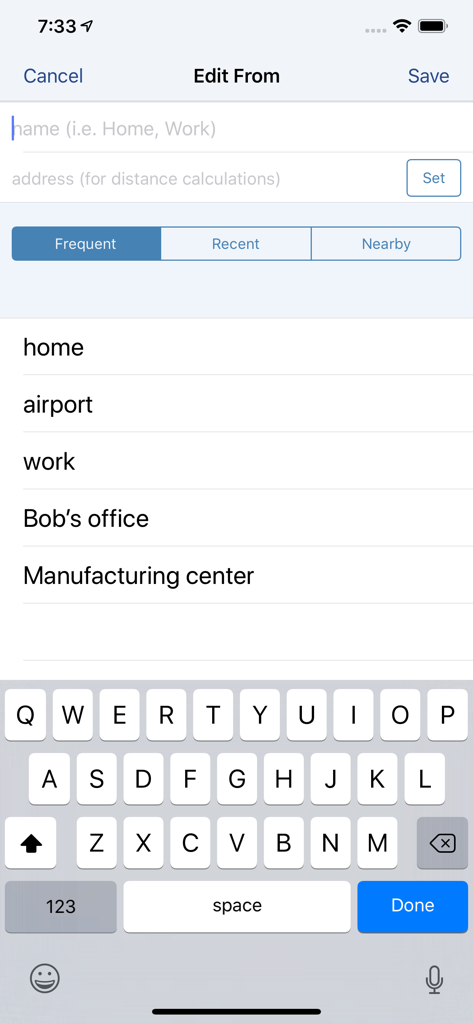
집 및 직장과 같은 자주 가는 위치를 보여주는 XpenseTracker Pro에서 여정의 시작 주소 편집을 위한 인터페이스

집 및 직장과 같은 자주 가는 위치를 보여주는 XpenseTracker Pro에서 여정의 시작 주소 편집을 위한 인터페이스

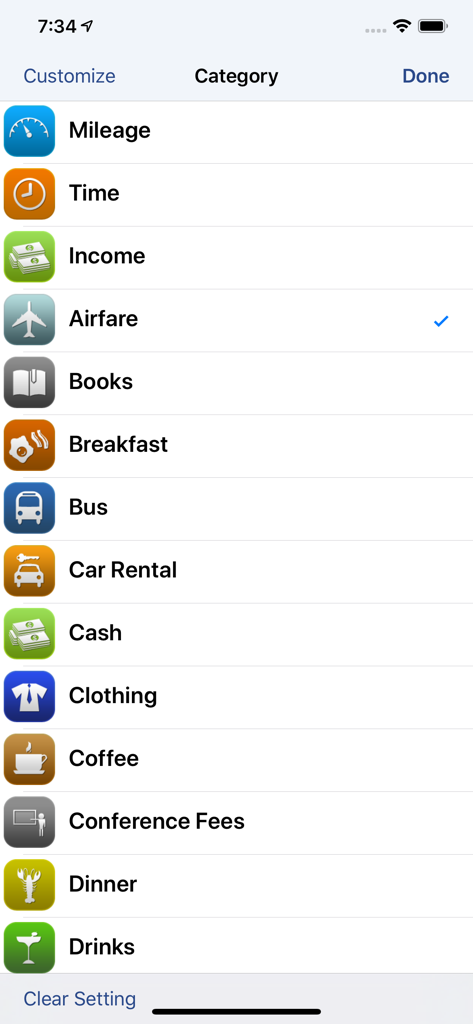
XpenseTracker Pro 앱의 사용자 지정 가능한 사업 경비 범주 목록

XpenseTracker Pro 앱의 사용자 지정 가능한 사업 경비 범주 목록

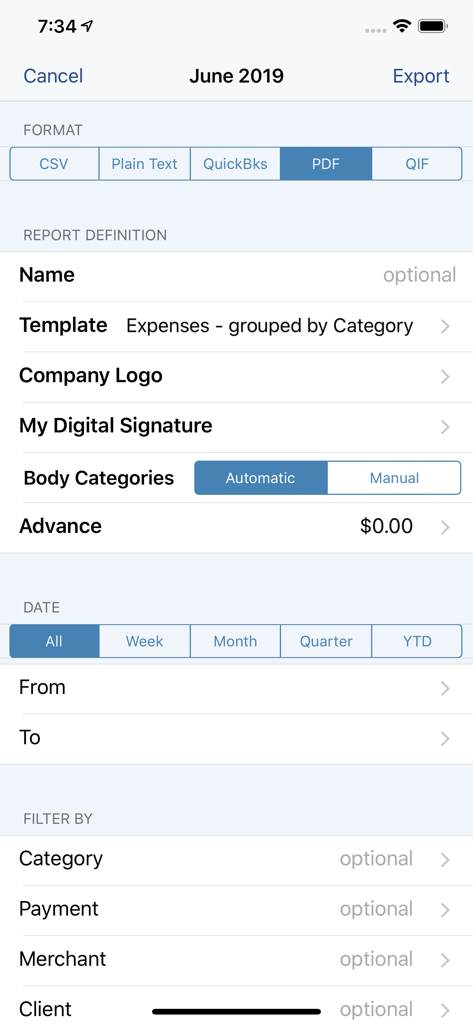
PDF, CSV 및 QuickBooks 형식을 위한 옵션이 있는 XpenseTracker Pro 보고서 내보내기 구성 화면

PDF, CSV 및 QuickBooks 형식을 위한 옵션이 있는 XpenseTracker Pro 보고서 내보내기 구성 화면

최고의 생산성을 위한 전문가 수준의 도구

이 앱을 돋보이게 하는 도구, 800 명의 사용자가 선택.

🚗

스마트 주행 거리 자동화

GPS, 계기판 또는 주소 간 이동을 통해 모든 이동을 추적하세요. 다중 정차 경로 및 부동산 전문가에게 최적화되었습니다.

🧾

감사 준비 영수증 캡처

이동 중에 영수증을 촬영하세요. 가장 엄격한 세금 감사를 견딜 수 있는 검증된 정확도를 위해 '인간 스캔' 서비스를 사용하세요.

📊

데스크톱 수준의 데이터 내보내기

QuickBooks, Excel 및 Numbers와 원활하게 동기화하세요. 몇 초 만에 회계사를 위한 전문 PDF 보고서를 생성하세요.

앱 소개

에 대해 알아야 할 모든 것 XpenseTracker Pro.

설명

Save time & money! Track your MILEAGE and EXPENSES with the most powerful expense app available! A comprehensive, full featured app that's easy to use and extends to your desktop. XpenseTracker has been a customer favorite on the App Store since 2008. *March 2017- "BEST FINANCE APP" http://www.creditdonkey.com/finance-apps.html *XpenseTracker named "must have tax app" by H & R Block** http://tinyurl.com/HRBlockLovesXT *EventJuice UK declares "must download app" http://tinyurl.com/MustHaveForEvents *TabletPCReview.com rated XpenseTracker "Best Personal Finance App for iPad" - http://tinyurl.com/bestfinanceapp ----- XpenseTracker is a comprehensive expense tracking and reporting application for anyone wishing to track their expenses and/or mileage. Its ease of use, full features and great interface make it an essential tool for every iPhone/iPad user. Its power even extends to the desktop by allowing emailing or exporting of the expense reports and accompanying photo receipts directly to the desktop. It will save you time and money. ----- Features include: * Records all of your expenses and provides a running total for each log * Completely customize categories, sub-categories and payment types * Completely customizable fields you choose to use or not. Unused fields are hidden when adding new expenses * Sort expenses by "Date" , "Category", "Payment Type" or "Client" * For each category, the last payment type is remembered further simplifying data entry * Keeps a frequently used list for many fields * Mark a log as "reimbursed" or "submitted" * Easy mileage tracking with MANY different options: + Enter total distance or start/stop odometer reading (remembers last stop reading) + Enter start/stop addresses (app will calculate distance) + Enter more than one destination in a single entry if desired (loved by real estate agents) + Use GPS to track distances - just tell the app when you leave and arrive (available if AutoTrack is not used) * Supports ALL major currencies * Many user defined preferences * Extensive support for VAT * Email your expense reports in comma delimited (CSV) format for easy import to Excel or Numbers. Photo receipts are also emailed as JPEG attachments * Support for Quickbooks (IIF) format * Export your reports directly to your Mac or PC via Wi-Fi connection and have your file immediately appear on your desktop. The customizable CSV file can be easily imported into Excel or Numbers * Well over a dozen PDF templates for creating beautiful, finished PDF format reports * Support for sorting and exporting by client * Using the iPhone’s built-in camera, take snapshots of your receipts * Capture multiple images per expense * Automatically backup your data to iCloud * Set Password or use TouchID ----- Required Subscription A subscription to Unlimited Usage or AutoTrack (which includes unlimited usage) is required after adding 25 free entries Subscription Details: * Choose between Unlimited Usage or AutoTrack (includes unlimited usage) * AutoTrack is a feature that will automatically track your drives. All you need to do is carry your device with you * Payment charged to iTunes account at confirmation of purchase * Automatically renews unless cancelled at least 24-hours before the end of the current period * Account will be charged for renewal within 24-hours prior to the end of the current period * Each subscription is available monthly or yearly Optional Subscription - Human Scan: * Human Scan will allow you to take a picture of a receipt and have an actual human extract the key information and update your expense entry. You do NOT need this add-on if you simply want to take photos of your receipt as the app already has that built-in. Questions/Comments: Tap the Email the Author field within the app's Prefs screen ----- silverwaresoftware.com/PrivacyPolicy.html silverwaresoftware.com/TermsOfUse.html

최신 버전

1.8.5

크기

62.2 MB

출시일

2021년 4월 22일

돈을 놓치는 것을 멈출 준비가 되셨나요?

수천 명의 이동이 잦은 전문가들과 함께 주행 거리 및 경비를 자동화하세요. 처음 25개 항목을 무료로 시작하고 H&R Block이 왜 저희를 세금 시즌에 '필수품'이라고 부르는지 알아보세요.

다운로드: App Store

App information, icons, screenshots, and descriptions displayed on this page are sourced from the Apple App Store and are the property of their respective developers. Download estimates and rankings are based on MWM's proprietary models and may not reflect actual figures. This page is provided for informational and analytical purposes only.

Believe this page infringes your intellectual property? File a dispute