Yaba Sanshiro 2

Yaba Sanshiro 2

다운로드: App Store다운로드: Google Play
로고: Yaba Sanshiro 2

Yaba Sanshiro 2: iOS에서의 완벽한 SEGA Saturn 경험

픽셀 단위의 정확성으로 32비트 시대를 다시 경험하세요. 최고의 레트로 게임 애호가를 위해 4배 렌더링 해상도, 저장 상태, MFi 컨트롤러 지원을 갖춘 고성능 에뮬레이션을 경험하세요.

개발사

devMiyax

카테고리

Entertainment

다운로드

12K+

사용자 평점

4.4/5

총 평가 수

100

지원 언어

6

32비트 완벽함

이 인터페이스를 사용하는 12K+ 명의 사용자.

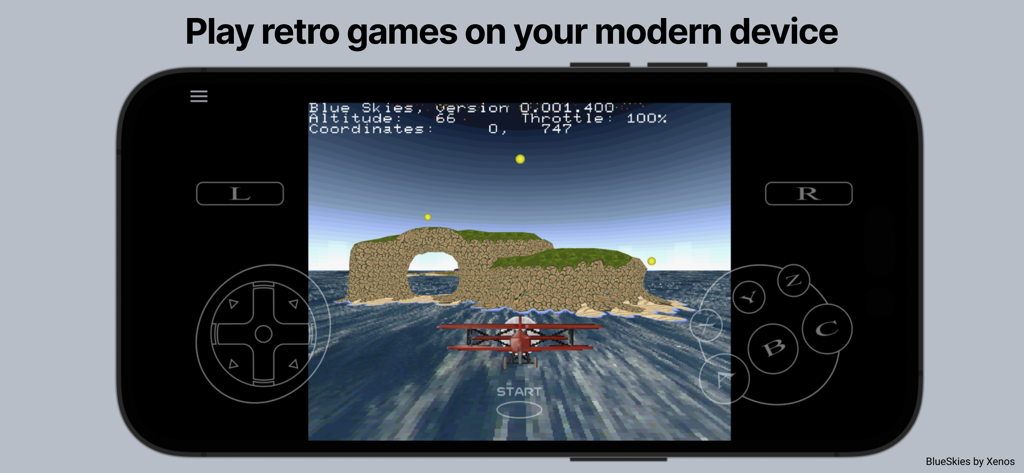
온스크린 컨트롤이 있는 Yaba Sanshiro 2 SEGA Saturn 에뮬레이터에서 실행되는 레트로 비행 게임

온스크린 컨트롤이 있는 Yaba Sanshiro 2 SEGA Saturn 에뮬레이터에서 실행되는 레트로 비행 게임

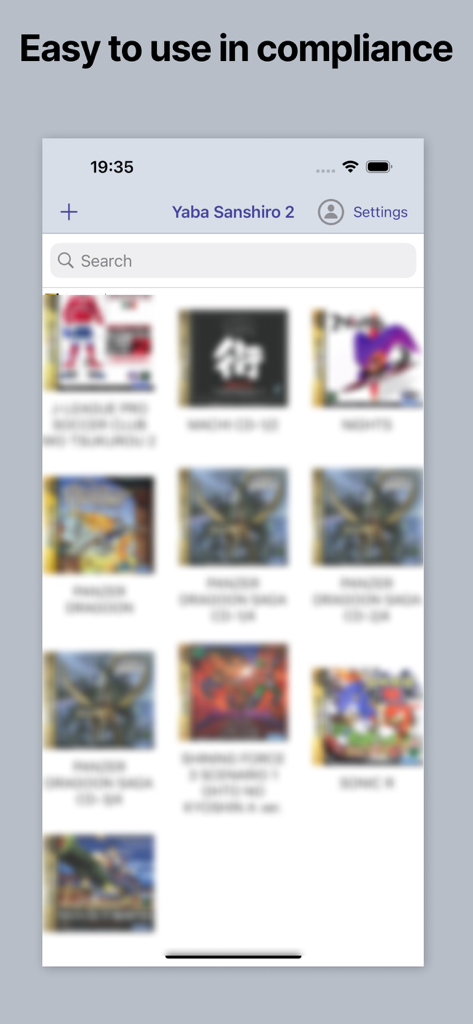
Sega Saturn 게임 라이브러리를 보여주는 Yaba Sanshiro 2 앱 인터페이스

Sega Saturn 게임 라이브러리를 보여주는 Yaba Sanshiro 2 앱 인터페이스

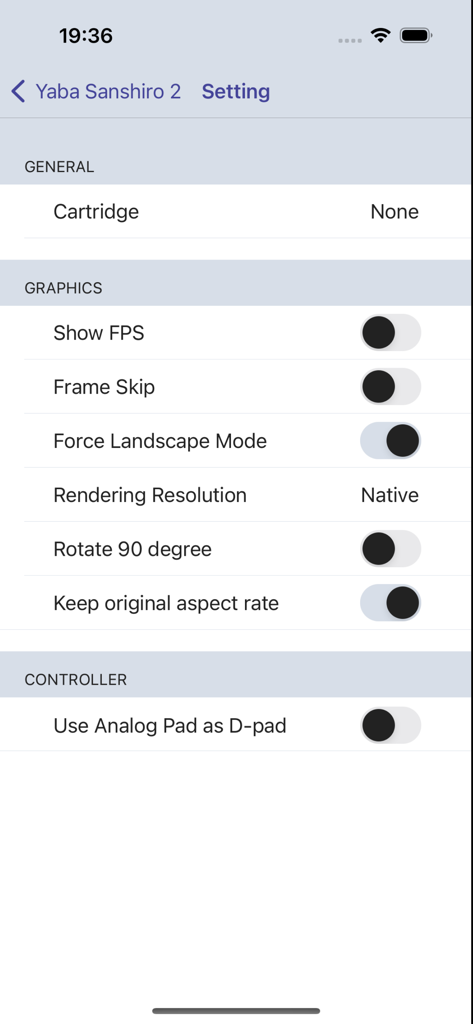
FPS 및 렌더링 해상도와 같은 그래픽 옵션을 보여주는 Yaba Sanshiro 2 설정 메뉴

FPS 및 렌더링 해상도와 같은 그래픽 옵션을 보여주는 Yaba Sanshiro 2 설정 메뉴

궁극의 32비트 콘솔 경험

이 앱을 돋보이게 하는 도구, 12K+ 명의 사용자가 선택.

🕹️

정품 60 FPS 에뮬레이션

원본 듀얼 CPU 아키텍처를 재현하는 픽셀 단위의 완벽한 성능과 고화질 사운드로 게임 황금기를 다시 경험하세요.

💎

고화질 업스케일링

최대 4배의 렌더링 해상도, 사용자 정의 종횡비, 최신 디스플레이에 최적화된 가로 모드로 클래식 게임에 새 생명을 불어넣으세요.

🎮

인스턴트 저장 상태, 가상 RAM 카트리지, MFi 컨트롤러 지원으로 라이브러리를 마스터하세요.

앱 소개

에 대해 알아야 할 모든 것 Yaba Sanshiro 2.

설명

'Yaba Sanshiro' has implemented Saturn hardware using software, allowing you to play Saturn games on iOS devices. For copyright protection, 'Yaba Sanshiro' does not include BIOS data or games. You can play your games by following these instructions: You can also check out this YouTube video. https://www.youtube.com/watch?v=VxHDJR2Xcf4 # What You Need * iPhone 8 or above * Mac or PC * Saturn game CD-ROM * CD drive connected to your Mac or PC # Steps 1) Dump the CD-ROM image from your own SEGA Saturn game CD-ROM. If you are using a PC, you can use our dumping tool. If you are using a Mac, follow these steps: * Install the CD-ROM dump tool. AnyToISO Converter is recommended. * Dump your CD-ROM. The .cue format is recommended. * Install brew. * Install chdman with this command: ```brew install rom-tools``` * Convert the CD-ROM image to a CHD file with this command. Replace [game file name] with the name you assigned to the CD-ROM image: ```chdman createcd -i [game file name].cue -o [game file name].chd``` 2) Transfer the CHD file to a location accessible by your iPhone. The iCloud Drive is the easiest option. 3) Run YabaSanshiro on your iPhone. 4) Tap the + button and select your CHD file. 5) Tap the CHD file you added. The game will then start. --- # Menu By pressing the menu button, you can display the menu screen. ## Exit Return to the home screen. ## Reset Restart the virtual device. ## Change Disk ## Save State Save the current state. ## Load State Load a previously saved state. ## Game Controller ## Settings ### Cartridge Select the type of cartridge installed on your emulated SEGA Saturn. Backup RAM is an external backup RAM to save game data. RAM is an external RAM for specific games that require a large amount of RAM, like King of Fighters. ### Show FPS Show or hide the Frames Per Second (FPS), which indicates the speed of emulation on your device. ‘60/60’ represents optimal performance, equivalent to the actual SEGA Saturn speed. ### Frame Skip When FPS is less than 60, uoYabause skips frames to reach 60 FPS. If this option is enabled, YabaSanshiro may drop frames, which could disrupt the internal SEGA Saturn emulation. ‘Off’ is recommended for accurate emulation. ### Force Landscape Mode Automatically switch to landscape mode when emulation starts. ### Rotate 90 Degrees The screen is rendered rotating 90 degrees for some vertical scrolling games like 'RayForce'. ### Keep Original Aspect Ratio If this option is disabled, YabaSanshiro stretches to fill the entire screen. Otherwise, YabaSanshiro maintains the classic 4:3 screen size. ### Rendering Resolution * Native - Native resolution of your iOS device. * 4x * 2x * Original - Original Saturn resolution. ### Sound Engine You can choose between 'High quality but heavy' or 'Low quality but light'. ### Controller YabaSanshiro includes an on-screen gamepad, but you can also use MFI game controllers, which Apple officially supports. License: GNU GENERAL PUBLIC LICENSE Version 2 https://raw.githubusercontent.com/devmiyax/yabause/master/LICENSE Source Code: https://github.com/devmiyax/yabause Privacy Policy: https://www.yabasanshiro.com/privacy

최신 버전

1.18.15

크기

48.9 MB

출시일

2024년 8월 2일

iOS에서 다시 태어나는 SEGA Saturn 라이브러리

CD-ROM 컬렉션을 먼지떨이하고 최대 4배의 네이티브 해상도로 픽셀 단위의 완벽한 성능을 경험하세요. 32비트 시대가 공식적으로 휴대 가능해졌습니다.

다운로드: App Store다운로드: Google Play

App information, icons, screenshots, and descriptions displayed on this page are sourced from the Apple App Store and are the property of their respective developers. Download estimates and rankings are based on MWM's proprietary models and may not reflect actual figures. This page is provided for informational and analytical purposes only.

Believe this page infringes your intellectual property? File a dispute