AllShare Cast ™: Espelhe seu iPhone em qualquer Smart TV Instantaneamente
Experimente a liberdade da transmissão sem fio. Leve suas fotos, vídeos e jogos para a tela grande sem hardware caro ou cabos bagunçados — compatível com Samsung, Roku, LG e muito mais.
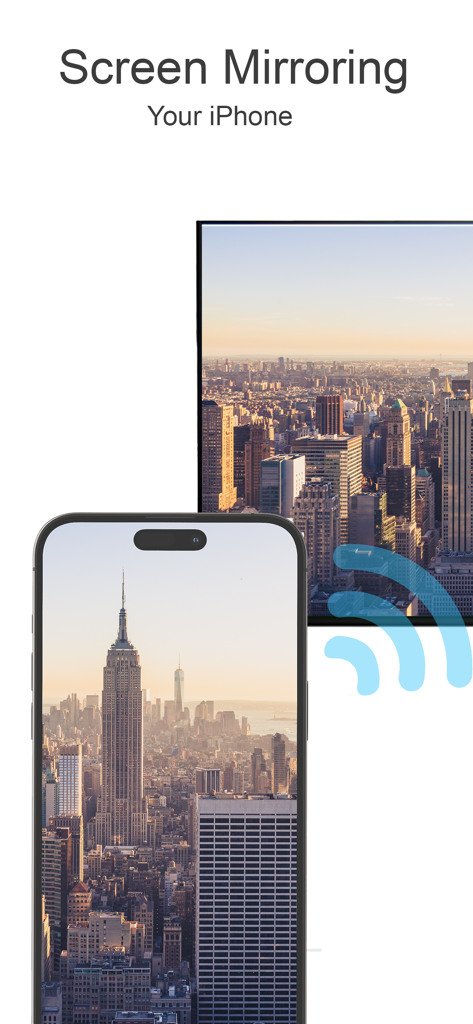
Um iPhone espelhando uma foto de paisagem urbana em uma tela de Smart TV
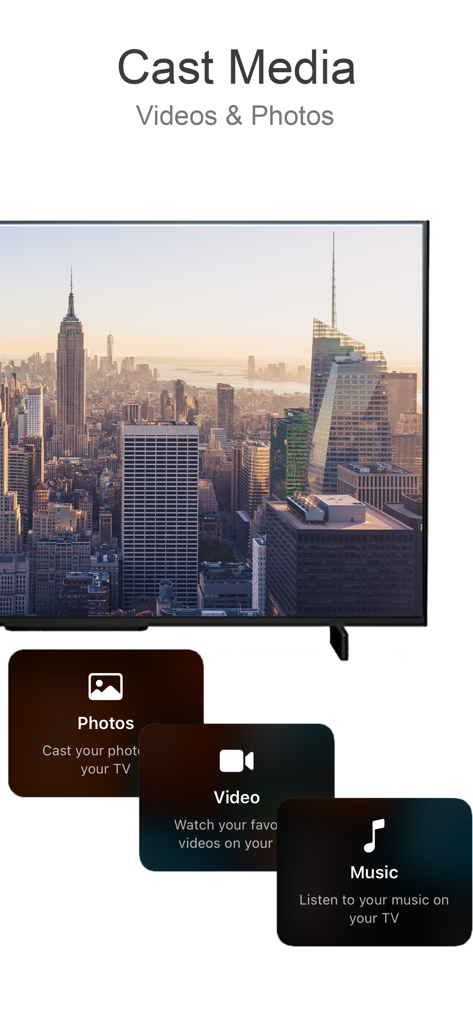
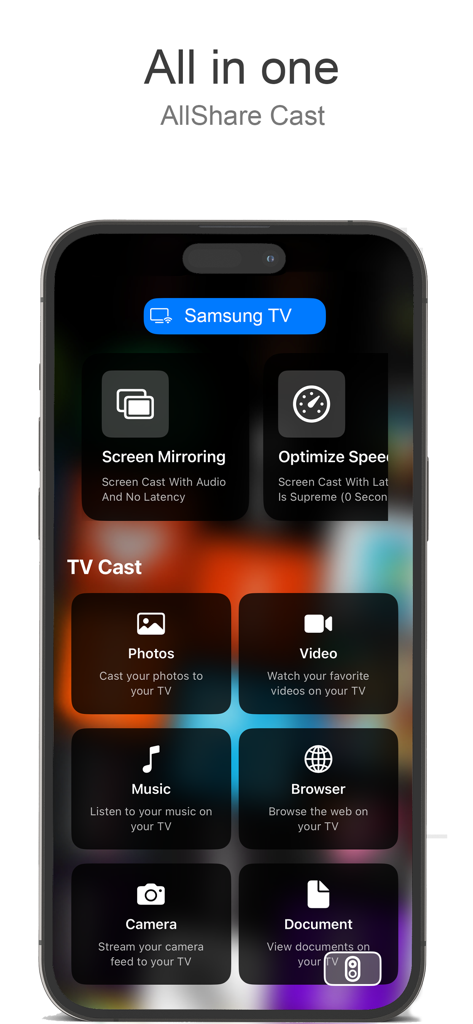
Interface do aplicativo AllShare Cast mostrando opções para transmitir fotos, vídeos e músicas para uma televisão
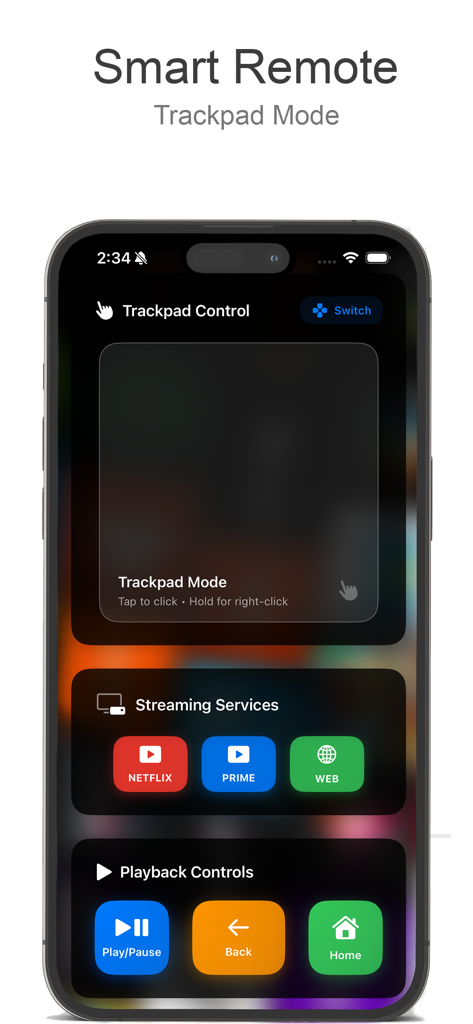
Tela de smartphone exibindo o controle remoto inteligente AllShare Cast com trackpad e controles de reprodução.
Interface do aplicativo AllShare Cast no iPhone mostrando opções de espelhamento de tela e transmissão de mídia.
Desbloqueie o Potencial Total da Sua TV
As ferramentas que destacam este app, escolhido por 24K+ usuários.
🌐
Sincronização Universal de TV
Sem Apple TV? Sem problema. Conecte-se perfeitamente com Samsung, LG, Roku e Chromecast em segundos.
🚀
Espelhamento Sem Latência
Transmita jogos, videochamadas e aplicativos em tempo real. Experimente o poder do seu telefone em escala cinematográfica.
🎬
Transmissão de Mídia com Um Toque
Transforme sua sala em um cinema. Compartilhe fotos, vídeos caseiros e músicas com clareza de alta fidelidade.
Sobre o app
Tudo o que você precisa saber sobre AllShare Cast ™.
Descrição
Transform your TV into a smart, interactive screen with our easy-to-use screen mirroring and casting app. Designed to make sharing your favorite media effortless, our app allows you to cast photos, videos, music, and even web content directly from your phone to your TV. Whether you’re looking to enjoy personal memories on a bigger screen, present slideshows, or enjoy streaming content without restrictions, this app turns your TV into the ultimate multimedia center.
Key Features:
Instant Screen Mirroring:
Mirror your phone’s screen to your TV in real-time. With ultra-low latency, you can enjoy gaming, video calls, presentations, and more on a larger screen without interruptions. Screen mirroring is perfect for family gatherings, work meetings, or online learning—whatever you want to display, show it clearly and in high resolution.
Photo & Video Casting:
Bring your memories to life by casting your phone’s photos and videos directly to your TV. Relive family vacations, birthdays, and special events with vibrant clarity. With just a tap, share those moments with everyone in the room, no cables required.
Stream Online Content:
Take your favorite online videos and websites directly from your phone to the big screen. Browse through YouTube, Vimeo, and other video streaming platforms on your phone, and play content on your TV for an immersive experience. No need for separate apps or confusing setups—just select the content, cast, and enjoy.
Audio & Music Playback:
Fill the room with your favorite playlists by casting music from your phone to the TV. Connect to high-quality speakers for an immersive sound experience. Whether it’s for a workout, a family gathering, or relaxing alone, bring your music to life on larger speakers and experience every beat.
Easy Remote Control:
Use your phone as a remote to control your TV’s settings, such as adjusting volume, navigating apps, and more. This feature eliminates the need for additional remotes and keeps everything accessible from your phone, making it simpler to find what you want and enjoy your content uninterrupted.
Seamless Connectivity with Multiple Devices:
Our app supports various devices and TV brands, including Samsung, Roku, LG, Sony, Chromecast, and more. Connect with ease and switch between devices as you need. With universal compatibility, our app ensures you can use it with any major TV brand without hassles.
Web Content Projection:
Enjoy the convenience of browsing the internet from your phone and displaying it on the TV. Read news articles, view recipes while cooking, watch tutorials, or explore websites with family and friends. The bigger screen means everyone can see and enjoy the content at the same time.
How It Works:
Connect to the Same Wi-Fi Network:
Ensure both your phone and TV are connected to the same Wi-Fi network to enable fast and secure connectivity.
Select Your Media:
Choose photos, videos, music, or online content from your phone to cast.
Cast with a Single Tap:
Tap the cast icon, select your TV, and enjoy your content on the big screen instantly.
Ideal For:
Family Gatherings:
Share photos and videos with everyone in the room, bringing family memories to life on the big screen.
Gaming Enthusiasts:
Get a bigger view for mobile gaming, with minimal lag and better visuals, so you can immerse yourself in the gameplay.
Business & Education:
Use the screen mirroring function for presentations, educational content, or virtual meetings, making it easy to collaborate with others and share visual aids.
Movie Nights & Streaming Enthusiasts:
Turn any night into movie night by streaming your favorite films, series, and videos from your phone to the TV, creating a cinematic experience right at home.
Última versão
2.1
Tamanho
6.2 MB
Data de lançamento
28 de out. de 2024
Dê um Salto Entre Seu iPhone e Sua TV
Pare de lutar com cabos e hardware incompatível. Junte-se a mais de 24.000 usuários e baixe o AllShare Cast ™ hoje mesmo para espelhar sua tela e transmitir seu conteúdo favorito para qualquer Smart TV em segundos.
FAQ
Perguntas Frequentes
Tudo o que você precisa saber sobre AllShare Cast ™
O que é o AllShare Cast ™?
O AllShare Cast ™ transforma sua TV em uma tela inteligente e interativa, permitindo o compartilhamento sem esforço de fotos, vídeos, músicas e conteúdo da web do seu telefone. Ele funciona como um centro multimídia.
Posso espelhar a tela do meu iPhone na TV com o AllShare Cast ™?
Sim, o AllShare Cast ™ oferece espelhamento de tela instantâneo para o seu iPhone na TV em tempo real. Ele suporta jogos, videochamadas e apresentações com alta resolução e latência ultrabaixa.
O AllShare Cast ™ suporta a transmissão de fotos e vídeos para minha TV?
Sim, o AllShare Cast ™ permite que você transmita as fotos e vídeos do seu telefone diretamente para sua TV. Reviva memórias de família com clareza vibrante, compartilhando momentos com todos na sala.
Quais marcas de TV são compatíveis com o AllShare Cast ™?
O AllShare Cast ™ suporta várias marcas de TV, incluindo Samsung, Roku, LG, Sony e Chromecast. Ele oferece compatibilidade universal para conexão perfeita com as principais marcas de TV.
O AllShare Cast ™ pode transmitir conteúdo online para minha TV?
Sim, o AllShare Cast ™ permite que você transmita vídeos e sites online do seu telefone para a tela grande. Navegue pelo YouTube, Vimeo e outras plataformas para uma experiência imersiva.
O AllShare Cast ™ inclui função de controle remoto?
Sim, o AllShare Cast ™ possui um controle remoto fácil, permitindo que você use seu telefone para ajustar o volume, navegar em aplicativos e gerenciar outras configurações da TV. Isso elimina controles remotos extras.
Como conecto meu telefone e TV usando o AllShare Cast ™?
Para se conectar usando o AllShare Cast ™, certifique-se de que seu telefone e TV estejam na mesma rede Wi-Fi. Em seguida, selecione sua mídia, toque no ícone de transmitir e escolha sua TV.
O AllShare Cast ™ pode projetar conteúdo da web na minha TV?
Sim, o AllShare Cast ™ permite a projeção de conteúdo da web. Você pode navegar na internet do seu telefone e exibir notícias, receitas, tutoriais ou explorar sites na tela da sua TV.
O AllShare Cast ™ suporta reprodução de áudio e música na TV?
Sim, o AllShare Cast ™ suporta reprodução de áudio e música. Você pode transmitir playlists do seu telefone para sua TV e conectar-se a alto-falantes de alta qualidade para uma experiência sonora imersiva.
O AllShare Cast ™ é adequado para jogos?
Sim, o AllShare Cast ™ é ideal para entusiastas de jogos. Ele oferece uma visão maior para jogos em dispositivos móveis com atraso mínimo e melhores visuais, aprimorando a experiência de jogo imersiva.
App information, icons, screenshots, and descriptions displayed on this page are sourced from the Apple App Store and are the property of their respective developers. Download estimates and rankings are based on MWM's proprietary models and may not reflect actual figures. This page is provided for informational and analytical purposes only.
Believe this page infringes your intellectual property? File a dispute