Brother iPrint&Scan

Brother iPrint&Scan

Baixar no App StoreBaixar no Google Play
Logo de Brother iPrint&Scan

Brother iPrint&Scan: Impressão e Digitalização Sem Fio Simplificadas

Imprima documentos, digitalize para a nuvem e envie faxes diretamente do seu dispositivo móvel. Elimine o intermediário do computador com a ferramenta de produtividade definitiva para sua impressora Brother.

Editor

Brother Industries, LTD.

Categoria

Utilities

Downloads

16M+

Avaliação

2.7/5

Total de avaliações

16K+

Idiomas

21

Eficiência em Movimento

Descubra a interface usada por 16M+ usuários.
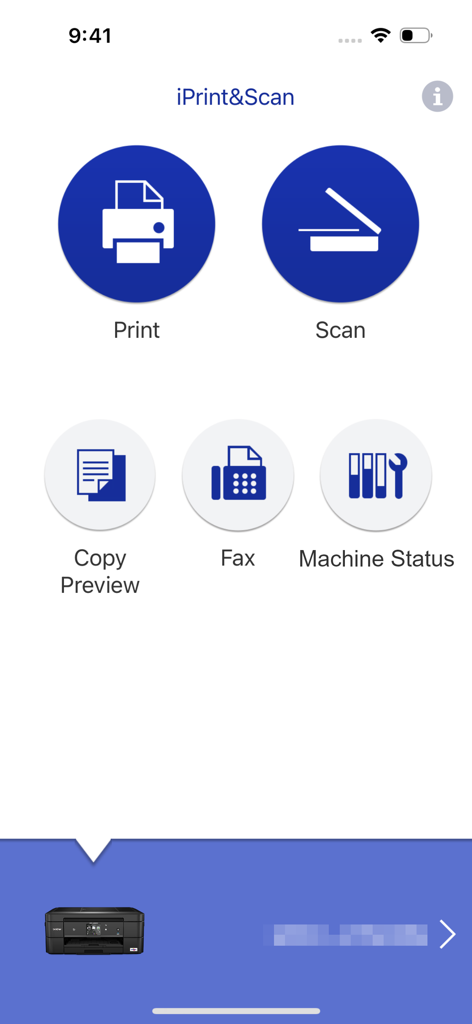
Interface principal do aplicativo Brother iPrint e Scan com opções de impressão e digitalização

Interface principal do aplicativo Brother iPrint e Scan com opções de impressão e digitalização

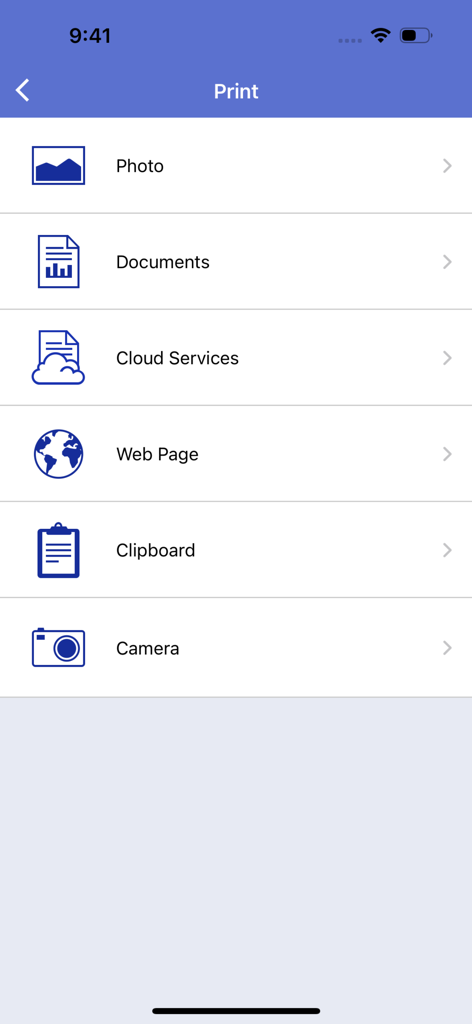
Tela principal do menu de impressão do aplicativo Brother iPrint e Scan mostrando opções para imprimir fotos, documentos, arquivos na nuvem, páginas da web e muito mais.

Tela principal do menu de impressão do aplicativo Brother iPrint e Scan mostrando opções para imprimir fotos, documentos, arquivos na nuvem, páginas da web e muito mais.

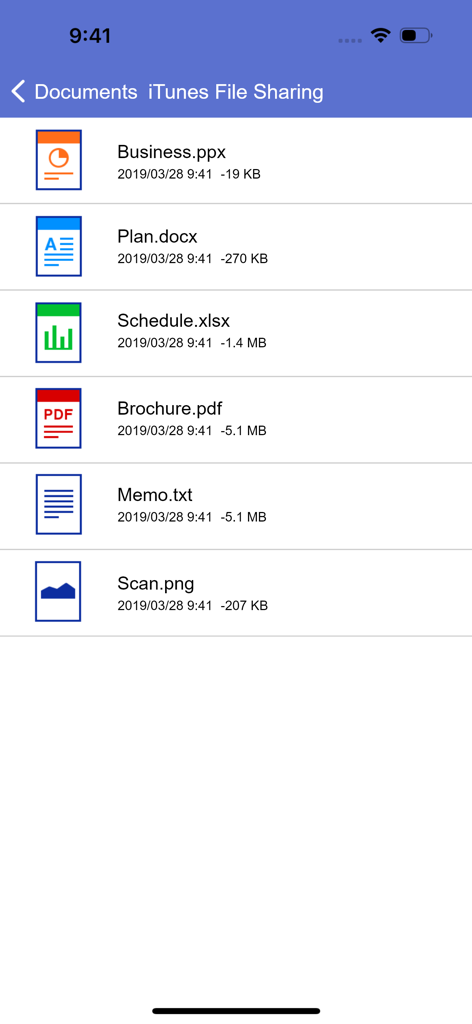
Lista de documentos no aplicativo Brother iPrint e Scan mostrando arquivos PDF, Word e Excel para impressão móvel

Lista de documentos no aplicativo Brother iPrint e Scan mostrando arquivos PDF, Word e Excel para impressão móvel

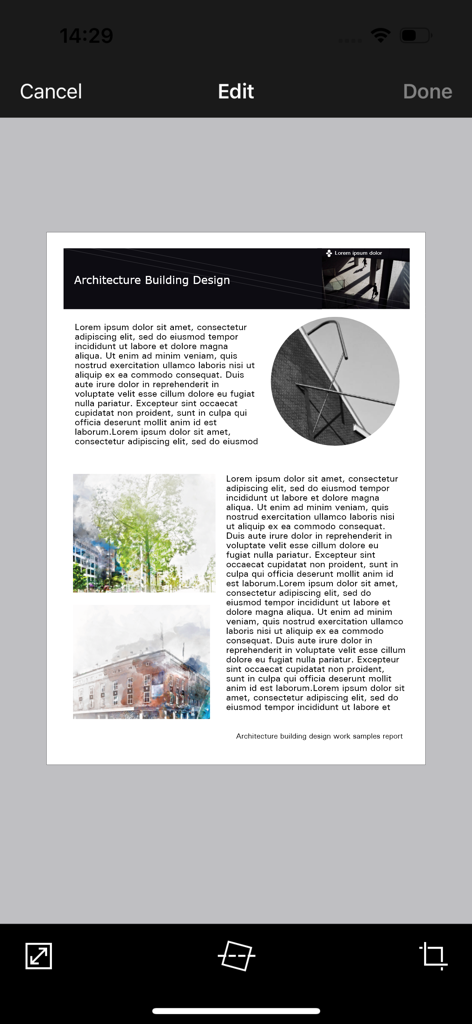
Interface do aplicativo móvel Brother iPrint e Scan mostrando um documento sendo editado com ferramentas para cortar e endireitar

Interface do aplicativo móvel Brother iPrint e Scan mostrando um documento sendo editado com ferramentas para cortar e endireitar

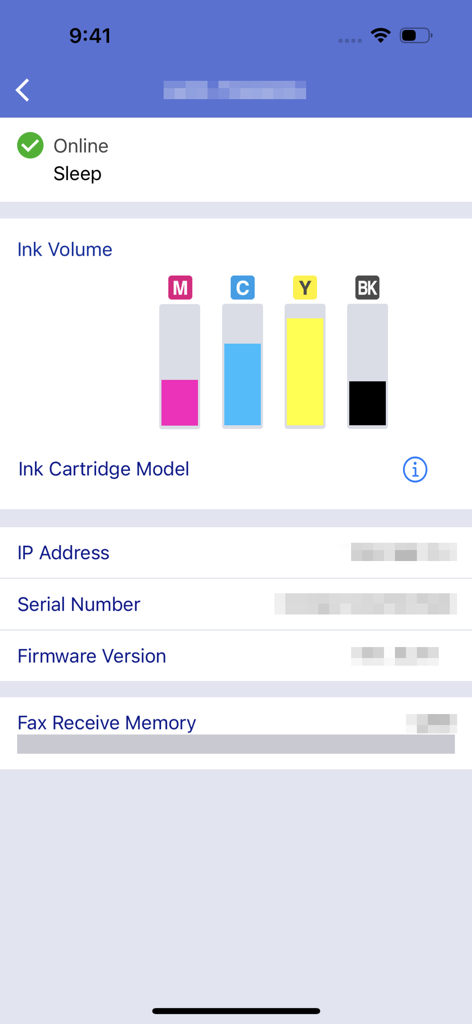
Interface do aplicativo Brother iPrint e Scan exibindo os níveis de volume de tinta e o status da máquina

Interface do aplicativo Brother iPrint e Scan exibindo os níveis de volume de tinta e o status da máquina

Domine Seu Escritório do Seu Bolso

As ferramentas que destacam este app, escolhido por 16M+ usuários.

📲

Impressão na Nuvem com Um Toque

Imprima contratos, etiquetas de envio e documentos diretamente do iCloud, Dropbox ou OneDrive em segundos.

📄

Digitalização Móvel Inteligente

Digitalize papéis em qualquer lugar. Digitalize diretamente para o seu telefone, edite para clareza e envie por e-mail como PDF sem um computador.

📠

Fax Remoto & Manutenção

Envie faxes legais e monitore os níveis de tinta remotamente para que você esteja sempre pronto para seu próximo grande projeto.

Análise de avaliações

Insights das avaliações dos usuários.

Pontuação de sentimento

31%
Negativo

Resumo

The app receives mixed feedback, with users often praising its ease of use, simple setup, and effective wireless printing capabilities for various document and image types. Many find it convenient for printing remotely, even with older printers. However, a significant number of users report persistent connectivity issues, particularly following iOS updates (e.g., iOS 26), and general unreliability. Frustrations also stem from perceived missing features like comprehensive paper size options, consistent double-sided printing controls, and limitations in scanning functionality, alongside reports of app crashes and version-specific bugs on devices like iPhone 17.

Temas comuns

Connectivity(4)
Ease of Use & Setup(3)
Wireless Printing(3)
Image Manipulation(2)
Paper Size Options(1)
iOS Compatibility & Bugs(1)

Sobre o app

Tudo o que você precisa saber sobre Brother iPrint&Scan.

Descrição

Brother iPrint&Scan is a free app that enables you to print from and scan to your iOS device (iPhone / iPod touch / iPad). Use your local wireless network to connect your iOS device to your Brother printer or all-in-one. Some new advanced functions have been added, including edit, fax send, fax preview, copy preview, and machine status. Visit your local Brother website for a list of supported models. [Key Features] - Easy to use menu. - Simple steps to print your favorite photos, web pages and documents (PDF, Word, Excel®, PowerPoint®, Text). - Print photos directly from your iPhone camera. - Print PDF files or Microsoft® Office documents or Text files by starting the app from "Open in..." - Print your documents and photos directly from the following cloud services: Dropbox™, OneDrive, Evernote®. - Print what you copied to the clipboard. - Use iTunes File Sharing to send compatible files (PDF, Word, Excel®, PowerPoint®, Text, JPEG, PNG, TIFF) to iPrint&Scan for convenient printing at a later time. - Scan directly to your iPhone/iPod touch/iPad. - Save scanned images to your photo album, iCloud or Facebook / X / Flickr accounts or send them in an E-mail (PDF, JPEG). - Print scanned images saved to iCloud from this app. - Automatically search for supported devices on a local wireless network. - No computer and no driver required. *To save scanned images directly to Facebook / X / Flickr, you must first register your accounts on your mobile device. [Advanced Functions] (Only available on new models.) - Edit previewed images using the editing tools (scale, straighten, crop) if necessary. - Send a fax directly from your mobile device. (This app feature requires access to the address book of your mobile device.) - View received faxes stored on your machine on your mobile device. - The copy preview function enables you to preview an image and edit it if necessary before copying to avoid copy errors. - View the machine’s status such as ink/toner volume and error messages on your mobile device. *Compatible functions will depend on the selected device. [Compatible Print Settings] - Paper Size - 4" x 6" (10 x 15cm) Photo L (3.5" x 5" / 9 x 13 cm) Photo 2L (5" x 7" / 13 x 18 cm) A4 Letter Legal A3 Ledger - Media Type - Glossy Paper Plain Paper - Copies - Up to 5 [Compatible Scan Settings] - Document Size - A4 Letter 4" x 6" (10 x 15cm) Photo L (3.5" x 5" / 9 x 13 cm) Card (2.4" x 3.5" / 60 x 90 mm) Legal A3 Ledger - Scan Type - Color Color (Fast) Black & White [Access Permission Information] You must check and allow the essential access permissions below to use Brother iPrint&Scan service. Essential Permission • Contact information: access to your contact numbers is needed when you use functions like fax, but you can limit access to the specific contact necessary for the service. Optional Permission • Location information: It is requested only when you use device search features like Wi-Fi Direct, Bluetooth, or NFC. Optional data is required to use the corresponding function, and even if permission is not granted, services other than the corresponding function can be used. *Compatible settings will depend on the selected device and function. *Evernote is a trademark of Evernote Corporation and used under a license. *Microsoft, Excel, and PowerPoint are either registered trademarks or trademarks of Microsoft Corporation in the United States and/or other countries. *To help us improve the application, send your feedback to Feedback-mobile-apps-ps@brother.com. Please note that we may not be able to respond to individual emails.

Última versão

6.15.4

Tamanho

37.4 MB

Data de lançamento

29 de jul. de 2010

Assuma o Controle Total da Sua Impressora Brother em Qualquer Lugar

Junte-se a mais de 16 milhões de profissionais e famílias que abandonaram o computador. Imprima documentos, digitalize para a nuvem e envie faxes diretamente do seu telefone para um fluxo de trabalho perfeito e focado no celular.

Baixar no App StoreBaixar no Google Play
FAQ

Perguntas Frequentes

Tudo o que você precisa saber sobre Brother iPrint&Scan

O que é o Brother iPrint&Scan?

O Brother iPrint&Scan é um aplicativo gratuito que permite aos usuários imprimir e digitalizar a partir de seus dispositivos iOS. Ele se conecta a impressoras e multifuncionais Brother compatíveis através de uma rede sem fio local.

Como imprimo documentos usando o Brother iPrint&Scan?

Sim, o Brother iPrint&Scan permite imprimir fotos, páginas da web e documentos como arquivos PDF, Word, Excel, PowerPoint e de texto. Os usuários também podem imprimir de serviços em nuvem como o Dropbox.

O Brother iPrint&Scan pode digitalizar imagens para o meu dispositivo iOS?

Sim, o Brother iPrint&Scan permite a digitalização direta para iPhone, iPod touch ou iPad. As imagens digitalizadas podem ser salvas no álbum de fotos, iCloud ou compartilhadas via e-mail, Facebook, X ou contas Flickr.

O Brother iPrint&Scan suporta impressão em nuvem?

Sim, o Brother iPrint&Scan suporta a impressão de documentos e fotos diretamente de serviços em nuvem. Os serviços compatíveis incluem Dropbox, OneDrive e Evernote.

Quais formatos de arquivo são compatíveis com o Brother iPrint&Scan para impressão via Compartilhamento de Arquivos do iTunes?

O Brother iPrint&Scan suporta arquivos compatíveis como PDF, Word, Excel, PowerPoint, Texto, JPEG, PNG e TIFF para impressão via Compartilhamento de Arquivos do iTunes.

Posso verificar o status da minha impressora Brother com o iPrint&Scan?

Sim, o Brother iPrint&Scan permite aos usuários visualizar o status da máquina, incluindo os níveis de volume de tinta ou toner e mensagens de erro, diretamente em seus dispositivos móveis.

O aplicativo Brother iPrint&Scan é gratuito para baixar e usar?

Sim, o Brother iPrint&Scan é um aplicativo gratuito. Ele permite imprimir e digitalizar de dispositivos iOS sem nenhum custo.

O Brother iPrint&Scan requer um computador ou driver para operar?

Não, o Brother iPrint&Scan não requer um computador ou quaisquer drivers para sua operação. Ele se conecta diretamente a dispositivos Brother compatíveis através de uma rede sem fio local.

Posso enviar faxes usando o aplicativo móvel Brother iPrint&Scan?

Sim, os usuários podem enviar faxes diretamente de seus dispositivos móveis usando o Brother iPrint&Scan. Este recurso está disponível em modelos mais recentes e requer acesso à agenda do dispositivo.

Quais recursos avançados de edição estão disponíveis no Brother iPrint&Scan?

O Brother iPrint&Scan oferece ferramentas avançadas de edição para imagens visualizadas. Os usuários podem redimensionar, endireitar e cortar imagens conforme necessário, garantindo uma saída otimizada antes de imprimir ou copiar.

Quais permissões de acesso o Brother iPrint&Scan solicita?

O Brother iPrint&Scan requer acesso a informações de contato essenciais para funções de fax e informações de localização opcionais para recursos de busca de dispositivos como Wi-Fi Direct ou Bluetooth.

Como o Brother iPrint&Scan se conecta a uma impressora Brother?

O Brother iPrint&Scan se conecta a uma impressora ou dispositivo multifuncional Brother usando a rede sem fio local. O aplicativo busca automaticamente dispositivos compatíveis na rede.

App information, icons, screenshots, and descriptions displayed on this page are sourced from the Apple App Store and are the property of their respective developers. Download estimates and rankings are based on MWM's proprietary models and may not reflect actual figures. This page is provided for informational and analytical purposes only.

Believe this page infringes your intellectual property? File a dispute