Brow Designer
Brow Designer
Baixar no App Store

Esta página não é uma página oficial do aplicativo ou de seu desenvolvedor, mas uma publicação editorial independente criada para fins informativos e de comentário. Salvo indicação expressa em contrário, nem o aplicativo nem seu desenvolvedor são afiliados, endossados, patrocinados, autorizados ou oficialmente conectados à MWM, Apple, Google Play, ao editor do aplicativo ou ao desenvolvedor do aplicativo, e nada nesta página implica que o aplicativo foi desenvolvido utilizando os serviços da MWM. Todas as marcas comerciais, logotipos, capturas de tela e outros conteúdos permanecem propriedade de seus respectivos proprietários.

Logo de Brow Designer
Baixar no App Store

Brow Designer

Revolucione seu fluxo de trabalho de PMU com mapeamento de precisão. Crie formas impecáveis e personalizadas em tempo recorde usando IA avançada projetada para os artistas mais meticulosos do mundo.

Números Chave

Downloads

2K+

Avaliação

1.7/5

Total de avaliações

0

Editor

SADWARE INCORPORATED

Categoria

Utilities

Idiomas

20

Última versão

1.2.1

Tamanho

194.9 MB

Data de lançamento

13 de abr. de 2023
Recursos

Ferramentas de Precisão para Perfeição Permanente

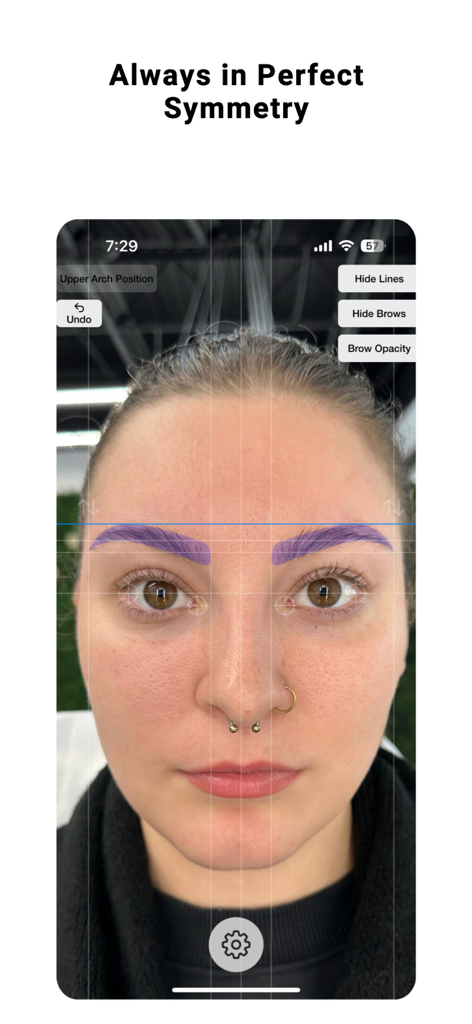
Eleve sua arte com um conjunto de ferramentas alimentado por IA projetado para garantir simetria impecável e cortar seu tempo de mapeamento pela metade.

Mapeamento Instantâneo com IA

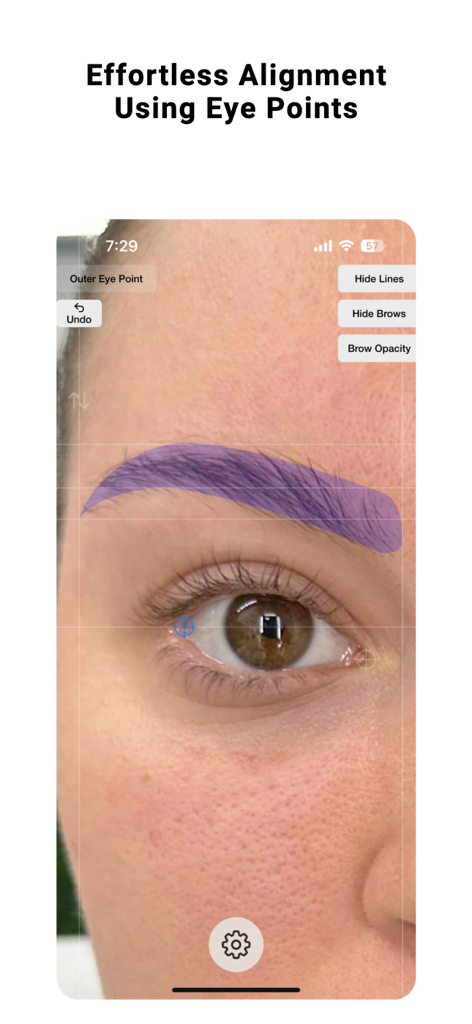
Alinhe automaticamente os pontos com base nos cantos anatômicos dos olhos para eliminar erros humanos e considerar a distorção da lente em cada foto.

Escultura e Personalização por Especialistas

Assuma o controle criativo total, ajustando as cabeças e caudas das sobrancelhas para um visual perfeitamente adaptado à estrutura facial única de sua cliente.

As capturas de tela e a descrição a seguir são provenientes diretamente da listagem oficial da loja do aplicativo e são propriedade do desenvolvedor.

App Store

Capturas
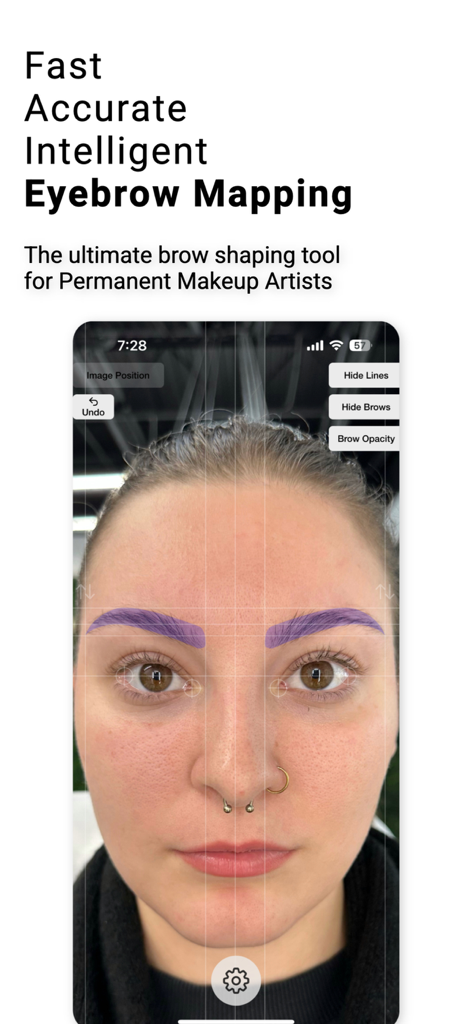
Brow Designer - Interface do aplicativo Brow Designer mostrando mapeamento de sobrancelhas com IA e linhas de simetria em um rosto feminino
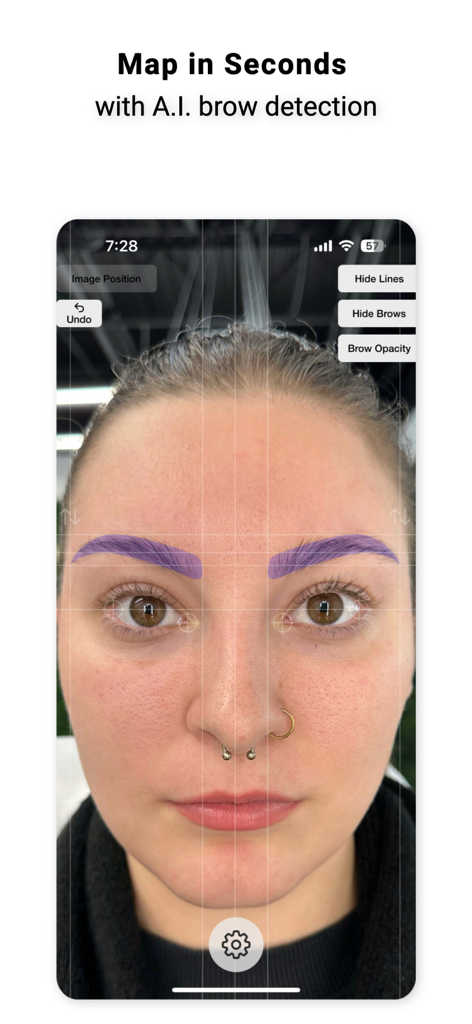
Interface do aplicativo Brow Designer mostrando mapeamento de sobrancelhas com IA e linhas de simetria em um rosto feminino

Brow Designer - Interface da ferramenta profissional de mapeamento de sobrancelhas com IA em um rosto
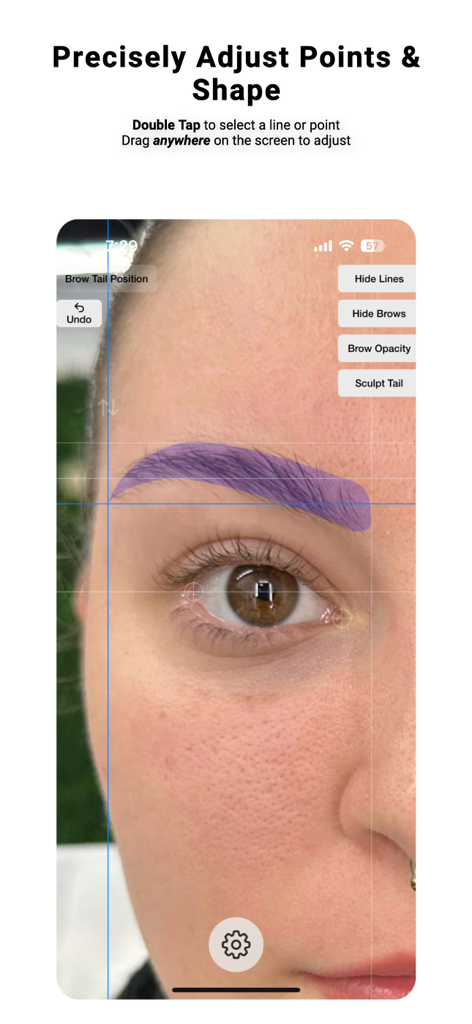
Interface da ferramenta profissional de mapeamento de sobrancelhas com IA em um rosto

Brow Designer - Interface do aplicativo Brow Designer mostrando mapeamento de sobrancelhas de precisão e ajuste de forma no rosto de uma pessoa
Interface do aplicativo Brow Designer mostrando mapeamento de sobrancelhas de precisão e ajuste de forma no rosto de uma pessoa

Brow Designer - Interface do aplicativo Brow Designer para alinhamento de sobrancelhas usando pontos dos olhos
Interface do aplicativo Brow Designer para alinhamento de sobrancelhas usando pontos dos olhos

Brow Designer - Aplicativo profissional de mapeamento de sobrancelhas mostrando designs de sobrancelhas simétricas com IA em um rosto de cliente
Aplicativo profissional de mapeamento de sobrancelhas mostrando designs de sobrancelhas simétricas com IA em um rosto de cliente

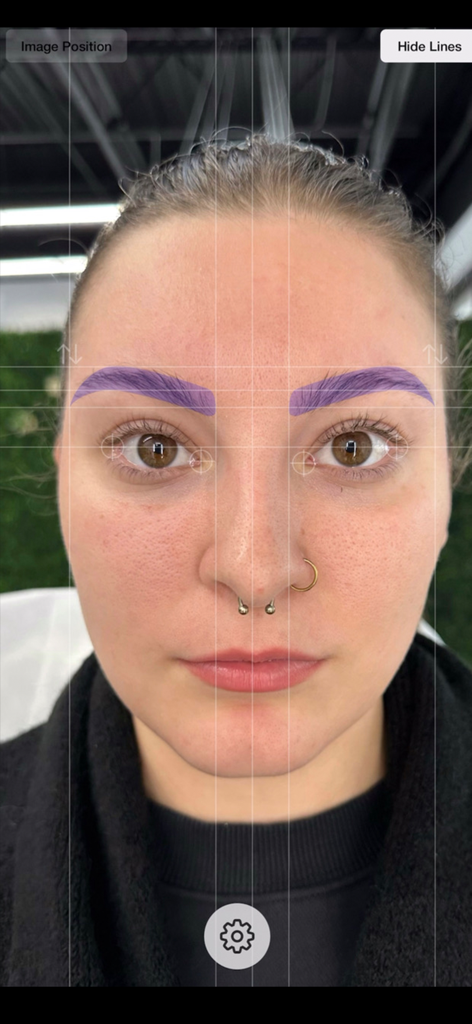
Brow Designer - Aplicativo profissional de mapeamento de sobrancelhas mostrando linhas de grade de simetria e sobreposições de sobrancelhas roxas em um rosto

Aplicativo profissional de mapeamento de sobrancelhas mostrando linhas de grade de simetria e sobreposições de sobrancelhas roxas em um rosto

Descrição

After years of meticulous research and development, we are excited to introduce Brow Designer, the ultimate brow shaping tool. Our app is designed based on workflows and experience of the world's greatest Permanent Makeup artists with the goal of helping you create the best possible brows in record time. Our AI-powered app quickly and automatically maps eyebrows onto a face, then allows you to customize the size, shape, and position to create your desired look. With Brow Designer, you'll enjoy expert-level brow shaping that's personalized, accurate, and effortless. Unlike previous attempts at brow map apps that were frustrating, tricky, and time-consuming to use, Brow Designer was built from the ground up to be a user-friendly and blazing-fast addition to your Permanent Makeup workflow. However, we value your feedback and want to hear from you about how we can make this app even better. We are committed to making continuous improvements and learning from you, the professional brow designer. Please feel free to reach out to us with any questions or feedback. We look forward to hearing from you. User Interface & Controls: - Press & hold the gear button to get started. Once you have held long enough, your phone will vibrate and you can release. Releasing will open the menu and allow you to select a photo or open your camera - Once an image is loaded, you can move it by dragging it and zoom by pinching - Quickly Double Tap on a line or point to select it - The selected line or point will show in blue - Drag anywhere on the screen to adjust the selected point or line. This allows you to drag the position without obstructing it's location with your finger. - Single tap to unselect or simply double tap on a different line to change the selection - In the top right, you can press the Hide Lines button to show only the brows created. Tap it again to show the lines again. - If you select either the head or tail of the brow, a bonus button will be displayed in the top right that will say "Sculpt Head" or "Sculpt Tail". Clicking this will change the controls to allow for reshaping or the heads and tails to get the shape just right. - The up and down arrows above each brow will allow you to individually adjust the vertical position of each brow individually and separately How Automatic Mapping Works: Brow Designer uses Artificial Intelligence-based image analysis to automatically align the image and map brow points. The rotation of the image is determined by aligning the outermost corners of each eye so that they are in line. This is because subjects will subconsciously use the outer eye corners as reference points when looking at themselves in a mirror or image. This method is the most reliable because no face is absolutely symmetrical, so using features such as ears, nose, or distance can be misleading. The center point of the brow map is then identified by finding the distance between the two inner points of the eyes for the same reason. If the App doesn't do this perfectly, the eye points can be adjusted manually. Simply double-tap on the crosshairs near the eyes and drag them to their appropriate positions to adjust rotation and the brow center point. Tips: For best results, the subject should be maskless, sitting or standing with their eyes open and a neutral facial expression. The entire face and head of the subject should be surrounded by empty space because lens distortion affects the outer section of the image the most. You can find the terms of use here: https://www.apple.com/legal/internet-services/itunes/dev/stdeula/ SADWARE INCORPORATED is a one-human software company located in the great state of Texas.

Download

Baixar no App Store

Esta página não é uma página oficial do aplicativo ou de seu desenvolvedor, mas uma publicação editorial independente criada para fins informativos e de comentário. Salvo indicação expressa em contrário, nem o aplicativo nem seu desenvolvedor são afiliados, endossados, patrocinados, autorizados ou oficialmente conectados à MWM, Apple, Google Play, ao editor do aplicativo ou ao desenvolvedor do aplicativo, e nada nesta página implica que o aplicativo foi desenvolvido utilizando os serviços da MWM. Todas as marcas comerciais, logotipos, capturas de tela e outros conteúdos permanecem propriedade de seus respectivos proprietários.








