BT Basketball Scoreboard

BT Basketball Scoreboard


Baixar no App StoreBaixar no Google Play
Logo de BT Basketball Scoreboard
BT Basketball Scoreboard: Transforme Qualquer Tela em um Painel de Arena Profissional

A solução completa de pontuação para treinadores e diretores de liga. Experimente controles de nível de elite, regras personalizáveis e gerenciamento remoto contínuo — sem o hardware caro.

Editor

The Basketball Temple LLC

Categoria

Sports

Downloads

34K+

Avaliação

4.3/5

Total de avaliações

0

Idiomas

1

Perfeição à Beira da Quadra

Descubra a interface usada por 34K+ usuários.
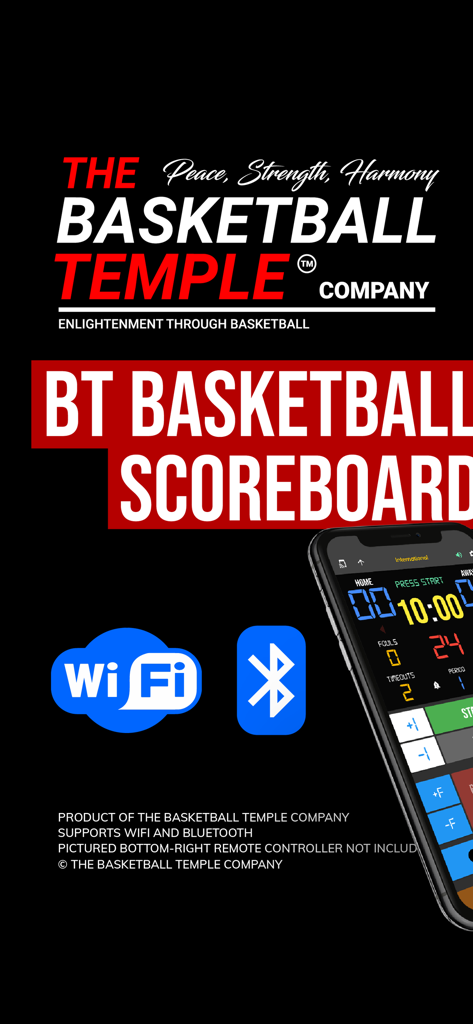
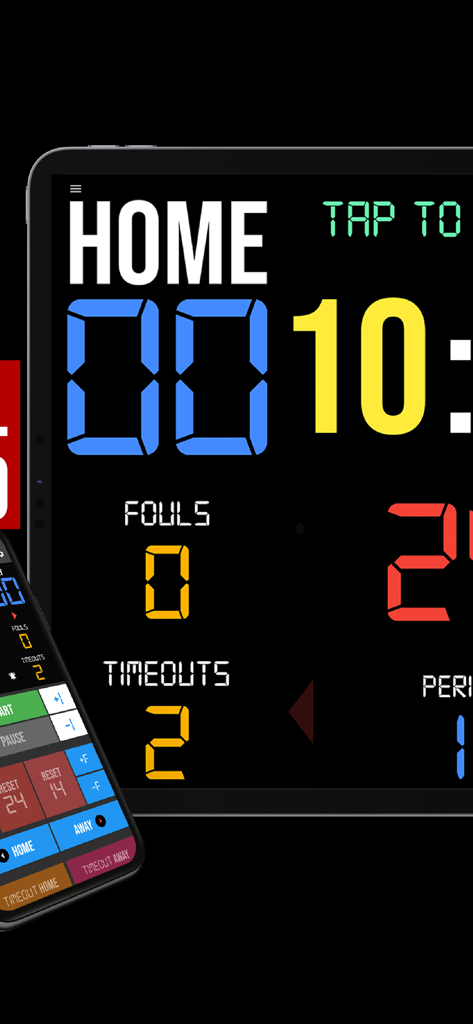
Aplicativo BT Basketball Scoreboard mostrando ícones de conectividade Wi-Fi e Bluetooth e uma interface de smartphone.

Aplicativo BT Basketball Scoreboard mostrando ícones de conectividade Wi-Fi e Bluetooth e uma interface de smartphone.

Um aplicativo de placar de basquete digital em um tablet com uma interface de controle remoto de smartphone

Um aplicativo de placar de basquete digital em um tablet com uma interface de controle remoto de smartphone

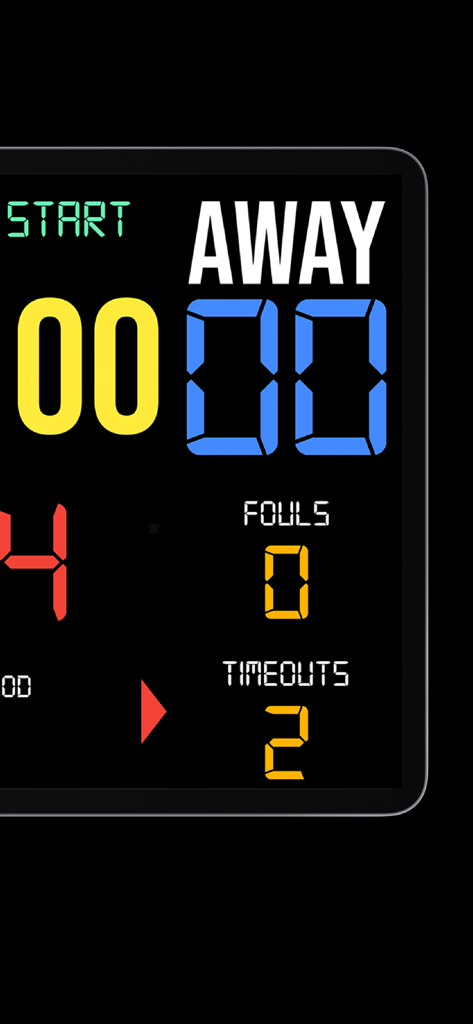
Interface do placar de basquete digital exibindo pontuação e faltas da equipe visitante

Interface do placar de basquete digital exibindo pontuação e faltas da equipe visitante

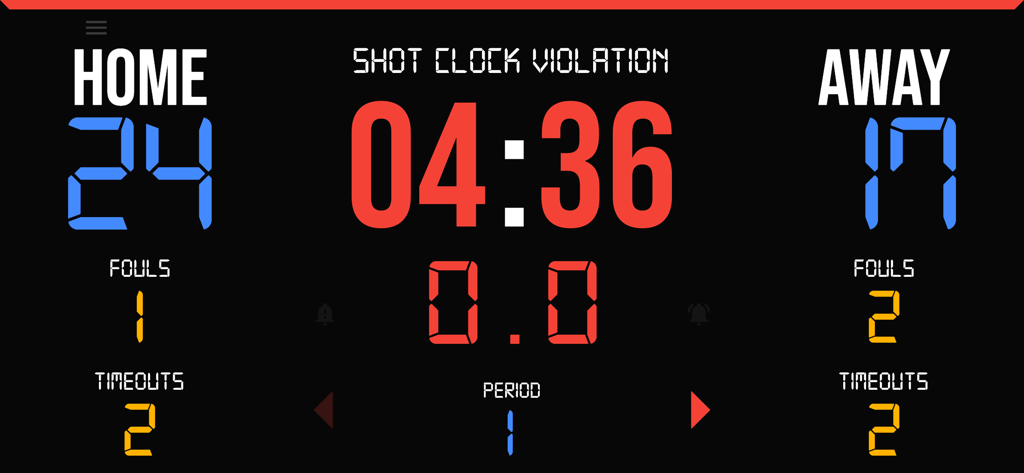
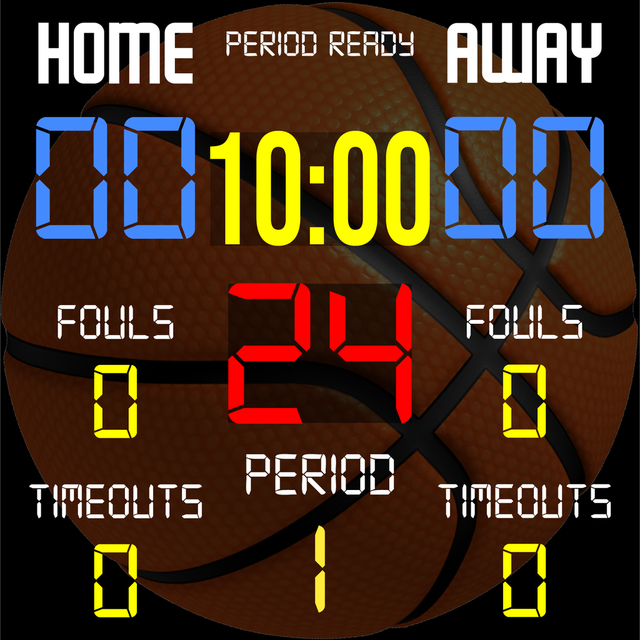
Placar de basquete digital mostrando pontuações, faltas, tempos e o shot clock

Placar de basquete digital mostrando pontuações, faltas, tempos e o shot clock

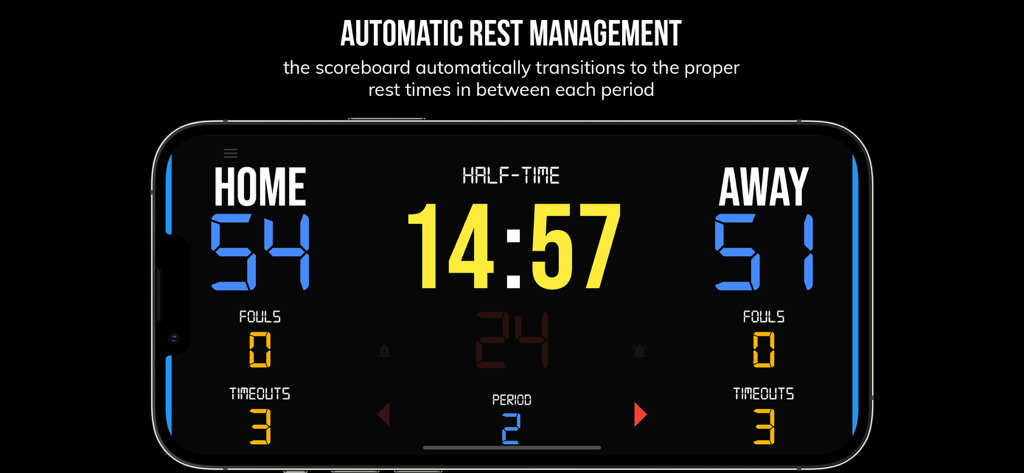
Interface do aplicativo BT Basketball Scoreboard mostrando um cronômetro de intervalo entre os períodos do jogo

Interface do aplicativo BT Basketball Scoreboard mostrando um cronômetro de intervalo entre os períodos do jogo

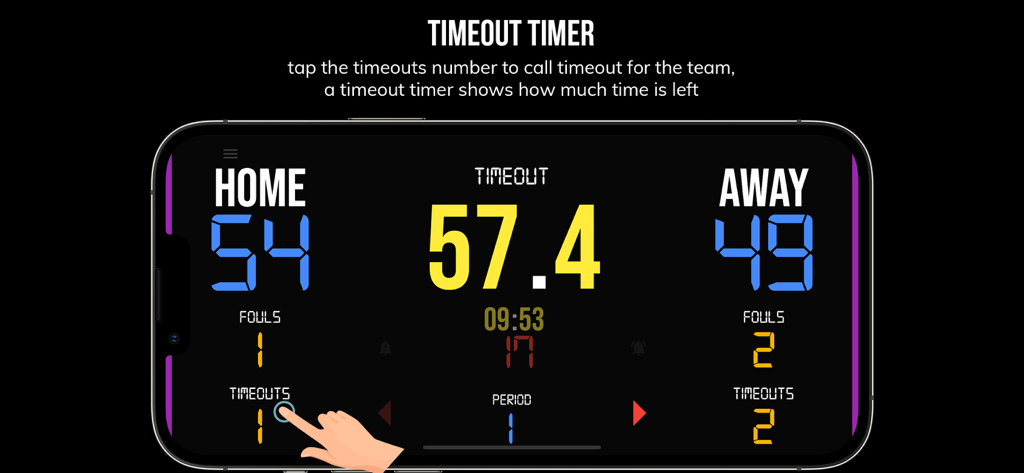
Um smartphone mostrando a interface do cronômetro de tempo limite no aplicativo BT Basketball Scoreboard

Um smartphone mostrando a interface do cronômetro de tempo limite no aplicativo BT Basketball Scoreboard

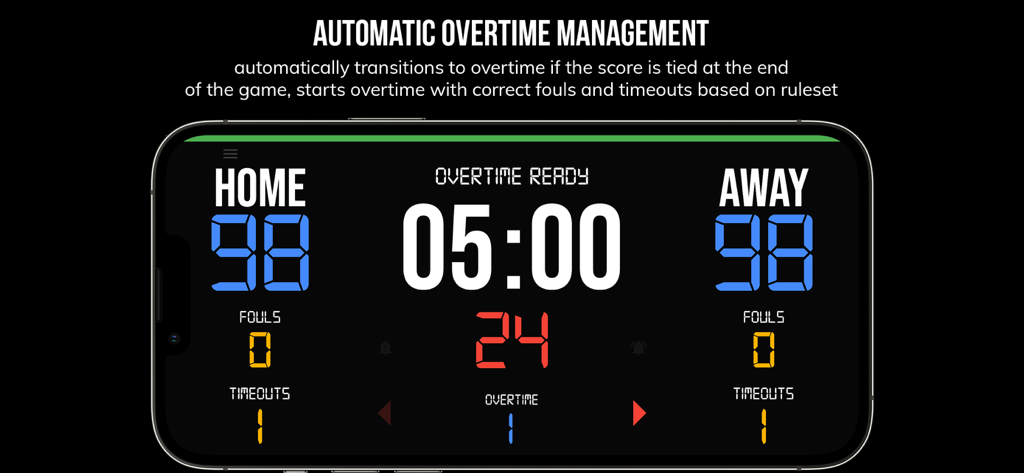
Interface do aplicativo BT Basketball Scoreboard mostrando gerenciamento automático de prorrogação com pontuação empatada

Interface do aplicativo BT Basketball Scoreboard mostrando gerenciamento automático de prorrogação com pontuação empatada

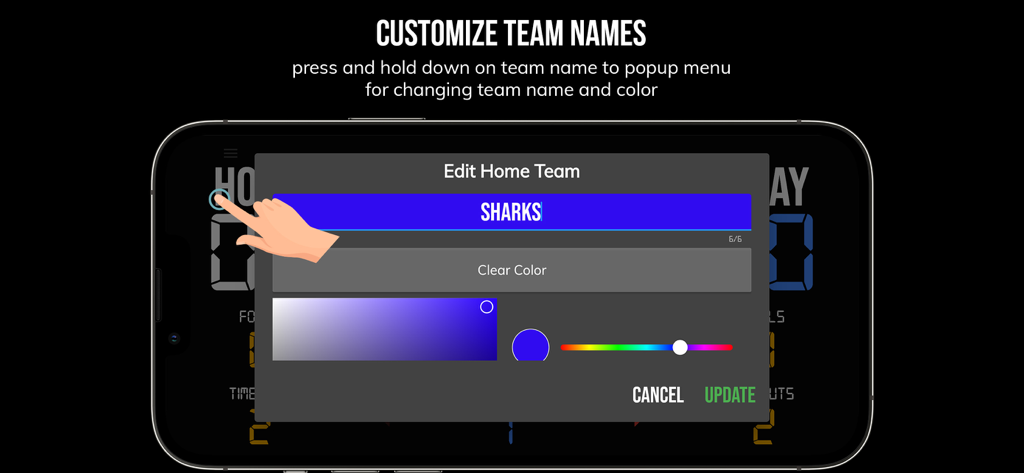
A tela de personalização de nome e cor da equipe no aplicativo BT Basketball Scoreboard

A tela de personalização de nome e cor da equipe no aplicativo BT Basketball Scoreboard

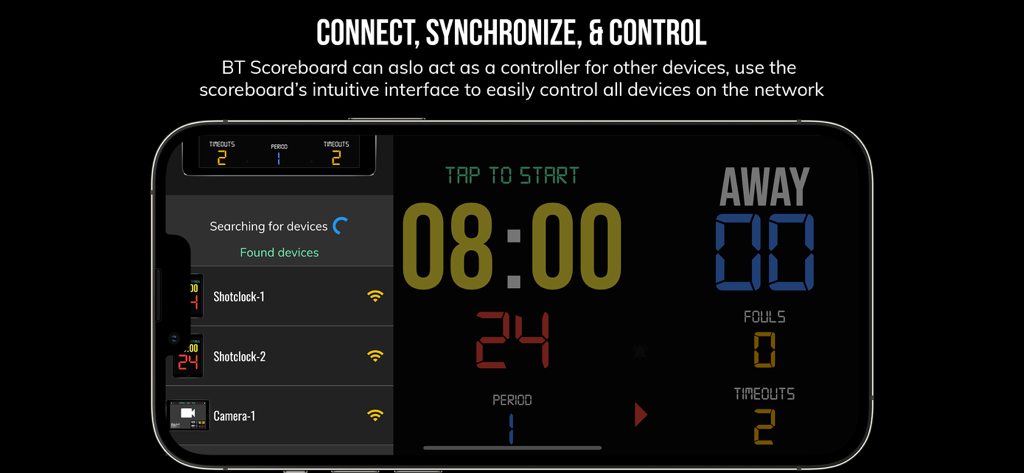
Interface do aplicativo BT Basketball Scoreboard mostrando sincronização de vários dispositivos e recursos de controle remoto em um smartphone

Interface do aplicativo BT Basketball Scoreboard mostrando sincronização de vários dispositivos e recursos de controle remoto em um smartphone

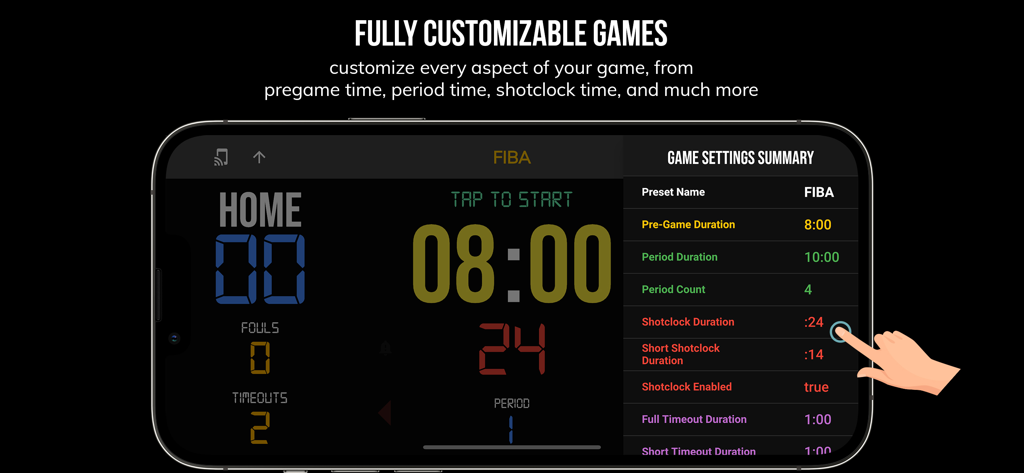
Interface do aplicativo BT Basketball Scoreboard mostrando configurações de jogo personalizáveis para regras FIBA em um smartphone.

Interface do aplicativo BT Basketball Scoreboard mostrando configurações de jogo personalizáveis para regras FIBA em um smartphone.

Eleve Cada Jogo às Grandes Ligas

As ferramentas que destacam este app, escolhido por 34K+ usuários.

📲

Gerenciamento Remoto Contínuo

Sincronize seu smartphone com seu tablet ou TV para gerenciar o relógio e a pontuação de qualquer lugar da lateral da quadra via Bluetooth ou Wi-Fi.

⏱️

Pré-configurado para Todos os Níveis

Aplique instantaneamente predefinições para regras de Ensino Médio, NCAA ou FIBA, além de modos personalizados para treinos intensos da equipe.

💎

Profissionalismo Sem Anúncios

Uma interface limpa e sem distrações que se adapta perfeitamente a projetores ou telas grandes para uma experiência de qualidade de arena real, sem o custo do hardware.

Sobre o app

Tudo o que você precisa saber sobre BT Basketball Scoreboard.

Descrição

One of the cleanest scoreboard apps on the market with many convenient features. The BT Scoreboard app, developed by and for a basketball company that runs it's own basketball leagues, is the next best option to investing in an expensive professional grade scoreboard. Scoreboard equipment which can cost you thousands is now available and affordable to everyone in the basketball community. Use the scoreboard by itself or download the free BT Controller app to remotely control the scoreboard and optionally multiple devices such as shotclocks (available on the app store as the "BT Shotclock" app). To connect to the scoreboard open the connect menu on the BT Controller app, the scoreboard is automatically detected, hit the WiFi or Bluetooth button next to the scoreboard name on the BT Controller app to connect. BT Scoreboard Features: - Clean design, no ads - Intuitive direct tap and swipe controls - Remotely control scoreboard with WiFi or Bluetooth using free BT Controller App - Convenient Presets (International, US, College, High School, ...) - Convenient timers: pregame timer, period timer, rest timer, timeout timer, overtime, etc. - Fully customizable game in the settings - Practice modes configured in settings is great for running practices - Audio buzzers for shotclock violation, end of period, substitutions, etc. - Warning beep near end of pregame, timeout, or rest times (customizable) - BT Scoreboard App can also act as a controller similar to BT Controller App - Quick Start Documentation below For the best experience, use the application on a large tablet, or hook your phone/tablet up to a large display or video projector. You'll feel like you have just bought a professional scoreboard! The BT Scoreboard app was created by The Basketball Temple Company. The Basketball Temple Company focuses on high quality basketball academies, basketball leagues, and technologies that are used to support those academies and leagues. We open our technology to the public so everyone in the basketball community can experience the same technologies that we use within our institutions. # Quick Start Documentation: Exiting Game and Reseting Times: - Click top right settings icon (if top bar is hidden, click top left hamburger icon to open top app bar) - Scroll down and hit "Exit Game" button Score Controls: - Tap score to increase quickly - Swipe up/down score to increase/decrease - Hold down on team names to adjust name and color of teams Time Controls: - Tap period timer to start/pause - Tap pregame, timeout, rest timers to early transition to next stage Shotclock Controls: - Tap shotclock to reset/go - Swipe shotclock up/down to reset/go to short shotclock Timeout Controls: - Tap timeout number to call timeout - Swipe up/down timeouts to adjust numbers - Red indicates violation when calling timeout with no timeouts left Fouls Controls - Swipe up/down fouls to adjust numbers - Red indicates bonus situation (customizable in settings) - Purple indicates double bonus situation (customizable in settings) Connect and Remote Control Settings (IMPORTANT: only needed when using the scoreboard as a controller, not needed if the scoreboard is being controlled by another device): - Tap on top-left icon (or swipe left-to-right on the left edge) to open connect menu - Hit "Refresh" to find devices - Tap on WiFi or Bluetooth icon to connect, green icon indicates connected - If unable to connect or having connection errors try one of the following: 1) please ensure all devices are on the same WiFi network 2) please ensure bluetooth is turned ON on all devices 3) lastly, try to restart the app on all devices Time and Game Settings: - Tap on top-right icon (or swipe right-to-left on the right edge) to open settings menu - Edit and save the many settings available Audio Buzzer: - There are two faint colored bell icons next to the period number - Tap to play buzzer or energy horn

Última versão

1124

Tamanho

116.7 MB

Data de lançamento

8 de ago. de 2020

Eleve Sua Liga ao Nível Profissional

Descarte o hardware caro. Junte-se a mais de 34.000 'Arquitetos da Bola' que usam nosso placar personalizável e sem anúncios para realizar jogos e treinos profissionais hoje mesmo.

Baixar no App StoreBaixar no Google Play

App information, icons, screenshots, and descriptions displayed on this page are sourced from the Apple App Store and are the property of their respective developers. Download estimates and rankings are based on MWM's proprietary models and may not reflect actual figures. This page is provided for informational and analytical purposes only.

Believe this page infringes your intellectual property? File a dispute