
Esta página não é uma página oficial do aplicativo ou de seu desenvolvedor, mas uma publicação editorial independente criada para fins informativos e de comentário. Salvo indicação expressa em contrário, nem o aplicativo nem seu desenvolvedor são afiliados, endossados, patrocinados, autorizados ou oficialmente conectados à MWM, Apple, Google Play, ao editor do aplicativo ou ao desenvolvedor do aplicativo, e nada nesta página implica que o aplicativo foi desenvolvido utilizando os serviços da MWM. Todas as marcas comerciais, logotipos, capturas de tela e outros conteúdos permanecem propriedade de seus respectivos proprietários.


ClickMeeting Webinars Meetings
A plataforma móvel definitiva para webinários profissionais e reuniões online. Transmita eventos ao vivo, gerencie equipes remotas e envolva seu público com desempenho em segundo plano e ferramentas poderosas de conversão de leads.
Downloads
1M+Avaliação
Total de avaliações
300Editor
Categoria
BusinessIdiomas
1Última versão
6.0.1Tamanho
89.6 MBData de lançamento
13 de out. de 2016Fortaleça sua Presença Profissional em Qualquer Lugar
Organize, ensine e colabore com uma plataforma móvel robusta projetada para webinários de alto impacto e reuniões de negócios perfeitas.
Multitarefa Ininterrupta
Mantenha-se conectado em segundo plano enquanto verifica e-mails ou notas, garantindo que seu evento nunca caia ao alternar entre aplicativos.
Visualização Tudo-em-Um Intuitiva
Diga adeus à troca constante de telas. Veja o apresentador, os slides e o chat em uma única tela para uma experiência verdadeiramente imersiva.
Perguntas Frequentes
Tudo o que você precisa saber sobre ClickMeeting Webinars Meetings
Como o aplicativo ClickMeeting suporta diferentes tipos de eventos online?
O aplicativo ClickMeeting suporta vários eventos online, incluindo webinars ao vivo, sob demanda e automatizados, reuniões online para até 25 participantes e grandes eventos virtuais com até 10 mil espectadores usando tecnologia de webcasting.
Posso transmitir meus eventos ClickMeeting ao vivo em plataformas de mídia social?
Sim, com o aplicativo de webinar ClickMeeting, os organizadores podem transmitir seus eventos ao vivo no Facebook ou YouTube. Esse recurso permite um alcance e engajamento mais amplo do público.
O ClickMeeting oferece um botão de Call-To-Action para os organizadores?
Sim, o ClickMeeting permite que os organizadores usem um botão de Call-To-Action personalizado. Este botão redireciona os participantes do evento para uma página de destino de escolha do organizador, apoiando os esforços de marketing.
Os participantes do ClickMeeting podem ver a apresentação, o apresentador e o chat em uma única tela?
Sim, os participantes que usam o aplicativo ClickMeeting podem ver a apresentação, o apresentador e o chat em uma única tela. Este design elimina a necessidade de deslizar a tela para uma experiência simplificada.
O que acontece se eu mudar para outro aplicativo ou minha tela ficar inativa durante um evento ClickMeeting?
O aplicativo ClickMeeting funciona em segundo plano. Seu evento não é encerrado se você usar outros aplicativos ou se sua tela permanecer inativa por um período mais longo, garantindo a participação contínua.
O ClickMeeting pode ser integrado com serviços de armazenamento em nuvem para arquivos?
Sim, o ClickMeeting permite que os organizadores utilizem arquivos armazenados em seus serviços de nuvem. Ele se integra a plataformas populares como Dropbox, OneDrive e Google Drive para facilitar o acesso aos materiais.
O ClickMeeting é adequado para eventos virtuais de grande escala?
Sim, o ClickMeeting suporta grandes eventos virtuais impulsionados por tecnologia de webcasting. Ele permite a transmissão de conteúdo para até 10.000 espectadores, tornando-o adequado para grandes públicos.
Quem são os usuários principais que se beneficiam dos encontros digitais do ClickMeeting?
O ClickMeeting beneficia vários profissionais, incluindo profissionais de marketing, equipes de vendas, equipes remotas, professores online, executivos de nível C, associações empresariais e especialistas em RH, tornando-o versátil para muitas necessidades de negócios.
As capturas de tela e a descrição a seguir são provenientes diretamente da listagem oficial da loja do aplicativo e são propriedade do desenvolvedor.
App Store
Capturas
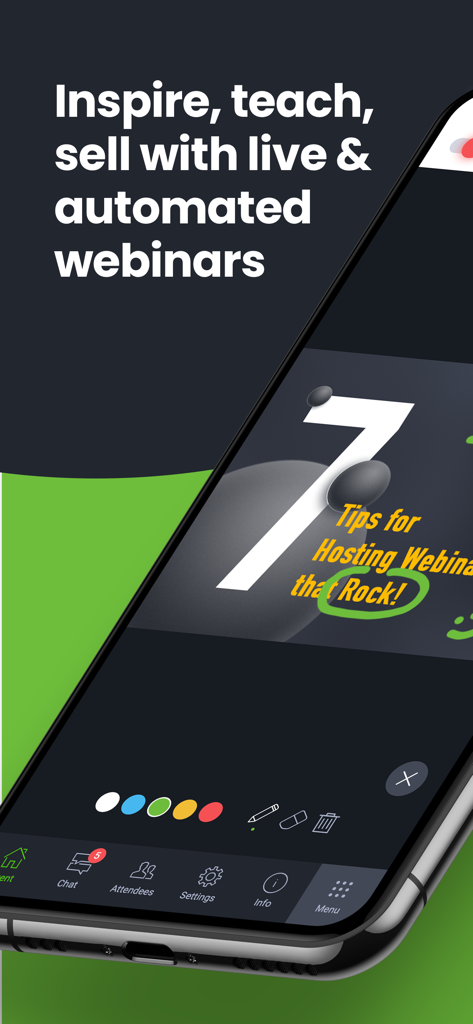
Tela de smartphone mostrando a interface do aplicativo ClickMeeting com uma apresentação de webinário e ferramentas de desenho interativas
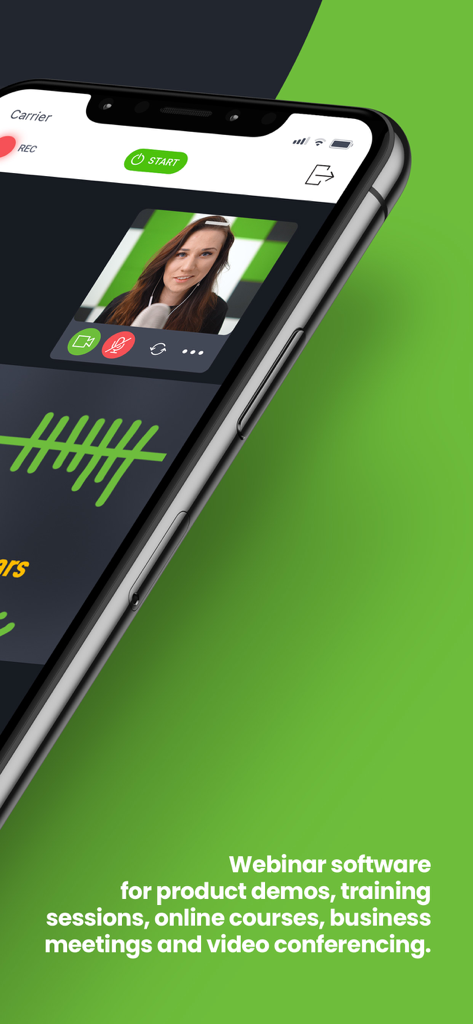
Interface do aplicativo móvel ClickMeeting mostrando um webinário de vídeo ao vivo com um apresentador e recursos de reunião profissional
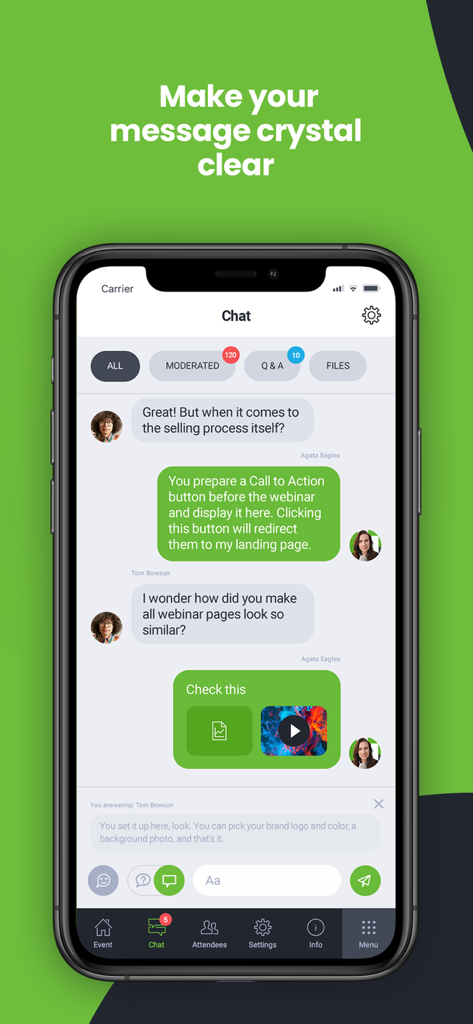
Captura de tela do aplicativo móvel ClickMeeting mostrando a interface de chat interativo com moderação e abas de Perguntas e Respostas
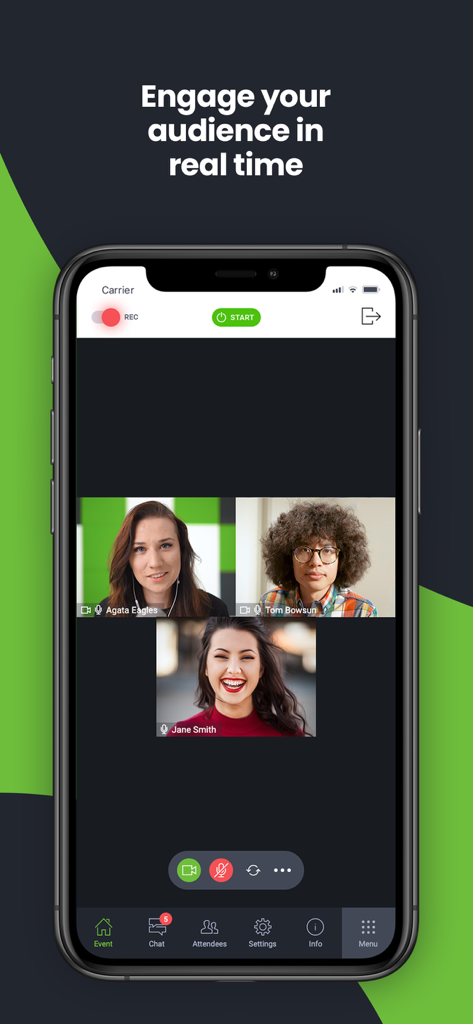
Interface do aplicativo móvel ClickMeeting mostrando uma videoconferência em tempo real com três participantes e ferramentas de engajamento
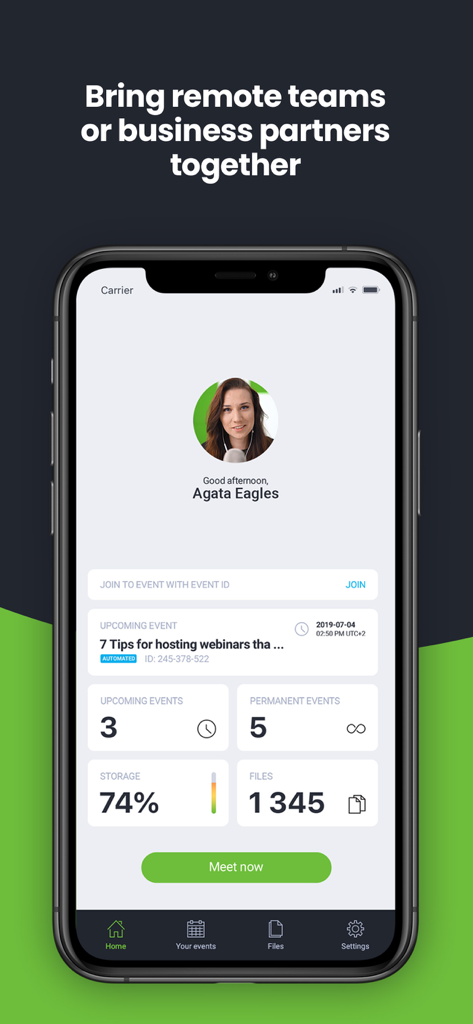
Tela inicial do aplicativo ClickMeeting mostrando os próximos webinários e estatísticas de gerenciamento de eventos em um dispositivo móvel.
Descrição
Download
Apps Semelhantes
Apps com recursos e experiência semelhantes
新东方云教室
Beijing New Oriental Education & Technology (Group) Co., Ltd

VK Calls
VK LLC

join.me - Simple Meetings
GoTo Group, Inc.

Zoho Webinar - Online Webinars
Zoho Corporation

Flow IM: Video Conferencing
Portable Ltd

微赞-企业直播视频营销平台
Guangzhou Appreciate Information Technology Co., Ltd.

爱问云
Yixing Aiwen Technology Co., Ltd.

G-Net MeetNow
G-Net Cloud Service Co., Ltd.

京ME会议
Jingdong Technology Information Technology Co., Ltd.
Esta página não é uma página oficial do aplicativo ou de seu desenvolvedor, mas uma publicação editorial independente criada para fins informativos e de comentário. Salvo indicação expressa em contrário, nem o aplicativo nem seu desenvolvedor são afiliados, endossados, patrocinados, autorizados ou oficialmente conectados à MWM, Apple, Google Play, ao editor do aplicativo ou ao desenvolvedor do aplicativo, e nada nesta página implica que o aplicativo foi desenvolvido utilizando os serviços da MWM. Todas as marcas comerciais, logotipos, capturas de tela e outros conteúdos permanecem propriedade de seus respectivos proprietários.