DartSide Pattern Drafting

DartSide Pattern Drafting


Baixar no App Store
Logo de DartSide Pattern Drafting

DartSide Pattern Drafting: Seu Estúdio de Design Profissional no iPad

Digitalize moldes em papel, crie com precisão e exporte arquivos PDF ou SVG prontos para produção. Conecte o mundo do draping físico com a eficiência digital.

Editor

DartSide

Categoria

Graphics & Design

Downloads

23K+

Avaliação

1.5/5

Total de avaliações

0

Idiomas

2

Precisão em Cada Pixel

Descubra a interface usada por 23K+ usuários.
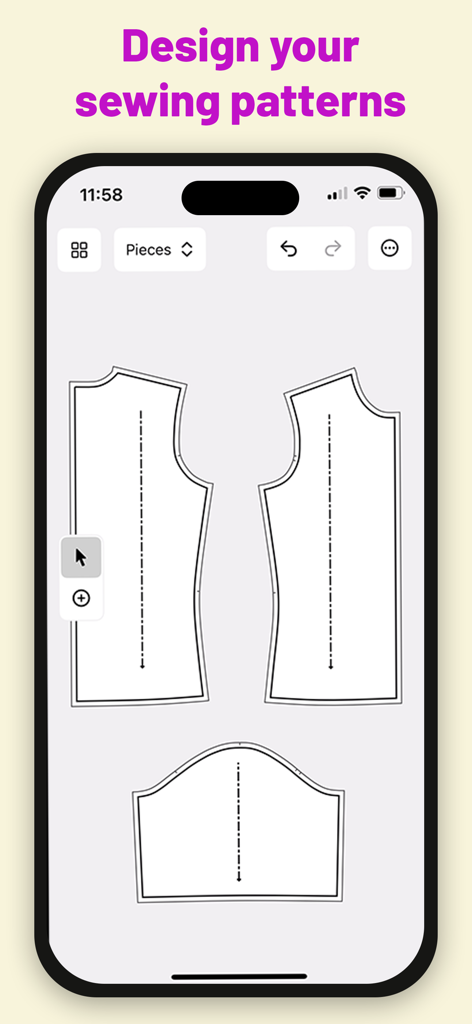
Interface do aplicativo móvel mostrando peças de molde de costura digital no DartSide Pattern Drafting

Interface do aplicativo móvel mostrando peças de molde de costura digital no DartSide Pattern Drafting

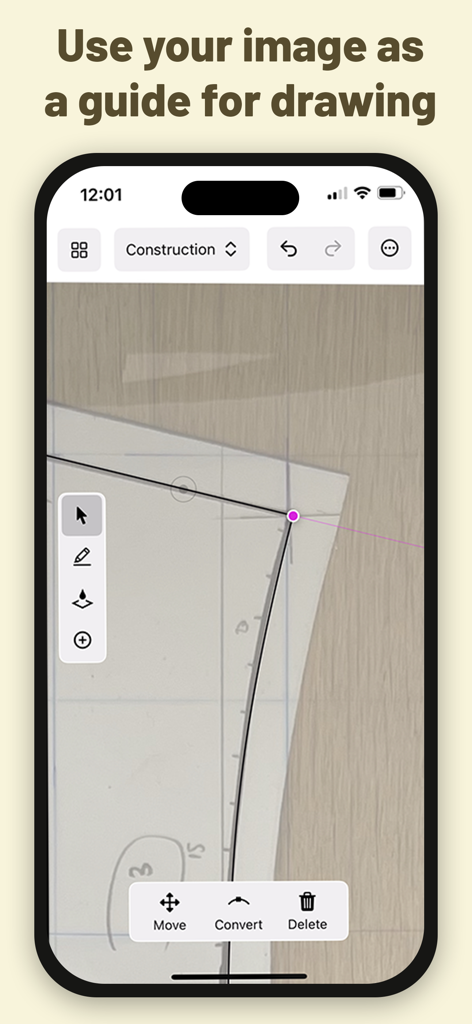
Interface do aplicativo DartSide mostrando linhas vetoriais sendo desenhadas sobre uma foto de um molde de costura em papel

Interface do aplicativo DartSide mostrando linhas vetoriais sendo desenhadas sobre uma foto de um molde de costura em papel

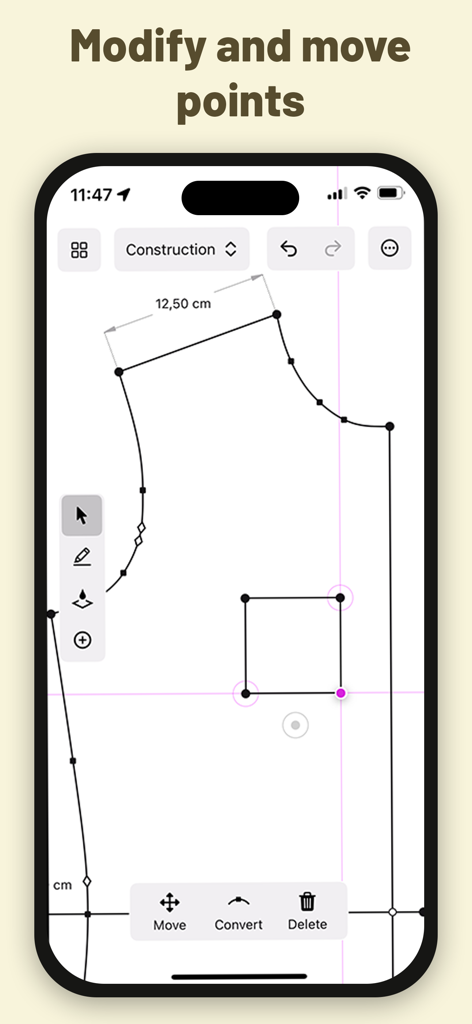
Molde de costura digital sendo editado no modo de construção do aplicativo DartSide, mostrando ferramentas de modificação de pontos

Molde de costura digital sendo editado no modo de construção do aplicativo DartSide, mostrando ferramentas de modificação de pontos

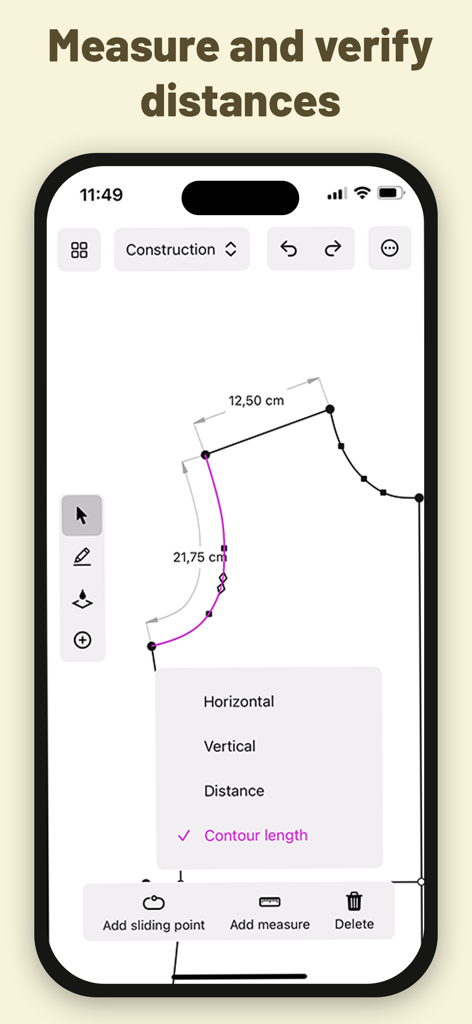
Interface do aplicativo DartSide mostrando medições técnicas e comprimentos de contorno para um molde de costura digital.

Interface do aplicativo DartSide mostrando medições técnicas e comprimentos de contorno para um molde de costura digital.

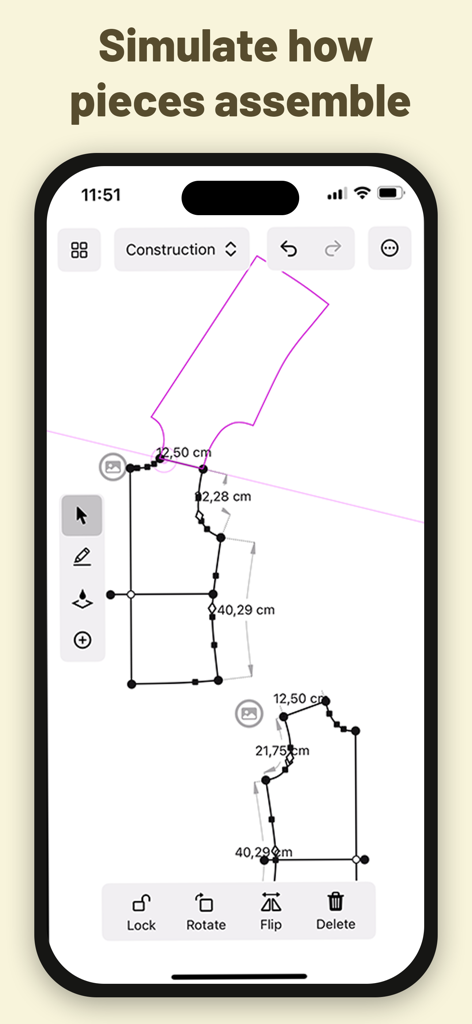
Uma simulação de montagem de molde de costura digital no aplicativo DartSide mostrando linhas vetoriais e medições

Uma simulação de montagem de molde de costura digital no aplicativo DartSide mostrando linhas vetoriais e medições

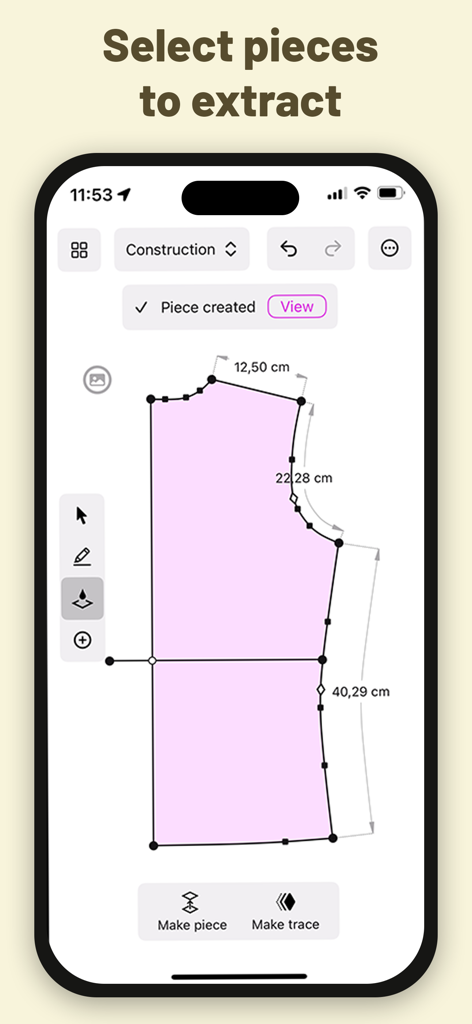
Interface do aplicativo DartSide mostrando a extração de peças de molde de costura digital com medições precisas

Interface do aplicativo DartSide mostrando a extração de peças de molde de costura digital com medições precisas

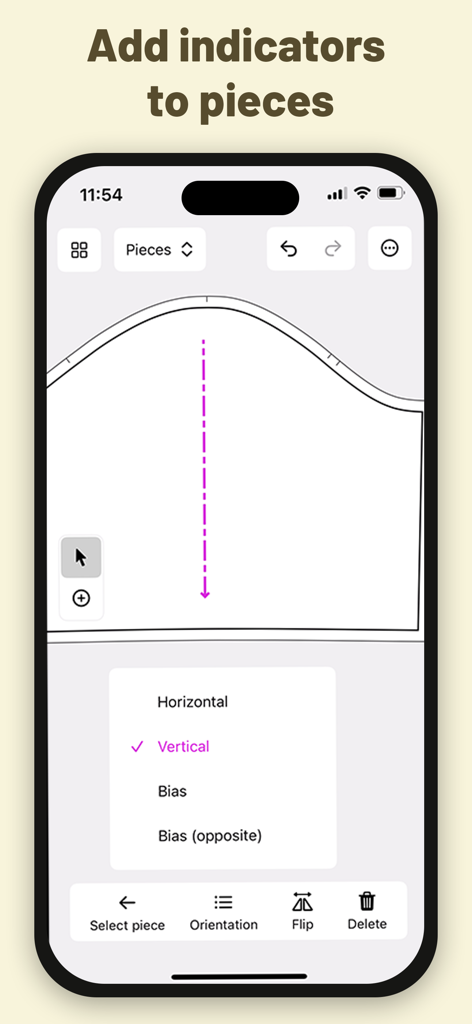
Uma interface móvel para DartSide mostrando indicadores de orientação e linha de fio para peças de molde de costura

Uma interface móvel para DartSide mostrando indicadores de orientação e linha de fio para peças de molde de costura

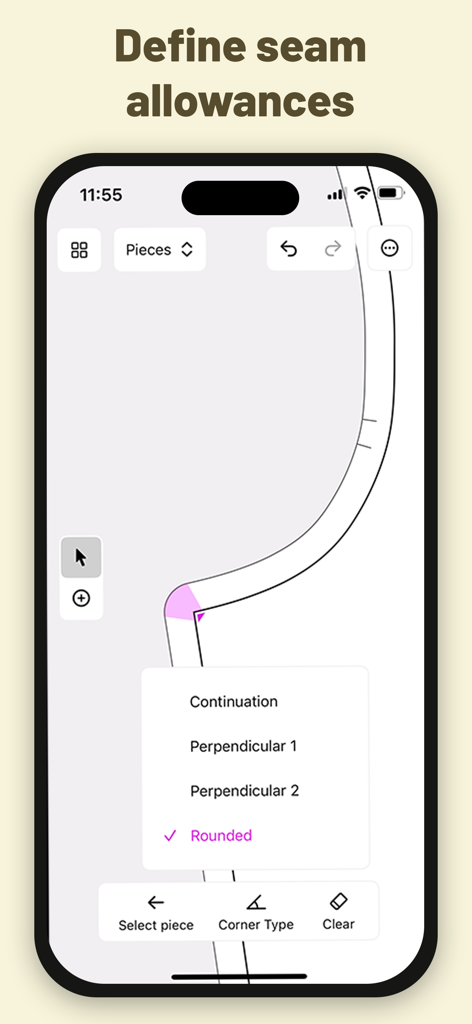
Uma interface de aplicativo móvel mostrando opções para definir tipos de canto de margem de costura para um molde de costura.

Uma interface de aplicativo móvel mostrando opções para definir tipos de canto de margem de costura para um molde de costura.

Do Papel a Moldes Digitais Profissionais

As ferramentas que destacam este app, escolhido por 23K+ usuários.

📸

Digitalização Instantânea de Moldes

Transforme moldes físicos ou toiles de tecido em vetores precisos. Nossa ferramenta de correção de perspectiva garante que sua escala digital seja perfeita ao milímetro.

📐

Crie com Apple Pencil

Experimente a sensação tátil do desenho manual com o poder do CAD. Adicione facilmente margens de costura, entalhes e linhas de fio às suas criações personalizadas.

🧵

Pronto para Venda e Produção

Exporte seu trabalho como arquivos PDF ou SVG profissionais. Perfeito para impressão doméstica, venda no Etsy ou estilização adicional no Adobe Illustrator.

Sobre o app

Tudo o que você precisa saber sobre DartSide Pattern Drafting.

Descrição

Scan your sewing patterns with your iPhone or iPad! DartSide is a sewing pattern editor that helps creators with the entire creation process: scanning, construction, industrializing, and exporting. SCAN Scan a paper pattern or a toiling fabric from an image: • Take a photo of a piece of the pattern • Correct the inevitable perspective distortions that come from taking a photo with a camera that isn’t exactly parallel with the pattern • Define the scale of your image • Add the photo to the background of your construction canvas • Lock the image, and use it as a guide to draw the vector contours of your pattern • Hide the image, so that it can be accessed later if you ever want to refer back to it CONSTRUCTION Draw the lines and curves of your patterns using your preferred method: • Draft your pattern from scratch within the app • Adjust a pattern that you’ve scanned from an image • Transform an existing pattern from your project list Key functionality: • Draw and modify lines and curves freely on the screen with your finger or Apple Pencil • Move any point by a specified direction and/or distance • Measure the length between any two points that are linked by a line or curve • Create a trace that can be used to simulate how it mounts with another part of the pattern PIECES You can industrialize all the pieces of your pattern to specify the cutting and the mounting of your model. • Create a new piece by selecting a form you’d like to extract from your construction • Add indicators (notches, markers, fabric grain lines) to each piece • Define seam allowance sizes and corner types EXPORT You can export your patterns in PDF or SVG format. The exported pattern is the exact vector representation you see in Pieces Mode in the app. The exported pattern is compatible with vector drawing apps like Adobe Illustrator or Inkscape. Once exported, you can use one of these tools to finalize the layout and style of your pattern. Project Syncing All your projects are automatically synced to the cloud, no need to remember to manually save to avoid losing your work. The projects are linked to your user account, and can be accessed from multiple devices (iPhone or iPad). DartSide Premium: You can download and try DartSide for free, with the exception of exporting your patterns. To take your patterns even further, you can subscribe to a monthly auto-renewing subscription to unlock: • Unlimited PDF exports • Unlimited SVG exports Exporting your pattern from DartSide opens up a number of possibilities depending on what other apps you use: • Customize the layout of your pattern • Create a cutting layout to print your pattern on your desired paper size • Make your pattern downloadable on your website or online store ----- • Your subscription renews automatically if you don't cancel it at least 24 hours before the end of the current subscription period. • You can cancel your subscription at any time. To avoid being charged for an additional month, cancel at least 24 hours before the end of the current billing period. • You can manage your subscription in your devices Settings > Apple ID > Subscriptions. Terms and conditions: https://dartside.app/p/terms/ Privacy policy: https://dartside.app/p/privacy/ For unlimited exports of your patterns as SVG or PDF, subscribe to an auto-renewing monthly subscription through in-app purchase • You can cancel your subscription at any time from the list of subscriptions associated with your Apple ID in your device’s Settings app We want DartSide to be the best possible partner for all of your pattern drafting needs. If you run into any problems, or have ideas for how things could be improved, we'd love to hear from you at contact@dartside.app !

Última versão

1.1.1

Tamanho

22.8 MB

Data de lançamento

18 de dez. de 2023

Pronto para Transformar seu Estúdio de Costura?

Junte-se a milhares de criadores que estão digitalizando seu fluxo de trabalho de design. Baixe o DartSide hoje e transforme seu iPad em uma estação de criação de moldes de nível profissional.

Baixar no App Store

App information, icons, screenshots, and descriptions displayed on this page are sourced from the Apple App Store and are the property of their respective developers. Download estimates and rankings are based on MWM's proprietary models and may not reflect actual figures. This page is provided for informational and analytical purposes only.

Believe this page infringes your intellectual property? File a dispute