Data Drop: Transferência Instantânea de Arquivos do iPhone Para Qualquer Computador
Pule as contas, cabos e formulários de login. Compartilhe com segurança fotos, vídeos e documentos para qualquer PC ou computador público em segundos com uma simples leitura de QR.
Editor
Ion Postolachi
Categoria
Productivity
Downloads
13K+
Avaliação
5.0/5
Total de avaliações
0
Idiomas
1
Compartilhamento Perfeito Visualizado
Descubra a interface usada por 13K+ usuários.
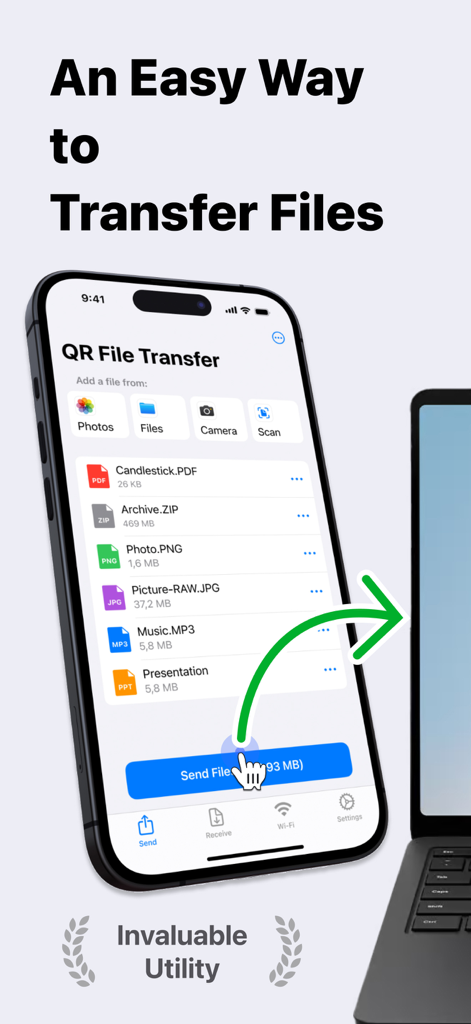
Captura de tela da interface do aplicativo Data Drop mostrando transferência de arquivos sem fio de um iPhone para um laptop com vários tipos de arquivo
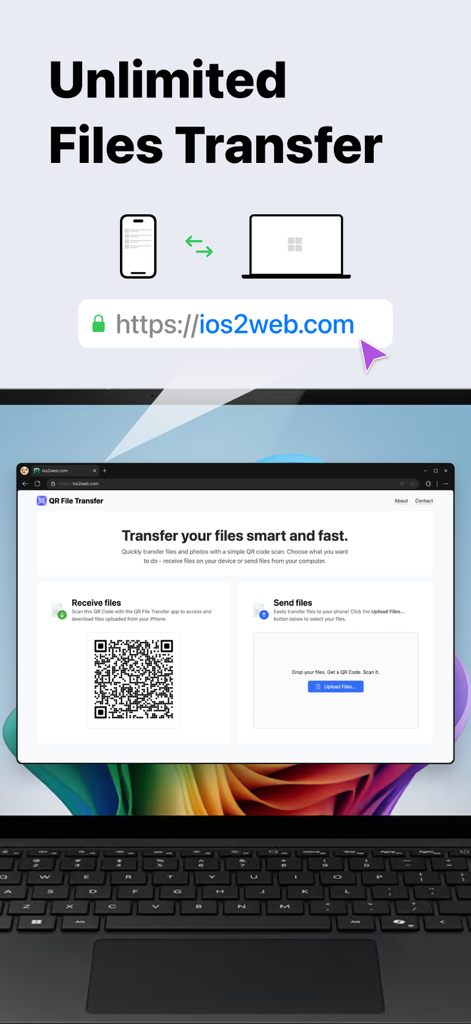
Aplicativo Data Drop mostrando transferência ilimitada de arquivos entre iPhone e computador usando um escaneamento de código QR
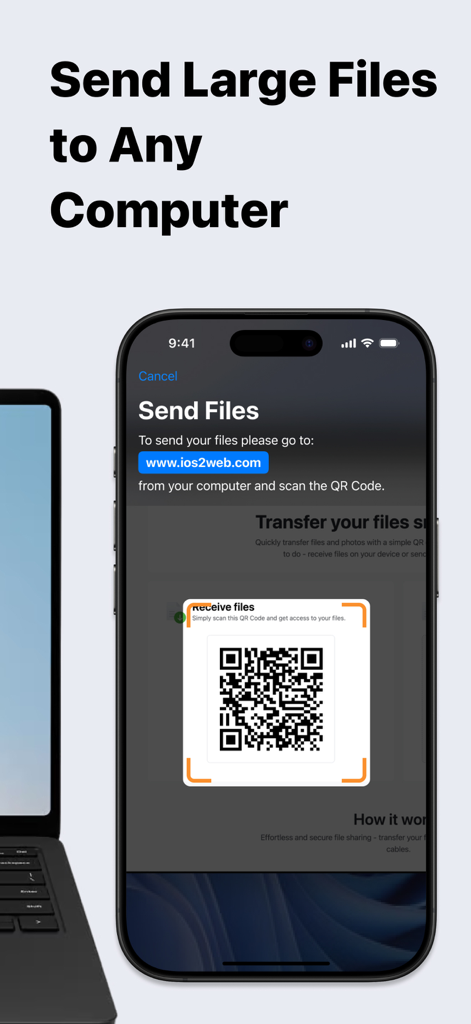
Tela do iPhone mostrando o aplicativo Data Drop escaneando um código QR para transferir arquivos para um laptop próximo
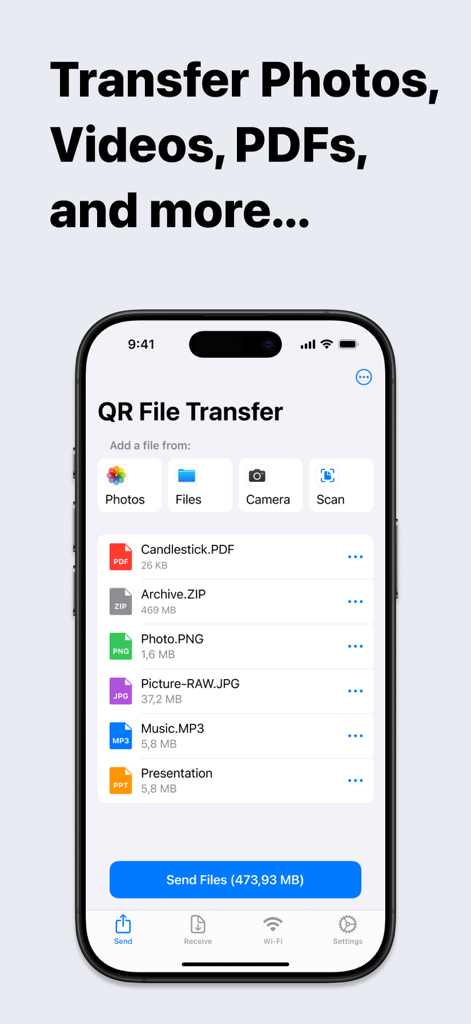
Interface do aplicativo móvel Data Drop mostrando uma lista de arquivos selecionados prontos para transferência
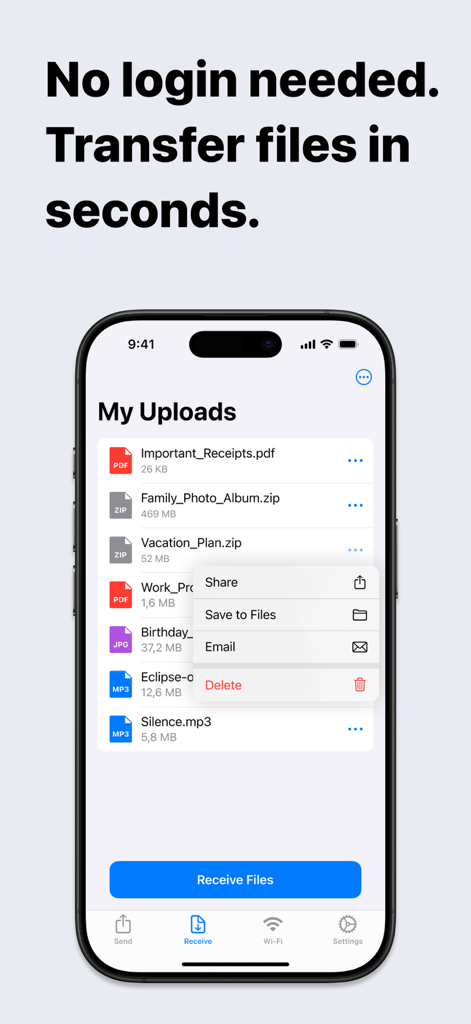
Tela do iPhone mostrando o aplicativo Data Drop com uma lista de arquivos enviados e um menu de compartilhamento
Compartilhamento Perfeito Entre iPhone e Qualquer PC
As ferramentas que destacam este app, escolhido por 13K+ usuários.
⚡
Transferência Sem Atrito
Evite o incômodo de contas e senhas. Basta escanear o código QR para mover seus arquivos em segundos — perfeito para quando você está com pressa na escola ou no trabalho.
💻
O AirDrop para Windows
Supere a lacuna entre seu iPhone e seu PC. Transfira fotos de alta resolução, vídeos 4K e arquivos grandes para qualquer navegador sem precisar de um Mac.
🛡️
Acesso Seguro em Locais Públicos
Proteja sua privacidade em computadores compartilhados. Compartilhe arquivos sem nunca fazer login em sua conta de e-mail pessoal ou na nuvem em terminais públicos.
Sobre o app
Tudo o que você precisa saber sobre Data Drop: QR File Transfer.
Descrição
Effortless File Sharing Made Simple
Sharing files, photos, and documents between your iPhone and any computer has never been easier. With QR File Transfer, you can securely transfer your files in just a few simple steps— no login or complicated setup required.
How It Works:
Upload Your Files: Use the app to quickly upload the files you want to share.
Scan the QR Code: Open a browser on your PC or any device and visit ios2web.com.
Instant Access: Scan the QR code displayed on the website, and instantly access your files.
Why Choose QR File Transfer?
– No Account Required:
Skip the hassle of creating accounts or remembering passwords. Just scan and go!
– Secure and Private:
We prioritize your privacy. Files are shared directly and securely between your devices.
– Universal Access:
Works with any computer or device — Windows PCs, public computers, or even tablets.
– Supports All Popular File Types: QR File Transfer makes sharing all types of files seamless.
Photos and Images: JPG, PNG, GIF, HEIC, BMP, TIFF, WEBP
Videos: MOV, MP4, AVI, MKV, FLV, WMV, 3GP, M4V
Audio: MP3, WAV, M4A, AAC, OGG, FLAC
Documents: PDF, DOC, DOCX, XLS, XLSX, PPT, PPTX, TXT, RTF, ODT, CSV
Archives: ZIP, RAR, 7Z, TAR, GZ, ISO, DMG
If you encounter a file format that is not supported, please let us know by contacting our team.
– Easy-to-Use Interface: Designed for simplicity so anyone can share files with ease.
– No Cables, No Limits: Enjoy a wireless file-sharing experience without the need for USB drives or adapters.
Perfect For:
– Quickly sharing work documents between your iPhone and office computers.
– Uploading personal files to access on a friend’s laptop or public computer.
– Sharing photos, videos, and memories with family and friends without email or messaging limitations.
Getting Started is Easy:
Download QR File Transfer from the App Store.
Install and open the app on your iPhone.
Upload files, visit ios2web.com on any computer, and scan the QR code to transfer your files instantly.
Common Use Cases:
Question:
How can I quickly send files from my phone to a school computer without needing to log in?
Answer:
To send files from your phone to a school computer without logging in, you can use QR File Transfer:
Open the app on your phone and upload the files you want to share.
On the school computer, visit ios2web.com in a browser.
Scan the QR code shown on the website using the app.
Your files will be instantly accessible on the computer.
Question:
How can I quickly send files from a school computer to my phone without needing to log in?
Answer:
To transfer files from a school computer to your phone, use QR File Transfer:
On the computer, go to ios2web.com in a browser and upload the files.
Open the app on your phone and scan the QR code displayed on the website.
The files will be instantly downloaded to your phone.
Why Users Love It:
"No frills, no logins — just quick file sharing when I need it."
"A lifesaver when working on public computers."
"So simple, even my parents figured it out!"
Download QR File Transfer Today
Simplify file sharing and enjoy the freedom to transfer your files anywhere, anytime. Whether you're at work, at home, or on the go, QR File Transfer is the easiest way to keep your files accessible without compromising security or convenience.
– A Great Alternative to Popular Apps:
QR File Transfer is an excellent alternative to apps like Shareit: Transfer, Share Files, Zapya - File Sharing, WeTransfer: Transfer Files, Xender: File Share, Share Music, Send Anywhere - File Transfer, and Transfer my data - MobileTrans, File Transfer - Snapdrop, Copy my data - Smart Transfer, AirDroid - File Transfer&Share, Air Transfer,
Links:
Privacy Policy – https://ios2web.com/privacy-policy/
Terms of Use – https://ios2web.com/terms-of-service/
Get started now and experience the easiest file-sharing solution on the App Store!
Última versão
2.4.1
Tamanho
38.1 MB
Data de lançamento
15 de abr. de 2021
Pare de se enviar e-mails. Comece a Compartilhar Instantaneamente.
Junte-se a mais de 13.000 usuários que movem fotos, documentos e vídeos entre qualquer dispositivo em segundos — sem contas, sem cabos e sem atrito.
App information, icons, screenshots, and descriptions displayed on this page are sourced from the Apple App Store and are the property of their respective developers. Download estimates and rankings are based on MWM's proprietary models and may not reflect actual figures. This page is provided for informational and analytical purposes only.
Believe this page infringes your intellectual property? File a dispute