Filerev for Google Drive

Filerev for Google Drive


Baixar no App Store
Logo de Filerev for Google Drive

Filerev para Google Drive: Recupere Seu Armazenamento e Pare de Pagar a Mais

Cansado dos alertas de 'Armazenamento Cheio'? Encontre sem esforço duplicatas, pastas enormes e arquivos ocultos para organizar sua vida digital e evitar atualizações de assinatura desnecessárias.

Baixar no App Store

Editor

Filerev Inc

Categoria

Utilities

Downloads

0

Avaliação

1.0/5

Total de avaliações

0

Idiomas

1

Clareza de Relance

Descubra a interface usada por 0 usuários.
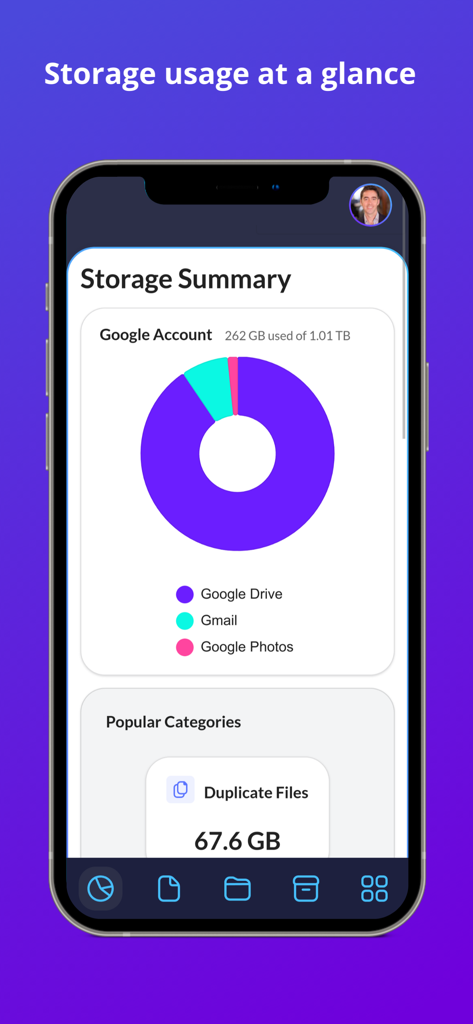
Painel mostrando o uso de armazenamento do Google Drive e arquivos duplicados no Filerev

Painel mostrando o uso de armazenamento do Google Drive e arquivos duplicados no Filerev

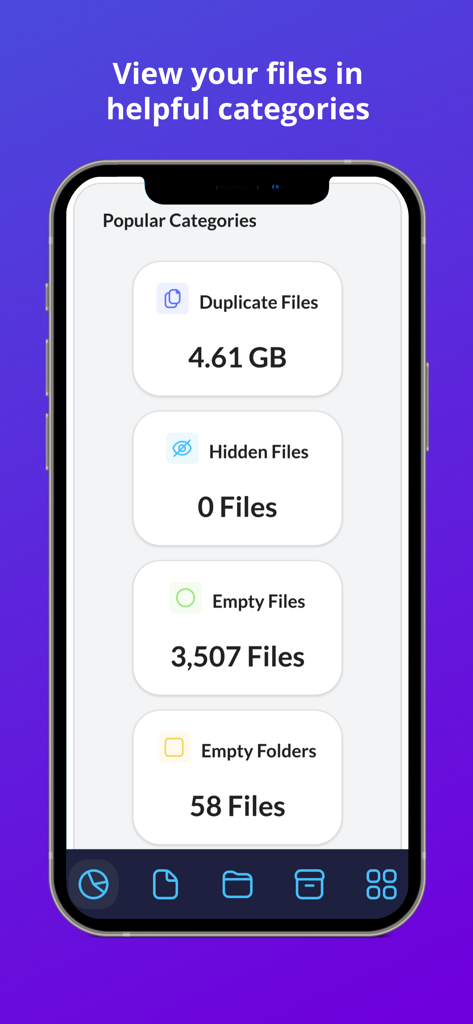
Tela do aplicativo Filerev mostrando categorias de armazenamento, incluindo arquivos duplicados, arquivos ocultos e pastas vazias para ajudar a organizar o Google Drive

Tela do aplicativo Filerev mostrando categorias de armazenamento, incluindo arquivos duplicados, arquivos ocultos e pastas vazias para ajudar a organizar o Google Drive

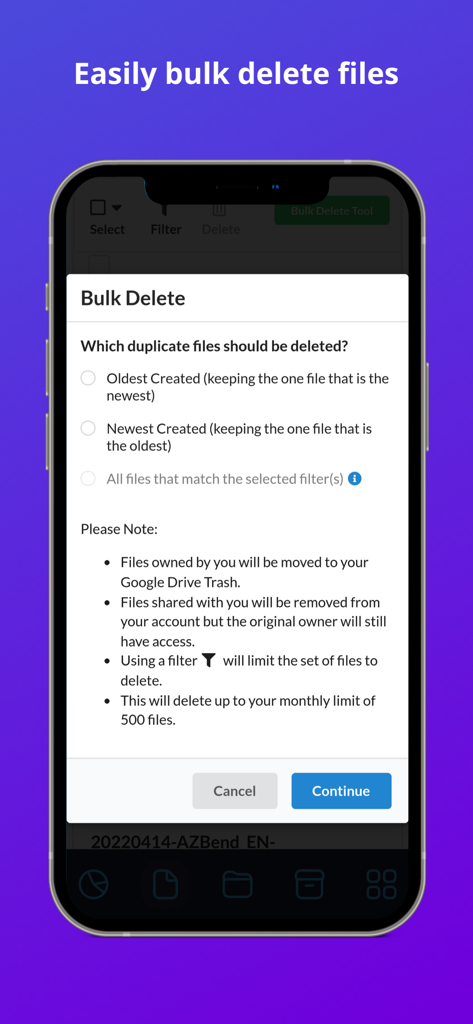
Interface da ferramenta de exclusão em massa do Filerev para gerenciar o armazenamento do Google Drive e arquivos duplicados.

Interface da ferramenta de exclusão em massa do Filerev para gerenciar o armazenamento do Google Drive e arquivos duplicados.

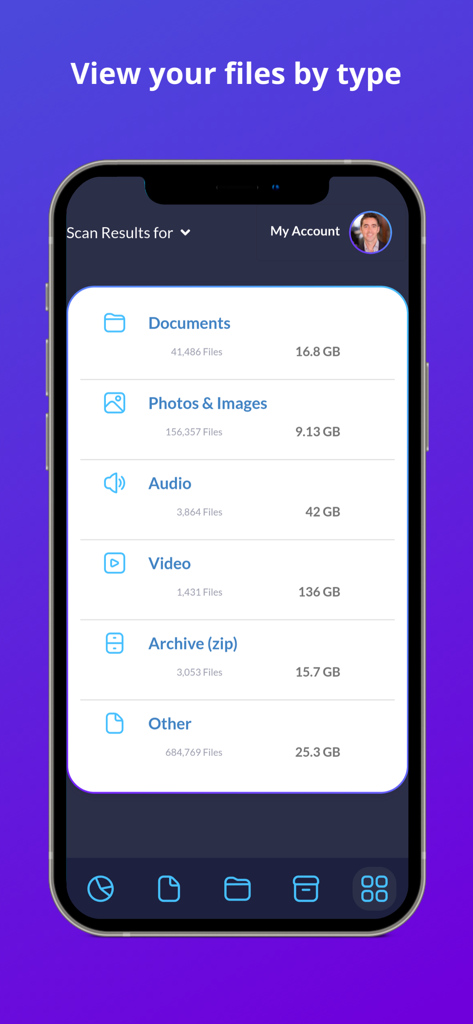
Uma interface móvel do aplicativo Filerev categorizando arquivos do Google Drive por tipo e tamanho de armazenamento

Uma interface móvel do aplicativo Filerev categorizando arquivos do Google Drive por tipo e tamanho de armazenamento

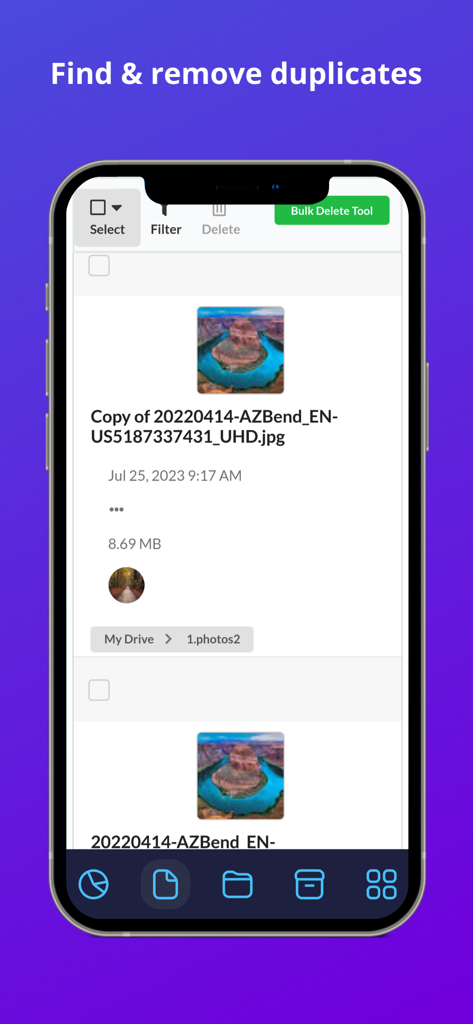
Interface do aplicativo Filerev mostrando uma lista de arquivos de imagem duplicados no Google Drive com uma opção de exclusão em massa.

Interface do aplicativo Filerev mostrando uma lista de arquivos de imagem duplicados no Google Drive com uma opção de exclusão em massa.

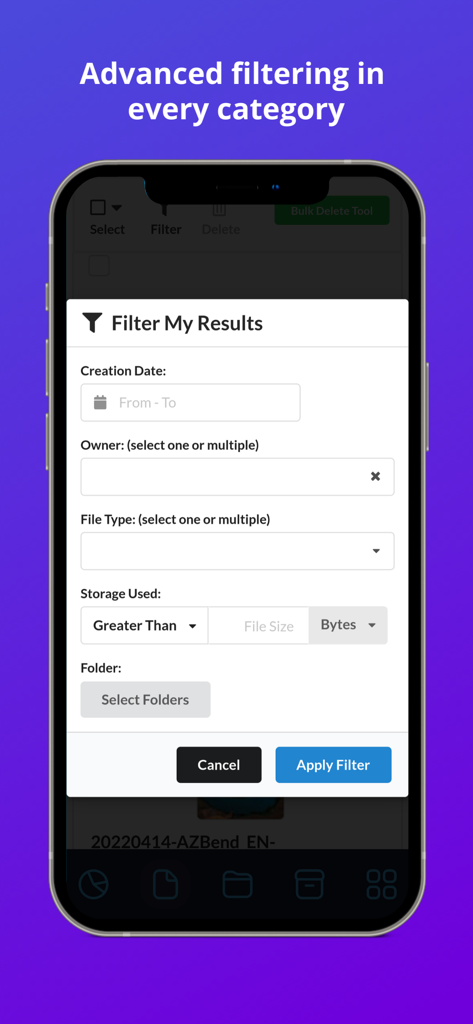
Interface mostrando opções avançadas de filtragem para arquivos do Google Drive no aplicativo Filerev

Interface mostrando opções avançadas de filtragem para arquivos do Google Drive no aplicativo Filerev

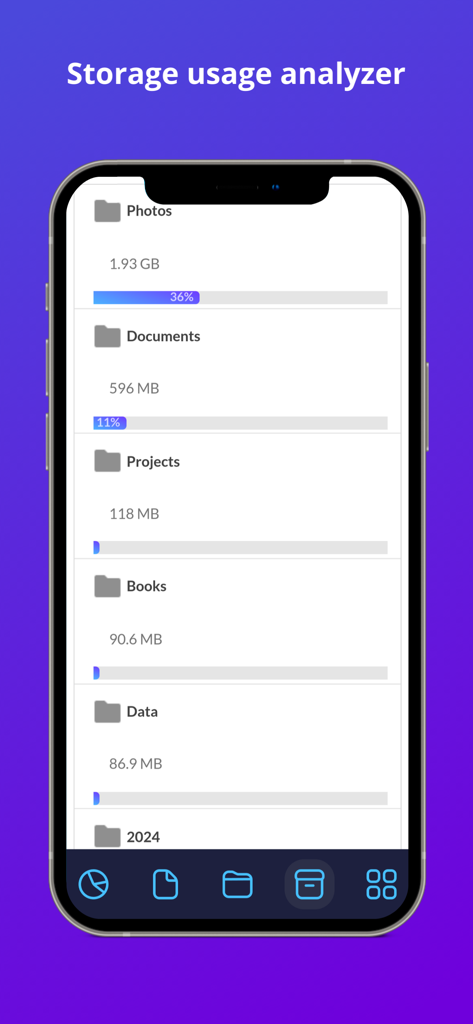
Tela do analisador de uso de armazenamento no aplicativo Filerev mostrando tamanhos de pasta e porcentagens de armazenamento para o Google Drive

Tela do analisador de uso de armazenamento no aplicativo Filerev mostrando tamanhos de pasta e porcentagens de armazenamento para o Google Drive

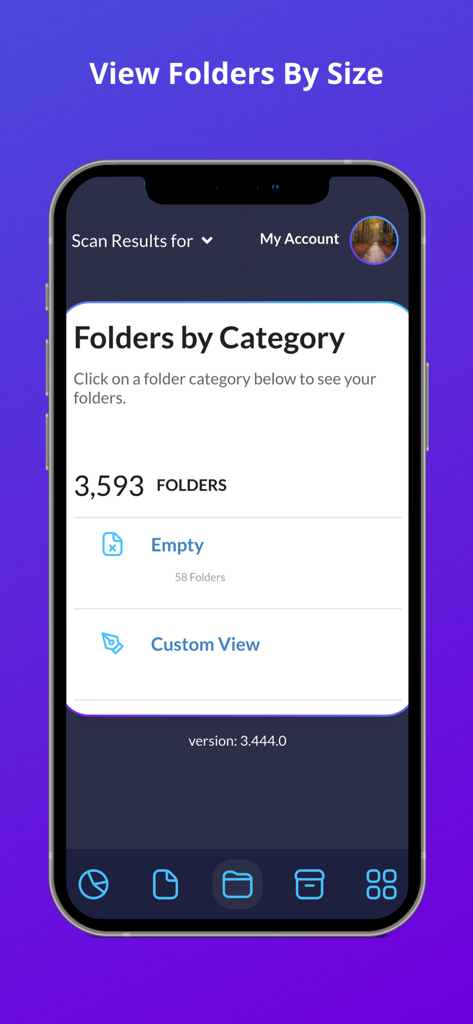
Captura de tela do aplicativo Filerev mostrando pastas do Google Drive organizadas por categoria, incluindo pastas vazias

Captura de tela do aplicativo Filerev mostrando pastas do Google Drive organizadas por categoria, incluindo pastas vazias

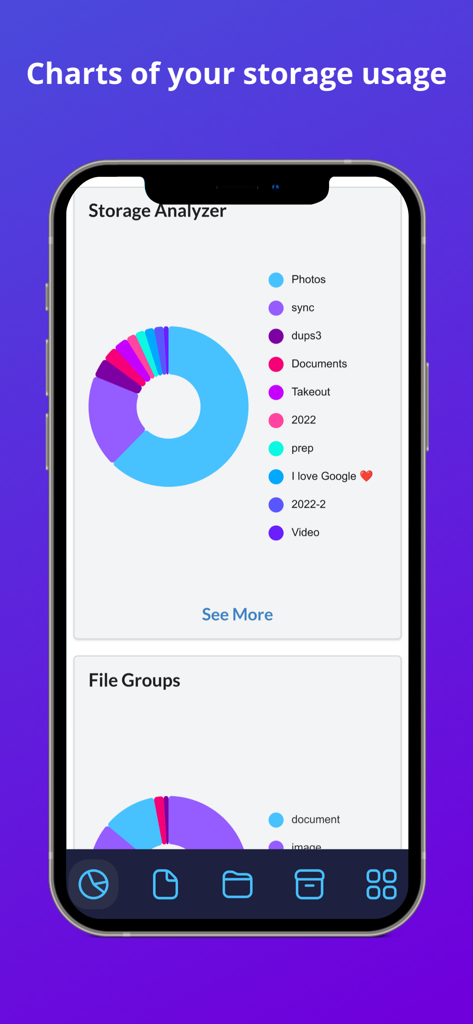
Gráfico do Analisador de Armazenamento do Filerev para Google Drive mostrando a divisão do armazenamento por categoria

Gráfico do Analisador de Armazenamento do Filerev para Google Drive mostrando a divisão do armazenamento por categoria

Assuma o Controle do Seu Armazenamento na Nuvem

As ferramentas que destacam este app, escolhido por 0 usuários.

📑

Elimine Duplicatas Ocultas

Identifique e exclua em massa arquivos e fotos idênticos que desperdiçam espaço e criam confusão em seu espaço de trabalho digital.

📂

Visualize Pastas Grandes

Descubra quais pastas estão realmente consumindo seu armazenamento com insights profundos que a interface nativa do Google Drive esconde de você.

Limpeza em Massa Inteligente

Economize horas de triagem manual com filtros avançados para remover pastas vazias, arquivos antigos e arquivos temporários em apenas um clique.

Sobre o app

Tudo o que você precisa saber sobre Filerev for Google Drive.

Descrição

Organize your Google Drive files with Filerev and reduce your storage usage. This software will find your duplicate files, large files, large folders, hidden files, empty folders and so much more. It displays your files in an organized way so you can quickly see the files that are cluttering up your Google Drive account. When you first log in to the Filerev app with your Google account the software will scan your files and then present you with a report of how your storage is being used. The software will show your duplicate files, large files, hidden files, large folders, empty folders and let you browse files by specific file types. You can use filters to further drill down to specific files and folders. It can also bulk delete files and folders, making tasks like removing thousands of duplicate files a breeze. After your scan is complete you will be presented with a report of your storage usage. You will see a graph showing your storage usage by Google Drive, Gmail and Google Photos as well as the number of files and folders that exist in your account. Then you will see your files in specific categories such as: - Duplicate Files - Hidden Files - Empty Files - Files Larger than X MB - Files Older than X years - Files not owned by me - Temporary Files - Files by Extension - Custom Files, where you can view files by custom criteria. - Google Drive Trash In each category, you will see the total storage space that your files are consuming and how many files are in the category. Below the files there is another category for your folders where you will see: - Folders Larger than X MB - Empty Folders - Custom Folders where you can filter folders by custom criteria. You can also browse your files by specific file types. The file types are first broken down into high-level types such as: - Documents - Photos & Images** - Audio - Video - Archive (zip) - Other ** Please note, you can find and remove photos that exist in Google Drive but Filerev does not currently find files in Google Photos. When you view any one of these categories you will see your files further broken down into categories for specific file types (Microsoft Word, PDF, JPG, Excel, Google Sheets, Powerpoint, etc). When you view your files or folders in any of the categories listed above you will be presented with information about each file and folder. You can easily clear the clutter from your Google Drive account by selecting specific files or folders. You can also use the bulk delete feature to remove specific files or folders with a simple click. * PRICING * With the free plan, you can scan up to 1 million files in your Google Drive account and view how your storage is being used. You can see the number of duplicate files, empty folders, large folders and more that are taking up space in your Google Drive account. Then each month, you can delete up to 100 files and folders. Upgrade to a paid plan that starts for as little as 4 per month (paid annually) to unlock more features. The paid plans have additional features, and you can scan more files, delete more files and view large folders and empty folders. * SECURE & PRIVATE * We care about the privacy of your data and are committed to protecting it. Our motivation is to help you organize your Google Drive account, and we will not use your information for anything other than that. Everything is transferred over a secure SSL connection, and we encrypt any account information that we store. You can read more about this in our Privacy Policy (https://filerev.com/privacy) and our terms (https://filerev.com/terms). We also submit Filerev to security reviews and audits to ensure your data stays safe.

Última versão

3.786.0

Tamanho

18.4 MB

Data de lançamento

31 de out. de 2023

Pare de Pagar por Armazenamento que Você Não Precisa

Junte-se a milhares de profissionais e freelancers que usam o Filerev para encontrar duplicatas, remover desordem oculta e recuperar seu espaço no Google Drive em minutos.

Baixar no App Store

App information, icons, screenshots, and descriptions displayed on this page are sourced from the Apple App Store and are the property of their respective developers. Download estimates and rankings are based on MWM's proprietary models and may not reflect actual figures. This page is provided for informational and analytical purposes only.

Believe this page infringes your intellectual property? File a dispute