Firestick Remote & Cast FireTV
Baixar no App Store

Esta página não é uma página oficial do aplicativo ou de seu desenvolvedor, mas uma publicação editorial independente criada para fins informativos e de comentário. Salvo indicação expressa em contrário, nem o aplicativo nem seu desenvolvedor são afiliados, endossados, patrocinados, autorizados ou oficialmente conectados à MWM, Apple, Google Play, ao editor do aplicativo ou ao desenvolvedor do aplicativo, e nada nesta página implica que o aplicativo foi desenvolvido utilizando os serviços da MWM. Todas as marcas comerciais, logotipos, capturas de tela e outros conteúdos permanecem propriedade de seus respectivos proprietários.

Logo de Firestick Remote & Cast FireTV
Baixar no App Store

Firestick Remote & Cast FireTV

Experimente suas fotos, vídeos e aplicativos favoritos na sua Amazon Fire TV. Transforme seu iPhone em um controle remoto inteligente e evite o custo de hardware caro com a solução de espelhamento nº 1.

Números Chave

Downloads

710K+

Avaliação

3.6/5

Total de avaliações

4K+

Editor

AirBeamTV BV

Categoria

Photo & Video

Idiomas

17

Última versão

6.1.19

Tamanho

168.0 MB

Data de lançamento

3 de jan. de 2018
Recursos

Desbloqueie Todo o Potencial da sua Fire TV

Experimente a liberdade de espelhar a tela do seu iPhone, transmitir suas memórias favoritas e controlar sua TV — tudo a partir de um aplicativo intuitivo projetado para sua casa.

Espelhamento de Tela Instantâneo

Acabe com o cansaço visual transmitindo vídeos da web, notícias e apresentações do seu iPhone para a tela grande, sem precisar de uma Apple TV cara.

Teclado Inteligente e Controle Remoto

Pare de procurar por controles perdidos. Use o teclado nativo do seu iPhone para buscar filmes e navegar pelos menus mais rápido do que nunca.

As capturas de tela e a descrição a seguir são provenientes diretamente da listagem oficial da loja do aplicativo e são propriedade do desenvolvedor.

App Store

Capturas

Firestick Remote & Cast FireTV - Mão segurando um iPhone com uma interface de controle remoto para Amazon Fire TV

Mão segurando um iPhone com uma interface de controle remoto para Amazon Fire TV

Firestick Remote & Cast FireTV - Uma mão segurando um iPhone espelhando um jogo de futebol ao vivo em uma grande tela de Fire TV em uma sala de estar.

Uma mão segurando um iPhone espelhando um jogo de futebol ao vivo em uma grande tela de Fire TV em uma sala de estar.

Firestick Remote & Cast FireTV - Uma lista de logotipos de marcas de TV compatíveis com o aplicativo de Controle Remoto e Transmissão Firestick, incluindo Samsung LG Sony e Amazon Fire TV
Uma lista de logotipos de marcas de TV compatíveis com o aplicativo de Controle Remoto e Transmissão Firestick, incluindo Samsung LG Sony e Amazon Fire TV

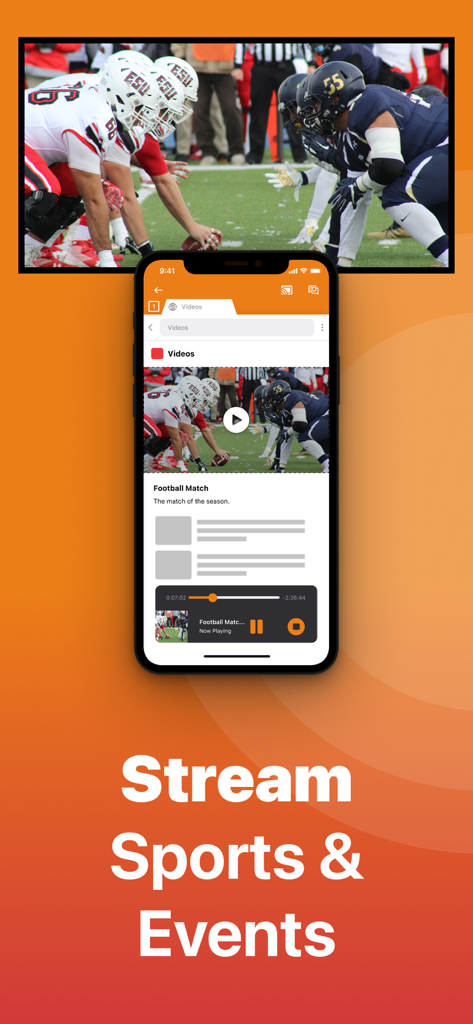
Firestick Remote & Cast FireTV - Aplicativo de iPhone transmitindo um jogo de futebol para uma tela de TV

Aplicativo de iPhone transmitindo um jogo de futebol para uma tela de TV

Firestick Remote & Cast FireTV - Uma tela de iPhone transmitindo um filme para uma Amazon Fire TV com o texto Transmita Filmes e Séries
Uma tela de iPhone transmitindo um filme para uma Amazon Fire TV com o texto Transmita Filmes e Séries

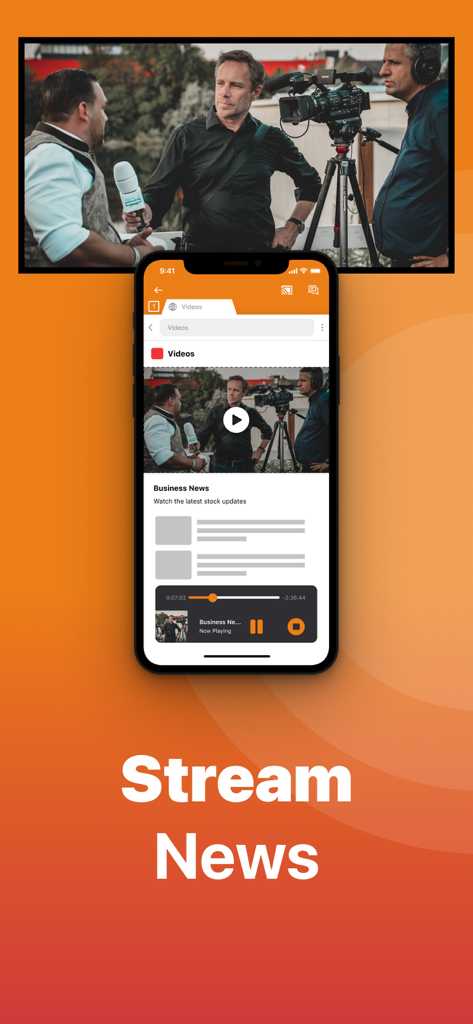
Firestick Remote & Cast FireTV - Um iPhone transmitindo um vídeo de notícias de negócios para uma tela de televisão usando o aplicativo de Controle Remoto Firestick

Um iPhone transmitindo um vídeo de notícias de negócios para uma tela de televisão usando o aplicativo de Controle Remoto Firestick

Firestick Remote & Cast FireTV - Tela de iPhone transmitindo um vídeo educacional de ciência para uma tela de televisão grande

Tela de iPhone transmitindo um vídeo educacional de ciência para uma tela de televisão grande

Firestick Remote & Cast FireTV - Interface de aplicativo de iPhone exibindo uma biblioteca de fotos e transmitindo uma foto de família para uma tela de televisão grande
Interface de aplicativo de iPhone exibindo uma biblioteca de fotos e transmitindo uma foto de família para uma tela de televisão grande

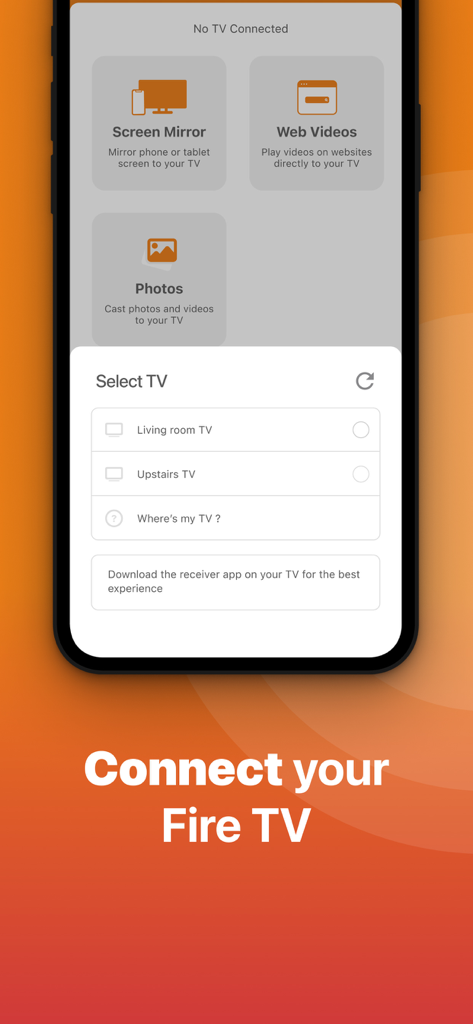
Firestick Remote & Cast FireTV - Interface do aplicativo de Controle Remoto Firestick mostrando o menu de seleção de TV para conectar um iPhone a uma Fire TV

Interface do aplicativo de Controle Remoto Firestick mostrando o menu de seleção de TV para conectar um iPhone a uma Fire TV

Firestick Remote & Cast FireTV - iPhone espelhando um vídeo de uma mulher dançando em uma tela de TV grande usando o aplicativo de Controle Remoto e Transmissão Firestick

iPhone espelhando um vídeo de uma mulher dançando em uma tela de TV grande usando o aplicativo de Controle Remoto e Transmissão Firestick

Descrição

Get the #1 app for Fire TV and improve your home-entertainment experience today. Stop staring at a small screen. Prevent eyestrain and avoid high costs for expensive hardware. With this app you can make your life even more comfortable! Watch all the content from your iPhone and iPad on your Amazon Fire TV. Enjoy firestick remote & videos, series, news, photos, sport and documentaries on your television and stream them effortlessly from your iOS device. Get the most out of your Fire TV and improve your home-entertainment experience with just a few simple clicks. Before using this revolutionary screen mirroring app, visit the Amazon website and install the (free) Mirror Receiver for Fire TV: http://bit.ly/am-firetv When using the app there is a small delay of a few 1 to 2 seconds. This mirroring app is therefore not suitable for gaming. How the app works: 1. Make sure your iPhone or iPad is connected to the same local network as your Amazon Fire TV. Do not use multiple VLANs or subnets. 2. Launch the app. It will search for your Amazon Fire TV(s) on your local network. Select the TV as soon as it is found. 3. Enable notifications for this app. We use this to let you know if your TV is working correctly or not. 4. Click 'Start Mirroring' and start mirroring on the Fire TV. After that, you can just go to another app on your iPhone or iPad and the mirroring will continue as usual. 5. To stop mirroring, there are two options: A) Click on the red top bar you see on your iOS device. B) Go to the Mirror for Fire TV app and click on 'Stop Mirroring'. Limitations and potential issues: DRM; Some apps block screen mirroring. This means that application developers can choose whether to block screen mirroring. Netflix, HBO, Disney and Apple TV+ have decided to block this. Unfortunately, we cannot change this. There is a simple test to see if the app you want to mirror has blocked Screen Mirroring: 1) Open that particular app and slide up the Control Center on your iPhone/iPad. 2) Then click on 'Screen recording' and start recording the screen on your camera roll. 3) View the app you want to mirror and stop the screen recording at some point. 4) Then go to your Photos app and watch the video that was recorded. If the recorded video shows the app you want to mirror, it will work fine. If the video is blank, the app you want to mirror won't allow screen mirroring. You can purchase the Fire TV Remote Pro version through an in-app purchase. The Pro version has the following benefits: 1. Add audio to screen mirroring. 2. Free lifetime updates. 3. Higher screen resolutions, such as 720p and 1080p. Payment: * Payment will be charged to iTunes account at confirmation of purchase. * Subscription automatically renews unless auto-renew is turned off at least 24 hours before the end of the current period. * Account will be charged for renewal within 24 hours prior to the end of the current period and identify the cost of the renewal. * Subscriptions may be managed by the user and auto-renewal may be turned off by going to the user's Account Settings after purchase. * Any unused portion of a free trial, if offered, will be forfeited when the user purchases a subscription to that publication, if applicable. Our Terms of Use: http://bit.ly/ABTV-TOU21 Our privacy policy: https://www.airbeam.tv/privacy-policy/ About screen recording and privacy: Even though there are screen recording notifications, we don't record your screen. And, we don't send content to any server. We only temporarily store data in memory before streaming it to the TV. Streaming deletes the content from memory. Support: If you have any questions or want to provide feedback, please email us or chat with us on our Facebook page. Feedback: support@airbeam.tv Amazon, Fire TV, and all related marks are trademarks of Amazon.com, Inc. or its affiliates.

Download

Baixar no App Store

Esta página não é uma página oficial do aplicativo ou de seu desenvolvedor, mas uma publicação editorial independente criada para fins informativos e de comentário. Salvo indicação expressa em contrário, nem o aplicativo nem seu desenvolvedor são afiliados, endossados, patrocinados, autorizados ou oficialmente conectados à MWM, Apple, Google Play, ao editor do aplicativo ou ao desenvolvedor do aplicativo, e nada nesta página implica que o aplicativo foi desenvolvido utilizando os serviços da MWM. Todas as marcas comerciais, logotipos, capturas de tela e outros conteúdos permanecem propriedade de seus respectivos proprietários.








