Gammel

Gammel

Baixar no App Store
Logo de Gammel

Gammel: Pare com os cálculos mentais e celebre cada marco

Widgets lindamente projetados para sua Tela Bloqueada e Apple Watch que mostram a idade exata de seus filhos, animais de estimação e aniversários em semanas, meses ou anos.

Baixar no App Store

Editor

Luke Johnson

Categoria

Utilities

Downloads

100

Avaliação

1.0/5

Total de avaliações

0

Idiomas

1

Idades de Relance

Descubra a interface usada por 100 usuários.
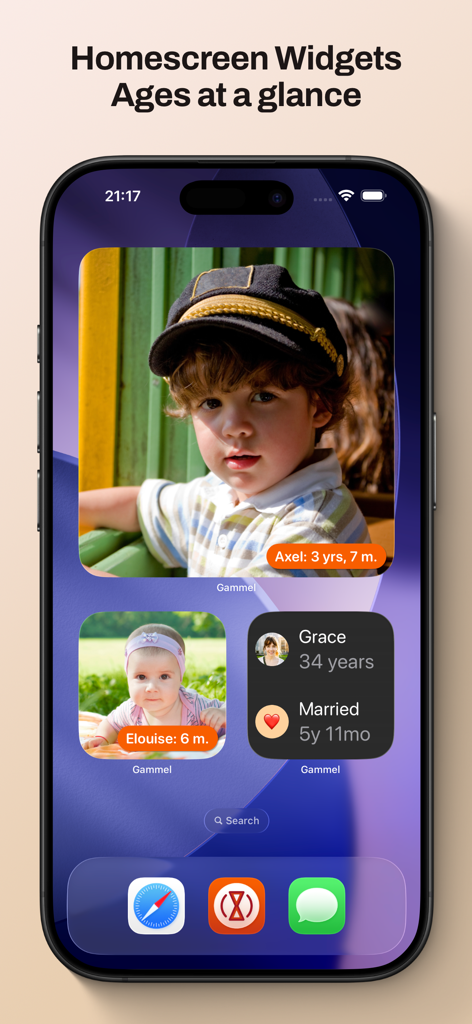
Uma tela de início de iPhone com widgets Gammel exibindo fotos e idades rastreadas de crianças e um aniversário de casamento.

Uma tela de início de iPhone com widgets Gammel exibindo fotos e idades rastreadas de crianças e um aniversário de casamento.

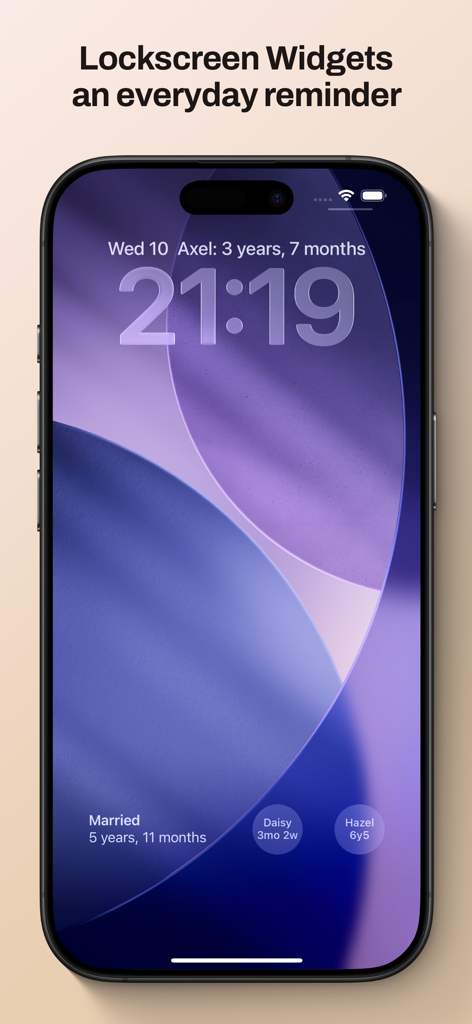
Tela bloqueada do iPhone mostrando widgets Gammel para rastrear idades e marcos familiares

Tela bloqueada do iPhone mostrando widgets Gammel para rastrear idades e marcos familiares

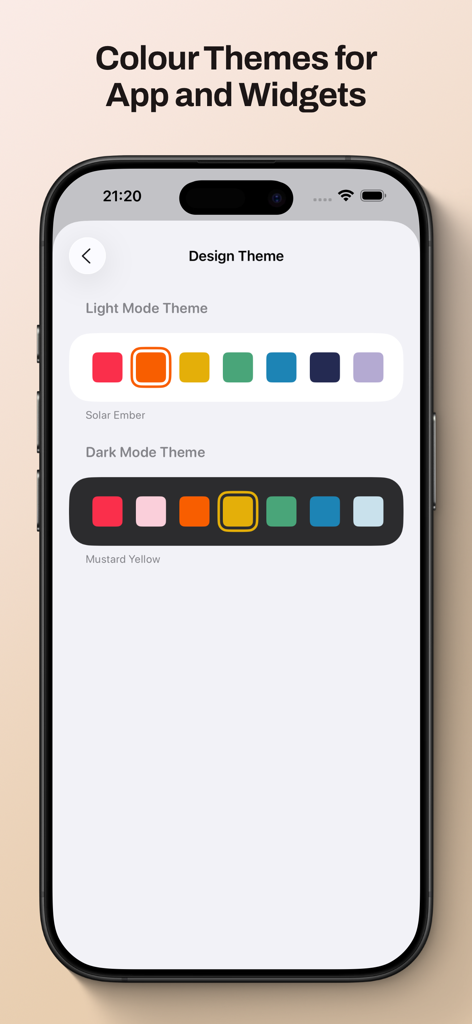
Tela do aplicativo Gammel mostrando opções de temas de cores em modo claro e escuro para widgets e personalização da interface.

Tela do aplicativo Gammel mostrando opções de temas de cores em modo claro e escuro para widgets e personalização da interface.

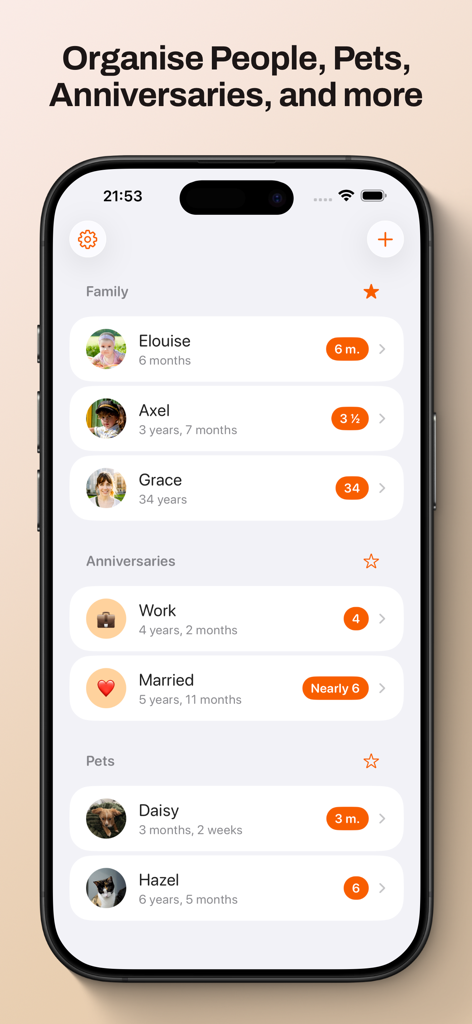
Painel do aplicativo Gammel exibindo rastreamento de idade organizado para membros da família, aniversários e animais de estimação.

Painel do aplicativo Gammel exibindo rastreamento de idade organizado para membros da família, aniversários e animais de estimação.

Nunca Mais Faça Cálculos Mentais

As ferramentas que destacam este app, escolhido por 100 usuários.

🍼

Lógica Inteligente de Idade

Acompanhe sem esforço recém-nascidos em semanas, crianças pequenas em meses e crianças em anos — o aplicativo ajusta automaticamente o formato à medida que eles crescem.

📱

Widgets de Relance

Coloque as idades diretamente na sua Tela Bloqueada ou Tela de Início. Perfeito para respostas rápidas no consultório médico ou durante reencontros familiares.

☁️

Sincronização Privada do iCloud

Seus dados permanecem seguros e privados. Sincronize seus marcos perfeitamente entre seu iPhone, iPad, Mac e Apple Watch.

Sobre o app

Tudo o que você precisa saber sobre Gammel.

Descrição

Gammel helps you remember the ages of your loved ones with easy to configure Lock Screen and Home Screen widgets. “During the first few years of my son’s life I would need to know his age in weeks, then months, and I was always having to stop and think and do maths in my head. I created Gammel so I could have a widget on my phone as a quick and easy reminder, and so I wouldn’t have to do mental calculations while lacking sleep!” — Luke, developer of Gammel Want to remember and communicate the age of your newborn or toddler? Gammel shows you their age in the most appropriate way, weeks, months, and then years. Want to track how long you’ve been married or in your current relationship? Gammel shows you how long. How about the age of your pets? Gammel has you covered there too. Puppies, dogs, cats, birds, gold fish. With Gammel, you can add your children, nieces and nephews, grandchildren, friends and family, anybody you need to remember the age of. Then, easily group those you add, and favourite which group you would like to appear at the top of your dashboard. Your data is stored in iCloud and then syncs across your iPhone, iPad, Apple Watch, and even your Mac. Widgets Add widgets to your Home Screen, Lock Screen or Apple Watch as a constant reminder. Let Gammel select the most relevant age to show you based on the people you have added, or you can set who to show yourself. On your Home Screen choose from an image widget to display a single person, or a details widget to show more. Add customised Gammel widgets to your iPhone, iPad, and Mac, and add complications to your Apple Watch so the info is right in front of you, and always at hand. Design Themes You can easily change the colour theme of Gammel, this will control the highlight colour in app and on the image Display Age widget. Age Display Style Gammel has two age display styles, Smart and Casual. Choose the style that best suits the age or anniversary you want to display. * The Smart style will display ages in days, weeks, and months for babies and toddlers, then years and months. * The Casual style is more for describing the age in casual conversation, where the exact age isn't as important Shortcuts Gammel also supports shortcuts, allowing you to get an age you have added, either the current age or how old that person was or will be given a date as an input. The output can then be passed to other shortcut steps.

Última versão

1.2.1

Tamanho

9.0 MB

Data de lançamento

23 de jan. de 2025

Pare de Fazer Cálculos Mentais e Celebre Cada Marco

Junte-se a pais e amantes de animais ocupados que usam o Gammel para manter as idades de seus entes queridos bem na sua Tela Bloqueada. Baixe agora e simplifique seu dia.

Baixar no App Store

App information, icons, screenshots, and descriptions displayed on this page are sourced from the Apple App Store and are the property of their respective developers. Download estimates and rankings are based on MWM's proprietary models and may not reflect actual figures. This page is provided for informational and analytical purposes only.

Believe this page infringes your intellectual property? File a dispute