GoodReader Pro PDF Editor: O Espaço de Trabalho Profissional Definitivo
Domine seus documentos com segurança de nível militar, gestão de arquivos de classe desktop e ferramentas superiores de PDF. Compra única, zero assinaturas e mais de uma década de confiabilidade comprovada para usuários avançados.
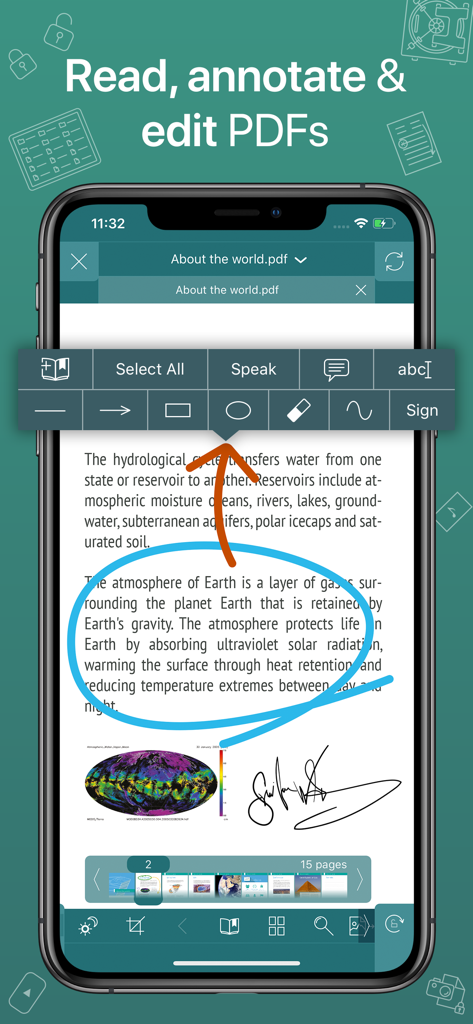
Interface do aplicativo GoodReader Pro mostrando um documento PDF com anotações de círculo azul e uma assinatura digital
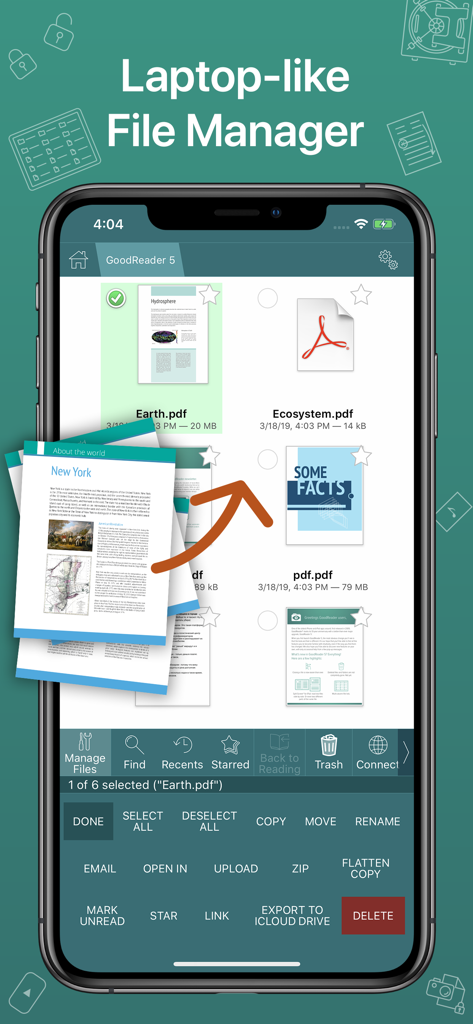
Captura de tela do aplicativo GoodReader Pro mostrando uma interface profissional de gestão de arquivos semelhante a um laptop com documentos PDF
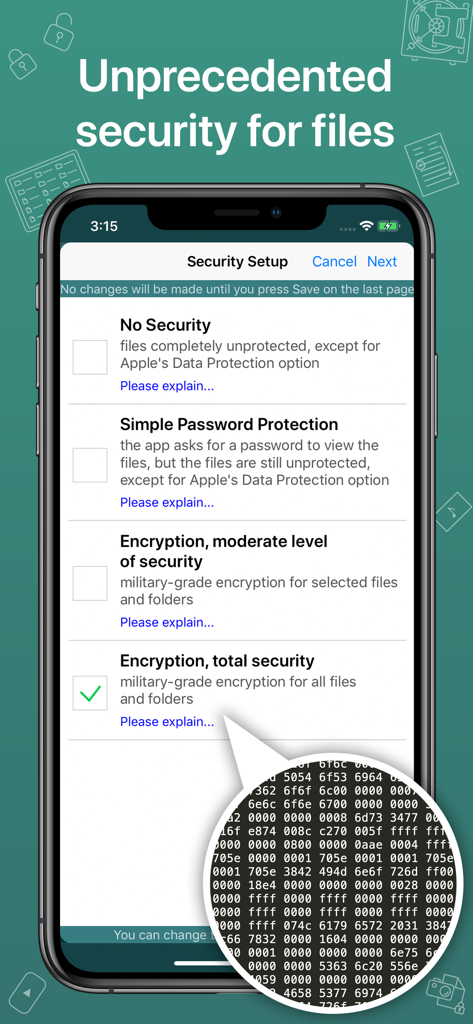
Tela de configuração de segurança do GoodReader Pro mostrando opções para criptografia de arquivos de nível militar.
Poder de Desktop para Profissionais Móveis
As ferramentas que destacam este app, escolhido por 159K+ usuários.
📂
Sincronização de Arquivos de Nível Desktop
Gerencie bibliotecas massivas como um profissional. Conecte-se diretamente a servidores SMB, SFTP ou em nuvem para sincronizar estruturas de pastas inteiras para acesso offline.
🖋️
Marcação e Refluxo Avançados
Elimine a rolagem horizontal com o PDF Reflow e use ferramentas de precisão para anotar, assinar e achatar documentos para compartilhamento profissional.
🛡️
Segurança de Nível Militar
Proteja dados confidenciais com criptografia AES-256. Esta camada de segurança independente garante que seus arquivos permaneçam bloqueados mesmo que seu dispositivo seja comprometido.
Sobre o app
Tudo o que você precisa saber sobre GoodReader Pro PDF Editor.
Descrição
GoodReader® Pro and our famous classic GoodReader app are essentially the same app, but this one comes with Pro Pack® pre-activated, no subscription or in-app purchase needed.
First released in 2009, GoodReader is truly a veteran of the App Store.
In the modern app business, it's not easy to stay relevant that long. We're proud to say that after 12 years and counting, we've been delivering wonderful updates with extraordinary new features. And we're going to keep doing that!
GoodReader is a perfect combination of document-reading and file-managing capabilities. It's your one-stop shop for all your document needs when you're on the go with your iOS device.
Use the app once, and you'll be hooked. Soon you'll be wondering how you ever managed to work without it.
-= File Reading =-
PDF, TXT, MS Office, iWork, HTML, pictures, music & audio-books, videos. This is what you can view in GoodReader, plus you can also annotate PDF files and edit TXT files.
-= PDF Reading and Annotating =-
PDF files is where GoodReader truly shines. Reading experience is so superior, it's hard to describe. To rephrase one of our customers' review, "try it, and you'll see." While you're at it, give our PDF Reflow feature a try. You'll be surprised how much better PDF reading goes when you don't have to scroll left/right all the time, for every single line of text.
Annotating PDFs is another star feature of our app. Adding notes and drawings, highlighting text, and then sharing your annotated files or annotation summaries will be your main productivity and collaboration asset.
-= File Management =-
While reading files is a big part of GoodReader, it's not all it can do. It can also serve as a central hub for all your files, even those that can't be opened by GoodReader itself. It's like bringing your personal computer experience to your mobile device — easily managing huge collections of files and folders will make you forget you don't have your laptop around.
-= Connecting =-
Dropbox, OneDrive, Google Drive, Box.com, WebDAV, SMB, AFP, FTP, SFTP — these are all accessible from inside GoodReader. Download, upload, and sync individual files or huge folder collections.
-= Security =-
With GoodReader, your data security steps up to the level previously only dreamt of. With GoodReader Pro, you'll get AES-256, a military-grade encryption, for all your data. And it's completely independent from the built-in Apple's Data Protection, so even if a hacker steals and unlocks your device, your data will still be protected by another strong layer of security, our own.
-= Split-Screen =-
This wonderful feature allows you to split an iPad screen in half, to read two files side-by-side. And even two different parts of the same file!
Última versão
5.19.1221
Tamanho
49.0 MB
Data de lançamento
9 de mar. de 2019
Abandone as Assinaturas. Tenha o Padrão da Indústria.
Junte-se a mais de 150.000 profissionais que confiam no GoodReader Pro para segurança de nível militar e gestão de documentos de elite. Compra única, produtividade vitalícia.
App information, icons, screenshots, and descriptions displayed on this page are sourced from the Apple App Store and are the property of their respective developers. Download estimates and rankings are based on MWM's proprietary models and may not reflect actual figures. This page is provided for informational and analytical purposes only.
Believe this page infringes your intellectual property? File a dispute