Image to Text - Scan & Convert
Baixar no App Store

Esta página não é uma página oficial do aplicativo ou de seu desenvolvedor, mas uma publicação editorial independente criada para fins informativos e de comentário. Salvo indicação expressa em contrário, nem o aplicativo nem seu desenvolvedor são afiliados, endossados, patrocinados, autorizados ou oficialmente conectados à MWM, Apple, Google Play, ao editor do aplicativo ou ao desenvolvedor do aplicativo, e nada nesta página implica que o aplicativo foi desenvolvido utilizando os serviços da MWM. Todas as marcas comerciais, logotipos, capturas de tela e outros conteúdos permanecem propriedade de seus respectivos proprietários.

Logo de Image to Text - Scan & Convert
Baixar no App Store

Image to Text - Scan & Convert

A ferramenta de produtividade definitiva para profissionais e estudantes ocupados. Digitalize sem esforço notas manuscritas, digitalize documentos em lote e converta ficheiros para Word ou PDF com total privacidade.

Números Chave

Downloads

5K+

Avaliação

5.0/5

Total de avaliações

0

Editor

CLIXADE LTD

Categoria

Utilities

Idiomas

64

Última versão

2.2.7

Tamanho

95.9 MB

Data de lançamento

25 de jan. de 2022
Recursos

Otimize o seu Fluxo de Trabalho Digital

Pare de digitar manualmente e comece a digitalizar. Converta qualquer imagem ou nota manuscrita em texto editável instantaneamente com precisão profissional.

OCR Ultrarrápido

Extraia texto de fotos, capturas de ecrã e documentos em segundos usando tecnologia de reconhecimento avançada, criada para produtividade de alta velocidade.

Digitalize Manuscritos

Perfeito para estudantes e profissionais. Feche a lacuna entre papel e digital, convertendo as suas notas físicas em ficheiros eletrónicos pesquisáveis.

As capturas de tela e a descrição a seguir são provenientes diretamente da listagem oficial da loja do aplicativo e são propriedade do desenvolvedor.

App Store

Capturas
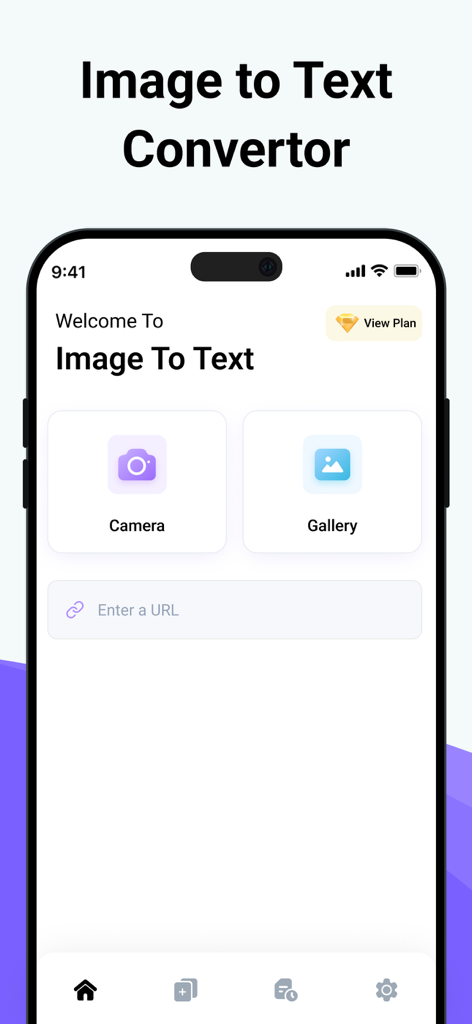
Image to Text - Scan & Convert - Interface principal da aplicação Image to Text com botões de câmara e galeria para digitalização de documentos
Interface principal da aplicação Image to Text com botões de câmara e galeria para digitalização de documentos

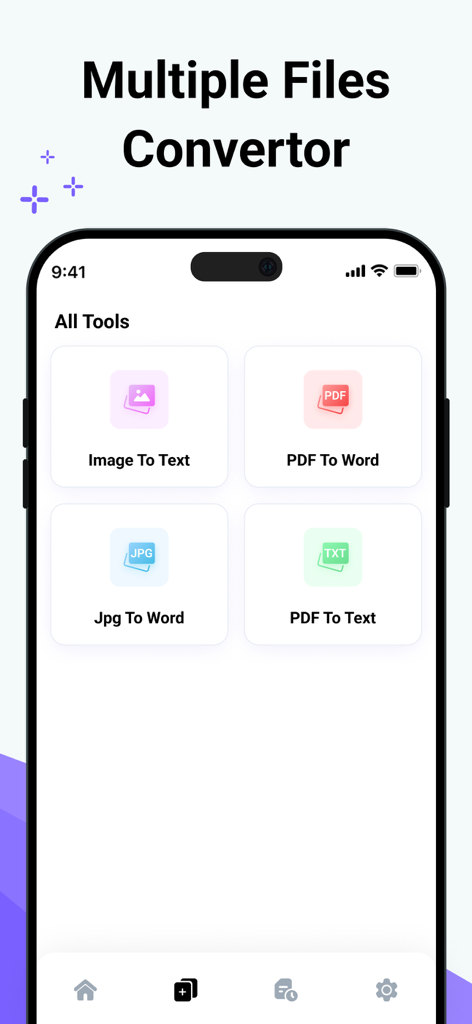
Image to Text - Scan & Convert - Interface da aplicação móvel mostrando várias ferramentas de conversão de ficheiros como Imagem para Texto e PDF para Word
Interface da aplicação móvel mostrando várias ferramentas de conversão de ficheiros como Imagem para Texto e PDF para Word

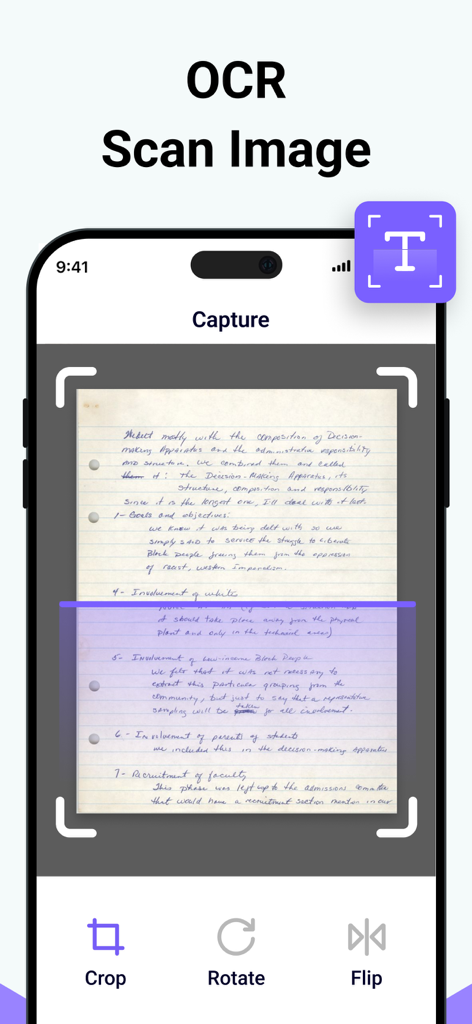
Image to Text - Scan & Convert - Interface da aplicação móvel a capturar e digitalizar uma nota manuscrita para extração de texto OCR
Interface da aplicação móvel a capturar e digitalizar uma nota manuscrita para extração de texto OCR

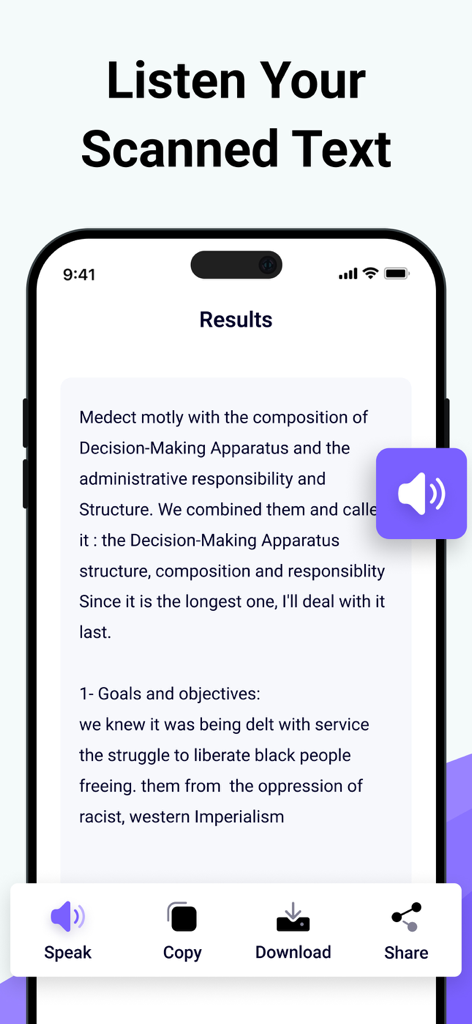
Image to Text - Scan & Convert - Interface da aplicação Image to Text a mostrar os resultados de uma digitalização com opções para falar, copiar e descarregar o texto
Interface da aplicação Image to Text a mostrar os resultados de uma digitalização com opções para falar, copiar e descarregar o texto

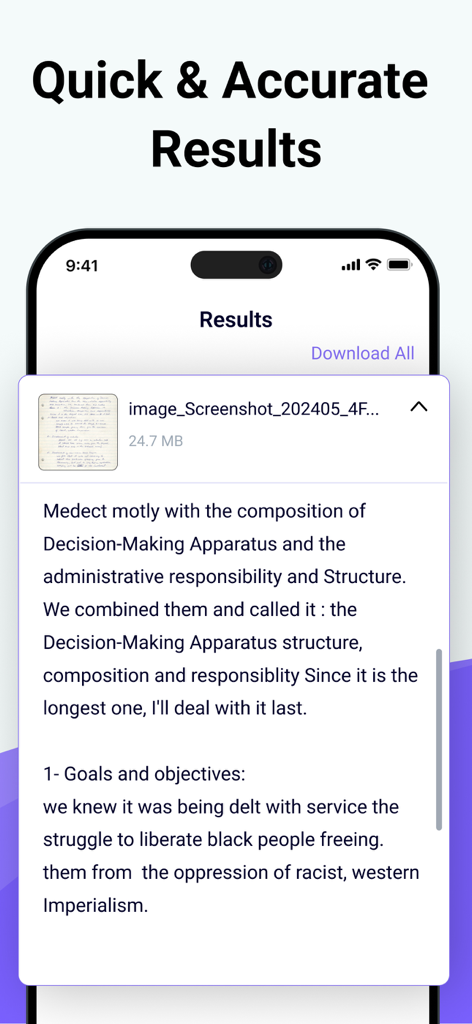
Image to Text - Scan & Convert - Texto digital extraído de uma nota manuscrita exibido no ecrã de resultados da aplicação

Texto digital extraído de uma nota manuscrita exibido no ecrã de resultados da aplicação

Descrição

Photo to Text Scanner App enables you to extract text from images. With this app, you can swiftly scan text from any chosen image. Photo to text app scan text quickly identifies and recognizes the text. Our Text Extractor saves you time by directly copying text from images. Scan the printed text and convert it using our free image to text converter. Introducing our advanced image to text Scanner that helps you keep your documents secure in your smart device. This handwriting to text tool ensures fast and accurate results generation. This free application allows you to scan the images immediately and convert them to editable text. There are many text scanner apps to copy and convert text from images. But this one is lightweight and quickly scans the text. If you have any pictures or doctor's prescription to convert into a soft copy? Give a try to this text scanner app to quickly extract text and copy text from anywhere. This photo to text extractor is one of the best free text scanner apps to extract text from images, extracting text from images quickly and accurately. You know that manual typing takes too much time, especially if you scan lengthy notes or documents with many pages. The ideal approach is to utilize this image to text converter app, which takes little time and allows you to convert several images into text with advanced technology of Text scanner. How to use our picture to text converter Converting your images to text is as simple as you just need to: Take a picture or upload it from your photo gallery. Select more images to get results at the same time. Click on the Submit File button. Then copy the text, share the text, and download the file. Key features: ● Here are the key features of our photo to text converter. ● Extract text from the image upload the image from the gallery or capture using the camera. ● Scans images fast. ● Convert handwritten notes into digitalize. ● Accurate results. ● More than one uploading image option. ● Allows cropping of an image. ● No-cost usage of Text scanner. ● Start a new session with a single click. ● Provides two options for later use, i.e., Copy and Download. ● Super fast mode. ● History of your previous scan image. ● Save scanned text in the clipboard. ● PDF to Word converter ● FPG to Word converter ● PDF to Text converter We have made it easy for everyone to use this Text text scanner and convert image to text. You don’t need to pay a single penny to scan text files with this Text scanner app. Our purpose is to provide you with the best experience with a text scanner. That’s not all You can convert handwritten notes to e-notes. This tool can scan the text that appears on the TV or any other smart screen. Note: We value your privacy and will never use or share your personal information with third parties. None of the images uploaded to our image to text are stored or shared with third parties. This app is completely safe and can be used by anyone. If you have any further questions or encounter any problems while using this app, please feel free to contact us so that we can resolve the issue as soon as possible. We value your feedback as it helps us improve our application and provide you with a better user experience. Payment will be charged to your iTunes Account at confirmation of purchase. Your subscription will automatically renew unless auto-renew is turned off at least 24 hours before the end of the current subscription period. Your account renewal will be charged within 24 hours before the end of the current subscription period. Automatic renewals cost the same price you were originally charged for the subscription. You can manage your subscriptions and turn off auto-renewal by visiting your account settings in the App Store after purchase. Terms of Use: https://clixade.com/terms-and-conditions Privacy Policy: https://clixade.com/privacy-policy

Download

Baixar no App Store

Esta página não é uma página oficial do aplicativo ou de seu desenvolvedor, mas uma publicação editorial independente criada para fins informativos e de comentário. Salvo indicação expressa em contrário, nem o aplicativo nem seu desenvolvedor são afiliados, endossados, patrocinados, autorizados ou oficialmente conectados à MWM, Apple, Google Play, ao editor do aplicativo ou ao desenvolvedor do aplicativo, e nada nesta página implica que o aplicativo foi desenvolvido utilizando os serviços da MWM. Todas as marcas comerciais, logotipos, capturas de tela e outros conteúdos permanecem propriedade de seus respectivos proprietários.








