IPTV fast: O Reprodutor Potente para Modernos Cord-Cutters
Assuma o controle total do seu entretenimento. Importe suas próprias playlists M3U ou TXT e aproveite uma experiência de streaming ultrarrápida e sem excessos, projetada para o espectador conhecedor de tecnologia.
Editor
丽娜 夏
Categoria
Entertainment
Downloads
112K+
Avaliação
2.8/5
Total de avaliações
100
Idiomas
2
Um Vislumbre do Controle Total
Descubra a interface usada por 112K+ usuários.
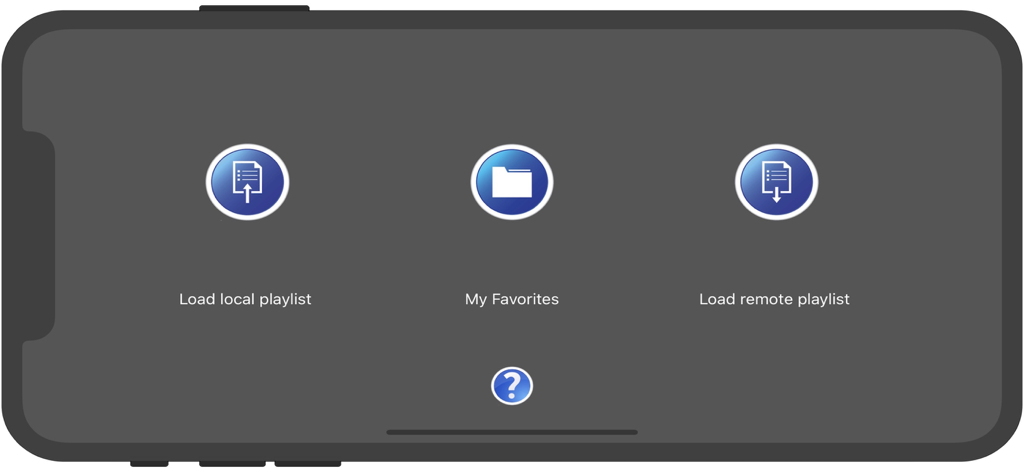
Tela inicial do aplicativo IPTV fast com botões para carregar playlists locais, favoritos e playlists remotas
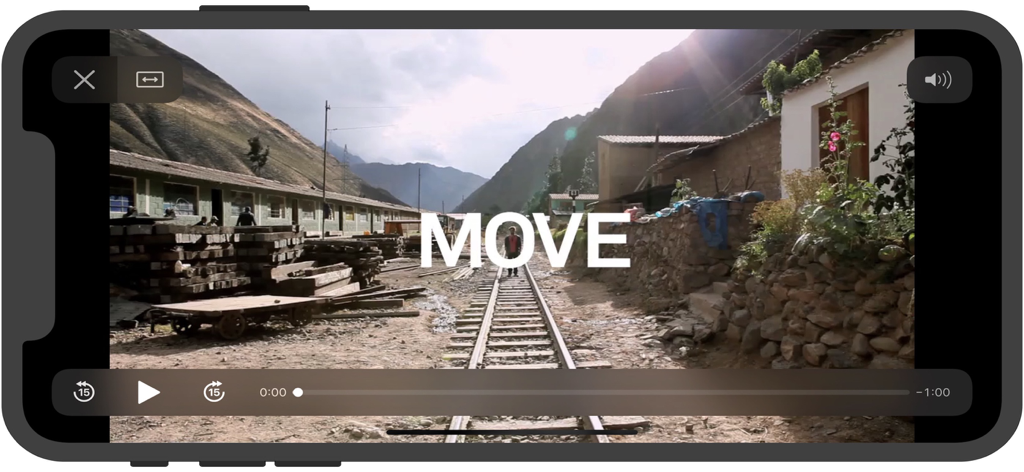
Tela do reprodutor de vídeo do aplicativo móvel IPTV fast mostrando controles de reprodução e um vídeo de paisagem cênica
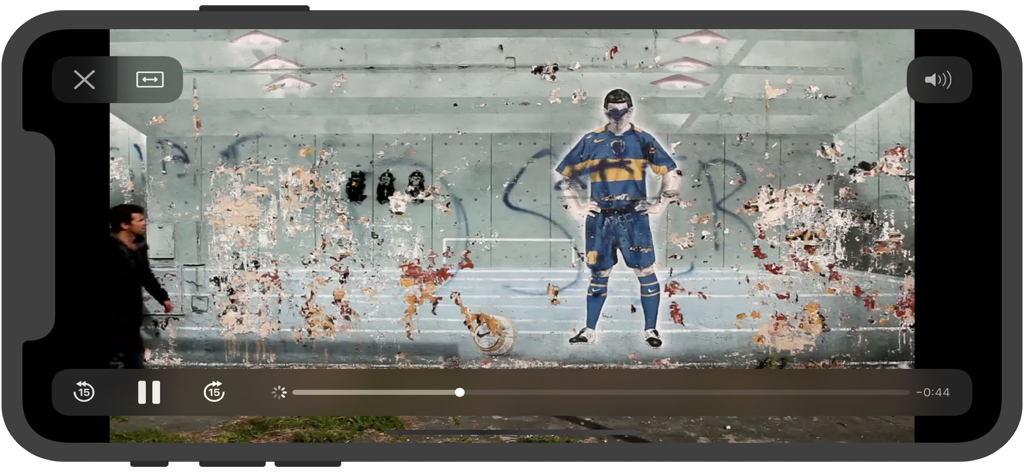
Tela do reprodutor de vídeo do aplicativo móvel IPTV fast em orientação paisagem com controles de reprodução
Reprodução de vídeo do aplicativo IPTV fast na tela de um smartphone
Assuma o Controle da Sua Experiência de Streaming
As ferramentas que destacam este app, escolhido por 112K+ usuários.
🛠️
Personalização Completa de Playlists
Crie seu próprio guia de TV importando playlists M3U ou TXT. Organize seus canais internacionais favoritos de esportes, notícias e entretenimento exatamente como você deseja.
⚡
Leve e Ultrarrápido
Com apenas 6MB, o IPTV fast oferece uma interface organizada e troca de canais instantânea sem desacelerar seu iPhone ou iPad com processos desnecessários em segundo plano.
🔒
Sincronização Local Privada
Mantenha seus links de streaming seguros e privados. Sincronize suas playlists curadas diretamente do seu Mac ou PC usando o compartilhamento de arquivos do iTunes ou Finder para total independência da nuvem.
Sobre o app
Tudo o que você precisa saber sobre IPTV fast.
Descrição
IPTV fast is a complete user defined IPTV solutions for live and non-live TV/stream.
Support M3U playlist formats, TXT playlist formats.
If you ever want to play M3U streams, if you need player supporting these live or non-live streams, the IPTV fast is a solution for these requirements.
- Built-in powerful player, No need to look for third party player to support these formats.
- Support Local M3U and TXT playlists, user can add playlists to their device
via iTunes's file sharing function (connecting their device to iTunes, then add playlists to its file sharing document).
- Support Remote playlists, user can add their http remote playlists.
Features
- Support m3u8 TV/Radio live or non-live stream, you can custom your own TV/Radio channel.
- Support TXT and M3U playlist.
- Support media formats such as m3u8, mp4, mp3. . . . . .
- Download Remote playlists to Local.
- Support My Favorites.
How it works?
1. Make your own playlist
1A. Make your own TXT playlist
Name your playlist as xxx.txt, then edit and save your file in format as below:
TV or Radio Channel,Media Source Link
One line one TV or Radio channel (do not forget The comma)
For example:
(line 1) TV 1,http://streamer.oodlz.it/hls/livestream.m3u8
(line 2) TV 2,http://stream.1music.hu/stream/1music.m3u8
(line 3) Radio 1,http://icestreaming.rai.it/1.mp3
etc. . . . . .
(Save your xxx.txt file as UTF-8)
1B. Make your own M3U playlist (format 1)
Name your playlist as xxx.txt, then edit and save your file in format as below:
#EXTM3U
#EXTINF:-1 tvg-logo=”sample.png” group-title=”No group”,Channel 1
Channel 1,https://edge.music-choice-play-chaina/play/chunklist.m3u8
#EXTINF:-1 tvg-logo=”sample.png” group-title=”No group”,Channel 2
Channel 2,https://nhkworld.webcdn.stream.ne.jp/live_wa_s.m3u8
#EXTINF:-1 tvg-logo=”sample.png” group-title=”No group”,Channel 3
Channel 3,http://77.89.199.174:81/hls/live2.m3u8
etc. . . . . .
Save your xxx.txt file as UTF-8 format, then change its extension from xxx.txt to xxx.m3u.
1C. Make your own M3U playlist (format 2)
Name your playlist as xxx.txt, then edit and save your file in format as below:
#EXTM3U
#EXTINF:-1 tvg-logo=”sample.png” group-title=”No group”,Channel 1
https://edge.music-choice-play-chaina/play/chunklist.m3u8
#EXTINF:-1 tvg-logo=”sample.png” group-title=”No group”,Channel 2
https://nhkworld.webcdn.stream.ne.jp/live_wa_s.m3u8
#EXTINF:-1 tvg-logo=”sample.png” group-title=”No group”,Channel 3
http://77.89.199.174:81/hls/live2.m3u8
etc. . . . . .
Save your xxx.txt file as UTF-8 format, then change its extension from xxx.txt to xxx.m3u.
2. Add your xxx.txt or xxx.m3u file to your device
2A. Add local playlists to your device
First, connecting your device t your computer,
(1) If your macOS is earlier than Catalina, Open iTunes, click file sharing find the IPTV fast, add your playlist to its file share document.
(2) If your macOS is Catalina or Big Sur or later, use Finder, you can drag your playlist to IPTV fast's file share document.
2B. Download remote playlist
First, upload your playlist the a website, get its download url, If all this done, open IPTV fast, enter your playlist download url, press download.
3. Relax and watch your favorite shows on your device
DISCLAIMER
- IPTV fast does not supply or include any media or content.
- IPTV fast has no affiliation with any third-party provider what so ever.
- Users must provide their own contents.
- I do not endorse the streaming of copyright protected material without permission of the copyright holder.
Última versão
22.0
Tamanho
5.9 MB
Data de lançamento
23 de nov. de 2018
Pronto para Montar sua Programação de TV Perfeita?
Junte-se a mais de 112.000 cord-cutters que confiam no IPTV fast para uma experiência de streaming leve e de alto desempenho. Baixe agora e assuma o controle total de suas playlists M3U sem a fadiga das assinaturas.
App information, icons, screenshots, and descriptions displayed on this page are sourced from the Apple App Store and are the property of their respective developers. Download estimates and rankings are based on MWM's proprietary models and may not reflect actual figures. This page is provided for informational and analytical purposes only.
Believe this page infringes your intellectual property? File a dispute