Manga Viewer - CBZ(CBR) Reader

Manga Viewer - CBZ(CBR) Reader


Baixar no App Store
Logo de Manga Viewer - CBZ(CBR) Reader

Manga Viewer - Leitor CBZ(CBR): O Centro Definitivo para sua Biblioteca de Comics Digitais

Assuma o controle total da sua coleção com suporte para todos os principais formatos de arquivo, transferências WiFi de alta velocidade e uma experiência de leitura premium otimizada para iPhone, iPad e Mac.

Editor

kim juyoung

Categoria

Books

Downloads

601K+

Avaliação

4.4/5

Total de avaliações

600

Idiomas

3

Sua Biblioteca, Aperfeiçoada

Descubra a interface usada por 601K+ usuários.
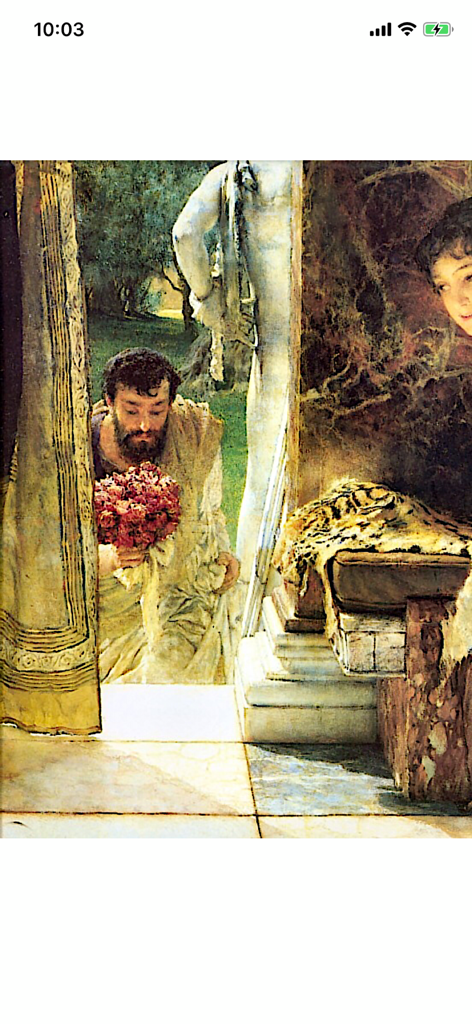
Uma página de comic digital apresentando arte clássica exibida no aplicativo Manga Viewer

Uma página de comic digital apresentando arte clássica exibida no aplicativo Manga Viewer

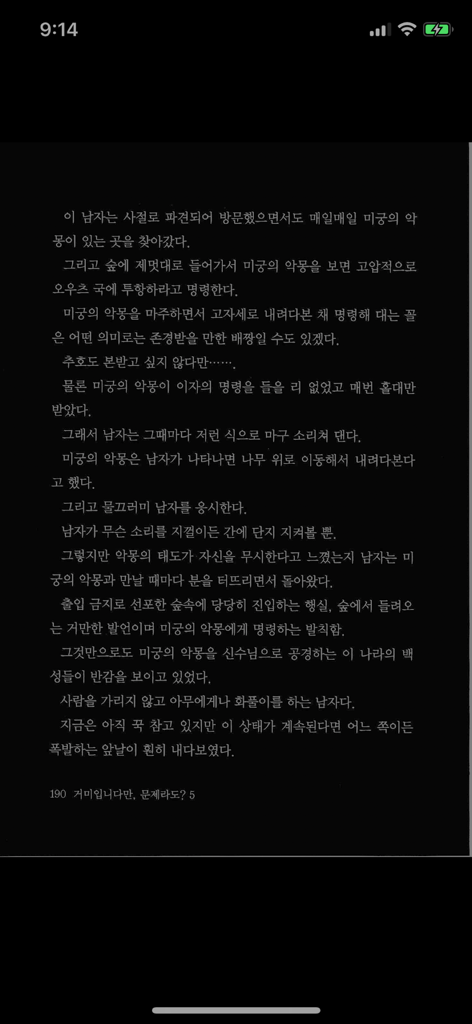
Tela de celular exibindo texto de light novel coreana em modo noturno com fundo escuro.

Tela de celular exibindo texto de light novel coreana em modo noturno com fundo escuro.

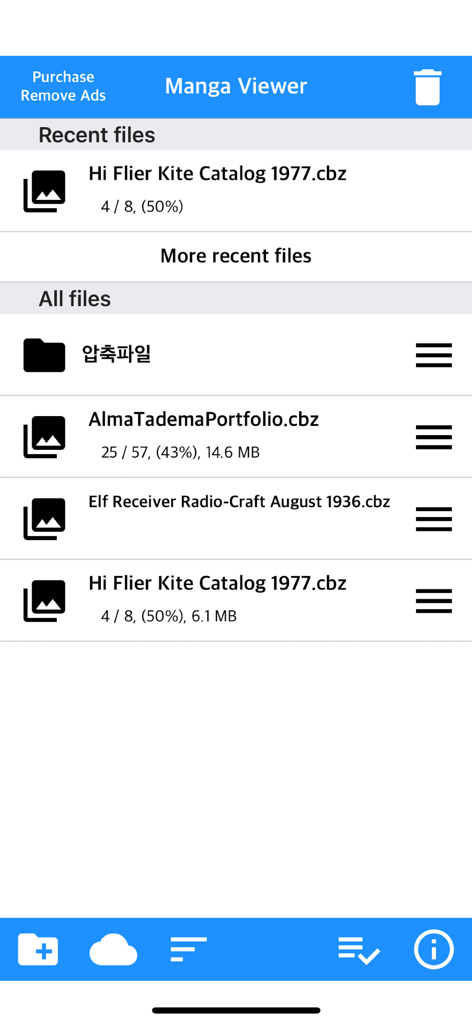
Visualização da biblioteca de arquivos no aplicativo Manga Viewer exibindo uma lista de arquivos de comics CBZ e o progresso da leitura

Visualização da biblioteca de arquivos no aplicativo Manga Viewer exibindo uma lista de arquivos de comics CBZ e o progresso da leitura

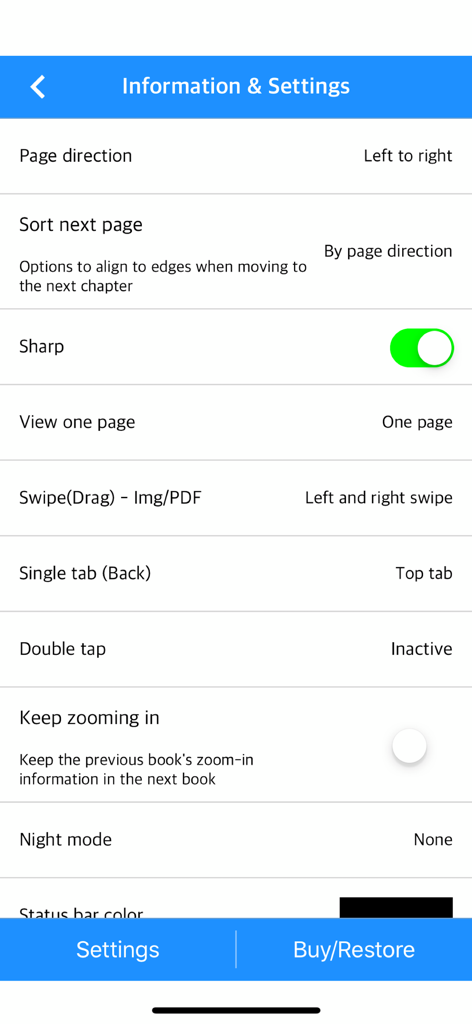
Interface de configurações do aplicativo Manga Viewer exibindo opções para direção da página, nitidez da imagem e gestos de navegação.

Interface de configurações do aplicativo Manga Viewer exibindo opções para direção da página, nitidez da imagem e gestos de navegação.

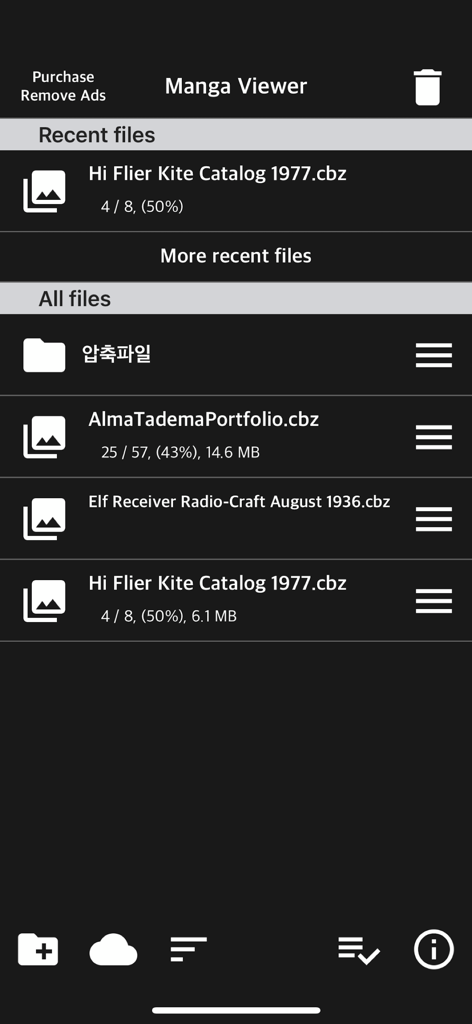
Tela de biblioteca do Manga Viewer mostrando arquivos de comics e progresso de leitura

Tela de biblioteca do Manga Viewer mostrando arquivos de comics e progresso de leitura

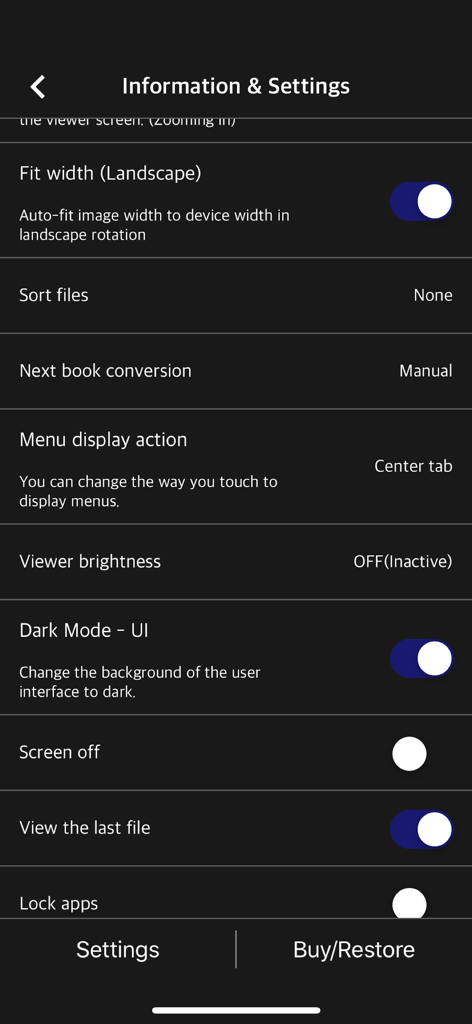
Tela de informações e configurações do aplicativo Manga Viewer mostrando opções de personalização para leitura

Tela de informações e configurações do aplicativo Manga Viewer mostrando opções de personalização para leitura

Experimente sua Coleção Como Nunca Antes

As ferramentas que destacam este app, escolhido por 601K+ usuários.

📶

Gerenciamento de Biblioteca sem Fios

Livre-se dos cabos com transferências WiFi integradas. Conecte-se diretamente ao seu servidor FTP, NAS ou armazenamento em nuvem como iCloud, Dropbox e Google Drive.

📖

Modos de Leitura Otimizados

Da rolagem vertical para Webtoons à visualização em paisagem de duas páginas no iPad, aproveite seu conteúdo exatamente como ele deve ser visto.

🔄

Sincronização Integrada via iCloud

Comece a ler no seu iPhone durante o trajeto e continue exatamente de onde parou no seu iPad em casa com a sincronização automática de progresso.

Sobre o app

Tudo o que você precisa saber sobre Manga Viewer - CBZ(CBR) Reader.

Descrição

The simplest viewer app for viewing comic, fictional image archives Such as a cartoon or a novel, on a smartphone You can see it anywhere. Now that you've installed the app Try transferring files on your PC with WiFi * Some functions may not be supported on Mac(Apple Silicon) ** Characteristic ** - zip, rar, 7z, cbz, cbr, cb7 compressed files are supported (png, jpeg, jpg, gif, bmp, tif, tiff extension images are included, webp format is supported from iOS14) - PDF file support - TIF/TIFF file support (like PDF file, change in settings) - Upload via PC web browser (WIFI) - Import files from cloud apps such as iCloud, dropbox, circle drive, and Box - FTP support: browse, download - SSHFTP support - Secure FTP not supported - Cloud apps support file copy from mail attachments - one page view, two page view - Sharpen image filter - IPhone, iPad, Mac(Apple Silicon) support - Rotate the screen both horizontally and vertically - Image next page Zoom-in keep-alive function: Apply the previous book's zoom-in status in the following book. Please change your settings. - Screen off option: When set to ON, the screen automatically turns off at the time the device turns off. - Last file view, On / Off in setting - Next book auto-switching options: If you automatically change the next book switching option in Settings, tabs on the last page will automatically switch to the next book. (Default manual) - iCloud Sync : Synchronize the information (read location) of the read file and open the same file on another device (signed in with the same iCloud account) so that you can see it again. (iOS 11+) - Two pages in landscape mode: Two pages in landscape rotation, one page in vertical rotation, iPad only -Vertical scroll mode (= webtoon mode): scrolls vertically like webtoons, one-page mode is fixed, and some options are fixed and not applied. (IOS 13+) - Image / PDF Night mode: Invert color / Image brightness (1 to 3 steps), in-app purchase required - Night Mode - Invert Color: Invert the white background to black (gray) and black to white. This mode is suitable for viewing novels. - Night Mode - Image Brightness: You can change the brightness of the image in three steps without changing the screen brightness of the device. - Bluetooth keyboard: Supports page switching and screen closing function, direction key (asdw) page switch, ESC key viewer screen close (in-app purchase required) - A function that changes to the next page when the volume is changed. (The sound size will change as well. Please be careful. ON / OFF in setting. Need an in-app purchase or reward view.) Please send bugs or suggestions to junhuloveapple@gmail.com at the top right of the setting screen.

Última versão

1.355

Tamanho

70.9 MB

Data de lançamento

9 de nov. de 2017

Pronto para Dominar sua Coleção Digital?

Junte-se a mais de 600.000 leitores que aprimoraram sua experiência. Baixe o Manga Viewer hoje e aproveite o melhor leitor de CBR, CBZ e PDF em todos os seus dispositivos Apple.

Baixar no App Store
FAQ

Perguntas Frequentes

Tudo o que você precisa saber sobre Manga Viewer - CBZ(CBR) Reader

What comic and archive formats does Manga Viewer support?

Manga Viewer supports zip, rar, 7z, cbz, cbr, cb7, PDF, TIF/TIFF, and image formats like png, jpeg, jpg, gif, bmp, tif, tiff. Webp format is supported from iOS 14 onwards.

How can I transfer files to the Manga Viewer app?

You can transfer files to Manga Viewer via PC web browser using WiFi, or import them from cloud apps like iCloud, Dropbox, and Box. FTP and SSHFTP protocols are also supported for file transfer.

Does Manga Viewer offer a night mode feature?

Yes, Manga Viewer includes an Image/PDF Night mode with 'Invert color' and 'Image brightness' (1 to 3 steps). These advanced night mode features require an in-app purchase to unlock.

Which devices are compatible with the Manga Viewer app?

Manga Viewer is compatible with iPhone, iPad, and Mac devices running Apple Silicon. Some functions may not be fully supported when using the app on Mac (Apple Silicon).

Does Manga Viewer support iCloud Sync for reading progress?

Yes, Manga Viewer supports iCloud Sync (iOS 11+) to synchronize your reading location across devices. This allows you to seamlessly continue reading the same file on another device linked to your iCloud account.

Is there a vertical scroll or webtoon mode available in Manga Viewer?

Yes, Manga Viewer features a vertical scroll mode, also known as webtoon mode, which allows vertical scrolling similar to webtoons. This mode is fixed to a one-page display and is available on iOS 13 and later.

Can I use a Bluetooth keyboard with Manga Viewer?

Yes, Manga Viewer supports Bluetooth keyboards for functions like page switching and closing the viewer screen. Utilizing direction keys (asdw) for page switching and the ESC key requires an in-app purchase.

Does Manga Viewer retain zoom settings when switching between books?

Yes, Manga Viewer includes an "Image next page Zoom-in keep-alive function." This setting applies the zoom status from the previous book to the next one, and it can be configured in the app's settings.

How do I contact support for Manga Viewer to report bugs or suggest features?

You can report bugs or send suggestions for Manga Viewer by emailing junhuloveapple@gmail.com. This contact email is provided at the top right of the app's setting screen.

Can I use the volume buttons to turn pages in Manga Viewer?

Yes, Manga Viewer provides a function to change pages using the device's volume buttons. This feature can be enabled or disabled in the app's settings and requires either an in-app purchase or watching a reward advertisement.

Does Manga Viewer offer a Dark Mode for its user interface?

Yes, Manga Viewer features a "Dark Mode - UI" option. This setting allows you to change the background of the user interface to a dark theme, which can be activated within the app's settings.

App information, icons, screenshots, and descriptions displayed on this page are sourced from the Apple App Store and are the property of their respective developers. Download estimates and rankings are based on MWM's proprietary models and may not reflect actual figures. This page is provided for informational and analytical purposes only.

Believe this page infringes your intellectual property? File a dispute