MoonCatcher
MoonCatcher
Baixar no App Store

Esta página não é uma página oficial do aplicativo ou de seu desenvolvedor, mas uma publicação editorial independente criada para fins informativos e de comentário. Salvo indicação expressa em contrário, nem o aplicativo nem seu desenvolvedor são afiliados, endossados, patrocinados, autorizados ou oficialmente conectados à MWM, Apple, Google Play, ao editor do aplicativo ou ao desenvolvedor do aplicativo, e nada nesta página implica que o aplicativo foi desenvolvido utilizando os serviços da MWM. Todas as marcas comerciais, logotipos, capturas de tela e outros conteúdos permanecem propriedade de seus respectivos proprietários.

Logo de MoonCatcher
Baixar no App Store

MoonCatcher

Não se contente com bolas brancas borradas. Transforme seu iPhone em uma câmera lunar de precisão com zoom de 40x, controle automático de exposição e deslocamento de foco de nível profissional, projetado especificamente para o céu noturno.

Números Chave

Downloads

14K+

Avaliação

2.3/5

Total de avaliações

0

Editor

HIROFUMI MARUO

Categoria

Photo & Video

Idiomas

2

Última versão

18.1

Tamanho

22.7 MB

Data de lançamento

17 de dez. de 2014
Recursos

Capture o Cosmos com Precisão

Não se contente com um brilho branco borrado. O MoonCatcher transforma seu iPhone em um poderoso telescópio lunar com deslocamento de foco avançado e controles de exposição especializados para revelar a verdadeira textura da lua.

Chega de "Bolas Brancas"

Nosso Modo Lua especializado equilibra automaticamente a exposição para revelar crateras intrincadas e padrões lunares que os aplicativos de câmera nativos normalmente estouram.

Zoom Lunar Avançado de 40x

Chegue mais perto do que nunca. Use nosso zoom de precisão e tecnologia de deslocamento de foco para encontrar a nitidez perfeita, mesmo na ampliação máxima.

As capturas de tela e a descrição a seguir são provenientes diretamente da listagem oficial da loja do aplicativo e são propriedade do desenvolvedor.

App Store

Capturas
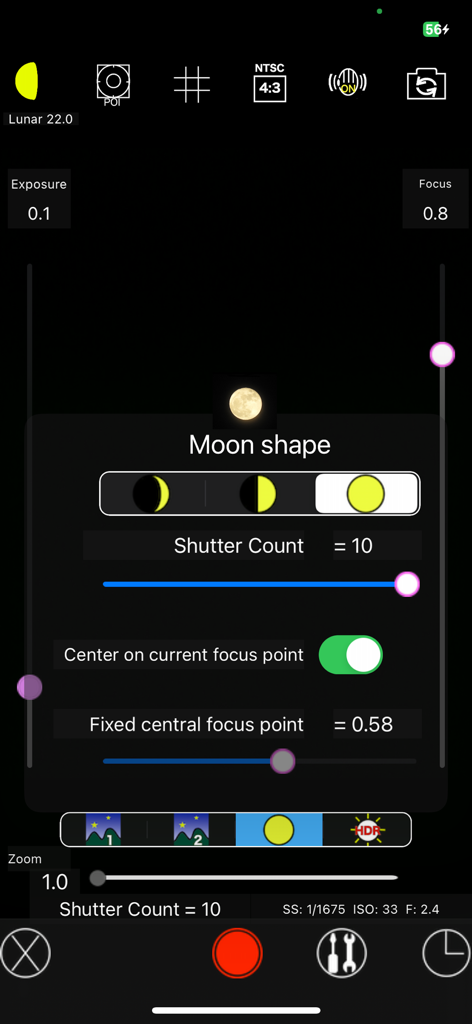
MoonCatcher - Interface do aplicativo MoonCatcher mostrando configurações manuais da câmera e seleção de formato da lua para astrofotografia
Interface do aplicativo MoonCatcher mostrando configurações manuais da câmera e seleção de formato da lua para astrofotografia

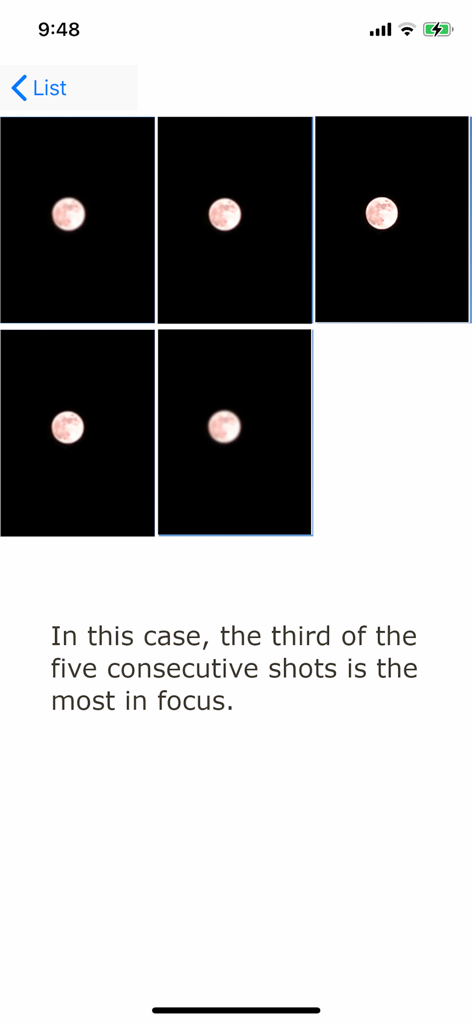
MoonCatcher - Uma sequência de cinco fotos consecutivas da lua no aplicativo MoonCatcher demonstrando o deslocamento de foco para encontrar a imagem mais nítida.
Uma sequência de cinco fotos consecutivas da lua no aplicativo MoonCatcher demonstrando o deslocamento de foco para encontrar a imagem mais nítida.

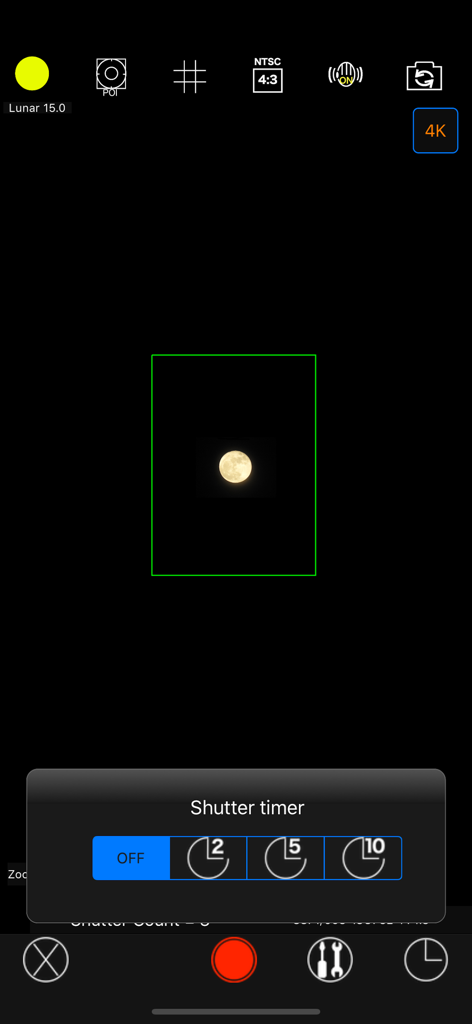
MoonCatcher - Interface da câmera do aplicativo MoonCatcher mostrando um menu de temporizador do obturador e uma imagem capturada da lua
Interface da câmera do aplicativo MoonCatcher mostrando um menu de temporizador do obturador e uma imagem capturada da lua

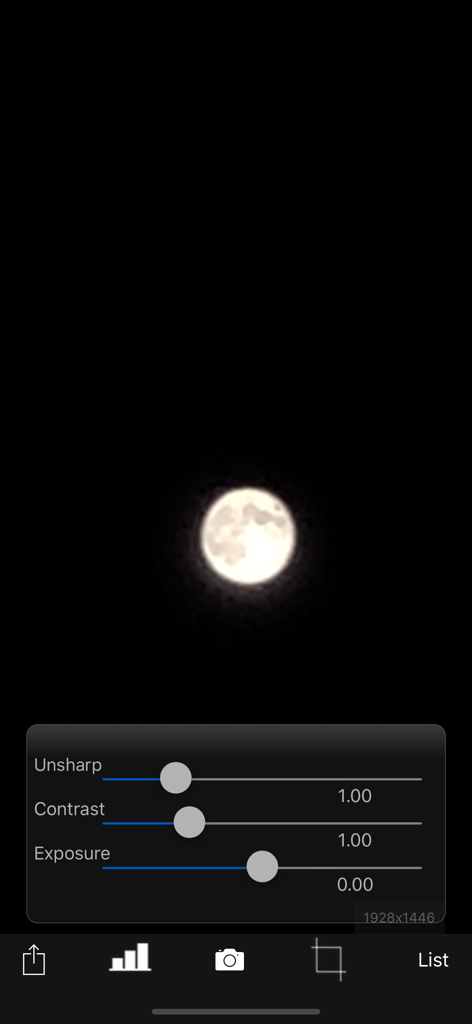
MoonCatcher - Interface do aplicativo MoonCatcher com uma foto da lua e controles deslizantes de edição para contraste e exposição não nítidos
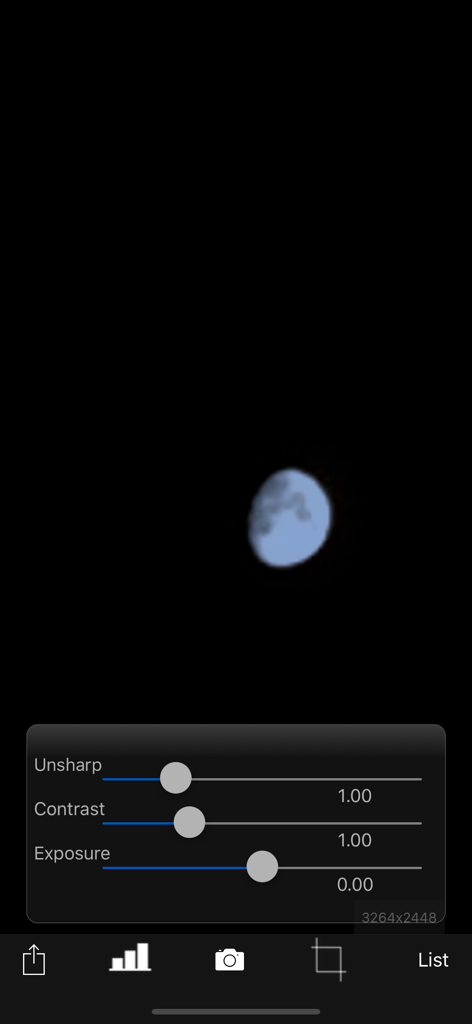
Interface do aplicativo MoonCatcher com uma foto da lua e controles deslizantes de edição para contraste e exposição não nítidos

MoonCatcher - Tela de edição de fotos do aplicativo MoonCatcher mostrando controles deslizantes de ajuste para contraste e exposição não nítidos sobre uma imagem da lua
Tela de edição de fotos do aplicativo MoonCatcher mostrando controles deslizantes de ajuste para contraste e exposição não nítidos sobre uma imagem da lua

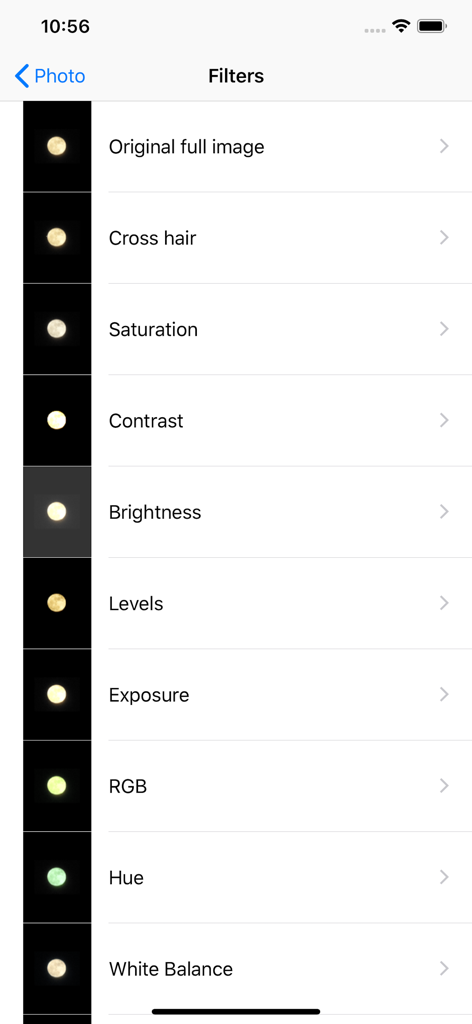
MoonCatcher - Interface do aplicativo MoonCatcher mostrando uma lista de filtros de edição de fotos para fotografia lunar.
Interface do aplicativo MoonCatcher mostrando uma lista de filtros de edição de fotos para fotografia lunar.

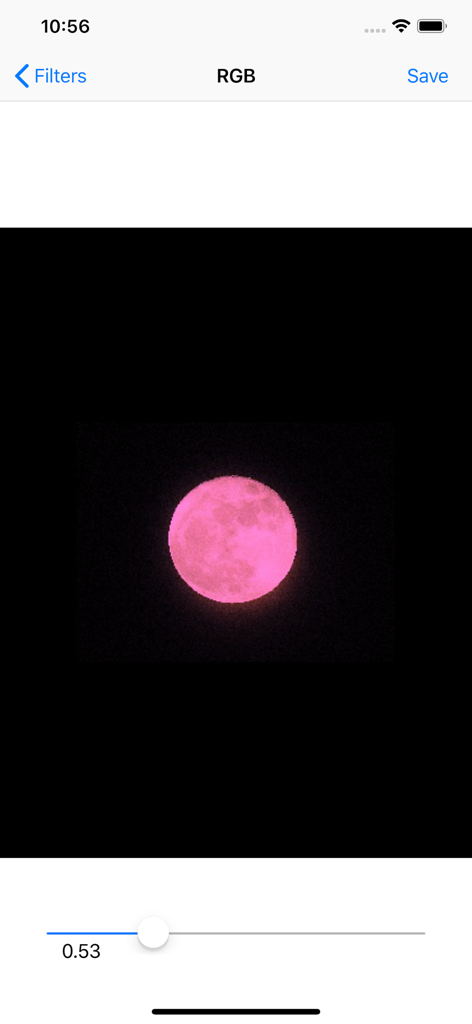
MoonCatcher - Interface do aplicativo MoonCatcher mostrando uma lua rosa sendo editada com um controle deslizante de filtro RGB
Interface do aplicativo MoonCatcher mostrando uma lua rosa sendo editada com um controle deslizante de filtro RGB

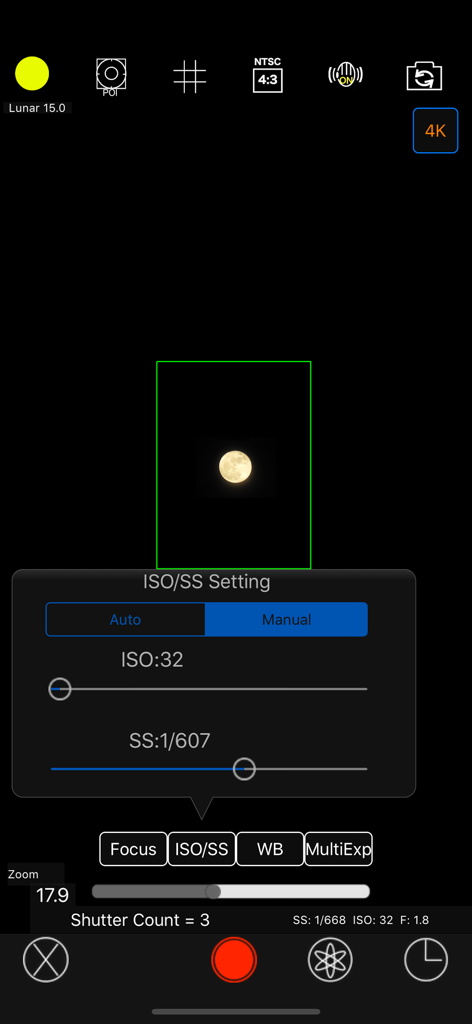
MoonCatcher - Interface de configurações manuais de ISO e velocidade do obturador no aplicativo de fotografia MoonCatcher
Interface de configurações manuais de ISO e velocidade do obturador no aplicativo de fotografia MoonCatcher

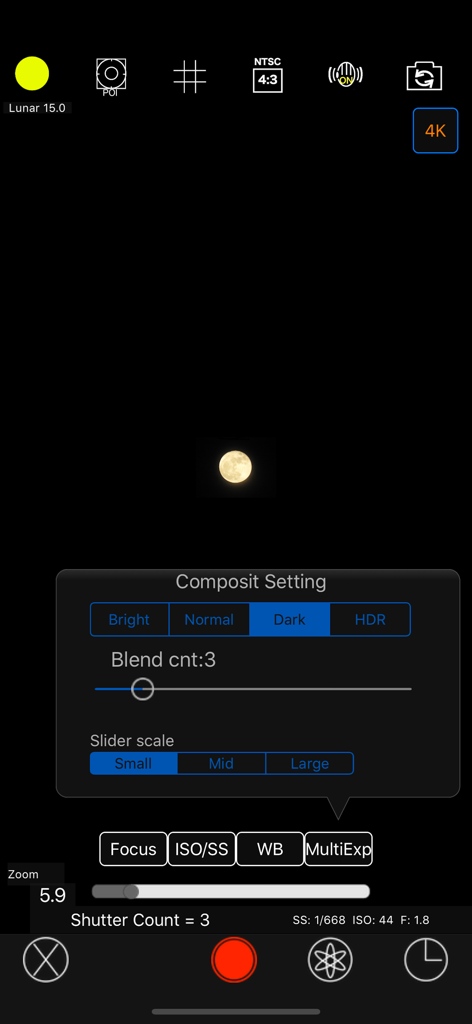
MoonCatcher - Interface da câmera MoonCatcher mostrando o menu de configurações de composição manual e uma imagem capturada da lua

Interface da câmera MoonCatcher mostrando o menu de configurações de composição manual e uma imagem capturada da lua

Descrição

This is an app that allows you to easily photograph the moon at night, including its pattern. You can also zoom easily. Usage is simple. (A) Tap the moon from the menu and tap the closest moon shape among the three. (B) Point the camera at the moon and zoom. (C) Release the shutter without moving the smartphone (tripod recommended). The shutter will fire several times, so don't let it slide until the end. If you cannot take any of the photos with the moon in focus, you can try "changing the center of focus" as many times as you like below. Tap the manual mode button (second button from the bottom right) to enter manual mode, where you can manually set focus, ISO/shutter speed, white balance, and multiple exposure parameters. ------------------------- The features of this app are (1) Fully automatic function - If you select "Moon", the exposure will be automatically darkened in response to the bright moon in the night sky, and the focus will be adjusted to the distance. Since it fires continuously while changing the focus multiple times, you can choose the best result among them. (The number of consecutive shots and the center of focus can be changed with the slider) *"Change the focus center": Tap "Moon" on the shooting screen to display the moon shape selection segment, the number of consecutive shots slider, and the focus center slider. Now you can change each value. Because the moon is far away, it is difficult to focus when zoomed in. Therefore, if you take pictures while changing the focus little by little, you can expect the moon to be in focus at some point. The focus range is from 0 (nearby) to 1 (far), but in reality, the focus is shifted by 1/5 when shooting. For example, 0.7 to 0.9 (0.8 in the center). By changing the center of focus, you can shift the focus within any range and fire continuously. - There are two types of night views. ・"Night Scene 1" brightens a dark night scene by one level. ・“Night Scene 2” brightens the image one step brighter than “Night Scene 1”. It fires continuously while changing the brightness 4 times. - If you select "HDR", multiple consecutive images with different exposures will be combined to create a pseudo-large dynamic range.  Multiple exposure 3 times. (2) Full manual function You can take photos by manually setting the focal length, exposure, white balance, photo composition method, and number of photos. ・Tap "Focus", "ISO/SS", and "WB" to select auto or manual. 
 ・Tap "Multiple Exposure" to select the multiple exposure composition method and set the number of composite images (up to 100). The synthesis methods are as following. Bright: Screen composit (Screen Blend) Normal: Comparison(light) composition (Lighten Blend) Dark: Comparison (dark) composition (Darken Blend) HDR: Special composition (Special Blend) (3) Other camera functions ・Zoom function: Achieving a zoom ratio of 40 time ・A camera position: The LCD screen side or the back camera is selectable. ・Focus position specification ・Mesh display ・Aspect selection ・Deviation correction selection (4) Filter function just after the photography To display the photograph just after photography and the following filtering are possible by slider operation. ・Purity (sharpness) ・Comparison degree (contrast) ・Luminosity (exposure) ・Display list function The photos taken in this app is stored in the camera roll and in app itself too and you can see the list of them with the shooting date and time information. ・Image processing function When you tap the image on the list, it displays the list of filters for image processing. It has about 70 filters such as 'Brightness','Contrast','Blur','Sharpening','Sepia','Monochrome','Edge detection','Sketch' and so on. *** This app include the following open sources. - GPUImage (Copyright (c) 2012, Brad Larson, Ben Cochran, Hugues Lismonde, Keitaroh Kobayashi, Alaric Cole, Matthew Clark, Jacob Gundersen, Chris Williams. All rights reserved.)

Download

Baixar no App Store

Esta página não é uma página oficial do aplicativo ou de seu desenvolvedor, mas uma publicação editorial independente criada para fins informativos e de comentário. Salvo indicação expressa em contrário, nem o aplicativo nem seu desenvolvedor são afiliados, endossados, patrocinados, autorizados ou oficialmente conectados à MWM, Apple, Google Play, ao editor do aplicativo ou ao desenvolvedor do aplicativo, e nada nesta página implica que o aplicativo foi desenvolvido utilizando os serviços da MWM. Todas as marcas comerciais, logotipos, capturas de tela e outros conteúdos permanecem propriedade de seus respectivos proprietários.








