
Esta página não é uma página oficial do aplicativo ou de seu desenvolvedor, mas uma publicação editorial independente criada para fins informativos e de comentário. Salvo indicação expressa em contrário, nem o aplicativo nem seu desenvolvedor são afiliados, endossados, patrocinados, autorizados ou oficialmente conectados à MWM, Apple, Google Play, ao editor do aplicativo ou ao desenvolvedor do aplicativo, e nada nesta página implica que o aplicativo foi desenvolvido utilizando os serviços da MWM. Todas as marcas comerciais, logotipos, capturas de tela e outros conteúdos permanecem propriedade de seus respectivos proprietários.


Music Transpose - Key Changer
A ferramenta essencial para cantores e músicos transpor áudio ou vídeo sem esforço. Ajuste o tom e a velocidade independentemente, pratique offline e aproveite o uso vitalício com uma única compra.
Downloads
63K+Avaliação
Total de avaliações
800Editor
Categoria
MusicIdiomas
32Última versão
4.4.14Tamanho
45.9 MBData de lançamento
26 de abr. de 2022Domine Cada Peça com Precisão
O utilitário definitivo para músicos transpor tons e ajustar o andamento instantaneamente — sem assinaturas, sem complexidade, apenas prática pura.
Transponha para Sua Extensão
Alterne o tom em incrementos finos de semitom para corresponder à sua extensão vocal ou afinação de instrumento, guiado por indicadores visuais de qualidade.
Diminua a Velocidade das Partes Difíceis
Ajuste independentemente a velocidade de reprodução sem alterar o tom, permitindo que você domine solos rápidos e ritmos complexos no seu próprio ritmo.
As capturas de tela e a descrição a seguir são provenientes diretamente da listagem oficial da loja do aplicativo e são propriedade do desenvolvedor.
App Store
Capturas
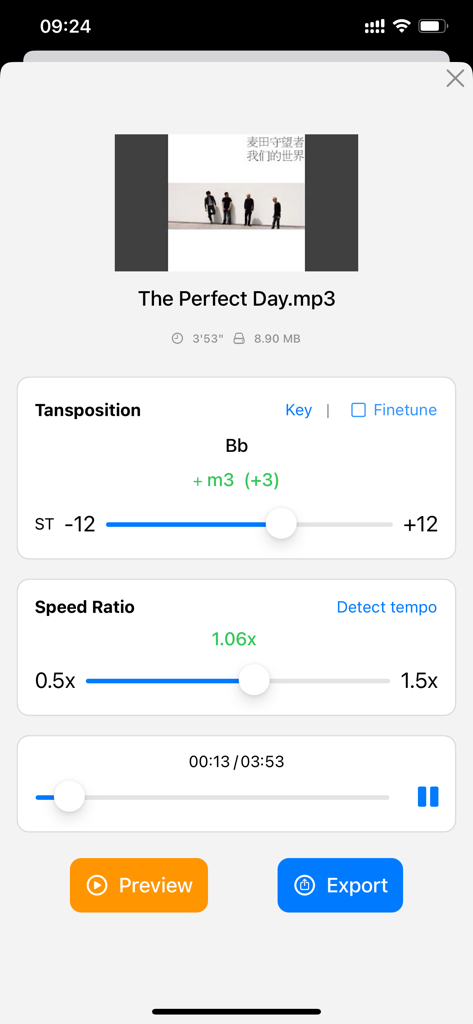
Interface do aplicativo para transpor o tom da música e ajustar a relação de velocidade de reprodução.
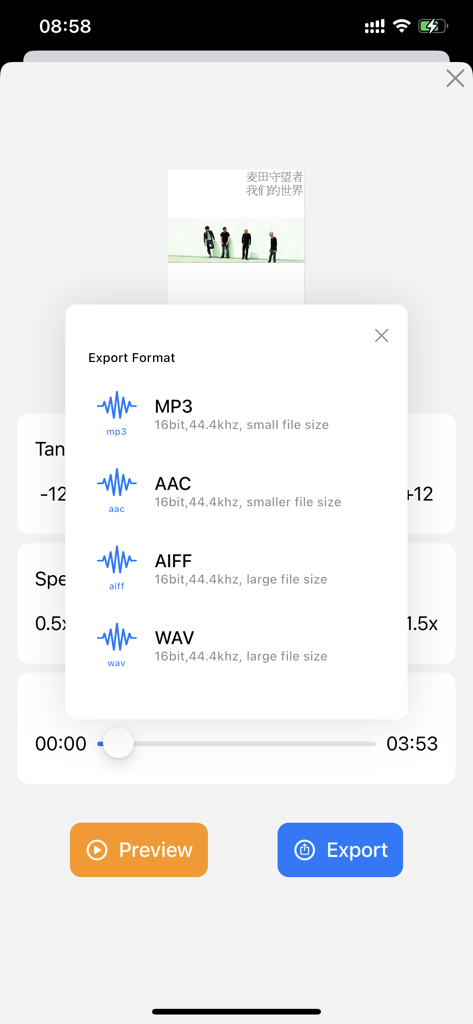
Tela de seleção para exportar arquivos de música em formatos MP3, AAC, AIFF ou WAV.
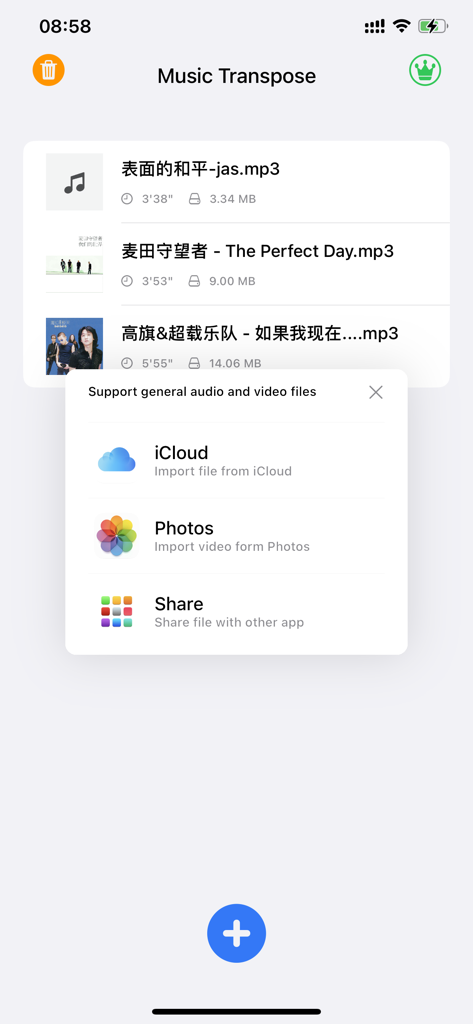
Tela do aplicativo Music Transpose mostrando um menu pop-up com opções para importar arquivos de áudio e vídeo do iCloud e Fotos
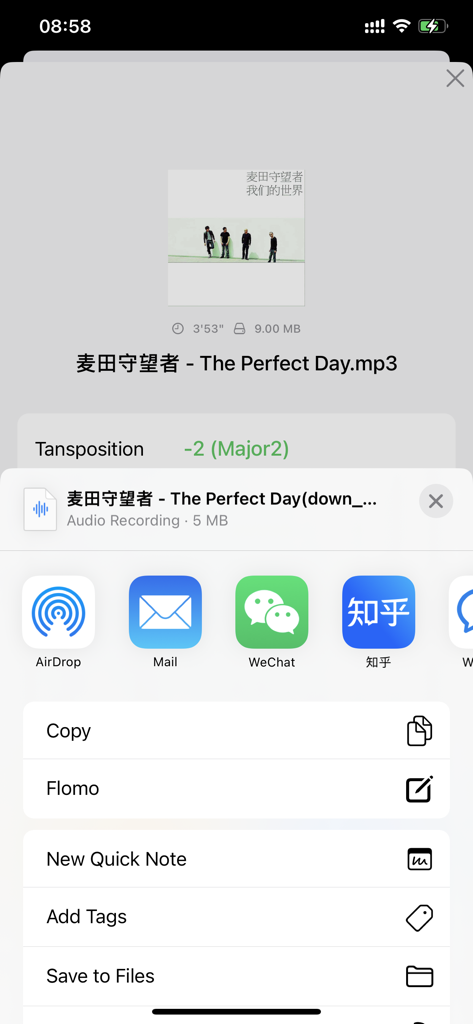
Interface do aplicativo Music Transpose mostrando opções de exportação de arquivos após o ajuste de tom
Descrição
Download
Apps Semelhantes
Apps mais bem classificados na mesma categoria

Spotify: Music and Podcasts
Spotify

YouTube Music
Google LLC

Shazam: Find Music & Concerts
Apple Inc.

SoundCloud: The Music You Love
SoundCloud Global Limited & Co KG

Suno - AI Songs & Music
Suno Inc.

QQ音乐 - 听我想听
Tencent Technology (Shenzhen) Company Limited

Audiomack - Play Music Offline
Audiomack, Inc.

GuitarTuna: Tune & Play Guitar
Yousician Ltd

BandLab – Music Maker & Beats
BandLab Singapore Pte Ltd
Esta página não é uma página oficial do aplicativo ou de seu desenvolvedor, mas uma publicação editorial independente criada para fins informativos e de comentário. Salvo indicação expressa em contrário, nem o aplicativo nem seu desenvolvedor são afiliados, endossados, patrocinados, autorizados ou oficialmente conectados à MWM, Apple, Google Play, ao editor do aplicativo ou ao desenvolvedor do aplicativo, e nada nesta página implica que o aplicativo foi desenvolvido utilizando os serviços da MWM. Todas as marcas comerciais, logotipos, capturas de tela e outros conteúdos permanecem propriedade de seus respectivos proprietários.