MX Deposit

MX Deposit

Baixar no App Store
Logo de MX Deposit

MX Deposit: Entrada Precisa de Dados de Campo para Geólogos e Mineiros

Elimine a entrada manual de dados e registros em papel. Capture dados precisos de furos de sondagem e amostras em qualquer lugar — mesmo offline — com uma plataforma móvel nativa construída para as exigências robustas da exploração de campo.

Baixar no App Store

Editor

Minalytix Inc.

Categoria

Business

Downloads

600

Avaliação

1.0/5

Total de avaliações

0

Idiomas

1

Construído para o Campo

Descubra a interface usada por 600 usuários.
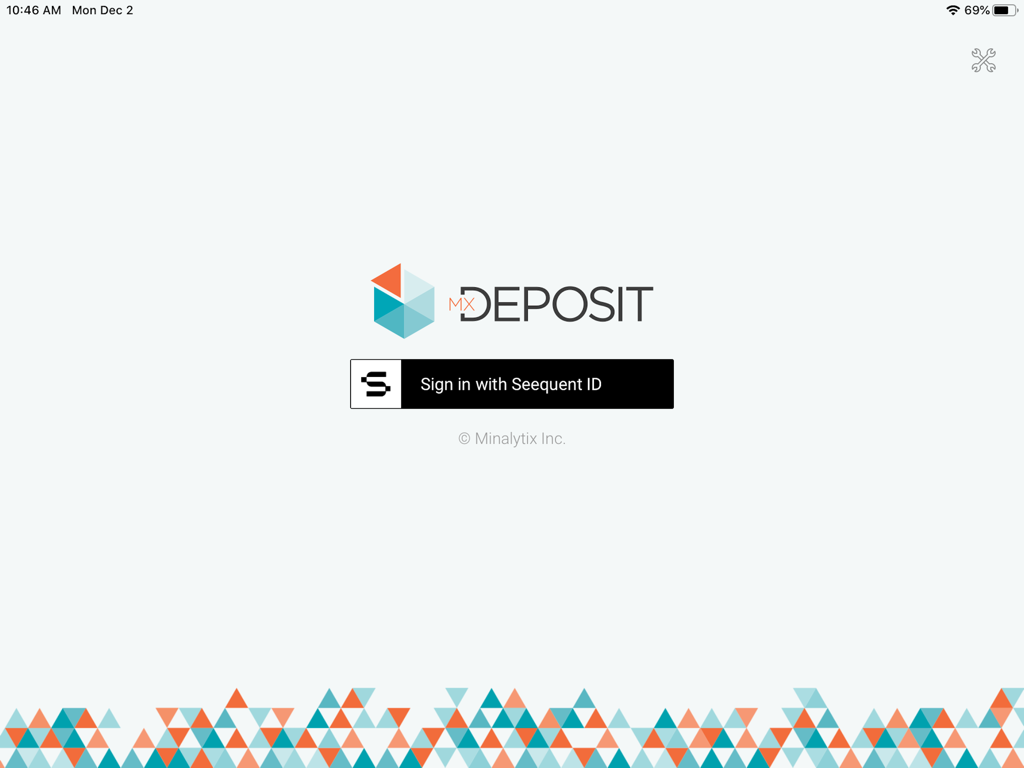
Tela de login do aplicativo MX Deposit com botão de login Seequent ID e logotipo geométrico

Tela de login do aplicativo MX Deposit com botão de login Seequent ID e logotipo geométrico

Painel do aplicativo MX Deposit mostrando registros de sondagem de testemunhos e status de sincronização

Painel do aplicativo MX Deposit mostrando registros de sondagem de testemunhos e status de sincronização

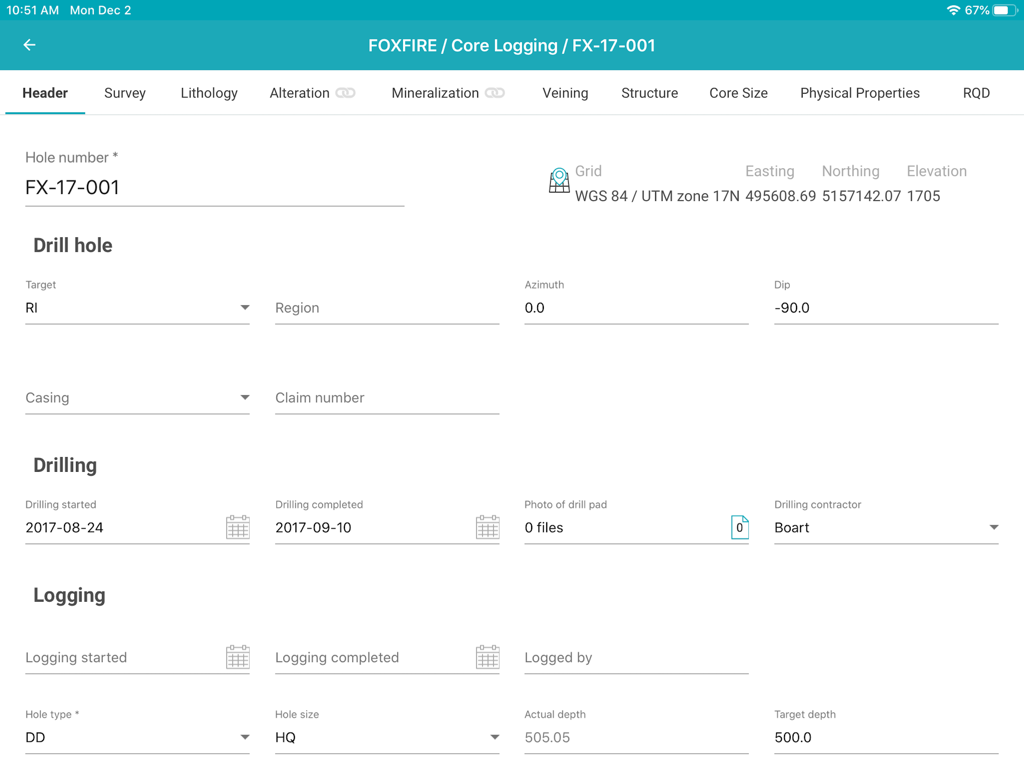
Interface do aplicativo MX Deposit mostrando um formulário de cabeçalho para entrada de dados de registro de testemunhos geológicos de furos de sondagem

Interface do aplicativo MX Deposit mostrando um formulário de cabeçalho para entrada de dados de registro de testemunhos geológicos de furos de sondagem

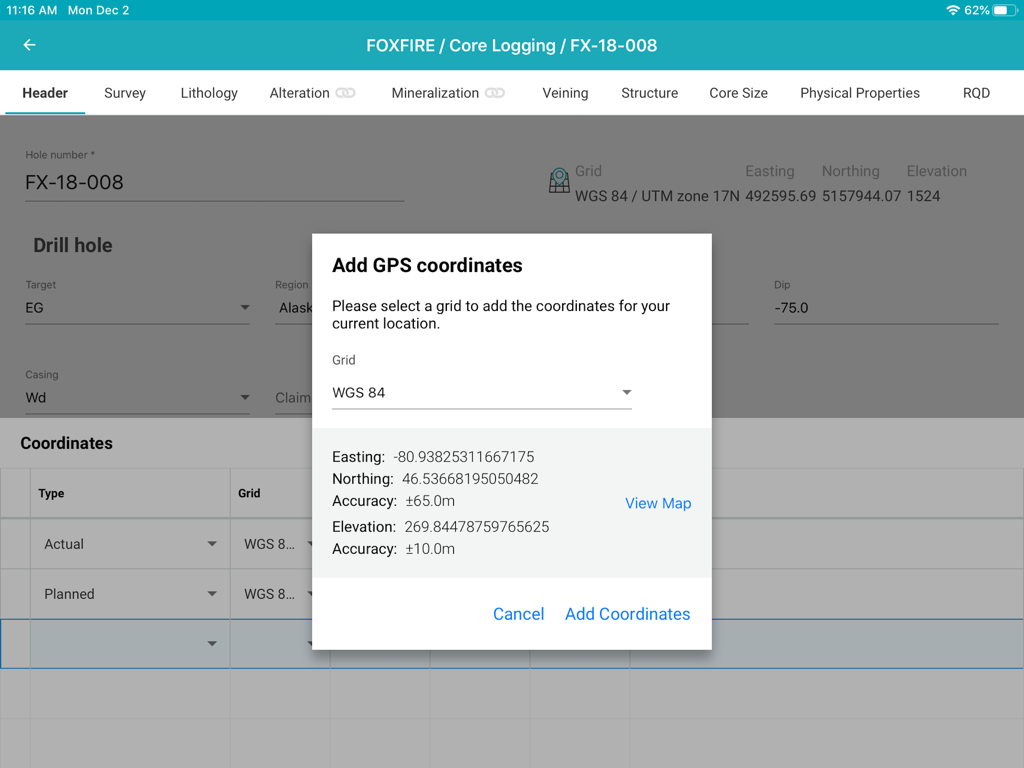
Interface do aplicativo MX Deposit mostrando uma janela pop-up para adicionar coordenadas GPS a um furo de sondagem durante o registro de testemunhos em um iPad.

Interface do aplicativo MX Deposit mostrando uma janela pop-up para adicionar coordenadas GPS a um furo de sondagem durante o registro de testemunhos em um iPad.

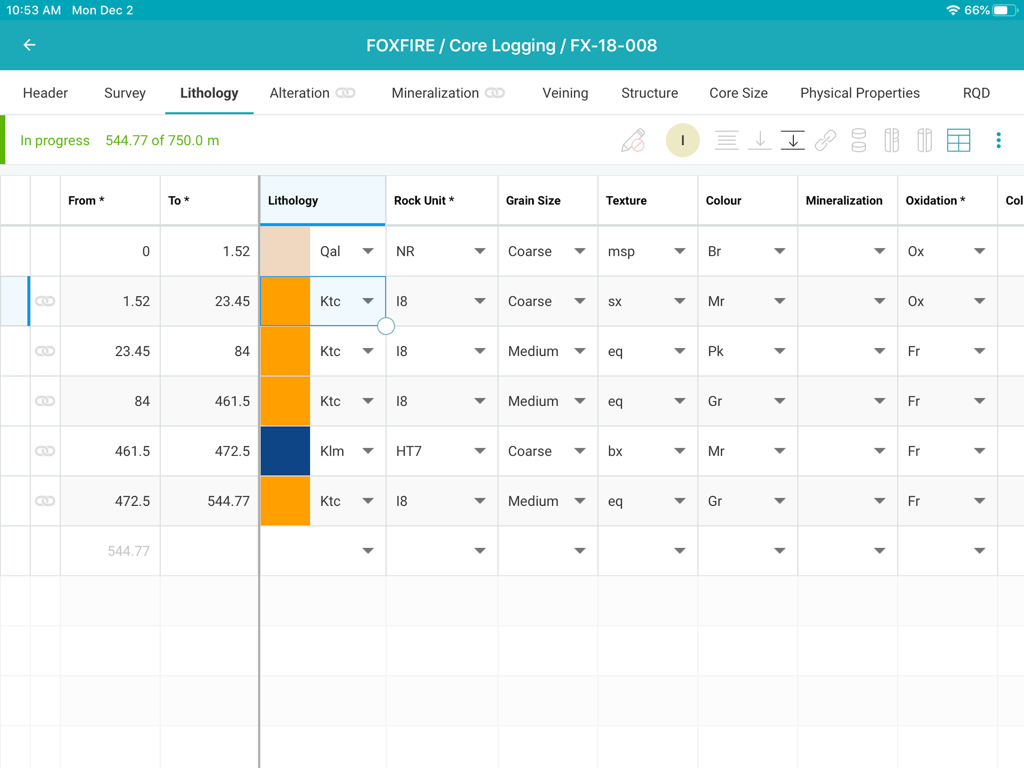
Interface do aplicativo de registro de testemunhos MX Deposit mostrando uma tabela detalhada de entrada de dados de litologia para um projeto de mineração

Interface do aplicativo de registro de testemunhos MX Deposit mostrando uma tabela detalhada de entrada de dados de litologia para um projeto de mineração

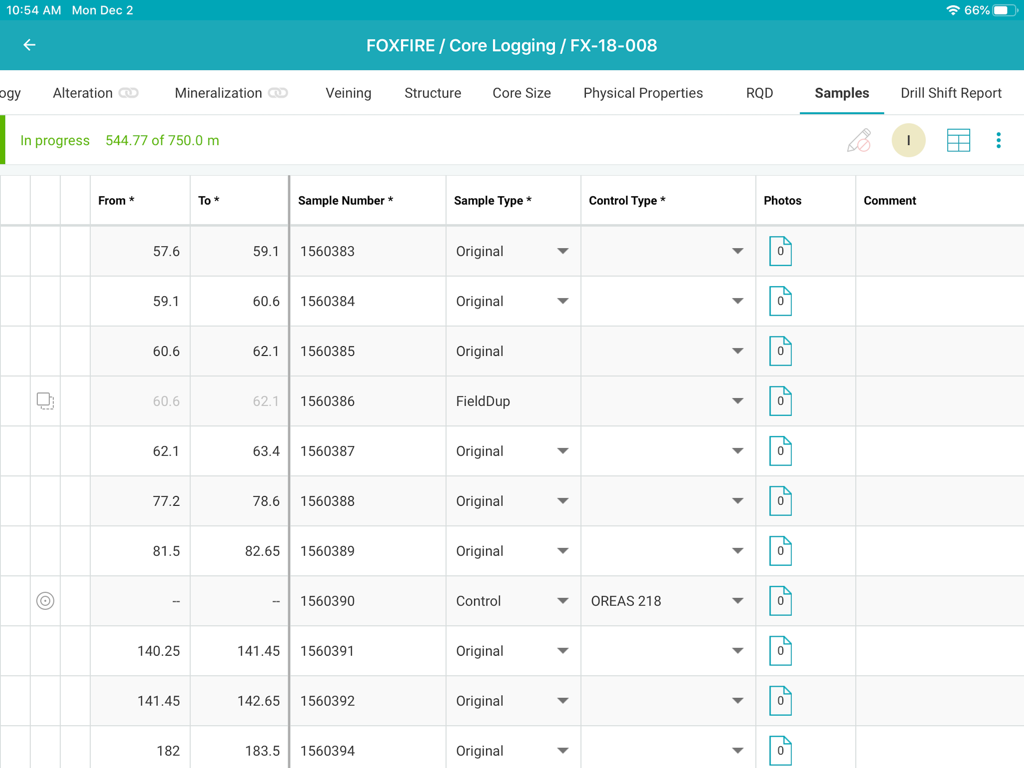
Interface de registro de testemunhos MX Deposit mostrando uma tabela de dados de amostras

Interface de registro de testemunhos MX Deposit mostrando uma tabela de dados de amostras

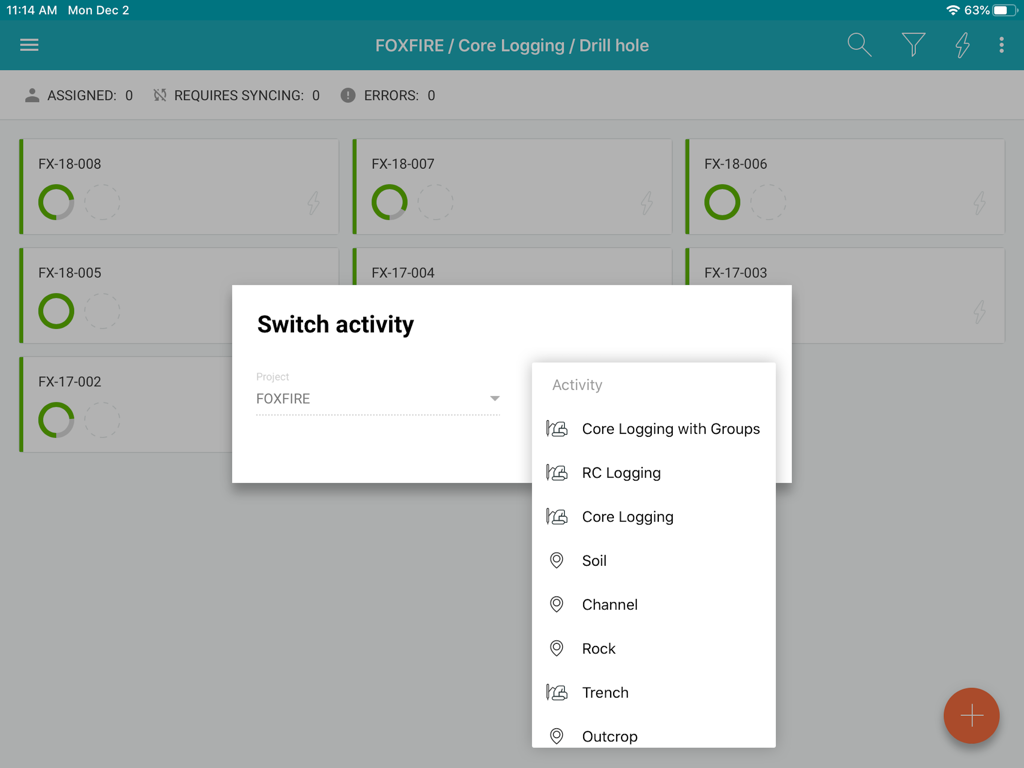
Interface do aplicativo MX Deposit mostrando opções de atividade de registro para um projeto de mineração

Interface do aplicativo MX Deposit mostrando opções de atividade de registro para um projeto de mineração

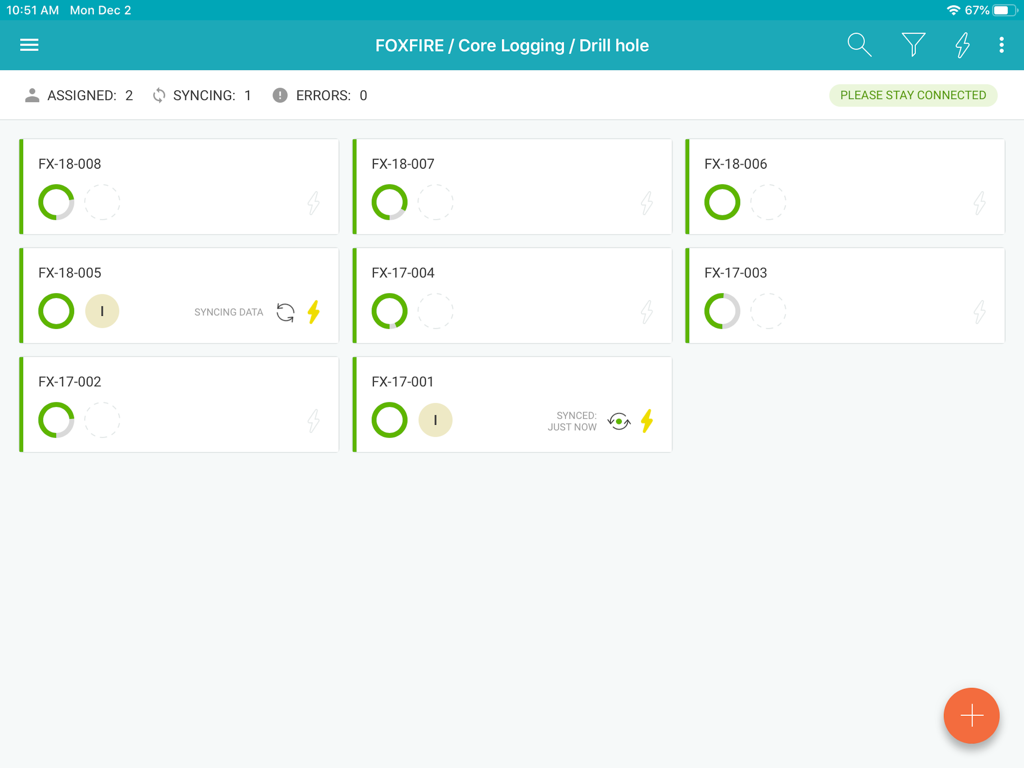
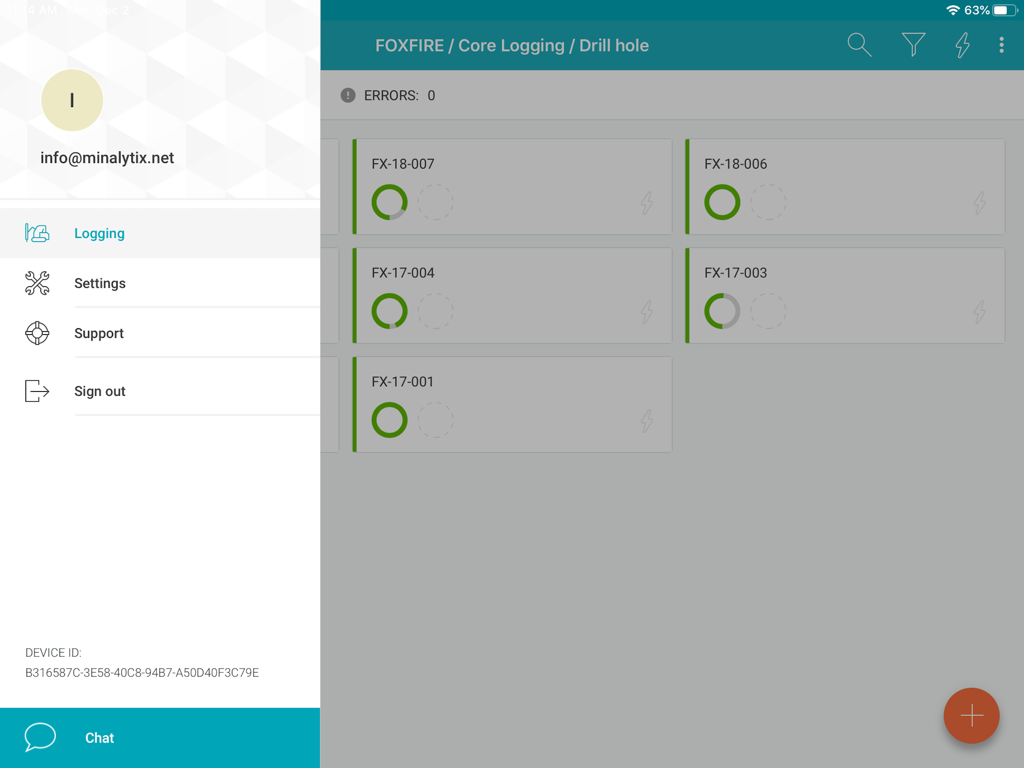
Interface do aplicativo MX Deposit mostrando uma lista de furos de sondagem com status de progresso e um menu lateral

Interface do aplicativo MX Deposit mostrando uma lista de furos de sondagem com status de progresso e um menu lateral

Otimize Sua Coleta de Dados de Campo

As ferramentas que destacam este app, escolhido por 600 usuários.

🛰️

Verdadeiro Desempenho Offline-First

Trabalhe nos locais mais remotos sem se preocupar com a conectividade. Atribua furos de sondagem para baixar dados localmente e sincronize automaticamente ao retornar ao acampamento.

✍️

Projetado para o Profissional de Campo

Abandone as portas desajeitadas de desktop. Use gestos intuitivos e suporte a caneta no seu iPad para registrar dados rapidamente, mesmo em pé em um barracão de testemunhos ou local de perfuração.

🛡️

Elimine Erros de Entrada Caros

Garanta a integridade dos dados com regras de validação em tempo real. Capture erros na origem para que sua equipe sempre tenha uma versão única e precisa da verdade.

Sobre o app

Tudo o que você precisa saber sobre MX Deposit.

Descrição

The MX Deposit app was built with you in mind so that field data entry is efficient and accurate. It’s not a desktop app disguised as a mobile app, it was designed to be used with mobile gestures using your finger or a stylus. With so many useful features, you’ll never want to use anything else. Your drill hole and sample data can go where you go, with or without an Internet connection. Working offline with the MX Deposit app is as easy as simply tapping a drill hole (or point) to download the data and start working on a local copy. Assigning the hole ensures that you are the only one making changes at any time. Changes are synchronized as you go, or you can switch to Offline Mode if you’re working in the field or otherwise without Internet. When you get back to the office, all the data you captured will be synchronized to the cloud and immediately available to the rest of the team. Some of the key features you’ll find in the app: **Works with your MX Deposit account Leverage all of the projects and drill hole or point activities that have been configured in the MX Deposit web app (headers, tables, pick-lists, validation rules, etc.). Any changes made to the activities or tables (through the web app) are propagated down to every device automatically. Users only see the projects & activities that they have access to when they log in to the app, and users can flip between projects & activities easily. **Continue logging a hole, or create new holes Users can “assign” out drill holes and points to download the data, work offline, and prevent other users from working on the same hole at the same time. Users can also “assign” out parts of a drill hole so that other users can work on the same hole at the same time (e.g. geology tables vs. geotech tables). Users can also create new drill holes and/or points, even when offline. All changes are synchronized to the web when the device is connected to the Internet. **Capture your data in the field Set the app to “offline mode” to continue working when in the field or the core shed. All logging templates are preloaded on the device, and all validation rules are applied as the data is being entered. Once the device gets back online, the app will automatically synchronize any changes up to the MX Deposit web app, where it is immediately available to the rest of the team. **Made for mobile Designed for mobile devices, users can easily navigate through tables and forms using intuitive gestures that are expected when working with mobile devices. Capture coordinates using the device GPS, or increase the accuracy with a bluetooth GPS. GPS coordinates can be converted into any grid system, even when offline (e.g. WGS84 lat/long to UTM northing/easting). Snap pictures of core, outcrops, drill site, etc. directly through the app, which will be immediately available to all users after sync. This app requires an active MX Deposit subscription.

Última versão

1.66

Tamanho

30.3 MB

Data de lançamento

4 de fev. de 2020

Leve seu Registro de Campo do Núcleo para a Nuvem

Baixe o aplicativo MX Deposit para iPad e comece a coletar dados precisos e validados em qualquer lugar — sem necessidade de conexão com a internet.

Baixar no App Store

App information, icons, screenshots, and descriptions displayed on this page are sourced from the Apple App Store and are the property of their respective developers. Download estimates and rankings are based on MWM's proprietary models and may not reflect actual figures. This page is provided for informational and analytical purposes only.

Believe this page infringes your intellectual property? File a dispute