
Esta página não é uma página oficial do aplicativo ou de seu desenvolvedor, mas uma publicação editorial independente criada para fins informativos e de comentário. Salvo indicação expressa em contrário, nem o aplicativo nem seu desenvolvedor são afiliados, endossados, patrocinados, autorizados ou oficialmente conectados à MWM, Apple, Google Play, ao editor do aplicativo ou ao desenvolvedor do aplicativo, e nada nesta página implica que o aplicativo foi desenvolvido utilizando os serviços da MWM. Todas as marcas comerciais, logotipos, capturas de tela e outros conteúdos permanecem propriedade de seus respectivos proprietários.

Notion: Music Notation and Tab
Libere sua criatividade com composição profissional ao seu alcance. Desde o reconhecimento intuitivo de caligrafia até o som de classe mundial da London Symphony Orchestra, crie e sincronize partituras sem esforço entre iPhone, iPad e Mac.
Downloads
563K+Avaliação
Total de avaliações
600Editor
Categoria
MusicIdiomas
9Última versão
3.5.1Tamanho
146.0 MBData de lançamento
16 de dez. de 2011Composição Profissional, Em Qualquer Lugar
Dê vida às suas visões musicais com um mecanismo de notação poderoso e premiado, projetado tanto para a sala de aula quanto para o estúdio de gravação.
Entrada Natural por Caligrafia
Escreva música do seu jeito. Use seu Apple Pencil para esboçar notas diretamente na pauta e veja nosso avançado motor de reconhecimento transformá-las em notação digital profissional.
Qualidade de Som Lendária
Experimente seu trabalho interpretado pela London Symphony Orchestra. Desfrute de reprodução incrivelmente realista usando amostras de áudio reais gravadas nos icônicos Abbey Road Studios.
Perguntas Frequentes
Tudo o que você precisa saber sobre Notion: Music Notation and Tab
Quanto custa o Fender Notion: Music & Tab?
O Fender Notion: Music & Tab é gratuito para download e uso, oferecendo pautas ilimitadas e conjuntos de sons principais. Recursos adicionais, como Reconhecimento de Escrita Manual e conjuntos de sons de expansão, estão disponíveis através de um Pacote de Recursos de compra no aplicativo ou assinatura do Fender Studio Pro+.
O que é o Fender Notion: Music & Tab?
O Fender Notion: Music & Tab é uma ferramenta premiada de composição musical para iOS, iPadOS e macOS. Ele permite que os usuários criem composições dinâmicas em notação musical tradicional ou tablatura de guitarra usando uma interface intuitiva baseada em toque.
Posso compor música usando tablatura de guitarra no Fender Notion?
Sim, o Fender Notion: Music & Tab permite que os usuários criem composições dinâmicas em tablatura de guitarra sem esforço. O aplicativo fornece uma interface dedicada para entrada e edição de tablatura de guitarra.
O Fender Notion suporta reconhecimento de escrita manual?
Sim, o Fender Notion: Music & Tab oferece Reconhecimento de Escrita Manual, desenvolvido pela MyScript. Este recurso faz parte do Pacote de Recursos e suporta o Apple Pencil para entrada sensível à pressão em dispositivos compatíveis.
Quais amostras de som o Fender Notion usa para reprodução?
O Fender Notion oferece reprodução realista usando amostras de áudio reais gravadas pela London Symphony Orchestra nos Abbey Road Studios. Ele também inclui amostras de guitarra, baixo, bateria e outros instrumentos populares para composições abrangentes.
O Fender Notion pode sincronizar música entre vários dispositivos?
Sim, o Fender Notion: Music & Tab suporta a sincronização de trabalhos entre vários dispositivos. Os usuários podem conseguir isso através de seu provedor de nuvem preferido ou por meio de transferência sem fio opcional entre aplicativos em qualquer dispositivo.
Quais formatos de exportação estão disponíveis no Fender Notion?
O Fender Notion permite exportar composições como arquivos MIDI, MusicXML, PDF, WAV e MP3 gratuitamente. O Pacote de Recursos adiciona formatos de áudio adicionais como M4A, OPUS e FLAC.
O Fender Notion é um aplicativo multiplataforma?
Sim, o Fender Notion: Music & Tab é um aplicativo nativo multiplataforma. Ele permite que os usuários escrevam música em vários dispositivos, incluindo iOS, iPadOS e macOS, sem a necessidade de uma conexão constante com a internet.
O Fender Notion inclui um pad de bateria para composição?
Sim, o Fender Notion: Music & Tab inclui um pad de bateria interativo. Este recurso facilita a composição de partes de bateria com vários toques de instrumentos diretamente no aplicativo.
Posso usar o Fender Notion offline?
Sim, o Fender Notion: Music & Tab funciona offline. É um aplicativo nativo multiplataforma que permite aos usuários compor música em qualquer lugar e em qualquer dispositivo, sem a necessidade de uma conexão constante com a internet.
As capturas de tela e a descrição a seguir são provenientes diretamente da listagem oficial da loja do aplicativo e são propriedade do desenvolvedor.
App Store
Capturas
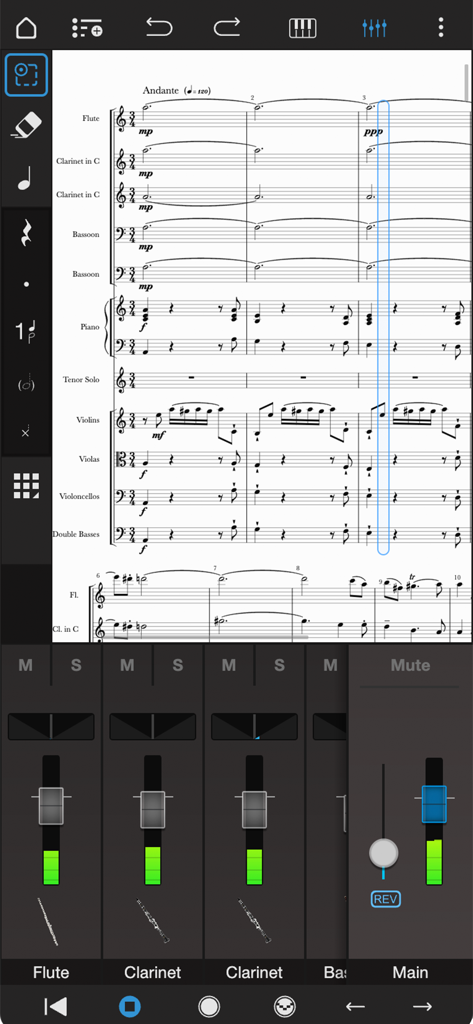
Interface de edição de partitura orquestral profissional e mixer de áudio no Notion Mobile.
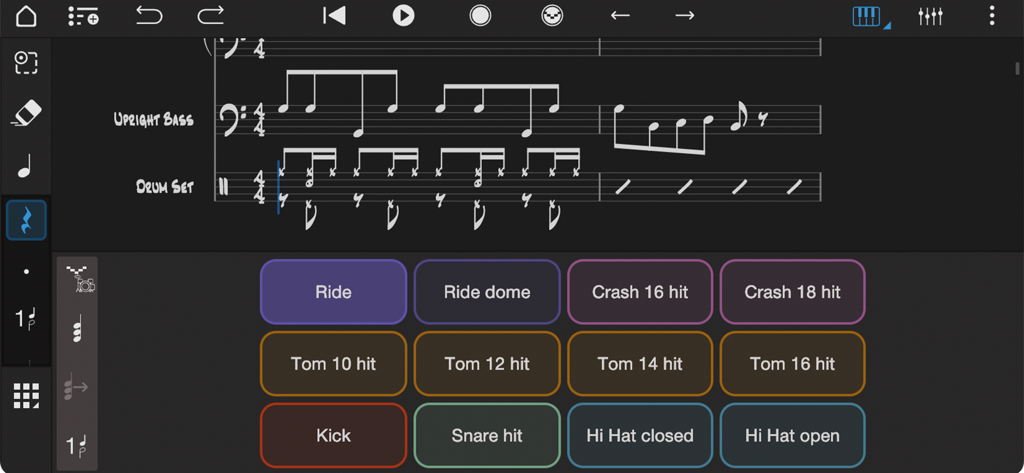
Interface do aplicativo de música Notion mostrando um controlador de pad de bateria e notação musical para contrabaixo e bateria.
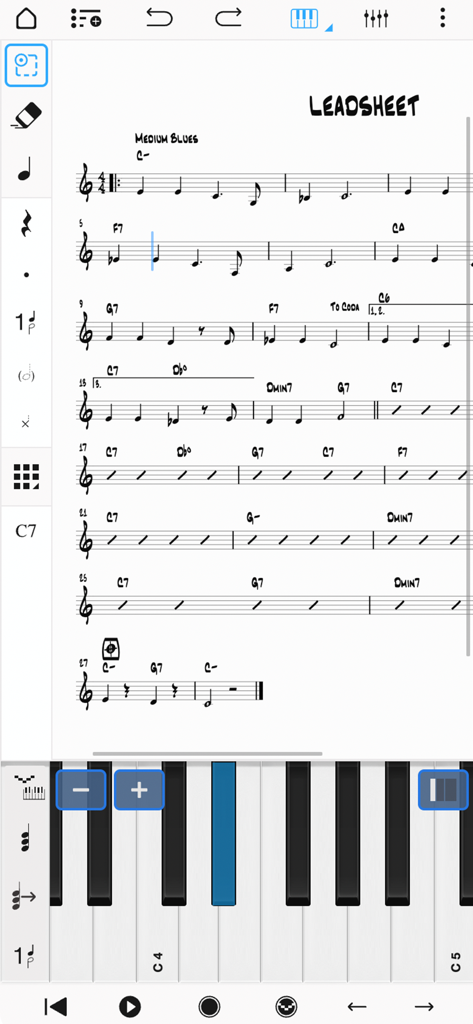
Interface do aplicativo Notion Mobile mostrando uma partitura com um teclado de piano virtual para entrada de notas.
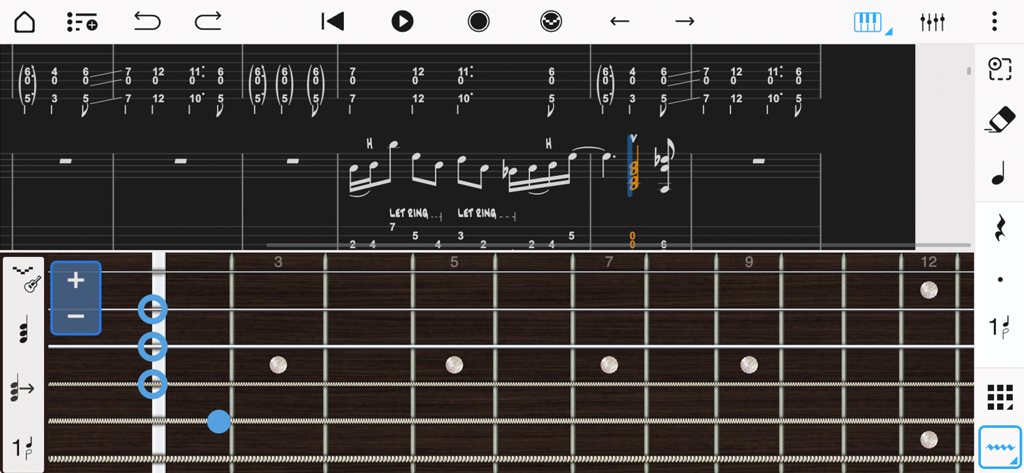
Interface de notação musical e tablatura de guitarra com um braço de guitarra virtual para entrada de notas no Notion Mobile.
Descrição
Download
Apps Semelhantes
Apps com recursos e experiência semelhantes

来音制谱-sheet music editing
Beijing Xihang Technology Co., Ltd.

Dorico - Compose Music
Steinberg Media Technologies GmbH

Composer Pro - Score Creator
嵩 张

Sibelius
Avid Technology Inc

Notation Pad-Sheet Music Score
嵩 张

Piano+ - Sheet Music Composer
嵩 张

Score Creator: compose music
Sharp Notes Company Limited

Maestro - Music Composer
Future Sculptor Pty Ltd

NotateMe
Neuratron Limited
Esta página não é uma página oficial do aplicativo ou de seu desenvolvedor, mas uma publicação editorial independente criada para fins informativos e de comentário. Salvo indicação expressa em contrário, nem o aplicativo nem seu desenvolvedor são afiliados, endossados, patrocinados, autorizados ou oficialmente conectados à MWM, Apple, Google Play, ao editor do aplicativo ou ao desenvolvedor do aplicativo, e nada nesta página implica que o aplicativo foi desenvolvido utilizando os serviços da MWM. Todas as marcas comerciais, logotipos, capturas de tela e outros conteúdos permanecem propriedade de seus respectivos proprietários.