
Esta página não é uma página oficial do aplicativo ou de seu desenvolvedor, mas uma publicação editorial independente criada para fins informativos e de comentário. Salvo indicação expressa em contrário, nem o aplicativo nem seu desenvolvedor são afiliados, endossados, patrocinados, autorizados ou oficialmente conectados à MWM, Apple, Google Play, ao editor do aplicativo ou ao desenvolvedor do aplicativo, e nada nesta página implica que o aplicativo foi desenvolvido utilizando os serviços da MWM. Todas as marcas comerciais, logotipos, capturas de tela e outros conteúdos permanecem propriedade de seus respectivos proprietários.

nPlayer Plus
Experimente áudio DTS e Dolby de alta fidelidade com suporte nativo para todos os formatos de vídeo. Transmita toda a sua biblioteca do seu NAS, nuvem ou FTP sem sacrificar o armazenamento local.
Downloads
488K+Avaliação
Total de avaliações
37K+Editor
Categoria
EntertainmentIdiomas
10Última versão
3.13.0Tamanho
62.0 MBData de lançamento
24 de jul. de 2012Domine Sua Experiência de Mídia
A ferramenta de poder definitiva para entusiastas de mídia. Transmita, reproduza e personalize cada detalhe da sua biblioteca com desempenho de nível profissional e zero restrições de formato.
Reprodução Universal, Sem Conversão
Descarte as ferramentas de conversão. Reproduza MKV, AVI, WMV e mais sem falhas com aceleração de hardware suave e suporte HDR completo.
Sua Nuvem de Mídia Privada
Salve o armazenamento do seu dispositivo. Transmita conteúdo 4K diretamente do seu NAS, FTP, SMB ou serviços de nuvem como Dropbox e Google Drive.
As capturas de tela e a descrição a seguir são provenientes diretamente da listagem oficial da loja do aplicativo e são propriedade do desenvolvedor.
App Store
Capturas
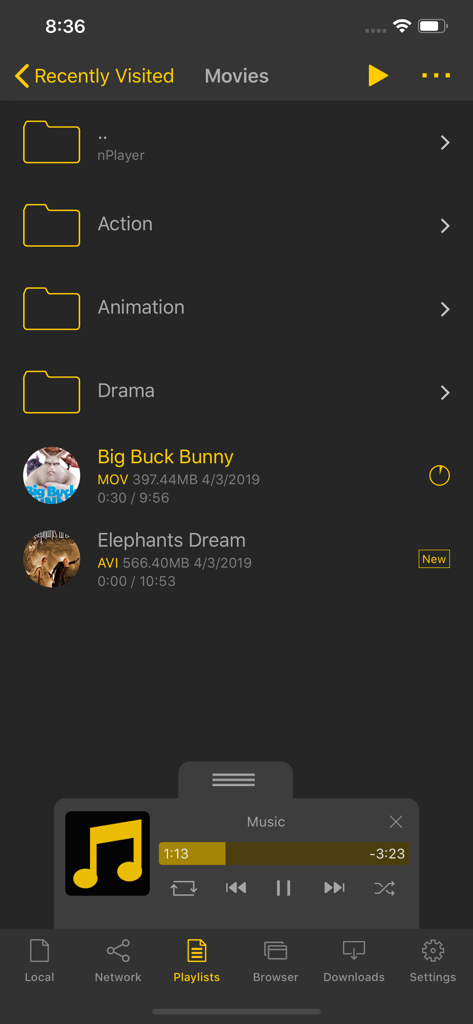
Interface da biblioteca de mídia do nPlayer Plus mostrando pastas de filmes e um painel de controle de reprodutor de música em miniatura
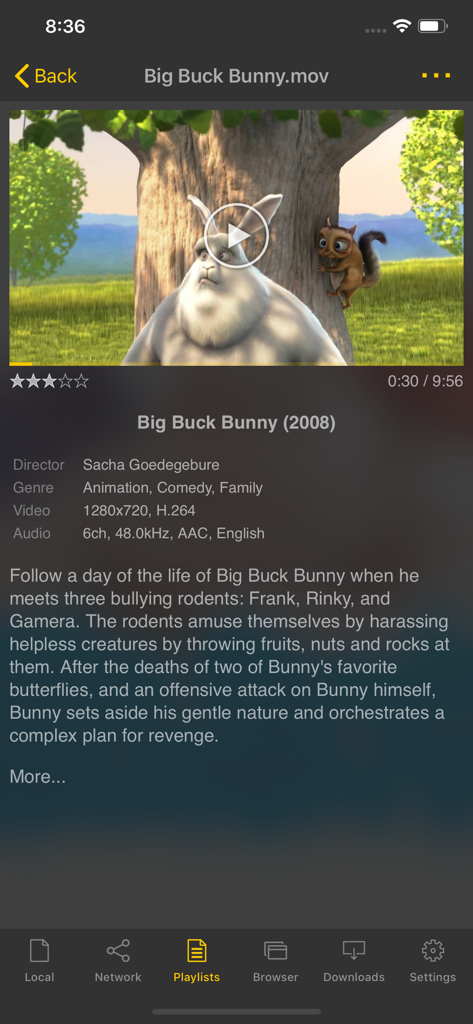
Interface do aplicativo nPlayer Plus mostrando detalhes do filme e especificações técnicas de um arquivo de vídeo
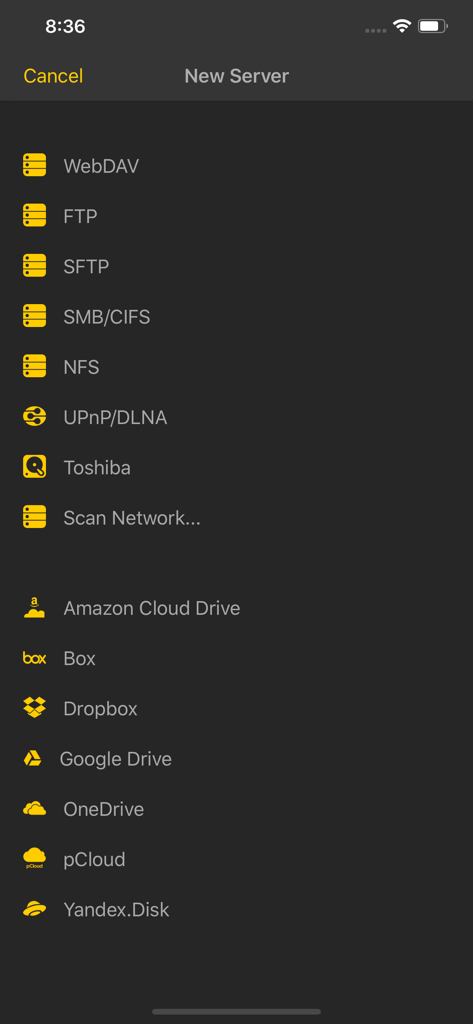
Captura de tela do nPlayer Plus mostrando opções de conexão de servidor de rede e armazenamento em nuvem
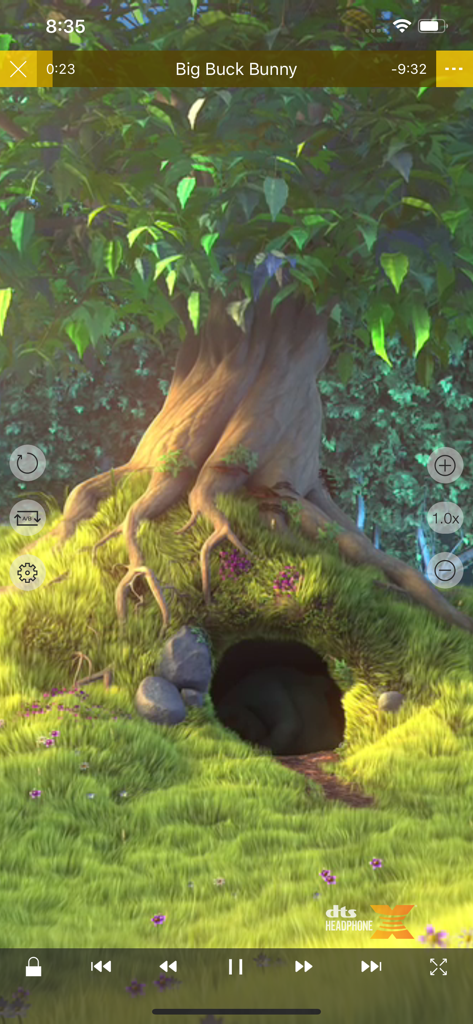
Interface de reprodução de vídeo do aplicativo móvel nPlayer Plus com o logotipo DTS Headphone X e controles de reprodução
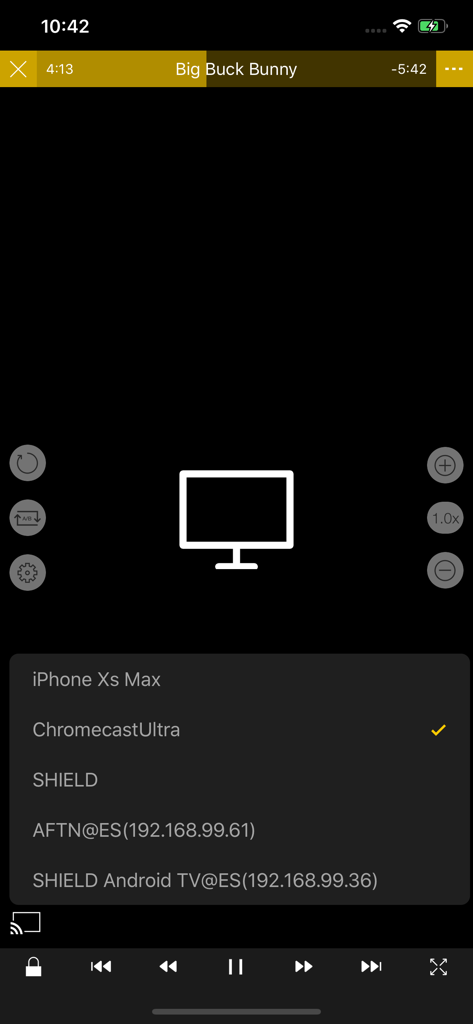
Selecionando um dispositivo Chromecast Ultra para transmissão de vídeo no aplicativo nPlayer Plus
Descrição
Download
Apps Semelhantes
Apps com recursos e experiência semelhantes

网易爆米花-智能媒体库,全能云盘网盘播放器
Guangzhou NetEase Computer System Co.Ltd

Immich
Hau Tran

飞牛
Guangzhou TR Intelligent Manufacturing Technology Co., Ltd.
nPlayer
Newin Inc.

MiraPlay
悦 刘

NipaPlay
荣广 梁

VidHub -Video Library & Player
Nanjing Oumi Software Development Co., Ltd.

Fast Player - video player
化媚 席

zFuse - Media Player
s-joys Technology Co., Ltd.
Esta página não é uma página oficial do aplicativo ou de seu desenvolvedor, mas uma publicação editorial independente criada para fins informativos e de comentário. Salvo indicação expressa em contrário, nem o aplicativo nem seu desenvolvedor são afiliados, endossados, patrocinados, autorizados ou oficialmente conectados à MWM, Apple, Google Play, ao editor do aplicativo ou ao desenvolvedor do aplicativo, e nada nesta página implica que o aplicativo foi desenvolvido utilizando os serviços da MWM. Todas as marcas comerciais, logotipos, capturas de tela e outros conteúdos permanecem propriedade de seus respectivos proprietários.