Password management
Password management
Baixar no App Store

Esta página não é uma página oficial do aplicativo ou de seu desenvolvedor, mas uma publicação editorial independente criada para fins informativos e de comentário. Salvo indicação expressa em contrário, nem o aplicativo nem seu desenvolvedor são afiliados, endossados, patrocinados, autorizados ou oficialmente conectados à MWM, Apple, Google Play, ao editor do aplicativo ou ao desenvolvedor do aplicativo, e nada nesta página implica que o aplicativo foi desenvolvido utilizando os serviços da MWM. Todas as marcas comerciais, logotipos, capturas de tela e outros conteúdos permanecem propriedade de seus respectivos proprietários.


Logo de Password management
Baixar no App Store

Password management

Acabe com a fadiga de senhas com criptografia de nível militar e acesso instantâneo por FaceID. Mantenha suas credenciais seguras e estritamente offline em seu dispositivo para total tranquilidade.

Números Chave

Downloads

351K+

Avaliação

4.5/5

Total de avaliações

40K+

Editor

TSUKUTTEMITA, K.K.

Categoria

Productivity

Idiomas

1

Última versão

9.6.0

Tamanho

34.7 MB

Data de lançamento

17 de nov. de 2014
Recursos

Assuma o Controle da Sua Segurança Digital

Experimente a máxima tranquilidade com um gerenciador de senhas projetado para simplicidade, privacidade e acesso ultrarrápido.

Privacidade Offline Primeiro

Seus dados sensíveis permanecem em seu dispositivo, não em um servidor. Usando criptografia AES-256, garantimos que suas informações permaneçam privadas e seguras contra hackers.

Acesso Biométrico Perfeito

Evite digitar e faça login instantaneamente. Use FaceID ou TouchID para acessar seu cofre e preencher credenciais diretamente no Safari para uma experiência sem atritos.

As capturas de tela e a descrição a seguir são provenientes diretamente da listagem oficial da loja do aplicativo e são propriedade do desenvolvedor.

App Store

Capturas
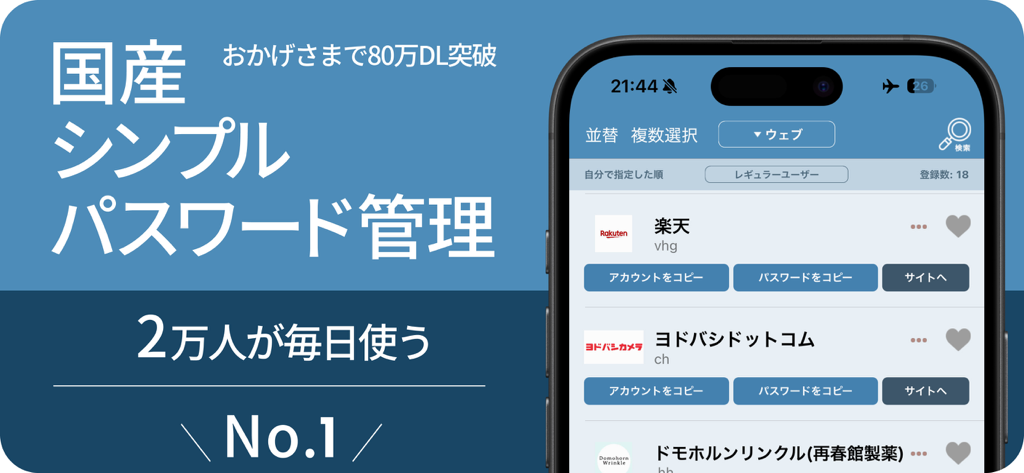
Password management - Interface do aplicativo PassManager no iPhone mostrando uma lista de senhas e contas salvas

Interface do aplicativo PassManager no iPhone mostrando uma lista de senhas e contas salvas

Password management - Interface do aplicativo PassManager em um iPhone mostrando uma lista de senhas salvas de contas como LINE e Facebook
Interface do aplicativo PassManager em um iPhone mostrando uma lista de senhas salvas de contas como LINE e Facebook

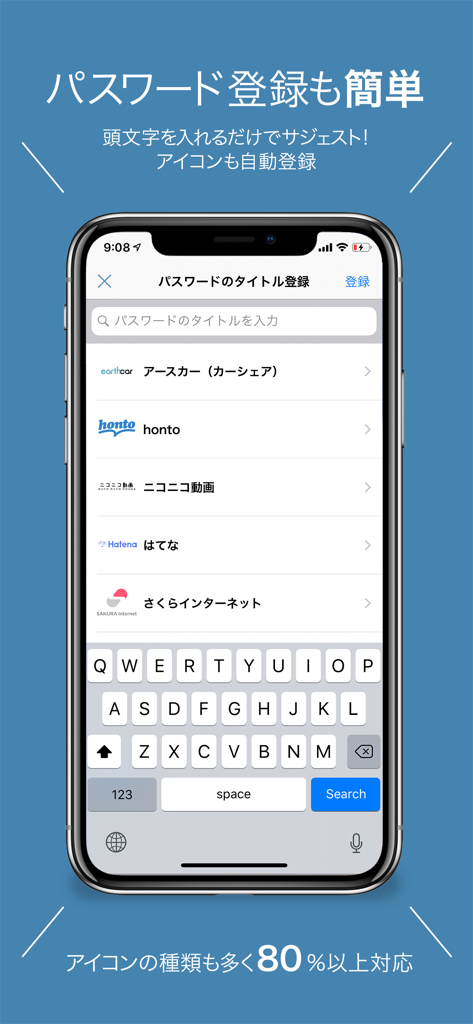
Password management - Captura de tela do aplicativo PassManager no iPhone mostrando a tela fácil de registro de senha com sugestões de serviços e ícones.
Captura de tela do aplicativo PassManager no iPhone mostrando a tela fácil de registro de senha com sugestões de serviços e ícones.

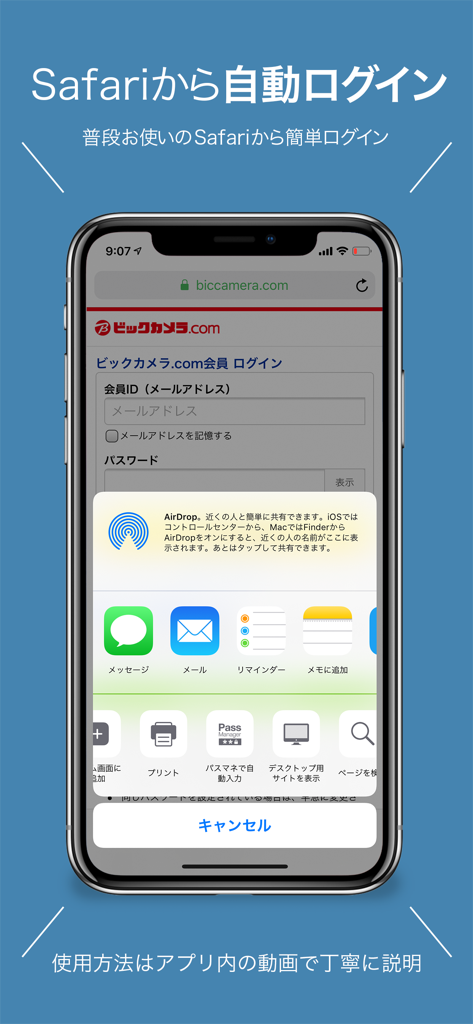
Password management - Tela do iPhone mostrando a extensão do aplicativo PassManager no Safari para login automático perfeito em um site
Tela do iPhone mostrando a extensão do aplicativo PassManager no Safari para login automático perfeito em um site

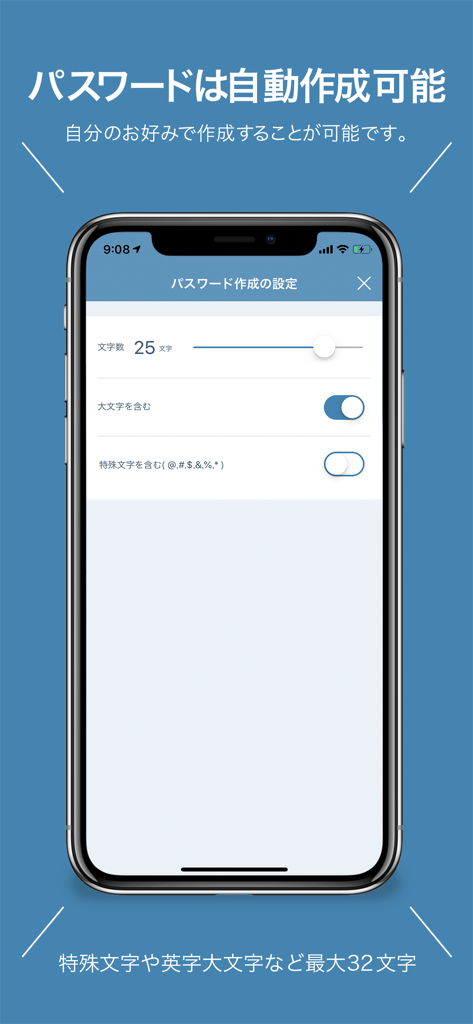
Password management - Interface do aplicativo PassManager no iPhone mostrando as configurações para geração automática de senhas, incluindo opções de comprimento e caracteres.

Interface do aplicativo PassManager no iPhone mostrando as configurações para geração automática de senhas, incluindo opções de comprimento e caracteres.

Descrição

PassManager (path manager) is an application that can easily manage passwords. It is no exaggeration to go with the definitive version of the password management application. Main functions of PassManager: -------------------- ■ Automatic login from safari ■ Input fewer login faster! ■ Touch ID FaceID correspondence (face authentication) ■ One jump to the basic authentication site. Continue to login screen ■ Automatic generation of strong password ■ Jump easily in Chrome or safari ■ Export passwords as csv and back up ■ Copy from the notification center is possible ■ CSV / iCloud backup Powerful search function [Sites that can not auto-login at the moment] Hot Pepper Beauty GMAIL Price Com Desk net Other non-survey Fingerprint authentication can be used on ios terminals with iOS 8 or later and Touch ID Face ID. With ios 8, you can use it by entering a password even if it does not support fingerprint authentication. You can log in to the registered Basic certified site with just one button. Have you ever experienced such a problem? -ID, I do not remember much account password. - Many accounts use the same password - Did you forget your password? What shall I do - I can not manage more than one account and password We will solve these problems. Reason for PassManager (path manager) to be safe · Do not connect to the Internet · Fingerprint authentication adopted · The built-in password generator generates a password. It is possible to generate a high-intensity random password. It is simpler to make than any password management application. Register the password you want to register from the button on the upper right. All passwords are managed with 1 password (one password). Log in with fingerprint authentication when starting up. Tap the button from the password list you registered. Then the password is copied to the clipboard and you can jump directly to the WEB site. You can manage passwords on the web, applications, You can manage various passwords and ID such as basic authentication. [Security · Encryption method] AES 256 Leave the management for personal information 【About monthly fee function】 The monthly charged feature is called platinum user. You can use it by paying monthly 180 yen It is automatic continuing billing once a month. Function · Delete ad · Automatic password creation · Basic authentication breaking function · Automatic login function · Abolition of categories creation restrictions · ICloud backup · ICloud auto backup · CSV export of password · CSV import of password · Abolition of the maximum number of favorites list · Automatic login function from Safari · Icon free selection function 【About automatic continuing billing】 • The contract term will be updated if it is not canceled more than 24 hours before the end of the term. • Payment will be charged to your iTunes account. • Registration will be automatically renewed unless automatic renewal has been turned off for at least 24 hours before the end of the current period • The account will be charged for updates within 24 hours prior to the end of the current period and the cost of the update will be identified • Subscriptions are managed by users and automatic updates may turn off when you go to your account settings after purchase • The unused portion of the free trial period expires if the user purchases a subscription to the book, if applicable • Subscription period one month 【Confirmation and Cancellation of Automatic Update】 Select "Recommended" at the bottom of the AppStore application -> Select AppleID -> select "passmanager" from "Administration" in subscription. From this screen you can check the next automatic update timing and cancel / set automatic update. 【terms of use and privacy policy】 https://ynmain.github.io/passmanager/app/passmanager/privacy.html

Download

Baixar no App Store

Esta página não é uma página oficial do aplicativo ou de seu desenvolvedor, mas uma publicação editorial independente criada para fins informativos e de comentário. Salvo indicação expressa em contrário, nem o aplicativo nem seu desenvolvedor são afiliados, endossados, patrocinados, autorizados ou oficialmente conectados à MWM, Apple, Google Play, ao editor do aplicativo ou ao desenvolvedor do aplicativo, e nada nesta página implica que o aplicativo foi desenvolvido utilizando os serviços da MWM. Todas as marcas comerciais, logotipos, capturas de tela e outros conteúdos permanecem propriedade de seus respectivos proprietários.







