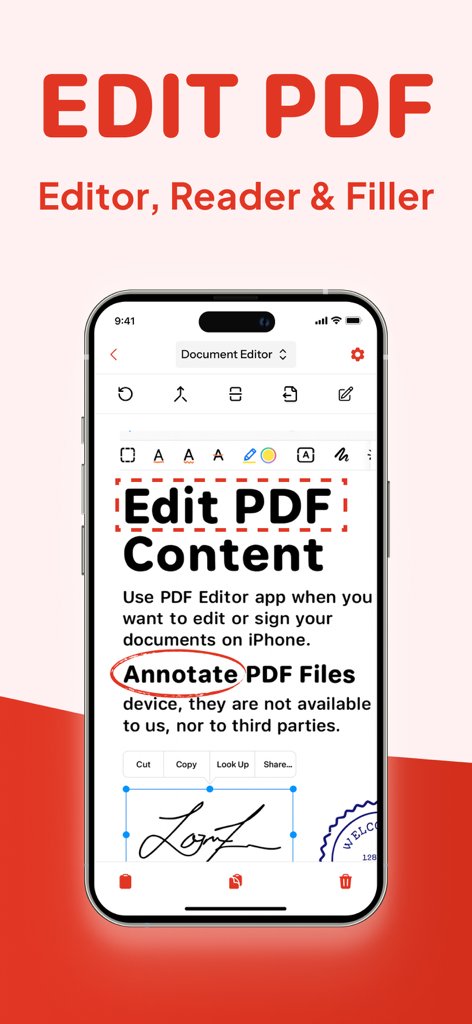
PDF Editor App | Edit Document

PDF Editor App | Edit Document

Baixar no App Store
Logo de PDF Editor App | Edit Document

App Editor de PDF: O Kit de Ferramentas Definitivo para Documentos Tudo-em-Um

Digitalize, assine, edite e anote sem problemas no seu iPhone ou iPad. Ferramentas de nível profissional projetadas para profissionais e estudantes que precisam gerenciar documentos em movimento.

Baixar no App Store

Editor

Allied Clicks LLC

Categoria

Business

Downloads

53K+

Avaliação

4.6/5

Total de avaliações

700

Idiomas

11

Eficiência ao Seu Alcance

Descubra a interface usada por 53K+ usuários.

Tela de smartphone exibindo recursos de anotação de edição e ferramentas de assinatura digital do editor de PDF
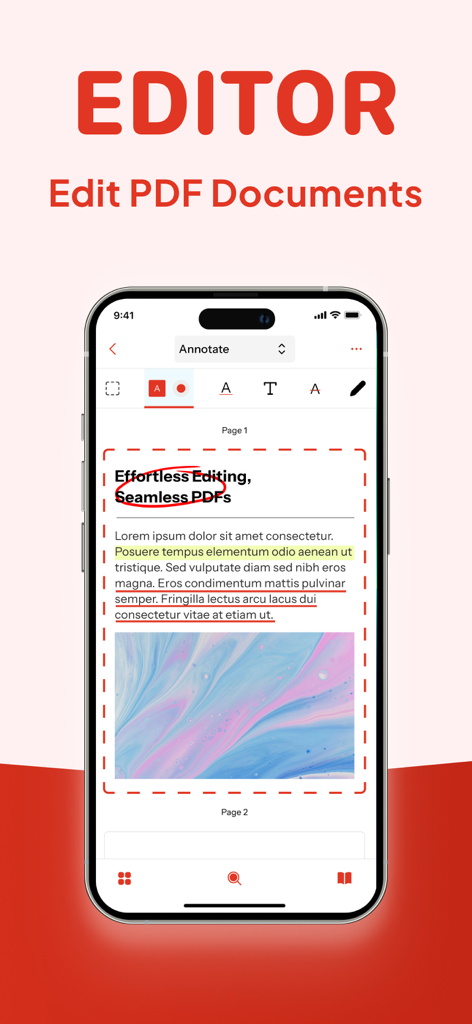
Tela de smartphone exibindo recursos de anotação de edição e ferramentas de assinatura digital do editor de PDF

Interface do iPhone de um editor de PDF mostrando ferramentas de anotação de documentos, incluindo realces e círculos.
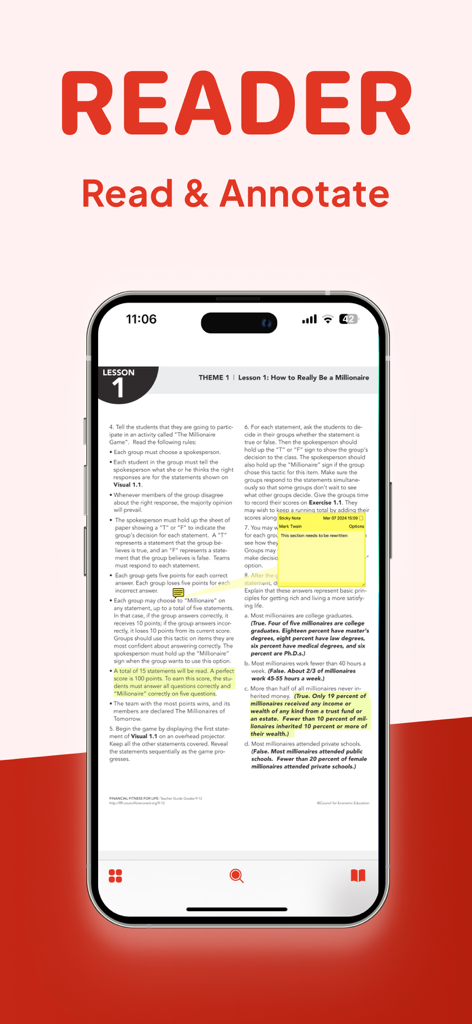
Interface do iPhone de um editor de PDF mostrando ferramentas de anotação de documentos, incluindo realces e círculos.

Tela do iPhone mostrando um documento PDF com realces amarelos e uma nota adesiva digital para anotação
Tela do iPhone mostrando um documento PDF com realces amarelos e uma nota adesiva digital para anotação

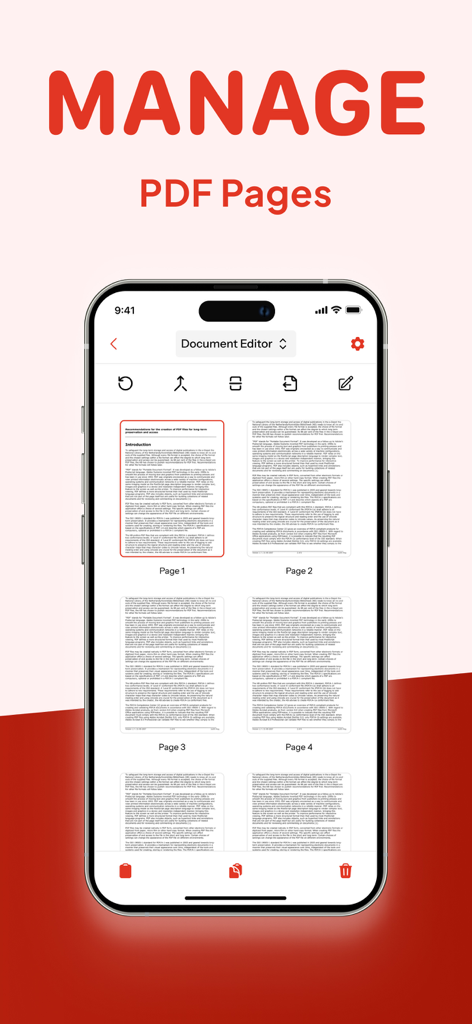
Tela do iPhone mostrando o recurso Gerenciar Páginas de PDF no aplicativo Editor de PDF
Tela do iPhone mostrando o recurso Gerenciar Páginas de PDF no aplicativo Editor de PDF

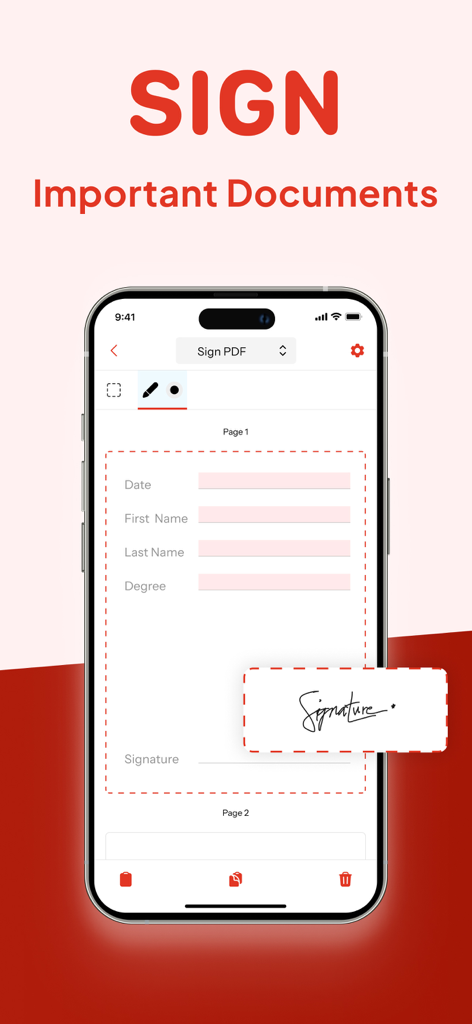
Uma tela do iPhone mostrando o recurso de assinatura digital de um aplicativo editor de PDF para assinar documentos importantes.
Uma tela do iPhone mostrando o recurso de assinatura digital de um aplicativo editor de PDF para assinar documentos importantes.

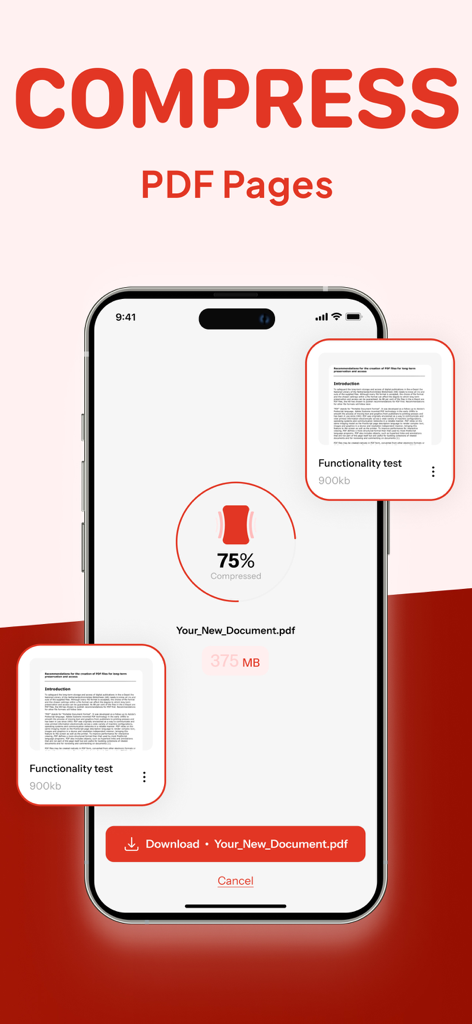
Smartphone exibindo uma ferramenta de compressão de PDF reduzindo o tamanho do arquivo em 75 por cento
Smartphone exibindo uma ferramenta de compressão de PDF reduzindo o tamanho do arquivo em 75 por cento

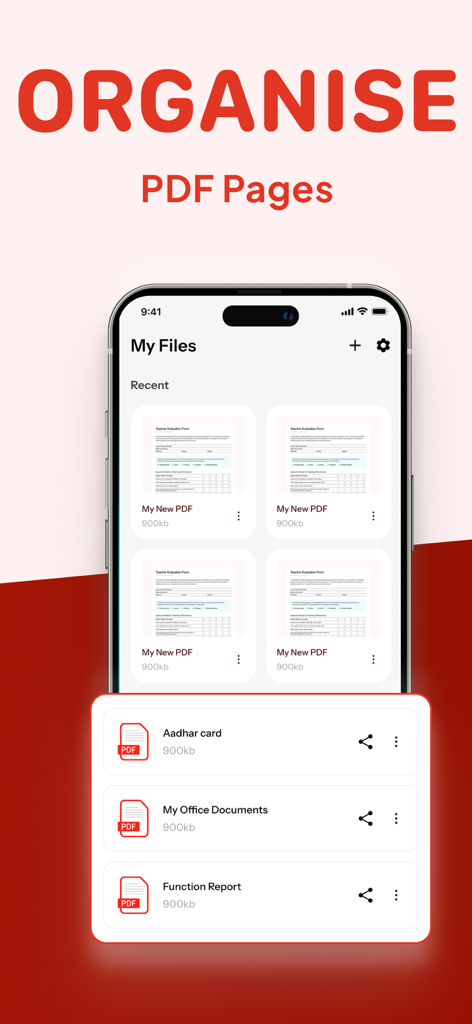
Interface mostrando como organizar páginas de PDF e gerenciar arquivos

Interface mostrando como organizar páginas de PDF e gerenciar arquivos

Tudo o Que Você Precisa para Dominar Seu Fluxo de Trabalho

As ferramentas que destacam este app, escolhido por 53K+ usuários.

✍️

Assine e Proteja Documentos em Qualquer Lugar

Assine legalmente contratos e oculte informações confidenciais em segundos, diretamente do seu iPhone ou iPad.

📝

Edite Texto e Imagens Diretamente

Chega de recriar arquivos. Modifique texto, troque imagens e corrija erros de digitação tão facilmente quanto em um documento do Word.

📂

Mescle, Divida e Comprima

Organize seu fluxo de trabalho combinando PDFs ou reduzindo o tamanho dos arquivos para compartilhamento por e-mail e uploads sem problemas.

Sobre o app

Tudo o que você precisa saber sobre PDF Editor App | Edit Document.

Descrição

PDF Editor App: Edit, Scan, Convert, Annotate & Sign Your PDF Documents Introducing PDF Editor, your all-in-one solution for working with PDF documents. Our intuitive app makes it simple to edit PDF, create PDF, and manage PDF files on the go, bringing professional document editing capabilities right to your fingertips. Transform the way you handle documents with powerful editing features that let you modify PDF text, adjust images, and format content exactly how you want it. Whether you're a business professional, student, or anyone who works with documents, our file editor delivers exceptional results for every task. Key Features: New PDF - Create documents from scratch with our comprehensive tools Manage Pages - Rearrange, rotate, and delete pages with intuitive controls Compress PDF - Reduce file size while maintaining document quality Sign PDF - Add digital signatures for professional and legal documents Redact PDF - Protect sensitive information with secure redaction tools Comment on PDF - Add notes and feedback for improved collaboration Annotate PDF - Mark up documents with highlights, underlines, and more Edit PDF - Modify text, images, and formatting directly in your documents Split/Merge PDF - Divide large documents or combine multiple files seamlessly Complete PDF Solution Our free PDF editor gives you complete control over your paperwork editor needs, functioning as both a full-featured editor and PDF reader in one convenient package. Edit PDF for free without compromising on quality or capabilities – all at no cost. Smart Document Management The smart PDF editor technology behind our app adapts to how you work, streamlining your document management process. Reorganize PDF content, reorder PDF pages, and make adjustments with just a few taps. Need to divide a large document? Our PDF splitter tool makes it easy to create separate files from a single document, while our compress PDF feature helps you save PDF space without sacrificing quality. Professional Annotation Tools Enhance your documents with our comprehensive markup editor tools. Annotate PDF with highlights, underlines, text boxes, and handwritten notes directly on your PDFs. Sketch on PDF diagrams, use PDF marker tools for important sections, and comment on PDF for collaborators – all within the same application. Security & Signatures We take security seriously. Our redact PDF feature ensures sensitive information stays protected, while our PDF signature tool lets you sign PDF documents digitally for legal and business purposes. Fill out PDF forms, type on PDF fields, and sign PDF files to finalize important paperwork without printing a single page. Why Should You Choose Our PDF Editor App? Compatible With All Apple Devices - Our PDF Editor is compatible with all Apple devices – iPhone (iOS 15.0 or later), iPad (iPadOS 15.0 or later), Mac (macOS 12.0 or later and a Mac with Apple M1 chip or later) Free Premium Trial - Unlock the Full Potential with a Free Trial. Experience all the premium features of our PDF Editor free for 3 days! Choose a subscription plan that best suits your needs and cancel anytime without obligation. What are you waiting for? No need to download multiple PDF Editor, PDF Scanner, PDF Manager, PDF Organizer or PDF Reader. Make your life easier with PDF Editor app today Please note: Subscriptions are charged through your App Store account. Subscriptions automatically renew unless canceled at least 24 hours before the end of the current period. Manage your subscription through your App Store account settings after purchase. Terms of Service - https://www.alliedclicks.com/app-terms.php Terms of Service for EULA - https://www.apple.com/legal/internet-services/itunes/dev/stdeula/ Refer to our privacy policy for any other issues - https://www.alliedclicks.com/app-privacy.php

Última versão

1.2.6

Tamanho

96.1 MB

Data de lançamento

22 de jul. de 2025

Pronto para Dominar Seus Documentos com um Toque?

Junte-se a mais de 50 mil profissionais e estudantes. Baixe a solução de PDF tudo-em-um para iPhone, iPad e Mac e inicie seu teste gratuito de 3 dias hoje mesmo.

Baixar no App Store

App information, icons, screenshots, and descriptions displayed on this page are sourced from the Apple App Store and are the property of their respective developers. Download estimates and rankings are based on MWM's proprietary models and may not reflect actual figures. This page is provided for informational and analytical purposes only.

Believe this page infringes your intellectual property? File a dispute