
Esta página não é uma página oficial do aplicativo ou de seu desenvolvedor, mas uma publicação editorial independente criada para fins informativos e de comentário. Salvo indicação expressa em contrário, nem o aplicativo nem seu desenvolvedor são afiliados, endossados, patrocinados, autorizados ou oficialmente conectados à MWM, Apple, Google Play, ao editor do aplicativo ou ao desenvolvedor do aplicativo, e nada nesta página implica que o aplicativo foi desenvolvido utilizando os serviços da MWM. Todas as marcas comerciais, logotipos, capturas de tela e outros conteúdos permanecem propriedade de seus respectivos proprietários.


Camera Scanner: Scan to PDF
Chega de papel. Sua produtividade está na ponta dos seus dedos.
Downloads
1M+Avaliação
Total de avaliações
42.4KEditor
Categoria
ProductivityIdiomas
1Última versão
8.1Tamanho
67.7 MBData de lançamento
29 de dez. de 2021Avaliação dos principais benefícios e impactos para a gestão de documentos digitais.
Análise de Recursos do 'Camera Scanner: Scan to PDF'
Digitalização Inteligente de Documentos
O aplicativo oferece a capacidade de transformar seu iPhone em um scanner de documentos preciso, com detecção automática de bordas e correção de perspectiva para resultados nítidos e de alta qualidade.
Segurança e Privacidade
O aplicativo garante que todos os arquivos digitalizados permaneçam privados e seguros no dispositivo do usuário, proporcionando confiança ao lidar com informações sensíveis.
Conversão Versátil para PDF
Esta ferramenta permite a conversão rápida de fotos para PDF e a criação de documentos PDF multipágina, facilitando a organização e o compartilhamento de informações de forma profissional.
Edição e Assinatura Segura de PDFs
Permite que os usuários editem, anotem e assinem documentos PDF diretamente do dispositivo, tornando a gestão de contratos e formulários ágil e segura em trânsito.
Organização e Leitura de Documentos
O aplicativo inclui um leitor de PDF rápido e um gerenciador de arquivos que permite organizar, pesquisar e acessar documentos digitalizados eficientemente, mantendo tudo em um só lugar.
Digitalização e Gestão de Recibos
Esta funcionalidade permite digitalizar recibos de forma eficiente para rastrear despesas pessoais ou comerciais, simplificando a contabilidade e a preparação de impostos.
Perguntas Frequentes
Tudo o que você precisa saber sobre Camera Scanner: Scan to PDF
What is the main function of the PDF Scanner App for Documents?
The PDF Scanner App for Documents transforms an iPhone into a powerful scanning tool, enabling users to scan various documents like receipts, contracts, notes, and IDs directly from their phone.
Does the PDF Scanner App for Documents offer a free version?
Yes, the PDF Scanner App for Documents offers a free version that allows users to scan, save, and share documents without needing an account or subscription.
Can the PDF Scanner App for Documents scan multi-page documents?
Yes, the PDF Scanner App for Documents can scan dozens of pages at once and provides features to easily add, remove, or rearrange pages for multi-page PDFs.
What types of documents can I scan with the PDF Scanner App for Documents?
Users can scan business receipts, contracts, school notes, ID cards, multi-page forms, books, and handwritten notes using the PDF Scanner App for Documents.
Are scans made with the PDF Scanner App for Documents stored securely?
Yes, all scans made with the PDF Scanner App for Documents stay on the user's device. The app ensures privacy with no automatic uploads or tracking of personal information.
Can I use the PDF Scanner App for Documents without an internet connection?
Yes, the PDF Scanner App for Documents supports offline scanning. Users can utilize the app's features and scan documents free without Wi-Fi or an internet connection.
What are the subscription costs for the PDF Scanner App for Documents?
The PDF Scanner App for Documents offers a weekly subscription for $1.99, a monthly subscription for $4.99, and a yearly subscription for $19.99.
Does the PDF Scanner App for Documents include OCR text recognition?
Yes, the PDF Scanner App for Documents includes text recognition features. Users can extract and edit any text from scanned documents, as shown in the app's interface.
Can I convert scanned documents to formats other than PDF using the PDF Scanner App for Documents?
Yes, the PDF Scanner App for Documents can convert PDFs to various formats including TXT, PPT, Word, HTML, and Excel. It also allows exporting as JPEG.
How does the PDF Scanner App for Documents enhance scan quality?
The PDF Scanner App for Documents enhances quality with auto edge detection, advanced image enhancement to clean shadows, improve contrast, and smart modes like Color, Grayscale, and Black & White filters.
Can users sign documents within the PDF Scanner App for Documents?
Yes, the PDF Scanner App for Documents allows users to edit and sign documents directly within the app. It provides tools for adding signatures to scanned files.
Does the PDF Scanner App for Documents allow for sharing scanned files?
Yes, the PDF Scanner App for Documents allows users to share scans as PDF or JPEG via email, text, and other methods. Users can also create zip files or set password protection.
Is there a quick way to start scanning with the PDF Scanner App for Documents?
Yes, the PDF Scanner App for Documents offers a Quick Launch Widget, allowing users to start scanning directly from their home screen for fast access.
Does the PDF Scanner App for Documents handle ID card scanning?
Yes, the PDF Scanner App for Documents provides specific functionality to digitize ID cards, ensuring they are scanned with precision and clarity.
Can the PDF Scanner App for Documents scan QR codes?
Yes, the PDF Scanner App for Documents functions as both a QR Code Scanner and Maker. It enables users to scan QR codes and perform actions like opening URLs.
As capturas de tela e a descrição a seguir são provenientes diretamente da listagem oficial da loja do aplicativo e são propriedade do desenvolvedor.
App Store
Capturas
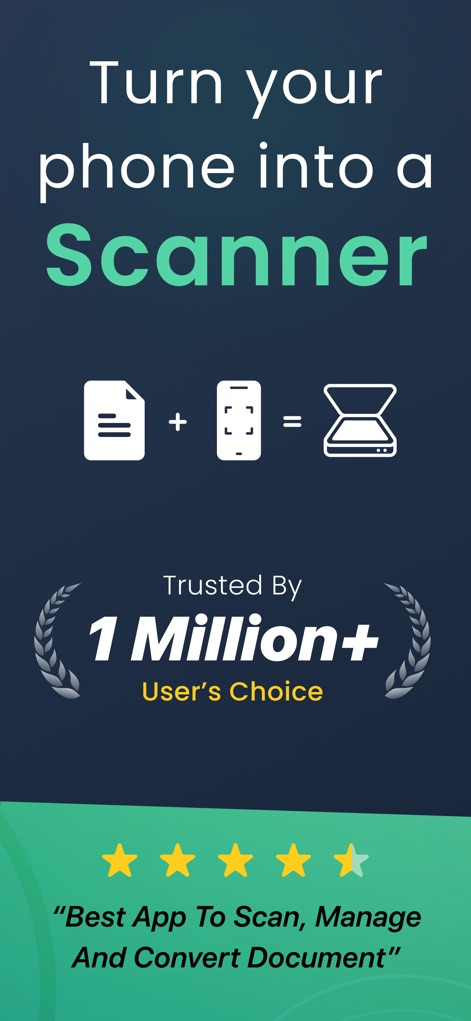
Esta ferramenta converte seu dispositivo em um scanner completo, evidenciado pelos ícones de documento e celular se transformando em um scanner, e a aprovação de "1 Milhão+ Usuários".
Transforme seu Celular
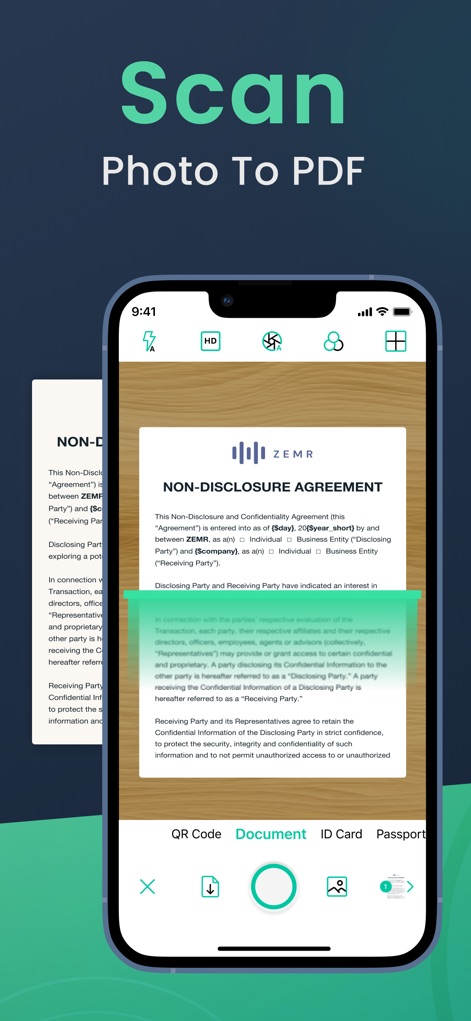
O aplicativo facilita a digitalização de documentos com detecção de bordas automáticas, exibindo um contrato de NDA sendo escaneado e opções como "QR Code" e "Document".
Digitalize e Converta
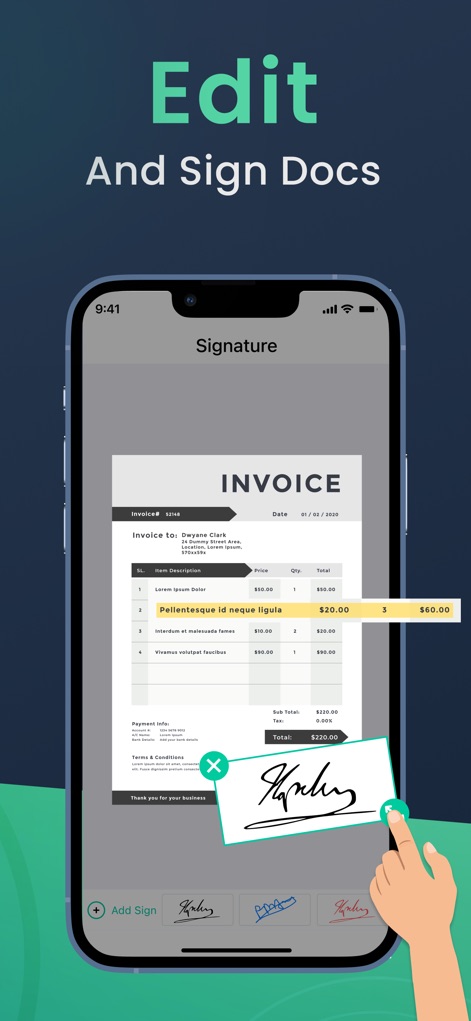
Os usuários podem facilmente adicionar assinaturas e fazer edições, como visto na fatura com um campo de assinatura e a opção "Add Sign".
Edite e Assine
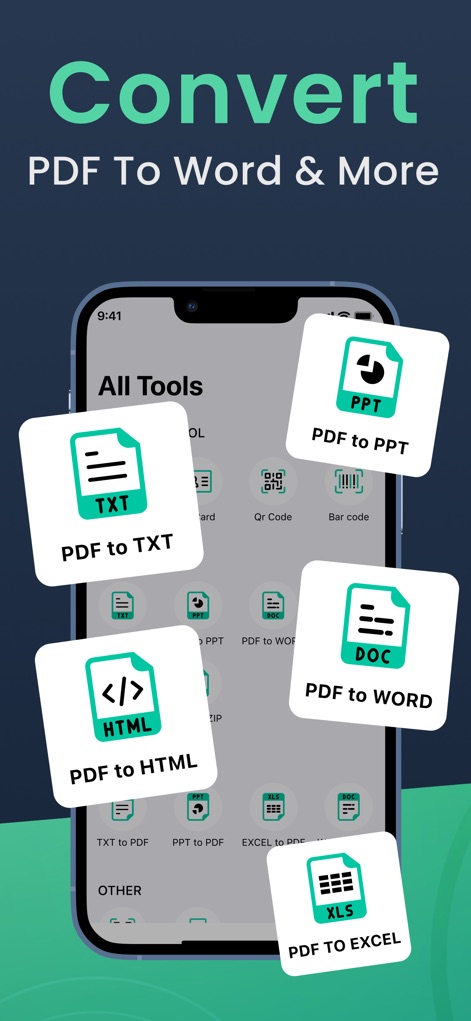
A ferramenta oferece diversas opções de conversão, como "PDF to TXT" e "PDF to Word", visíveis nos ícones flutuantes que representam os formatos de saída.
Converta Seus Documentos
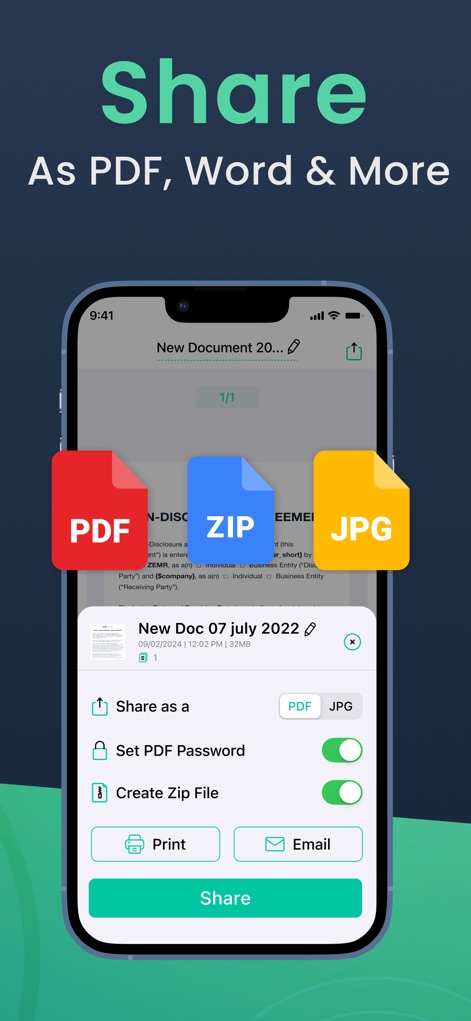
Este recurso permite o compartilhamento de arquivos em múltiplos formatos, como "PDF" e "JPG", com opções adicionais de "Print" e "Email".
Compartilhamento Simplificado
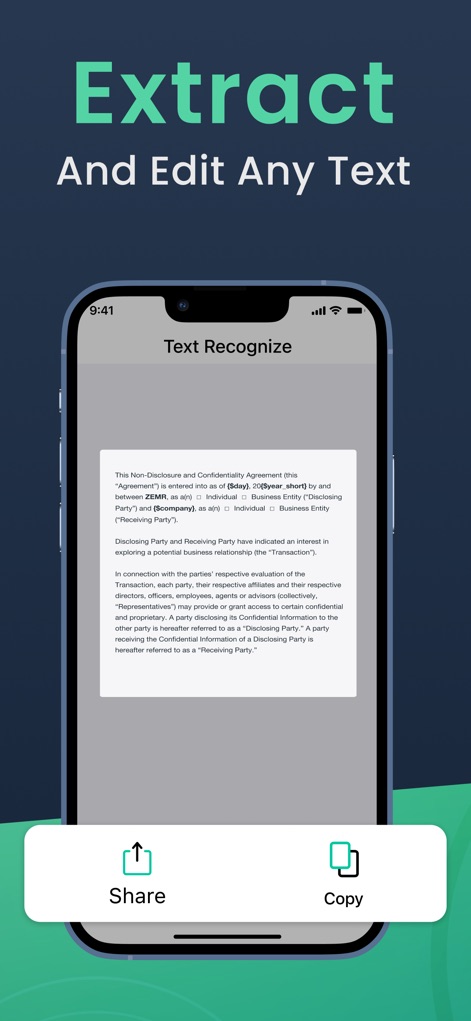
A função de reconhecimento de texto permite aos usuários copiar e compartilhar conteúdo de documentos, ilustrado pela caixa de texto reconhecida e pelos botões "Share" e "Copy".
Extração de Texto
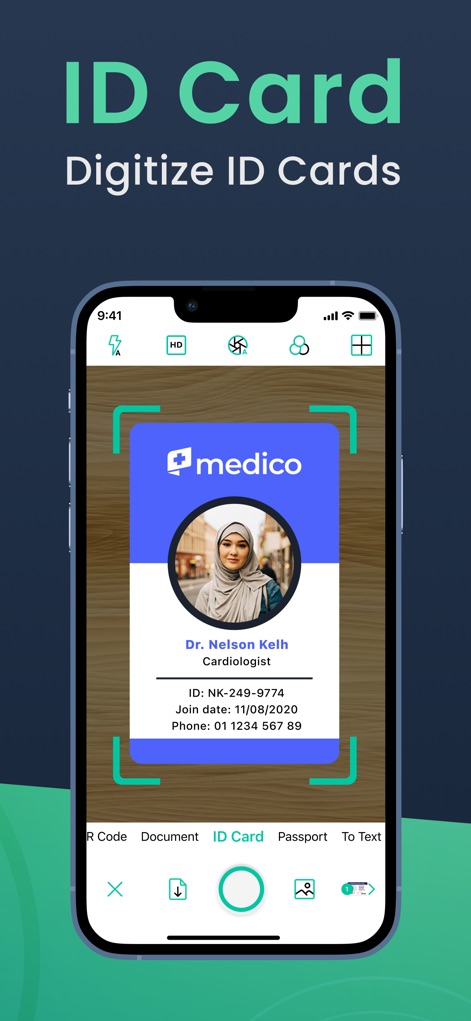
O aplicativo agiliza a digitalização de documentos de identificação, como a "ID Card" "Medico", com a área de digitalização marcada e um ícone para "ID Card".
Digitalize Identificações
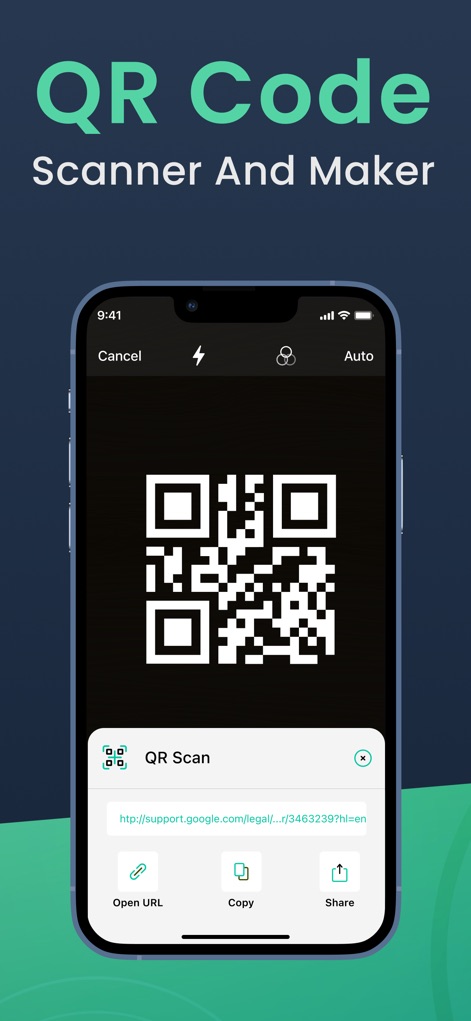
Os usuários podem escanear e interagir com códigos QR, como demonstrado pela leitura de um "QR Scan" e as opções "Open URL" e "Copy".
Leitor de QR Code
Descrição
Download
Apps Semelhantes
Apps com recursos e experiência semelhantes

PDF PRO Scan Image & Documents
Balzo srl

The PDF Scanner, PDF editor HQ
NEXT K.U.M. LTD

CamScanner - PDF Scanner App
INTSIG Information Co., Ltd

Adobe Scan: PDF & OCR Scanner
Adobe Inc.

WPS Office: PDF, Docs, Sheets
KINGSOFT OFFICE SOFTWARE CORPORATION LIMITED

iLovePDF - PDF Editor & Scan
ILOVEPDF S.L.

Scanner App: Genius Scan
The Grizzly Labs

Microsoft Lens: PDF Scanner
Microsoft Corporation

Clear Scan: Doc Scanner App
INDY MOBILE APP COMPANY LIMITED
Esta página não é uma página oficial do aplicativo ou de seu desenvolvedor, mas uma publicação editorial independente criada para fins informativos e de comentário. Salvo indicação expressa em contrário, nem o aplicativo nem seu desenvolvedor são afiliados, endossados, patrocinados, autorizados ou oficialmente conectados à MWM, Apple, Google Play, ao editor do aplicativo ou ao desenvolvedor do aplicativo, e nada nesta página implica que o aplicativo foi desenvolvido utilizando os serviços da MWM. Todas as marcas comerciais, logotipos, capturas de tela e outros conteúdos permanecem propriedade de seus respectivos proprietários.