PenToPRINT Handwriting to Text

PenToPRINT Handwriting to Text

Baixar no App Store
Logo de PenToPRINT Handwriting to Text

PenToPRINT: Transforme Suas Notas Manuscritas em Texto Digital Pesquisável

A ferramenta definitiva de OCR de caligrafia para estudantes e profissionais. Converta cursiva, roteiros ou letra de forma em documentos Word editáveis e preencha a lacuna entre o papel e o digital.

Editor

Serandi systems LTD

Categoria

Productivity

Downloads

765K+

Avaliação

4.4/5

Total de avaliações

4K+

Idiomas

1

Da Caneta ao Pixel

Descubra a interface usada por 765K+ usuários.

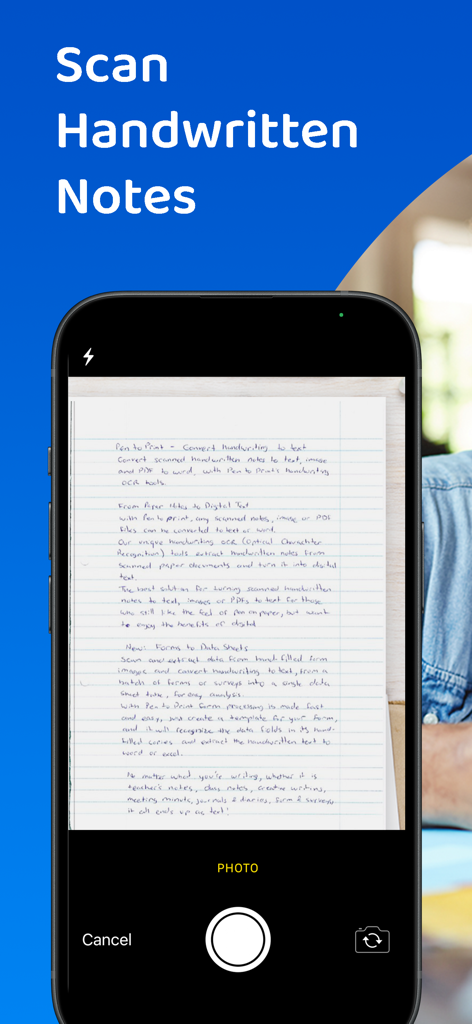
Tela azul com texto branco dizendo Converta Caligrafia em Texto
Tela azul com texto branco dizendo Converta Caligrafia em Texto

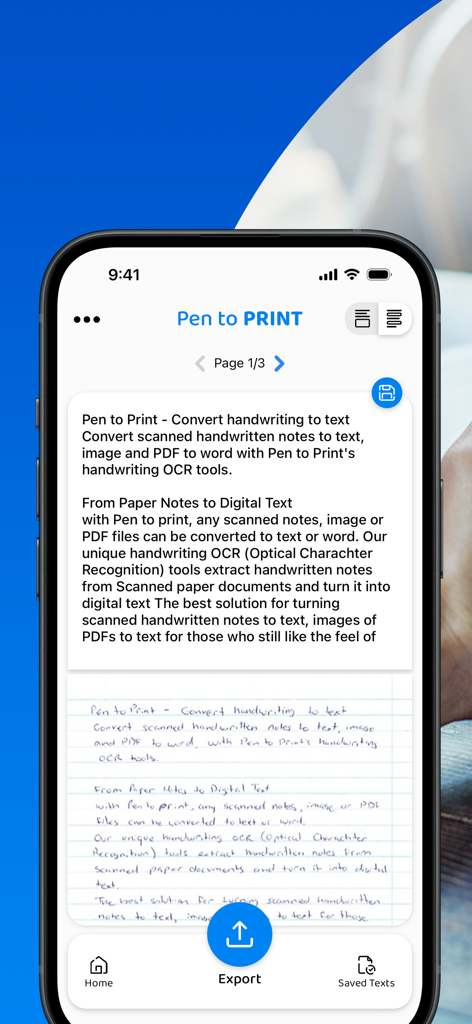
Uma tela de smartphone mostrando o aplicativo PenToPRINT convertendo uma nota manuscrita em texto digital editável com uma opção de exportação.
Uma tela de smartphone mostrando o aplicativo PenToPRINT convertendo uma nota manuscrita em texto digital editável com uma opção de exportação.

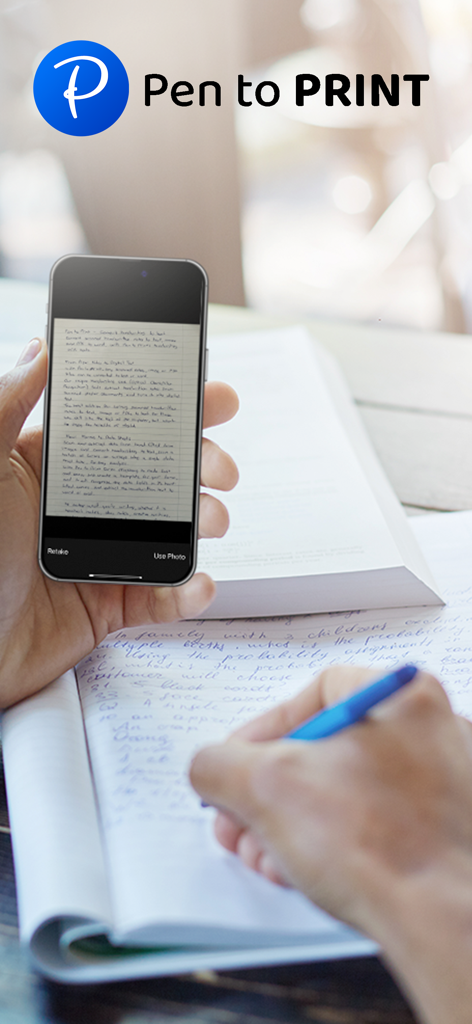
Pessoa digitalizando notas manuscritas com o aplicativo Pen to Print em um smartphone
Pessoa digitalizando notas manuscritas com o aplicativo Pen to Print em um smartphone

Uma interface de smartphone digitalizando um documento manuscrito usando o recurso de OCR do PenToPRINT

Uma interface de smartphone digitalizando um documento manuscrito usando o recurso de OCR do PenToPRINT

Um estudante usando um smartphone para digitalizar notas manuscritas enquanto estuda
Um estudante usando um smartphone para digitalizar notas manuscritas enquanto estuda

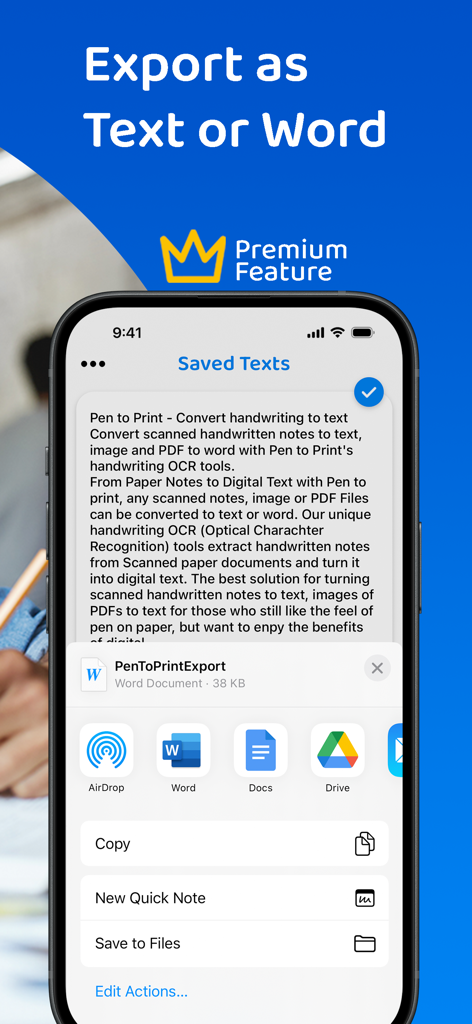
Tela do aplicativo PenToPRINT mostrando opções de exportação para Word e Google Docs
Tela do aplicativo PenToPRINT mostrando opções de exportação para Word e Google Docs

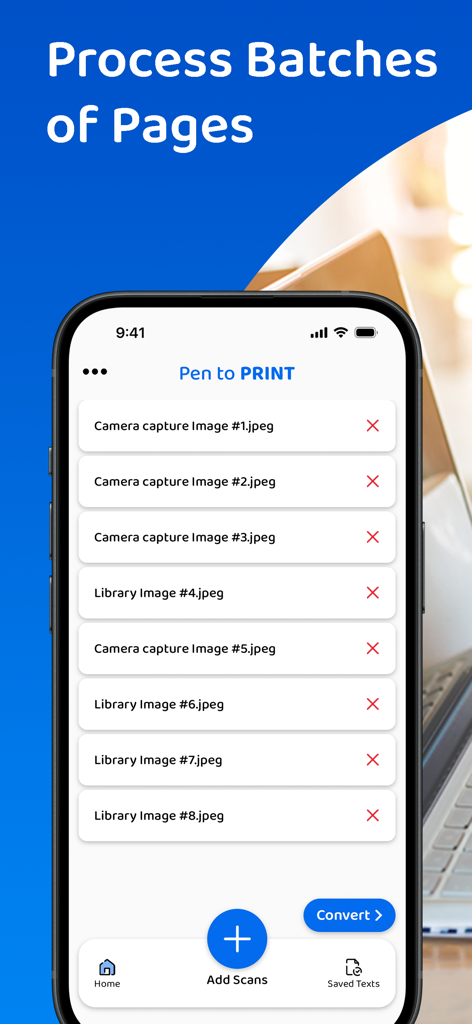
Uma interface móvel para o aplicativo PenToPRINT mostrando uma lista em lote de páginas manuscritas digitalizadas prontas para conversão em texto digital

Uma interface móvel para o aplicativo PenToPRINT mostrando uma lista em lote de páginas manuscritas digitalizadas prontas para conversão em texto digital

Uma pessoa usando um smartphone para digitalizar notas manuscritas de um caderno espiral
Uma pessoa usando um smartphone para digitalizar notas manuscritas de um caderno espiral

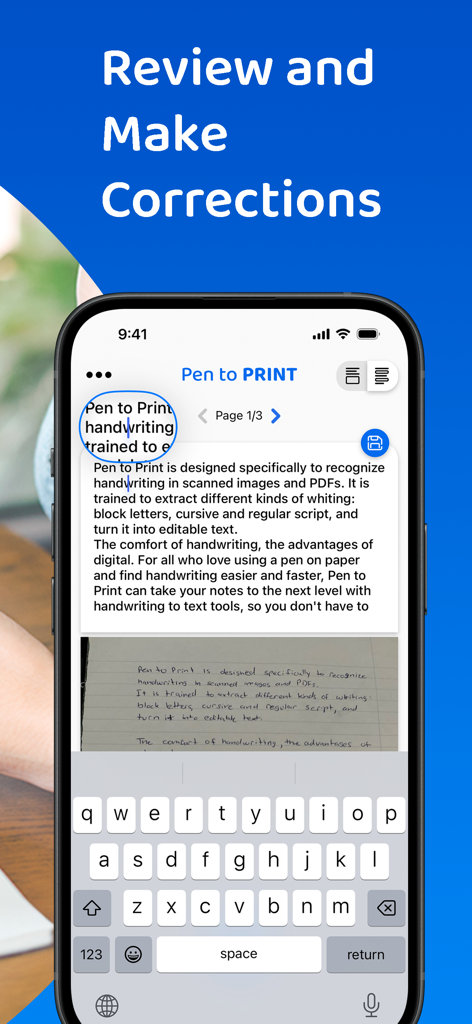
Interface do aplicativo PenToPRINT mostrando o recurso para revisar e corrigir caligrafia convertida em texto digital
Interface do aplicativo PenToPRINT mostrando o recurso para revisar e corrigir caligrafia convertida em texto digital

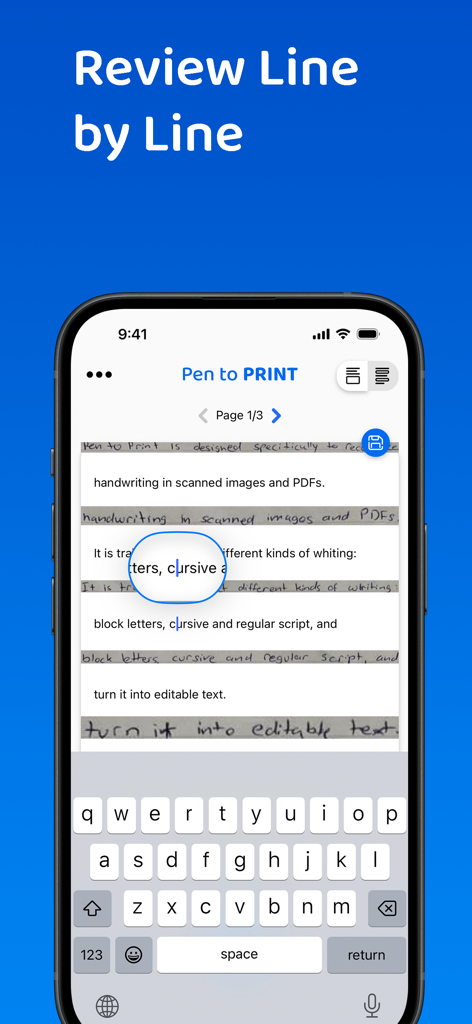
Smartphone mostrando a interface do aplicativo PenToPRINT para revisar e editar notas manuscritas convertidas em texto digital linha por linha.

Smartphone mostrando a interface do aplicativo PenToPRINT para revisar e editar notas manuscritas convertidas em texto digital linha por linha.

Ponte entre o Papel e a Tela

As ferramentas que destacam este app, escolhido por 765K+ usuários.

🖋️

Decifre Cursiva com Facilidade

Nosso motor de OCR especializado lê escritas e cursivas difíceis, economizando horas de digitação manual do seu caderno favorito.

🚀

Fluxo de Trabalho Digital Otimizado

Exporte seu texto convertido diretamente para Word ou E-mail, integrando suas ideias manuscritas em seus projetos profissionais ou acadêmicos.

🔍

Arquivo Digital Pesquisável

Transforme pilhas de papel em um banco de dados pesquisável. Encontre exatamente o que precisa sem folhear infinitas páginas físicas.

Sobre o app

Tudo o que você precisa saber sobre PenToPRINT Handwriting to Text.

Descrição

Pen to Print, the leading handwriting to text OCR platform, is converting scanned handwritten notes into editable, searchable, and shareable digital text. Leveraging advanced Handwriting OCR (Optical Character Recognition) technology, Pen to Print is your go-to solution for digitizing handwritten notes, enhancing your productivity by bridging the gap between traditional handwriting and the digital world. Our unique handwriting to text OCR (Optical character recognition) engine extracts handwritten texts from scanned paper notes and turns them into digital editable text. Unlike other OCR scanner apps, it is designed specifically to recognize handwriting and works great as a cursive reader and deciphering illegible handwriting. Elevate your experience by opting for our premium plan, which allows you to export your text or share it effortlessly with others. With a premium subscription, you gain the flexibility to export your text in either txt or Word formats to any compatible applications on your device. Additionally, premium subscribers have the convenience of sharing their texts with others through email, messaging platforms, or social media networks. We suggest starting with assessing our handwriting recognition capability and the app's effectiveness in transforming handwriting to text before deciding to upgrade to the premium plan. Although Digital text is easier to edit, search and store, handwriting on paper notes is still commonly used, since it's fast, easy, and accessible. Pen to Print's handwriting recognition (OCR) is an excellent solution for those who still like the feel of pen on paper, but want to enjoy the benefits of digital. It is easy to use, fast and affordable. Converting handwriting to text with Pen to Print is a perfect solution for cursive reading and illegible writing, for students, for sharing meeting minutes, protocols, and other handwritten documents with multiple participants. Please note: The success of handwriting recognition relates directly to the quality of your scan. For best results scan your document in a well-lighted area, and make sure the paper is straightened and not folded or skewed. If unsuccessful, just try scanning again, it might make all the difference. The app currently supports Latin script only. Our handwriting recognition system can convert different kinds of handwriting to text: block letters, cursive, and regular script. Significant time and effort are invested in this app in order to provide an efficient quality handwriting to text OCR tool. We hope you find this app useful and enjoy using it to convert your handwritten notes to text. We welcome all feedback and are always happy to hear from our users. If you like our app, an app review will be well appreciated :-) If you encounter a problem, please contact us at: contact@serendi.me, so we can provide you assistance and support. For more information, visit our website: https://www.pen-to-print.com Download Pen to Print now, and start converting your handwriting to text! The Yearly Plan and Monthly Plan are auto-renewing subscriptions, providing an unlimited amount of text exports for a year/a month respectively, therefore: Payment will be charged to iTunes Account at confirmation of purchase. Subscription automatically renews unless auto-renew is turned off at least 24 hours before the end of the current period. Account will be charged for renewal within 24 hours prior to the end of the current period, and identify the cost of the renewal. Subscriptions may be managed by the user and auto-renewal may be turned off by going to the user's Account Settings after purchase. Any unused portion of a free trial period, if offered, will be forfeited when the user purchases a subscription to that publication, where applicable. Check out our terms & conditions at: https://www.serendi.me/p2p-terms-and-conditions

Última versão

2.13

Tamanho

31.2 MB

Data de lançamento

7 de nov. de 2017

Traga Suas Notas Manuscritas para o Mundo Digital

Pare de perder horas transcrevendo manualmente suas reuniões e palestras. Junte-se a mais de 765.000 usuários e converta suas notas cursivas em texto editável instantaneamente.

Baixar no App Store

App information, icons, screenshots, and descriptions displayed on this page are sourced from the Apple App Store and are the property of their respective developers. Download estimates and rankings are based on MWM's proprietary models and may not reflect actual figures. This page is provided for informational and analytical purposes only.

Believe this page infringes your intellectual property? File a dispute