Pixelmator: Edição de Imagens Profissional para seu iPhone e iPad
Liberte sua criatividade com um editor poderoso baseado em camadas, projetado para dispositivos móveis. Desde retoques com IA até design gráfico impressionante, crie artes profissionais em qualquer lugar.
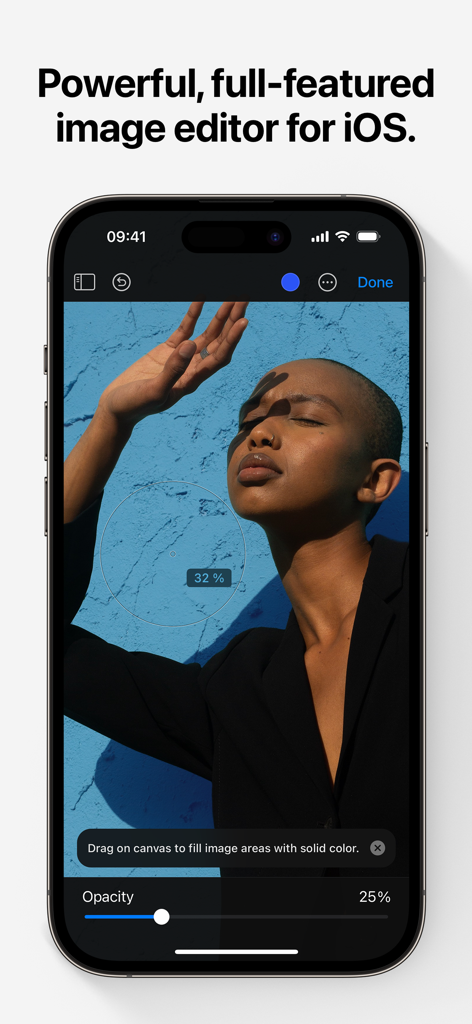
A interface do aplicativo Pixelmator em um iPhone exibindo ferramentas de edição de fotos e uma imagem de retrato.
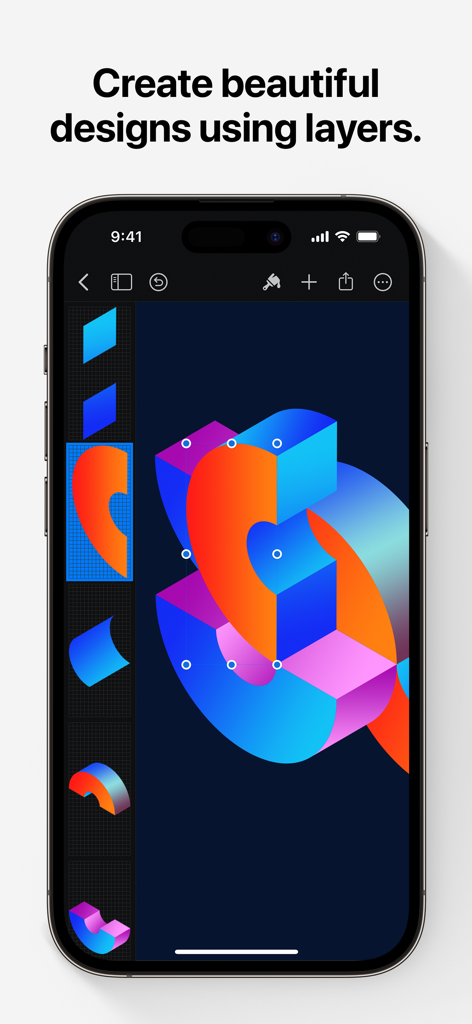
Interface do Pixelmator no iPhone mostrando um design gráfico vibrante com várias camadas.
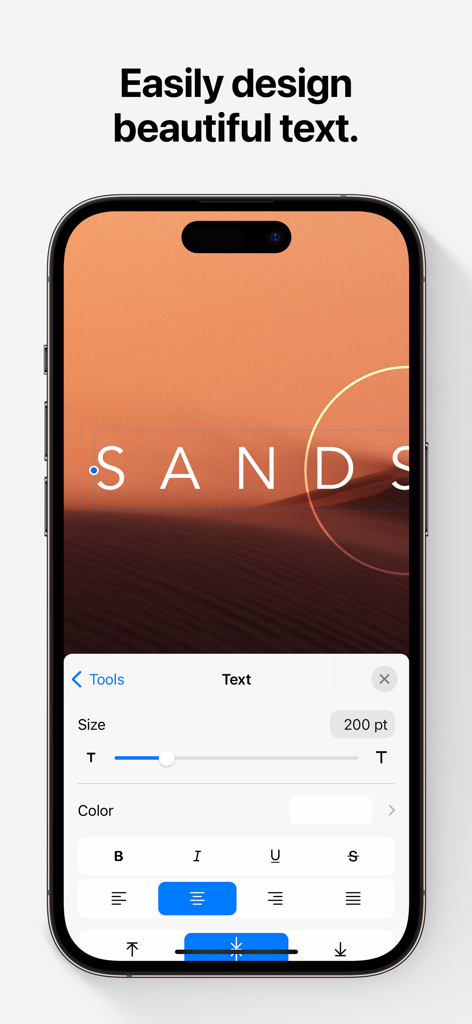
Tela do iPhone mostrando a interface de edição de texto do aplicativo Pixelmator.
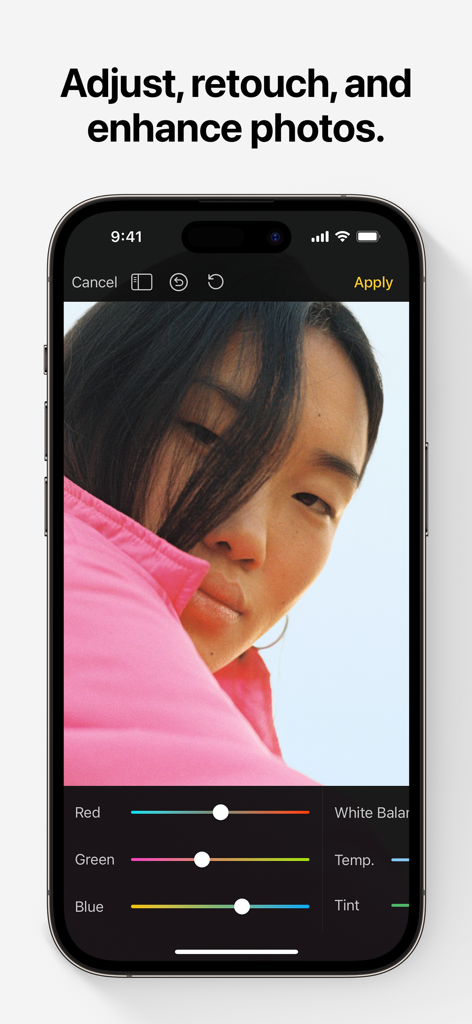
Interface de edição de fotos do Pixelmator no iPhone com ferramentas de ajuste de cor.
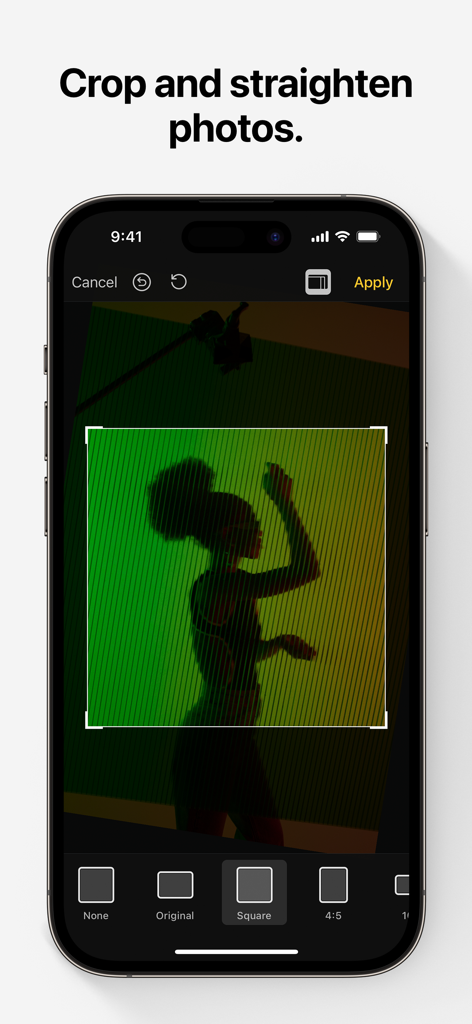
Interface do aplicativo de edição de fotos Pixelmator mostrando o recurso de corte e endireitamento em um iPhone.
Ferramentas de Design Profissional, Aperfeiçoadas para Dispositivos Móveis
As ferramentas que destacam este app, escolhido por 817K+ usuários.
✨
Magia com IA
Economize tempo com ferramentas de aprendizado de máquina que selecionam automaticamente assuntos, removem fundos e eliminam imperfeições com um único toque.
🎨
Camadas Avançadas
Crie folhetos, logotipos e arte profissionais usando estilos de camada não destrutivos, modos de mesclagem e formas vetoriais precisas para controle criativo total.
✏️
Pintura Digital Natural
Transforme seu iPad em uma tela com pincéis projetados por artistas e suporte completo ao Apple Pencil, com sensibilidade à pressão, inclinação e rejeição da palma da mão para uma sensação realista.
Sobre o app
Tudo o que você precisa saber sobre Pixelmator.
Descrição
Pixelmator is a powerful, full-featured, layer-based image editor that lets you add shapes, images, and text to create beautiful image compositions, touch up and enhance images, sketch, and paint on iPad and iPhone alike.
Designed exclusively for iOS and iPadOS, Pixelmator takes full advantage of the latest iOS and iPadOS 17 features and technologies, giving you innovative, fast, and powerful tools.
Create Eye-Catching Designs
- Combine words, shapes, and images to create breathtaking artwork right on your iPhone and iPad
- Apply non-destructive layer styles like shadows, outlines, gradient fills, and more
- Insert, group, and blend layers of an image
- Easily add, combine, and customize shapes
- Blend layers, shapes, and text using any of the blending modes
- Use precise selection tools to edit areas of an image
- Automatically select subjects in images with the machine learning-powered Select Subject
- Crop, arrange, and rotate objects and layers with pixel-perfect precision
- Easily remove the background of images or cut and paste objects from one image to another
Add Shapes and Text
- Create flyers, logos, and other compositions using vector shapes and their styling options
- Customize Smart Shapes with easy-to-use controls
- Add text and make it look gorgeous with 24 pre-designed text styles
- Change the font, size, alignment, line spacing, use custom fonts, and more
Paint and Sketch
- Paint stunning images right on your iPhone and iPad
- Choose from over artist-designed brushes and numerous painting techniques
- Paint with near-natural wetness effect of watercolor and crayon brushes
- Create stunning pixel art images with the custom-designed Pixel brush
- Paint with incredible detail thanks to the double texture brush technology
- Vary the speed of your stroke to change the thickness of some of the brushes
- Easily select and fine-tune colors with a full-featured color picker
- Instantly choose colors right from your image with the Eyedropper
- Paint more naturally than ever with the Apple Pencil, featuring palm rejection, pressure, tilt, and acceleration sensitivity
Edit and Enhance Photos
- Get started with dozens of beautifully designed templates
- Instantly improve your photos with single-tap color presets
- Take full control over the tonal range of your image with levels and curves
- Easily remove color casts and set the right white balance
- Wipe away image imperfections, skin blemishes, and unwanted objects with the Repair tool
- Duplicate areas of your image with the easy-to-use Clone tool
- Pinch, bump, twirl, or warp areas of an image with powerful, Metal-based Distort tools
- Blur, sharpen, lighten, or darken areas of an image
- Choose from dozens of breathtaking effects to subtly improve or completely change the look of an image
- Open and edit images of up to 256 megapixels
Export and Share Images
- Optimize images for the web using quality, color depth, and size settings
- Export images to Files, iCloud, or open in other apps using a file format of your choice
- Using the integrated share extension, easily share your artwork with friends and family using Mail, AirDrop, or post it to social platforms like Instagram, Twitter, or Facebook
Compatibility
- Open and save images using HEIF, JPEG, PNG, and TIFF formats
- Work with multilayered Pixelmator Pro and Adobe Photoshop documents
- Save your edited images directly to Photos
- Create, edit, and keep all your images up to date on all your devices thanks to iCloud support
- External keyboard support with over 70 keyboard shortcuts
Built for iPhone and iPad
- Pixelmator is meticulously thought through and created from the ground up for iPhone and iPad devices
- Designed to take full advantage of powerful iOS and iPadOS features and technologies — iCloud Drive, Photos extension, Split View, and more
- Thanks to Apple silicon, Metal, Core Image, and Core Animation, Pixelmator delivers state-of-the-art performance and real-time responsiveness
Última versão
3.1.16
Tamanho
409.8 MB
Data de lançamento
24 de out. de 2014
Pronto para Criar Sem Limites?
Junte-se a mais de 800.000 criadores e experimente edição de imagem, pintura e design de nível profissional diretamente no seu iPhone e iPad.
FAQ
Perguntas Frequentes
Tudo o que você precisa saber sobre Pixelmator
O que é Pixelmator Classic iOS?
Pixelmator Classic iOS é um editor de imagens poderoso, completo e baseado em camadas para iPad e iPhone. Ele permite aos usuários criar composições, retocar fotos, esboçar e pintar diretamente em seus dispositivos.
O Pixelmator Classic iOS está disponível em dispositivos Android?
Não, o Pixelmator Classic iOS foi projetado exclusivamente para iOS e iPadOS. Ele aproveita os recursos e tecnologias mais recentes desses sistemas operacionais da Apple, garantindo desempenho otimizado.
O Pixelmator Classic iOS pode remover fundos de imagens?
Sim, o Pixelmator Classic iOS remove facilmente os fundos de imagens. Ele também possui uma ferramenta "Selecionar Assunto" baseada em aprendizado de máquina para seleção automática de assuntos e permite cortar e colar objetos.
O Pixelmator Classic iOS suporta edição baseada em camadas?
Sim, o Pixelmator Classic iOS é um editor de imagens baseado em camadas. Ele suporta a inserção, agrupamento, mesclagem de camadas e aplicação de estilos de camada não destrutivos, como sombras e preenchimentos gradientes, para designs complexos.
Como posso adicionar texto a imagens no Pixelmator Classic iOS?
O Pixelmator Classic iOS permite adicionar texto a imagens. Ele oferece 24 estilos de texto pré-projetados e controles abrangentes para alterar fonte, tamanho, alinhamento, espaçamento entre linhas e usar fontes personalizadas.
O Pixelmator Classic iOS suporta o Apple Pencil para pintura?
Sim, o Pixelmator Classic iOS suporta o Apple Pencil. Ele oferece rejeição de palma, sensibilidade à pressão, inclinação e aceleração, proporcionando uma experiência de pintura e esboço natural e detalhada em dispositivos compatíveis.
Quais ferramentas de ajuste de fotos estão disponíveis no Pixelmator Classic iOS?
O Pixelmator Classic iOS inclui uma ferramenta de Reparo, ferramenta de Clonagem e ferramentas de Distorção baseadas em Metal. Ele também oferece níveis, curvas, balanço de branco e vários efeitos para ajustar, retocar e aprimorar fotos.
Qual é o tamanho máximo de imagem que o Pixelmator Classic iOS pode abrir?
O Pixelmator Classic iOS pode abrir e editar imagens de até 256 megapixels. Essa capacidade garante suporte para fotografia de alta resolução e projetos detalhados de design gráfico em iOS e iPadOS.
Quais formatos de arquivo o Pixelmator Classic iOS suporta?
O Pixelmator Classic iOS suporta a abertura e salvamento de imagens nos formatos HEIF, JPEG, PNG e TIFF. Ele também funciona com documentos multicamadas do Pixelmator Pro e do Adobe Photoshop para ampla compatibilidade.
Posso cortar fotos usando o Pixelmator Classic iOS?
Sim, o Pixelmator Classic iOS permite aos usuários cortar e endireitar fotos. A Captura de tela nº 5 exibe a interface de corte, oferecendo várias opções de proporção, como Quadrado e 4:5, para ajustes precisos.
App information, icons, screenshots, and descriptions displayed on this page are sourced from the Apple App Store and are the property of their respective developers. Download estimates and rankings are based on MWM's proprietary models and may not reflect actual figures. This page is provided for informational and analytical purposes only.
Believe this page infringes your intellectual property? File a dispute