Pofi Brush - Sketch & Paint

Pofi Brush - Sketch & Paint

Baixar no App Store
Logo de Pofi Brush - Sketch & Paint

Pofi Brush - Sketch & Paint: Seu Estúdio Profissional de Ilustração Móvel

Liberte sua criatividade com um poderoso motor 2D, telas 4K e pincéis personalizáveis projetados para artistas de personagens e criadores de quadrinhos. Experimente a precisão de um estúdio profissional em seu iPad e iPhone.

Baixar no App Store

Editor

Pofi Entertainment Shenzhen Network Technology Co.,Ltd

Categoria

Graphics & Design

Downloads

366K+

Avaliação

3.2/5

Total de avaliações

700

Idiomas

9

Um Vislumbre da Grandeza

Descubra a interface usada por 366K+ usuários.

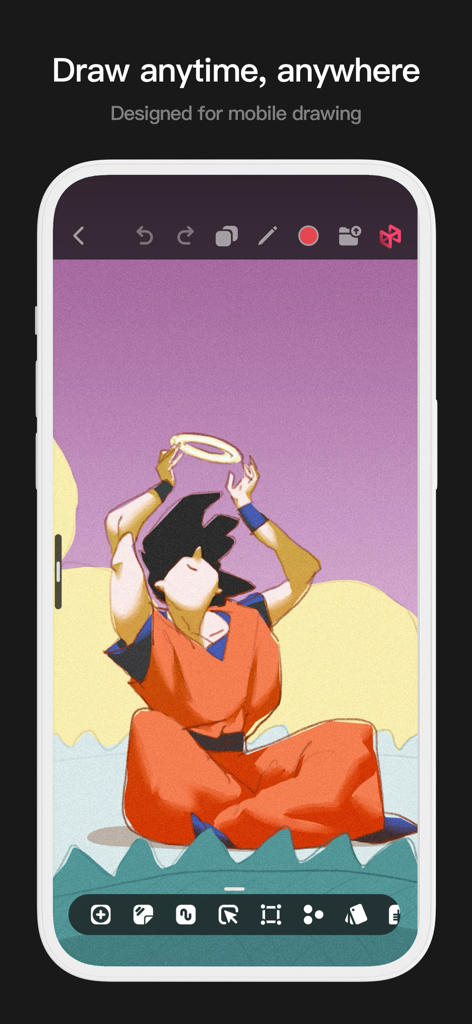
Uma interface móvel para o aplicativo Pofi Brush apresentando uma ilustração de anime e ferramentas de desenho.
Uma interface móvel para o aplicativo Pofi Brush apresentando uma ilustração de anime e ferramentas de desenho.

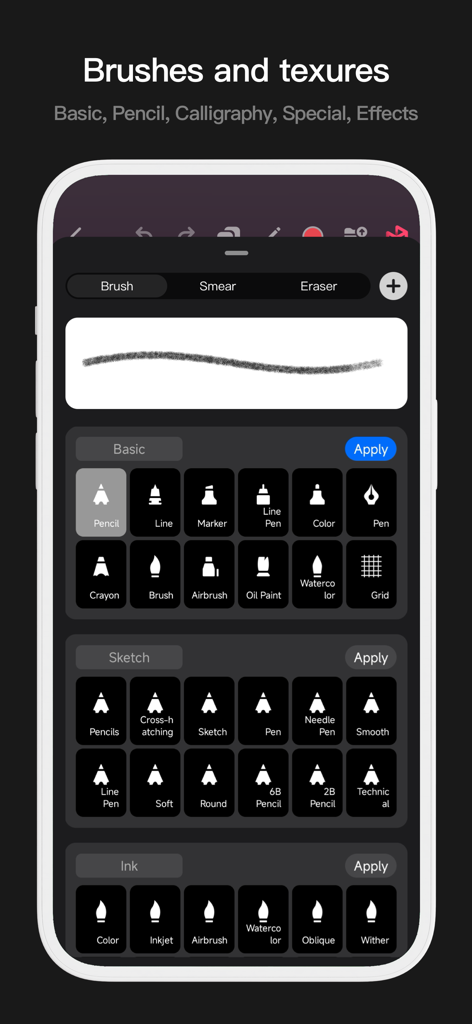
Interface móvel do Pofi Brush mostrando uma biblioteca de pincéis de arte digital, incluindo lápis, tinta e ferramentas de aquarela.
Interface móvel do Pofi Brush mostrando uma biblioteca de pincéis de arte digital, incluindo lápis, tinta e ferramentas de aquarela.

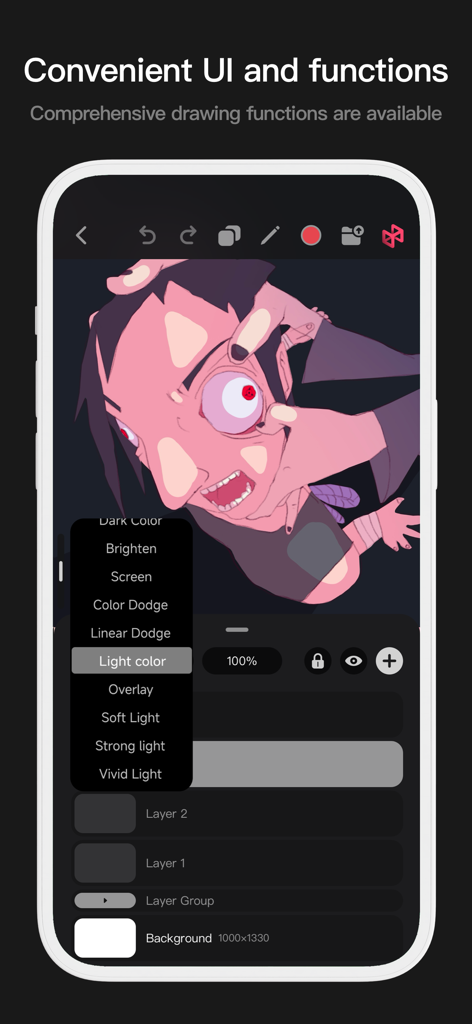
Interface móvel do Pofi Brush mostrando opções de mesclagem de camadas e arte de personagem estilizada
Interface móvel do Pofi Brush mostrando opções de mesclagem de camadas e arte de personagem estilizada

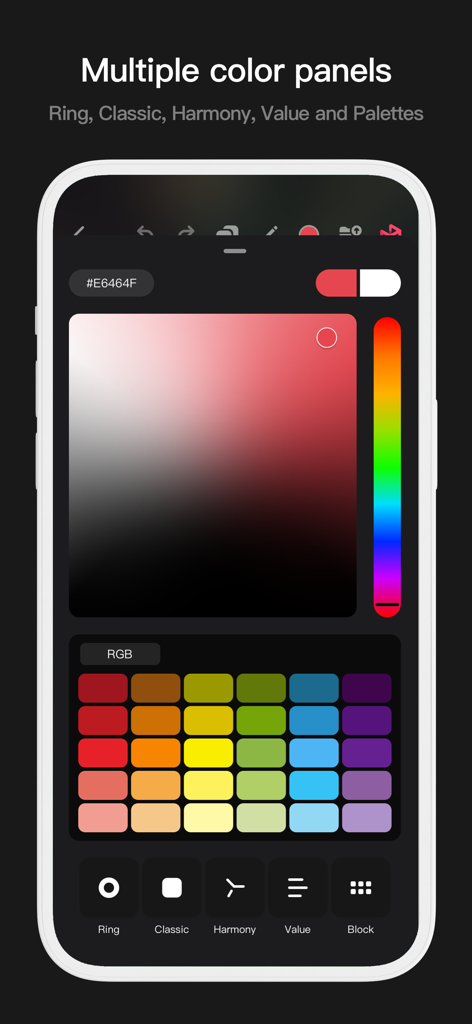
Interface do aplicativo Pofi Brush mostrando múltiplos painéis de seleção de cores, incluindo um gradiente clássico e amostras de paleta de cores.
Interface do aplicativo Pofi Brush mostrando múltiplos painéis de seleção de cores, incluindo um gradiente clássico e amostras de paleta de cores.

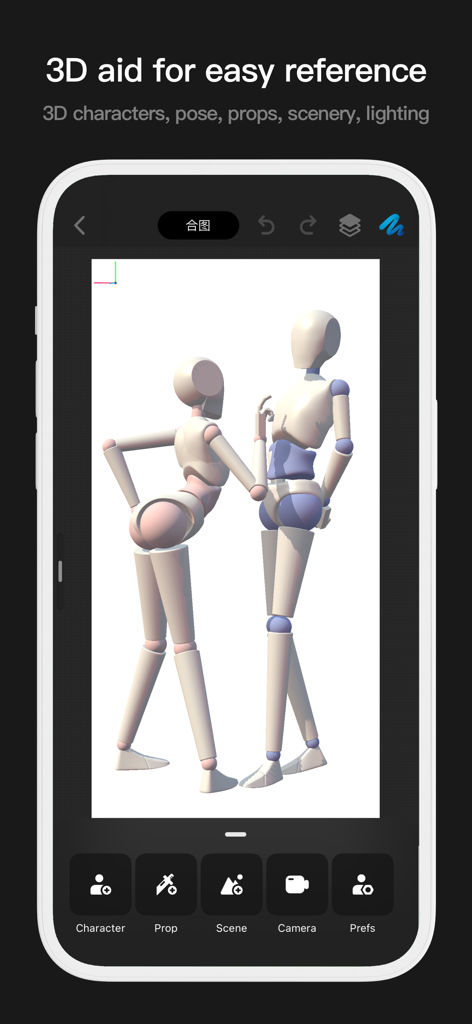
Interface do aplicativo Pofi Brush mostrando dois manequins 3D para referência de pose de desenho
Interface do aplicativo Pofi Brush mostrando dois manequins 3D para referência de pose de desenho

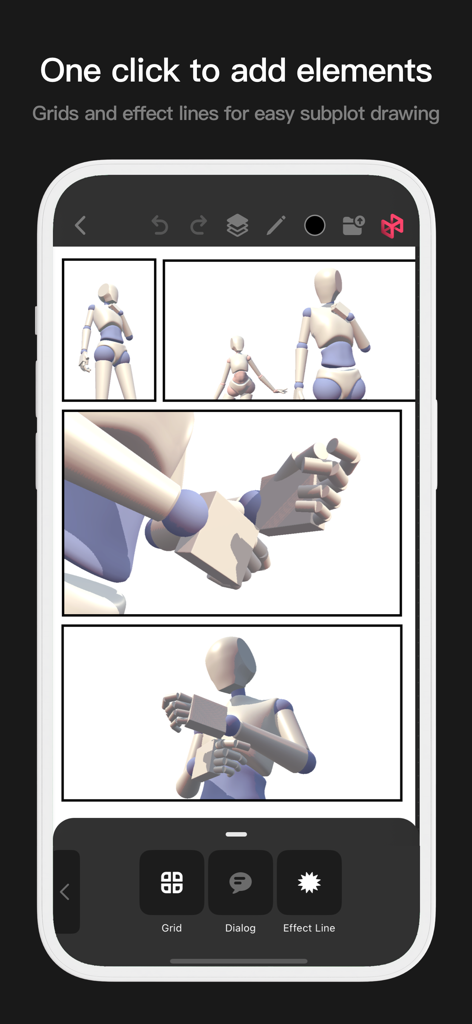
Ferramenta de layout de quadrinhos Pofi Brush com grades e linhas de efeito
Ferramenta de layout de quadrinhos Pofi Brush com grades e linhas de efeito

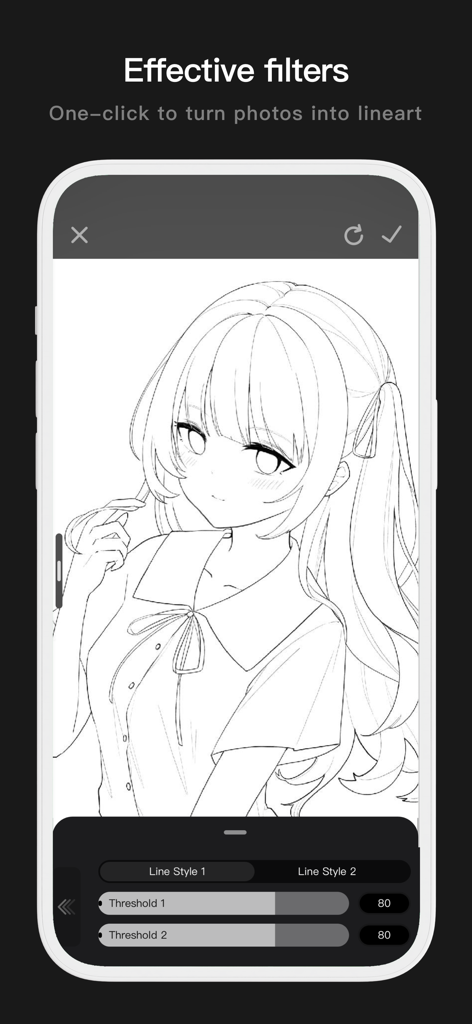
Interface móvel do Pofi Brush mostrando uma foto convertida em arte de linha limpa de anime com configurações de limite ajustáveis.
Interface móvel do Pofi Brush mostrando uma foto convertida em arte de linha limpa de anime com configurações de limite ajustáveis.

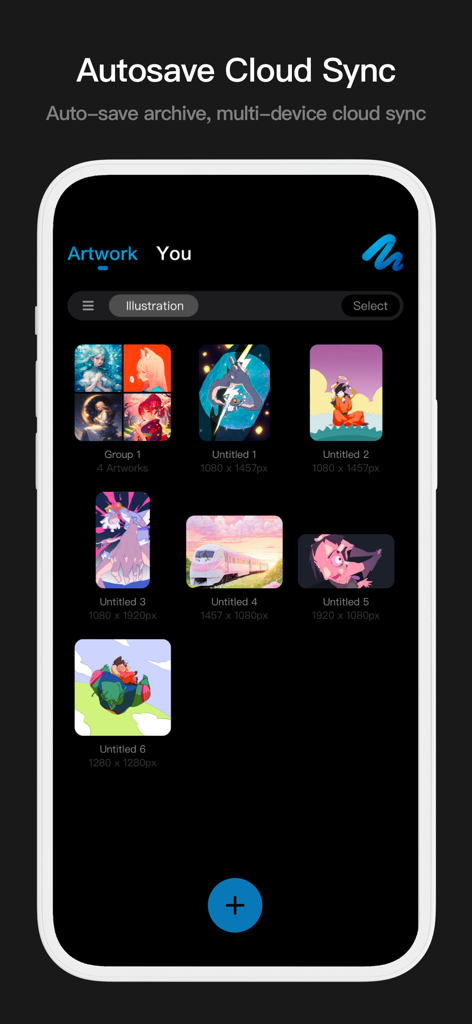
Interface da galeria de arte do Pofi Brush mostrando ilustrações digitais com recursos de sincronização na nuvem e salvamento automático

Interface da galeria de arte do Pofi Brush mostrando ilustrações digitais com recursos de sincronização na nuvem e salvamento automático

Liberte Seu Potencial Criativo

As ferramentas que destacam este app, escolhido por 366K+ usuários.

🖋️

Domínio Profissional de Pincéis

Crie arte de linha perfeita com estabilização anti-tremor e mais de 40 configurações personalizáveis por pincel, totalmente otimizadas para a pressão e inclinação do Apple Pencil.

🚀

Potência de Desktop em Telas 4K

Pinte sem atrasos em telas massivas de 4k x 4k. Nosso motor multi-core de 64 bits garante desempenho suave, mesmo ao gerenciar composições complexas e detalhes de alta resolução.

Fluxo de Trabalho de Estúdio Avançado

Desbloqueie técnicas profissionais com 27 modos de mesclagem, travas alfa e agrupamento sofisticado de camadas, dando a você o controle total necessário para design de personagens padrão da indústria.

Amado por usuários no mundo todo

Com a confiança de 366K+ pessoas que amam este app.

"

"Como estudante de animação, experimentei todos os aplicativos de desenho que existem, mas o Pofi Brush se destaca por sua incrível sensibilidade à pressão e pela profundidade do editor de pincéis. Poder trabalhar em telas 4K sem nenhum atraso no meu iPad transformou completamente meu fluxo de trabalho de design de personagens."

Chloe Rivera
"

"Os traços anti-tremor e a variedade de modos de mesclagem são exatamente o que eu precisava para minhas ilustrações digitais. Posso passar de um esboço rápido para uma peça polida para meu feed de mídia social em metade do tempo. Realmente parece um estúdio de arte profissional no meu bolso!"

Marcus Chen

Sobre o app

Tudo o que você precisa saber sobre Pofi Brush - Sketch & Paint.

Descrição

Pofi Brush delivers nearly 10 exquisitely crafted brushes, full-featured layer and color tools, an elegant interface, and a smooth yet powerful 2D Artistic Engine—unlocking a professional art studio experience on your device. Whether you're sketching your first draft or crafting professional illustrations, Pofi Brush empowers artists to create stunning comics, animations, and concept art on mobile or tablet. Unleash your creativity anytime, anywhere. Powerful 2D Artistic Engine The powerful 2D Artistic Engine is developed by the Pofi team and is optimized for 64-bit multi-core processors. It is compatible with multiple platforms and supports large HD canvases and multiple layers. It is optimized for smooth speed to ensure you get the best painting experience. - Canvas up to 4k × 4k px, making your artwork clear and lifelike. - Easy-to-use interface for mobile painting. - Optimised for 64-bit multicore processors for smooth drawing speeds. - Use the Apple Pencil for smooth, realistic, low-latency strokes. - Auto-save and save on exit. - All features supported on phones and tablets. Professional Brush Editor Pofi Brush presets dozens of creative brushes of various types, each with over 40 custom settings, allowing you to adjust the brush editor according to your personal preferences and creative needs, or design your own custom brushes for more personalized creations. - Built-in dozens of well-designed creative brushes for sketching, inking, texture, art, specialties and more! - Each brush has three modes: Brush, Eraser, and Smudge. - Each brush has over 40 customizable settings and a library of preset nib shapes and textures. - Comb, sort, and create brushes by groups for better management of your brushes. - Anti-flutter brush strokes can be set to give your brush more flow. - Finger-painting simulates pressure, so you can use your finger to paint with the sharpness and fineness of a real paintbrush. - Take full advantage of the Apple Pencil's features, combining the speed, tilt and pressure of the brush to experience a realistic brush touch. Advanced Multi-layer System Pofi Brush offers a multi-layer system with grouping, layer effects, and layer adjustments, giving you precise control over each layer to create stunning artwork. - Quickly preview and find the layer you need with the Layer Preview. - Support drag-and-drop grouping, merging, and deleting of multiple layers to conveniently manage your layers. - 20 layer functions: drag sort, show/hide, lock/unlock, transparency, multi-select, grouping/ungrouping, merge, fill, new, clear, copy, delete, rename, alpha lock, invert color, color markup, background color. - 27 layer blending modes: Standard, Darken, Positive Blend, Color Deepen, Linear Deepen, Darken, Brighten, Filter, Color Lighten, Linear Lighten, Lighten, Overlay, Soft Light, Highlight, Bright Light, Linear Light, Spot Light, Solid Blend, Difference, Exclude, Subtract, Divide, Color and other modes. Full-featured Color Tools Provides various color tool panels and styles needed by painters, allowing you to get the colors you need easily and quickly. - 4 kinds of color panels: circular color palette, square color palette, HSB numeric color value, grouping color matching color blocks - 2 kinds of color picking methods: input hexadecimal color code, long press to suck color - 6 color block functions: color block group, group rename, group sort, color block sort, overlay color block, delete color block More Highlights - Cell phone interface view supports half-screen and full-screen expanding interface. - Tablet PC supports large interface expansion and small interface drag and drop. - Support canvas rotation and zoom - Auto archive, return to save - Support exporting Png and Jpg image files. > Twitter/X: @ Pofi Brush > Instagram: @pofibrush > Email: brush@pofiart.com Privacy Policy: https://brush.pofiapp.com/privacy

Última versão

3.10.1

Tamanho

1.1 GB

Data de lançamento

6 de ago. de 2020

Seu Estúdio de Arte Profissional, Em Qualquer Lugar

Junte-se a milhares de artistas criando obras-primas 4K com o motor de pincel mais responsivo para dispositivos móveis. Pronto para esboçar sua próxima grande ideia?

Baixar no App Store