PUB Converter

PUB Converter

Baixar no App Store
Logo de PUB Converter

Conversor PUB: Conversão sem esforço de Publisher para PDF e Word

A maneira mais confiável de abrir documentos .pub no seu iPhone e iPad. Converta lotes de arquivos nativamente enquanto preserva layouts, fontes e gráficos para um fluxo de trabalho móvel perfeito.

Baixar no App Store

Editor

RootRise Technologies Private Limited

Categoria

Productivity

Downloads

1K+

Avaliação

1.0/5

Total de avaliações

0

Idiomas

1

Precisão em cada pixel

Descubra a interface usada por 1K+ usuários.
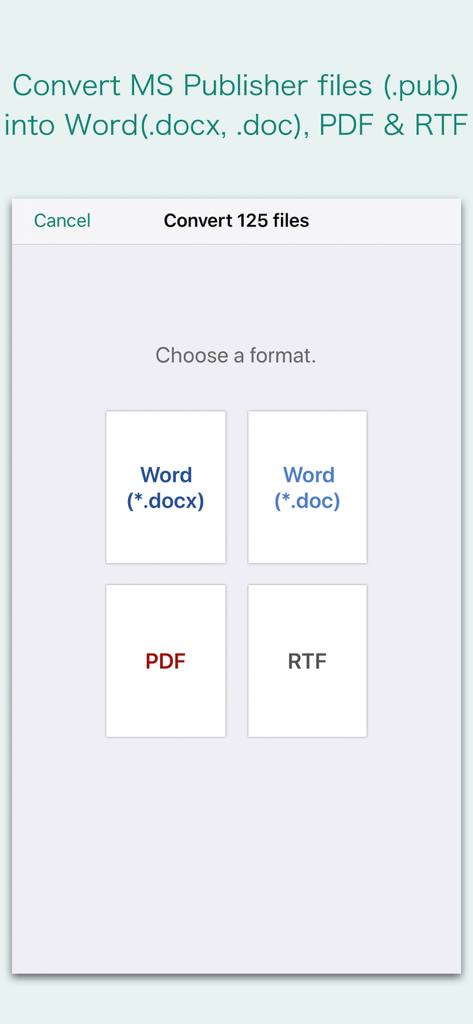
Interface mostrando opções de formato para converter arquivos do Microsoft Publisher em formatos Word, PDF ou RTF

Interface mostrando opções de formato para converter arquivos do Microsoft Publisher em formatos Word, PDF ou RTF

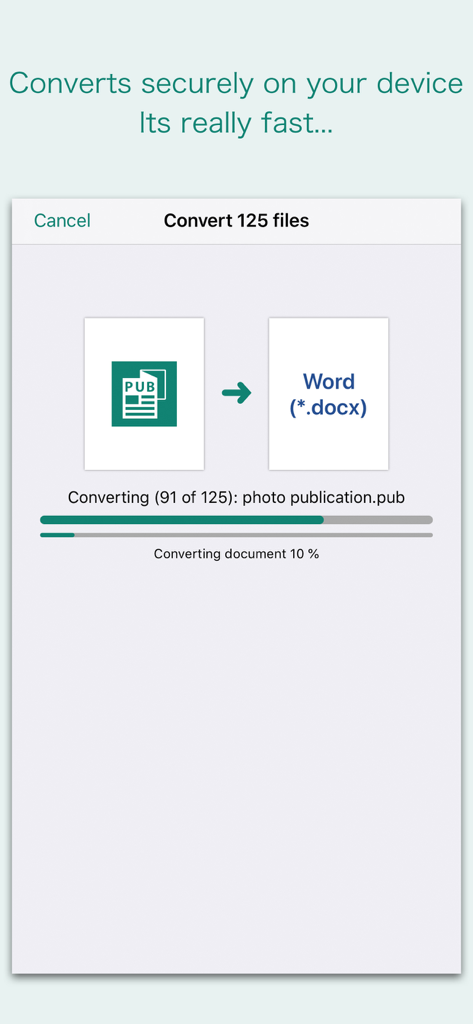
Interface do aplicativo Conversor PUB mostrando um processo de conversão em lote de documentos do Microsoft Publisher para Word

Interface do aplicativo Conversor PUB mostrando um processo de conversão em lote de documentos do Microsoft Publisher para Word

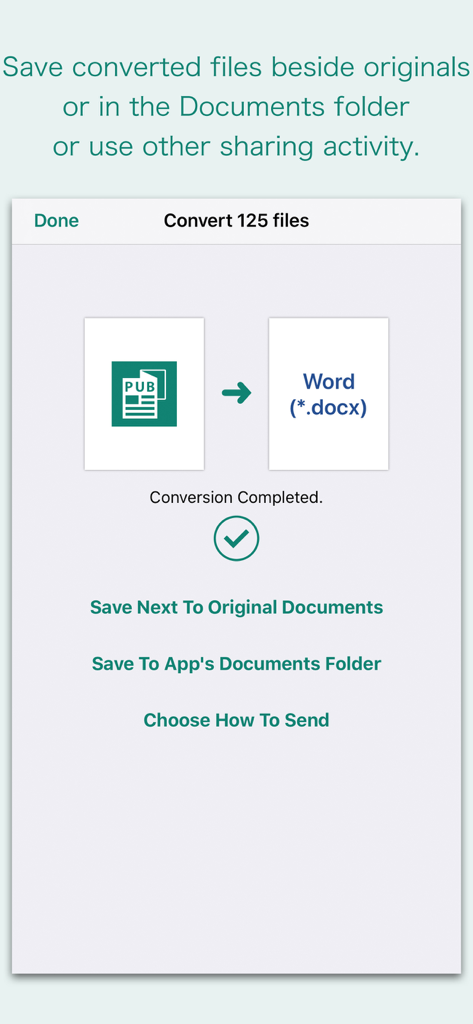
Interface do aplicativo mostrando a conversão bem-sucedida de PUB para Word com opções para salvar ou compartilhar arquivos

Interface do aplicativo mostrando a conversão bem-sucedida de PUB para Word com opções para salvar ou compartilhar arquivos

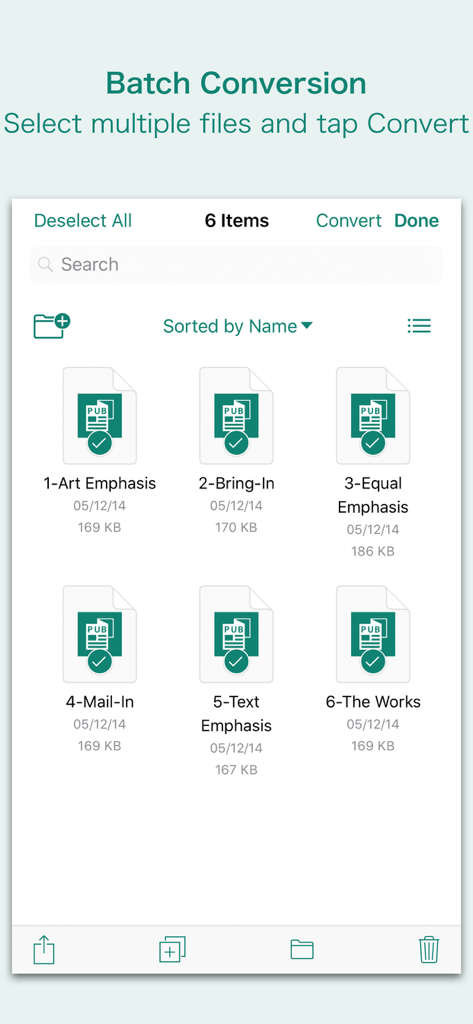
Interface mostrando vários arquivos do Microsoft Publisher selecionados para conversão em lote no aplicativo Conversor PUB.

Interface mostrando vários arquivos do Microsoft Publisher selecionados para conversão em lote no aplicativo Conversor PUB.

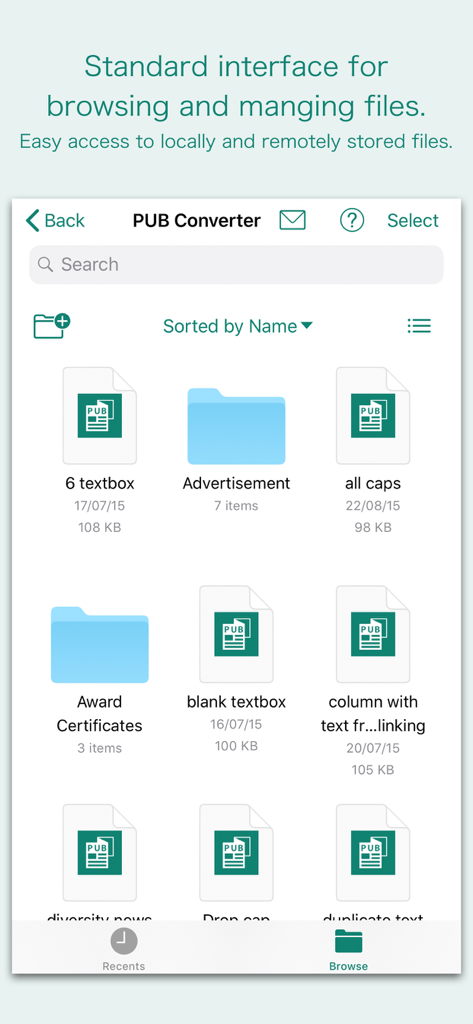
Interface do aplicativo Conversor PUB para navegar e gerenciar arquivos do Microsoft Publisher

Interface do aplicativo Conversor PUB para navegar e gerenciar arquivos do Microsoft Publisher

Desbloqueie sua produtividade em qualquer lugar

As ferramentas que destacam este app, escolhido por 1K+ usuários.

📐

Preserve todos os detalhes do design

Não perca horas reformatando folhetos ou newsletters. Nosso mecanismo mantém quadros de texto, tabelas e gráficos exatamente como apareciam no arquivo original do Publisher.

Conversão em lote sem esforço

O tempo é o seu ativo mais valioso. Selecione dezenas de arquivos do seu e-mail ou iCloud e converta-os todos de uma vez para manter sua pequena empresa ou organização sem fins lucrativos funcionando perfeitamente.

🔒

Processamento nativo e seguro

Seus dados comerciais confidenciais permanecem privados. As conversões ocorrem nativamente no seu iPhone ou iPad, o que significa que seus documentos nunca são enviados para um servidor externo ou para a nuvem.

Sobre o app

Tudo o que você precisa saber sobre PUB Converter.

Descrição

“PUB Converter” offers to batch convert Microsoft Publisher documents (.pub) into Microsoft Word documents (.docx and .doc), PDF and RTF. Converts every Publisher page into an equivalent page in the target conversion format document. Converts the text, text characteristics, paragraphs, text frames linking, text frame columns, tables, graphics and other Publisher objects and properties to the matching Microsoft Word format objects and properties by preserving layout. Do you receive Microsoft Publisher documents (.pub) as email attachments on you iPhone and iPad? Are you having plenty of Microsoft Publisher files that no decent viewer available to open on your iPhone and iPad? The easiest way to circumvent these problems is to convert all such files to either Microsoft Word (.doc, .docx) format, PDF or RTF files using "PUB Converter". “PUB Converter” eliminates the need of recreating the contents of an Publisher file in Microsoft Word resulting in efficient workflow automation that can save time by avoiding cumbersome task. “PUB Converter” supports batch conversion. Select multiple PUB files in document browser view and tap Convert button at top to start batch conversion. DESTINATION PATH : Convenient options to store converted documents at your easily accessible location. Choose from following Save Next to Original Documents - Tap this button to save a converted file into the same location and directory as an existing original document. The converted document with unique name with target format extension will be saved beside original document. Save to App’s Documents Folder - Tap this button to save a converted file with unique name with target format extension into “PUB Converter” Documents folder. Choose How to Send - Tap on this button to popup standard iOS activity controller. Tap one of the option in activity controller for sending, saving or posting a converted document. Choose a location, or provide the requested information (for example, an email address if you are sending an email) then send or post a copy of converted document. DOCUMENT MANAGEMENT - The inbuilt document browse view automatically gives you the option to share documents using the Share button or a drag-and-drop action. It also provides a standard interface for browsing and managing documents. - Automatically handles access to iCloud for you within the app. It also provides access to documents managed by third-party storage service extensions installed on your device. - Browse, find and sort documents to help you locate the document you want. Tap the PUB file that you want to open. - You can move, delete, duplicate and rename a document with document manager in browser view. - In the document manager, you can group related documents into folders so they’re easy to find. Note: “PUB Converter” is standalone application running natively to open and convert Microsoft Publisher documents (.pub) securely right on your iOS device. You can refer inbuilt User Manual for any assistance Or Contact Support.

Última versão

3.0

Tamanho

163.2 MB

Data de lançamento

3 de abr. de 2018

Pare de recriar, comece a converter

Não espere até voltar para sua mesa. Transforme seus arquivos do Publisher em PDFs profissionais ou documentos do Word instantaneamente no seu iPhone ou iPad, mantendo o layout perfeito intacto.

Baixar no App Store

App information, icons, screenshots, and descriptions displayed on this page are sourced from the Apple App Store and are the property of their respective developers. Download estimates and rankings are based on MWM's proprietary models and may not reflect actual figures. This page is provided for informational and analytical purposes only.

Believe this page infringes your intellectual property? File a dispute