
Esta página não é uma página oficial do aplicativo ou de seu desenvolvedor, mas uma publicação editorial independente criada para fins informativos e de comentário. Salvo indicação expressa em contrário, nem o aplicativo nem seu desenvolvedor são afiliados, endossados, patrocinados, autorizados ou oficialmente conectados à MWM, Apple, Google Play, ao editor do aplicativo ou ao desenvolvedor do aplicativo, e nada nesta página implica que o aplicativo foi desenvolvido utilizando os serviços da MWM. Todas as marcas comerciais, logotipos, capturas de tela e outros conteúdos permanecem propriedade de seus respectivos proprietários.

RT60
Transforme seu iPhone em um instrumento acústico de alta precisão. Meça tempos de decaimento em bandas de oitava com os métodos T20 e T30 para otimizar estúdios de gravação, home theaters e espaços comerciais.
Downloads
17K+Avaliação
Total de avaliações
0Editor
Categoria
MusicIdiomas
8Última versão
3.8Tamanho
19.0 MBData de lançamento
3 de mar. de 2009Insights Acústicos de Nível Profissional
Domine seu ambiente com medições RT60 de alta precisão, filtragem em banda de oitava e análise de padrão ISO diretamente do seu iPhone.
Em Conformidade com ISO 3382
Entregue resultados profissionais usando os métodos padrão T20 e T30, garantindo que sua análise acústica atenda aos benchmarks internacionais da indústria.
Visualizações Multi-Banda
Analise o decaimento específico de frequência de 63Hz a 4kHz com monitoramento de SPL em tempo real e salve gráficos detalhados para seus relatórios de projeto.
As capturas de tela e a descrição a seguir são provenientes diretamente da listagem oficial da loja do aplicativo e são propriedade do desenvolvedor.
App Store
Capturas
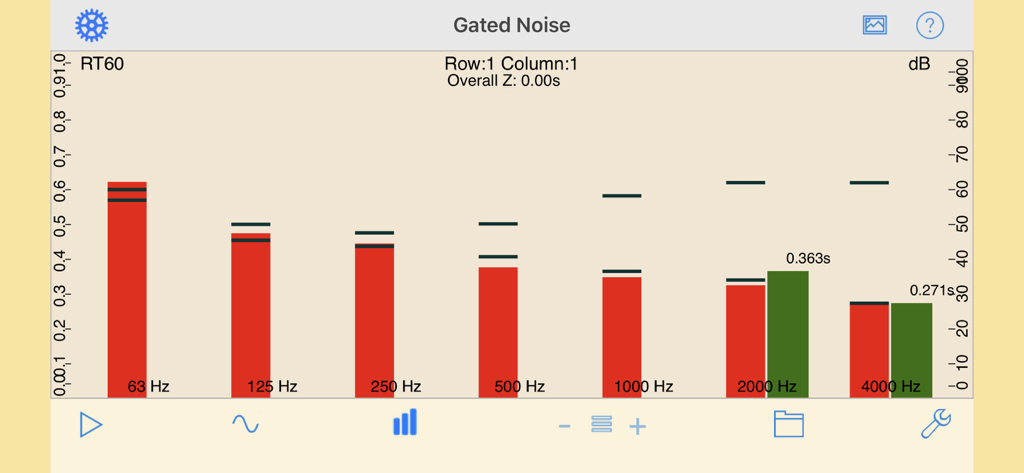
Tela do aplicativo RT60 exibindo medição de ruído gated e tempo de decaimento de reverberação em bandas de oitava.
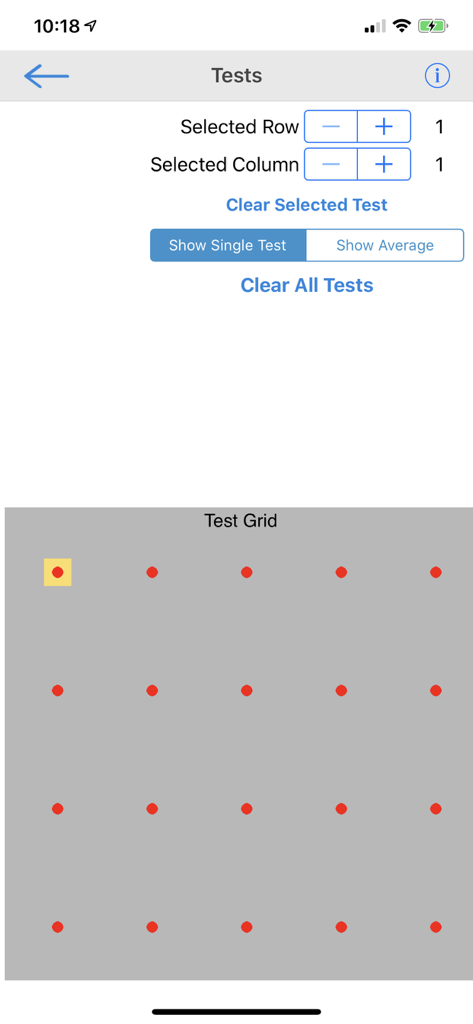
Interface do aplicativo RT60 exibindo uma grade para selecionar e gerenciar múltiplos pontos de medição acústica em uma sala.
Descrição
Download
Apps Semelhantes
Apps mais bem classificados na mesma categoria

Spotify: Music and Podcasts
Spotify

YouTube Music
Google LLC

Shazam: Find Music & Concerts
Apple Inc.

SoundCloud: The Music You Love
SoundCloud Global Limited & Co KG

Suno - AI Songs & Music
Suno Inc.

QQ音乐 - 听我想听
Tencent Technology (Shenzhen) Company Limited

Audiomack - Play Music Offline
Audiomack, Inc.

GuitarTuna: Tune & Play Guitar
Yousician Ltd

BandLab – Music Maker & Beats
BandLab Singapore Pte Ltd
Esta página não é uma página oficial do aplicativo ou de seu desenvolvedor, mas uma publicação editorial independente criada para fins informativos e de comentário. Salvo indicação expressa em contrário, nem o aplicativo nem seu desenvolvedor são afiliados, endossados, patrocinados, autorizados ou oficialmente conectados à MWM, Apple, Google Play, ao editor do aplicativo ou ao desenvolvedor do aplicativo, e nada nesta página implica que o aplicativo foi desenvolvido utilizando os serviços da MWM. Todas as marcas comerciais, logotipos, capturas de tela e outros conteúdos permanecem propriedade de seus respectivos proprietários.