Scanner App: Documents & Sign

Scanner App: Documents & Sign

Baixar no App Store
Logo de Scanner App: Documents & Sign

Scanner App: A Ferramenta Profissional Completa de Scanner e Assinatura Eletrônica

Potencialize seu fluxo de trabalho remoto. Digitalize, assine e compartilhe PDFs de alta qualidade instantaneamente com o escritório móvel mais seguro e com OCR, feito para profissionais.

Baixar no App Store

Editor

Seven Mile Apps LLC

Categoria

Business

Downloads

5K+

Avaliação

4.7/5

Total de avaliações

100

Idiomas

15

Seu Escritório no Bolso

Descubra a interface usada por 5K+ usuários.
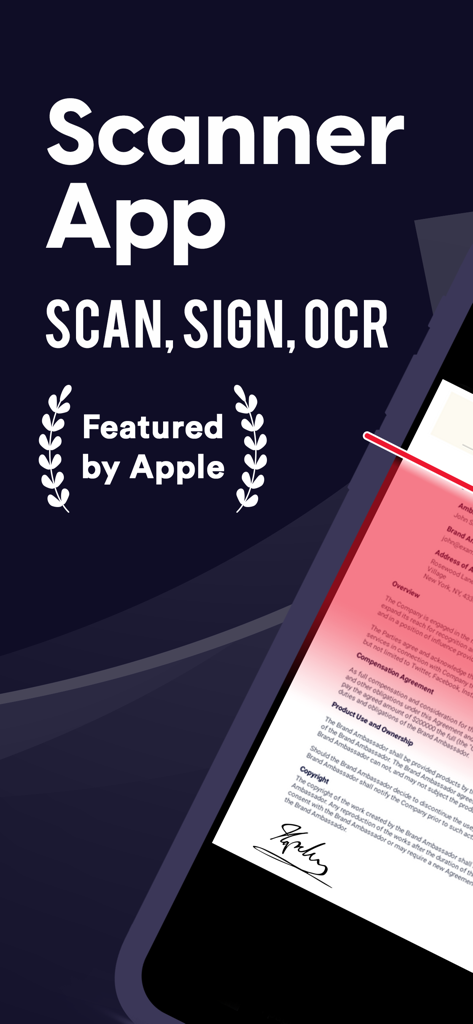
Scanner App mostrando recursos de digitalização e assinatura de documentos

Scanner App mostrando recursos de digitalização e assinatura de documentos

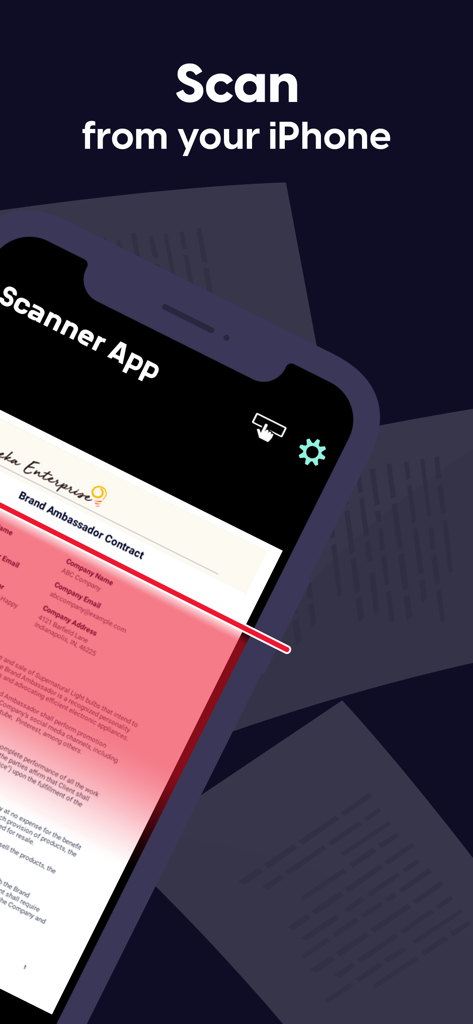
iPhone digitalizando um Contrato de Embaixador de Marca usando o Scanner App

iPhone digitalizando um Contrato de Embaixador de Marca usando o Scanner App

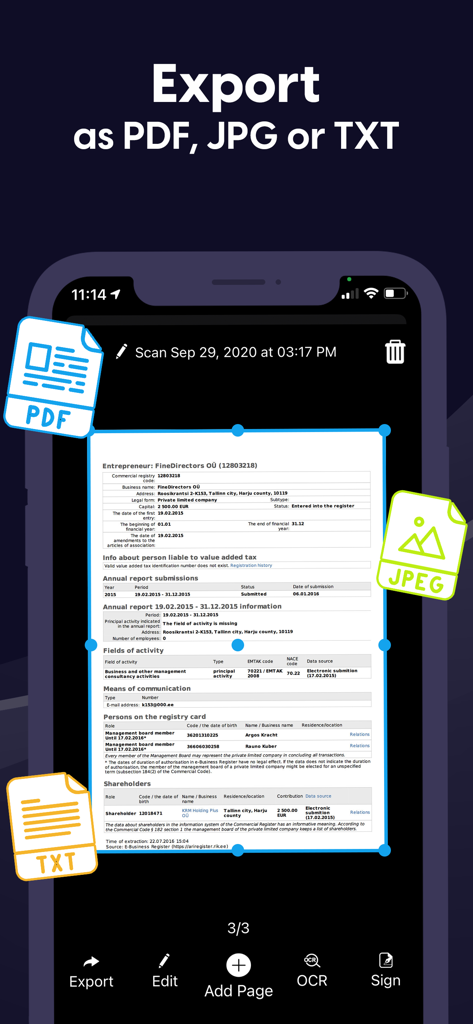
Interface do aplicativo Scanner para exportar documentos como PDF, JPG e TXT

Interface do aplicativo Scanner para exportar documentos como PDF, JPG e TXT

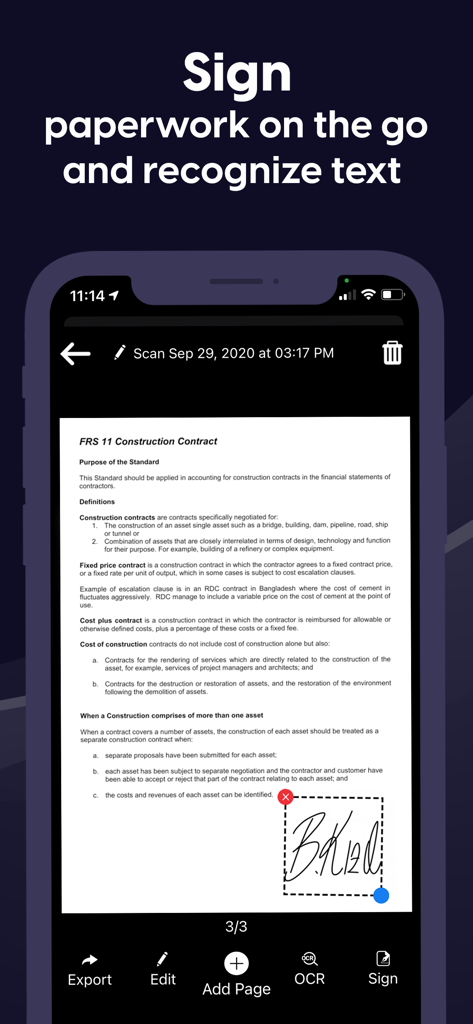
Uma interface de aplicativo móvel mostrando um usuário adicionando uma assinatura digital a um contrato

Uma interface de aplicativo móvel mostrando um usuário adicionando uma assinatura digital a um contrato

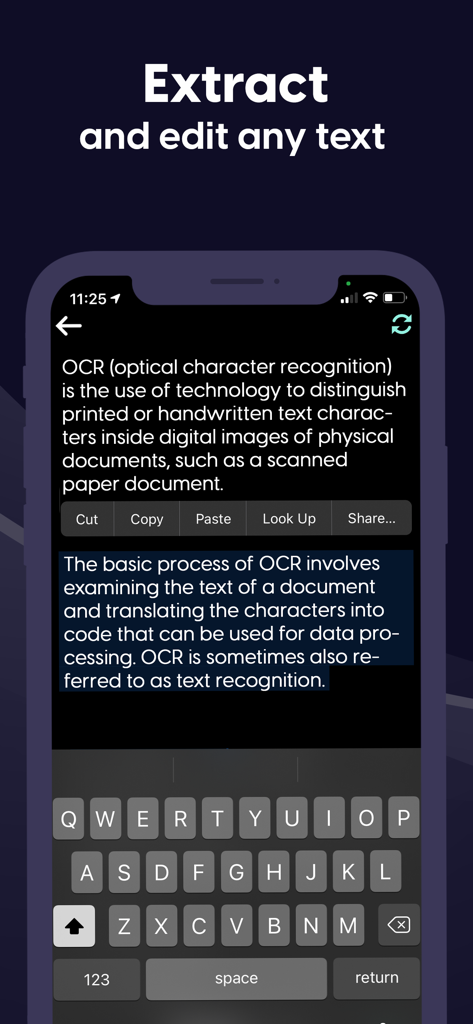
Interface móvel demonstrando o recurso OCR para extrair e editar texto de um documento

Interface móvel demonstrando o recurso OCR para extrair e editar texto de um documento

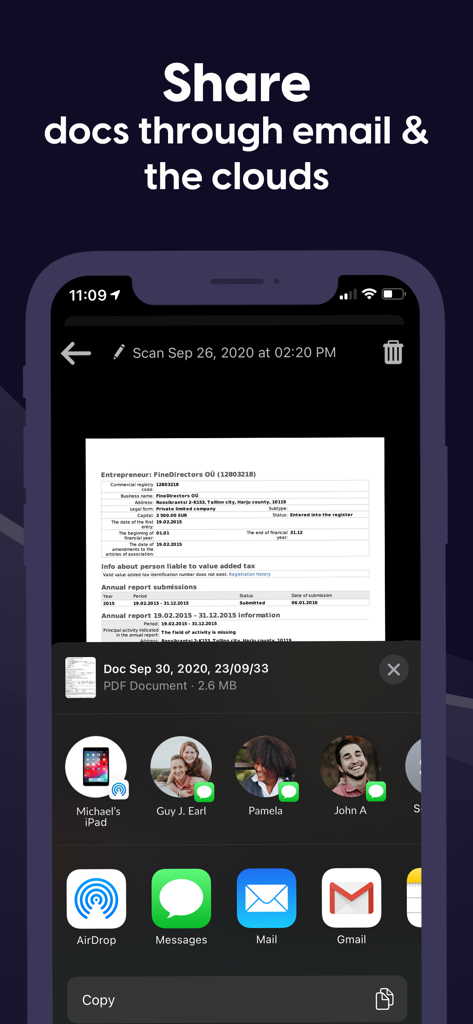
Compartilhando documentos digitalizados via e-mail e serviços de nuvem no iPhone

Compartilhando documentos digitalizados via e-mail e serviços de nuvem no iPhone

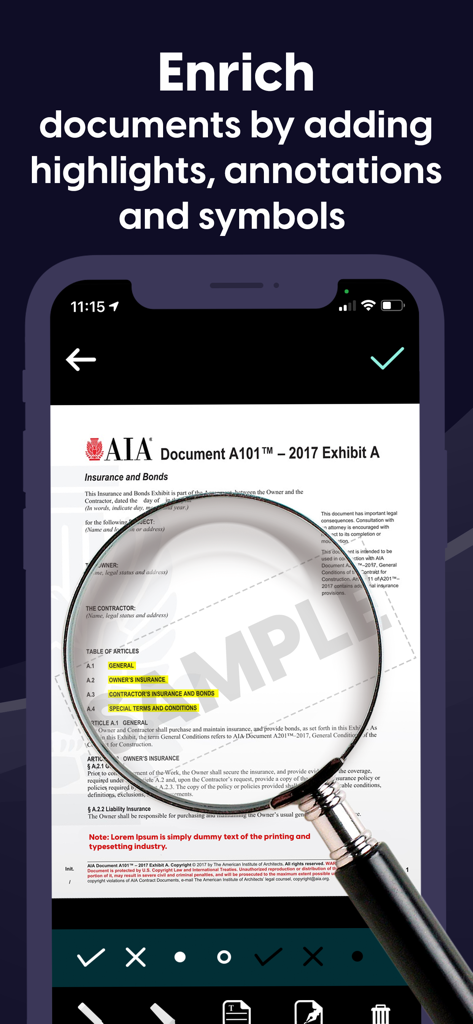
Uma interface de aplicativo móvel exibindo um documento sendo editado com destaques e anotações usando uma ferramenta de lupa.

Uma interface de aplicativo móvel exibindo um documento sendo editado com destaques e anotações usando uma ferramenta de lupa.

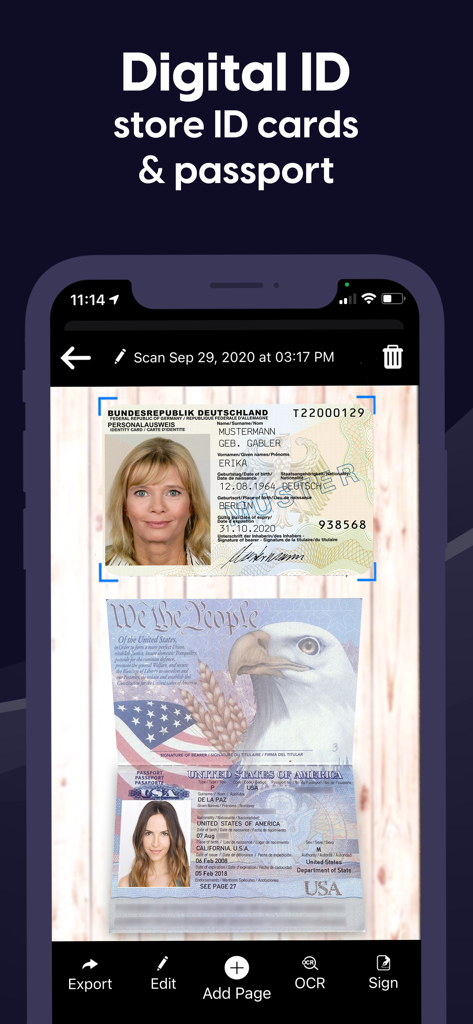
Uma interface de aplicativo móvel exibindo uma carteira de identidade e passaporte digitalizados com opções para exportar, editar e assinar

Uma interface de aplicativo móvel exibindo uma carteira de identidade e passaporte digitalizados com opções para exportar, editar e assinar

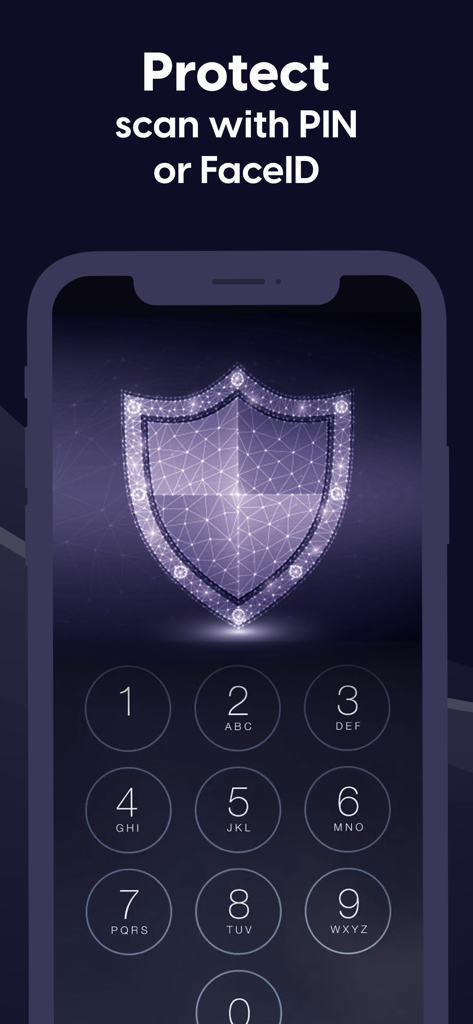
Uma tela de aplicativo móvel com um teclado numérico e um ícone de escudo digital ilustrando a proteção PIN e FaceID para documentos.

Uma tela de aplicativo móvel com um teclado numérico e um ícone de escudo digital ilustrando a proteção PIN e FaceID para documentos.

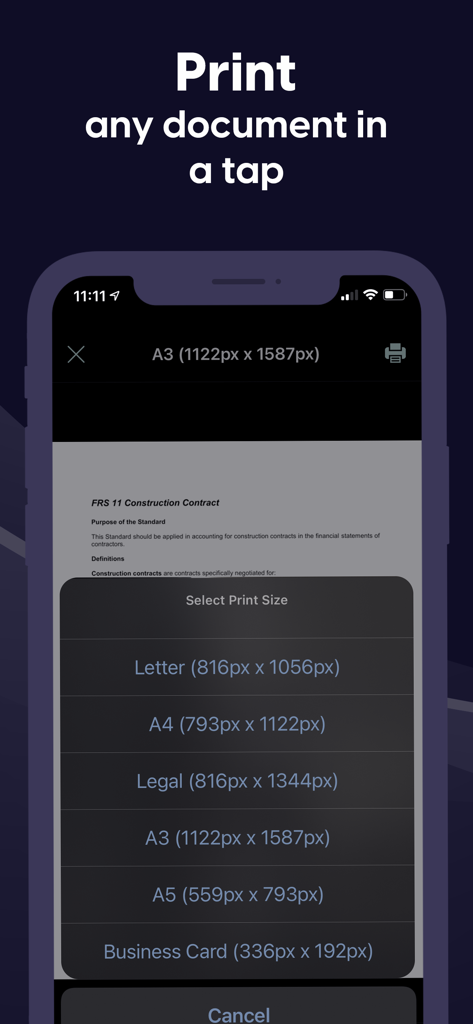
Interface móvel do Scanner App mostrando opções para imprimir documentos em vários tamanhos como Carta e A4.

Interface móvel do Scanner App mostrando opções para imprimir documentos em vários tamanhos como Carta e A4.

Seu Escritório Profissional, no Bolso

As ferramentas que destacam este app, escolhido por 5K+ usuários.

✍️

Assinatura Eletrônica Instantânea e Anotações

Feche negócios e finalize a papelada em segundos. Adicione sua assinatura profissional ou texto personalizado a qualquer documento sem precisar de impressora ou caneta.

🔍

Digitalização de Precisão e OCR

Transforme páginas físicas em PDFs de alta qualidade ou texto editável. Nossa tecnologia OCR avançada reconhece vários idiomas, tornando a extração de dados sem esforço.

🔒

Segurança de Nível Bancário

Proteja contratos sensíveis e IDs pessoais com criptografia FaceID, TouchID ou PIN. Seus documentos são armazenados localmente, mantendo seus dados privados estritamente confidenciais.

Sobre o app

Tudo o que você precisa saber sobre Scanner App: Documents & Sign.

Descrição

Have to work from home? Scanner App makes it easy. Join our community of users who scan, sign and share docs with iPhone! Scanner App is a friendly scanner app that will turn your iPhone or iPad device into an impressive mobile scanner. It is the best way to scan, save and share any document in PDF or JPEG format. You can conveniently scan all types of items from long multipage contract documents to receipts, books, homework, notes and I.D. documents. Scans can be stored as multipage PDF and JPEG files. Scanner App will become a necessity in your normal routine and you won’t know how much need it until you are without it. Forget your clunky office scanner and get this ultra-fast pdf scanner app now! Save more time with our e-sign and add text features. These features allow you to add your signature or text to electronic documents with just a simple few taps! Use our text recognition feature to convert any scan into text and then edit it to your liking. The advanced text scanner supports multiple languages such as English, German, French, Spanish, Italian,Japanese, Chinese, Portuguese, Russian, Korean, Dutch, Swedish, Norwegian, Turkish, Ukrainian, Arabic, Hindi, Hebrew and even converts different languages in the same document. The app is also a fast QR scanner. Scanner App is the perfect travel companion for your business needs. All scanned documents are stored locally on your device, they are inaccessible to us and to any third-party. You can easily share the documents by using the export option. If you need to protect your scans you can setup a password for the app or use FaceID to protect your documents. We offer: an Enhanced PDF Scanner app, Document Editor, File Manager, and Document Sharing Tools PDF Scanner: – Scan to high-quality PDF or JPEG – Multipage scanning - scan as many pages as you need – OCR (convert any scan into text) – Automatic shutter and border detection for any scannable object Document Editor: – E-Sign or add text to any documents in a few taps – Save your scans in black and white, grayscale or color File Manager: – Full featured file manager with folders, drag & drop and document editing – Protect your scans with Touch/Face ID or pin code – Sort documents by name, date or time Document Sharing Tools: – Share via email, messengers and cloud services such as Dropbox and Google Drive as PDF, JPEG – Print your scans with any Wi-Fi printer – Save scans to Camera Roll Information about the auto-renewal of subscription: – Free trial period is provided – Payment will be charged to iTunes Account at confirmation of purchase - Subscription automatically renews unless auto-renew is turned off at least 24-hours before the end of the current period - Subscriptions may be managed by the user and auto-renewal may be turned off by going to the user’s Account Settings after purchase – Any unused portion of the free trial will be forfeited when the user purchases a subscription – If you have an active subscription, please restore by opening the settings menu and tapping restore purchase The following subscription plans are available (price may vary depending on location): • 1 week subscription with 3-day trial version – US$ 9.99 • Lifetime access – US$ 159.99 Privacy Policy: https://sevenmileapps.com/pdfscanner/PrivacyPolicy.html Terms of Service: https://sevenmileapps.com/pdfscanner/termsofservice.html Billing Terms: https://sevenmileapps.com/pdfscanner/subscriptionterms.html We value your comments and suggestions. Please don’t hesitate to email us at support@sevenmileapps.com

Última versão

1.48

Tamanho

80.5 MB

Data de lançamento

19 de dez. de 2019

Pronto para Revolucionar Seu Fluxo de Trabalho?

Junte-se a milhares de profissionais remotos que digitalizam, assinam e compartilham documentos com facilidade. Baixe o Scanner App hoje e transforme seu iPhone em um escritório móvel de alto desempenho.

Baixar no App Store

App information, icons, screenshots, and descriptions displayed on this page are sourced from the Apple App Store and are the property of their respective developers. Download estimates and rankings are based on MWM's proprietary models and may not reflect actual figures. This page is provided for informational and analytical purposes only.

Believe this page infringes your intellectual property? File a dispute