Scanner App - PDF Scanner Pro: A Ferramenta Definitiva com IA para Digitalizar, Assinar e Compartilhar
Transforme seu iPhone em um escritório de nível profissional. Digitalize instantaneamente documentos, extraia texto com IA e execute contratos em tempo real. Projetado para profissionais ocupados que exigem velocidade, precisão e um fluxo de trabalho sem papel.
Editor
Evinco Solutions Inc.
Categoria
Business
Downloads
2K+
Avaliação
4.6/5
Total de avaliações
100
Idiomas
1
Precisão em Cada Pixel
Descubra a interface usada por 2K+ usuários.
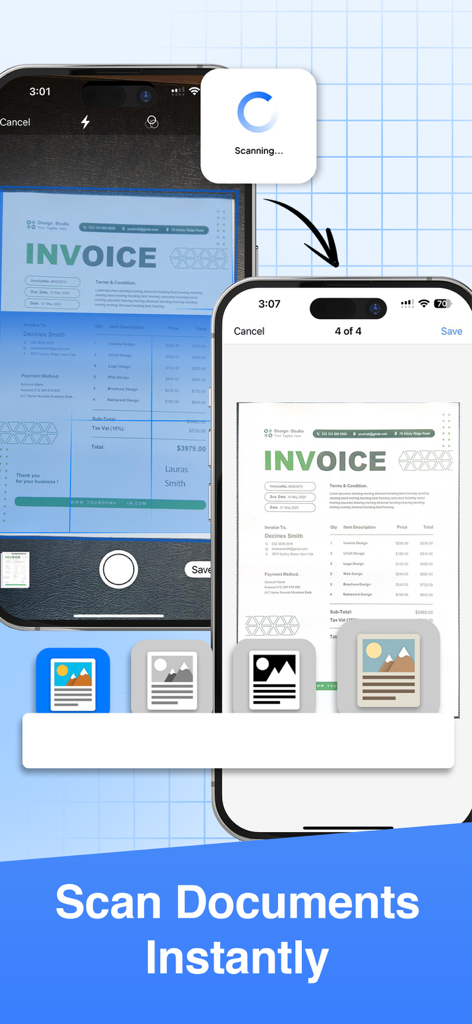
Duas telas de iPhone mostrando o processo de digitalização instantânea de uma fatura com o Scanner App
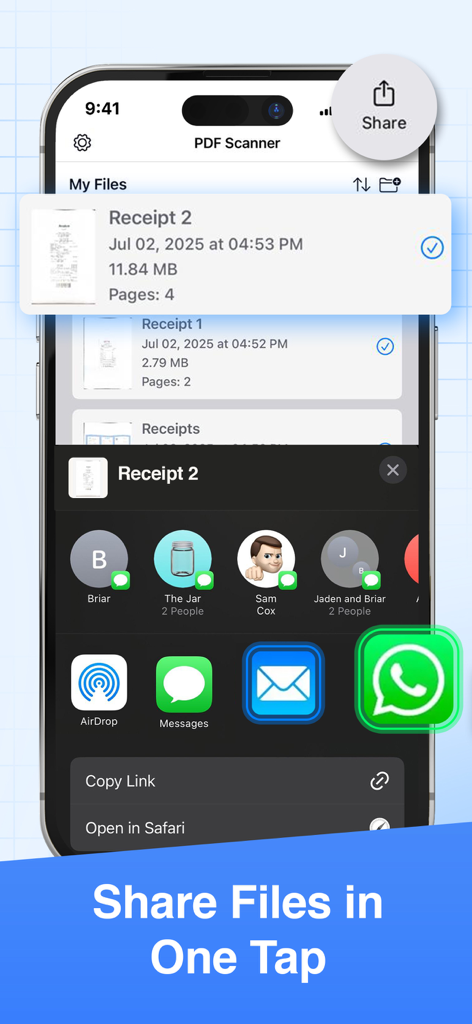
Interface mostrando como compartilhar arquivos com um toque no PDF Scanner Pro.
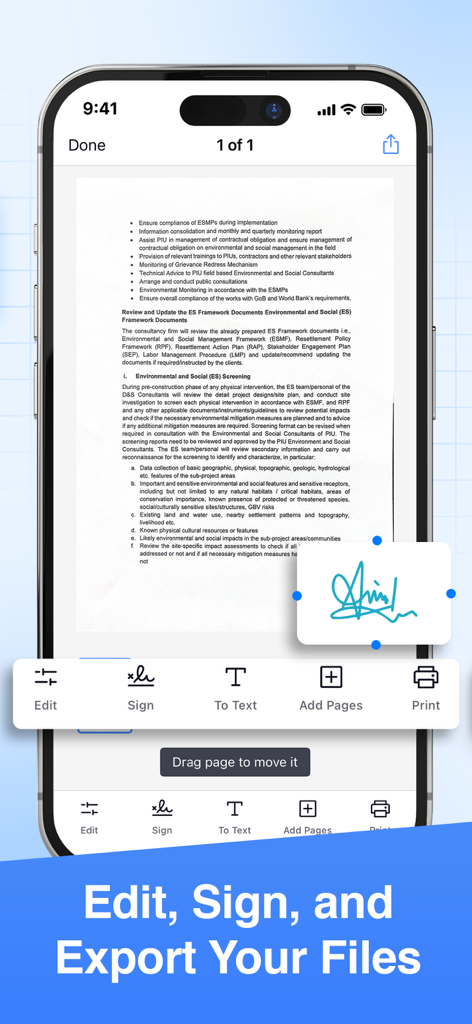
Interface de aplicativo móvel de um scanner de PDF mostrando ferramentas de assinatura e edição de documentos
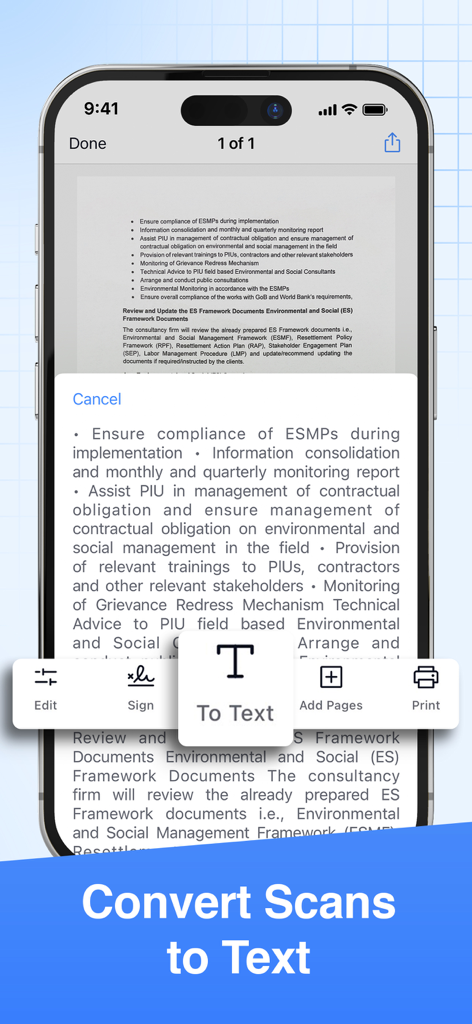
Interface de aplicativo móvel mostrando a conversão de documento digitalizado em texto via tecnologia OCR
Um Escritório de Nível Profissional no Seu Bolso
As ferramentas que destacam este app, escolhido por 2K+ usuários.
✨
Precisão com IA
Gere digitalizações de qualidade de estúdio instantaneamente com corte automático, remoção de ruído e refinamento por IA que garante que cada contrato e recibo pareça profissional.
✍️
Assinaturas Eletrônicas Seguras
Feche negócios em qualquer lugar adicionando assinaturas desenhadas à mão ou digitais a qualquer documento, eliminando a necessidade de impressoras ou manuseio físico de documentos.
🔄
Conversão Inteligente de Formatos
Transforme suas digitalizações em arquivos PDF, Word, Excel ou PowerPoint e sincronize-os diretamente com Google Drive, Dropbox ou Microsoft Teams.
Sobre o app
Tudo o que você precisa saber sobre Scanner App - PDF Scanner Pro.
Descrição
● Scan to PDF: scan anything, save, and share it in PDF. Copy and edit text with the OCR.
● Convert: PDF to Word, PPT, JPG, PNG, and more.
● Edit: adjust, sign (supports e-signatures), share, and print.
Have a portable, fast, and accurate scanner anywhere you go with the PDF Scanner app.
Whether you're an accountant, realtor, manager, lawyer, or student, PDF Scanner is the must-have free scanner app that saves you time. Open the app to effortlessly digitize any document with just a few taps on your iOS device.
► Download now for free and accurately scan documents anytime, anywhere.
AI-POWERED SCAN
‣ Scan documents, contracts, tax forms, tickets, receipts, handwritten notes, and more using your camera.
‣ Supports multipage scans and PDFs.
‣ AI-refined scanning assures accuracy and speed.
EDIT & SIGN
‣ Supports advanced color correction, noise removal, and automatic crop tools that make it easy to perfect your document images and make them more realistic.
‣ Extract text from any scanned document using the in-built OCR technology.
‣ Create multipage scans.
‣ Sign documents (supports e-signature and hand/manual signatures).
CONVERT
‣ Convert your scans to PDF, JPG, PNG, Word, Excel, PowerPoint, and more with just one tap.
SHARE OR PRINT
‣ Share your scans with ease via WhatsApp, Teams, email, or popular cloud services like Dropbox, Google Drive, and OneDrive.
‣ Print your scanned files via Air and set copies, page size, orientation, and scaling.
PDF SCANNER APP FEATURES:
● scan documents using your camera
● intuitive UI
● turn scans to PDF
● edit the scanned PDFs
● add a page to create multipage PDFs
● sign the scanned documents
● convert PDF to variety documents and image formats
● save scans to files
● share the scanned documents with ease
● print any scanned files by Air
If you are looking for fast and precise document scanning, give PDF Scanner a try. It gives a feeling of convenince and productivity when you need to scan and sign multiple documents fast and on the go. Must-have for any busy professional or student.
► Download this superior, AI-powered, all-in-one scanning app for FREE.
_____________
Subscription Plans for PDF Scanner:
PDFScan offers flexible subscription plans including Monthly and Yearly Subscription to enable all the premium functionality like e-sign, scanning unlimited pages and unlimited sharing.
+ Monthly Subscription Plan:
The monthly subscription plan costs US$9.99 which auto-renews every month. Get monthly cost-effective and flexible subscription that costs US$9.99 to scan, sign & share unlimited documents throughout the month.
+ Yearly Subscription Plan:
If you prefer long-term convenience, the yearly subscription plan is ideal. It comes with a three days trial period then it renews annually at a rate of US$39.99 which ensures uninterrupted access to unlimited scanning features for a whole year.
Please note that payment for the chosen subscription plan will be charged to your iTunes Account. Subscriptions will automatically renew unless auto-renewal is turned off within the iTunes Account settings at least 24 hours before the end of the current period. You can manage your subscriptions and turn off auto-renewal by accessing your Account Settings after making the purchase.
By using PDF Scanner App, you are agreeing to our Privacy Policy and Terms of Use:
Privacy Policy & Terms : https://evincosolutions.com/pdfscan/privacy.html
We’d love to hear from you! Get in touch with us at support@evincosolutions.com
Última versão
2.0.0
Tamanho
17.7 MB
Data de lançamento
16 de mar. de 2023
Junte-se a Milhares de Profissionais que Estão Adotando o Estilo Sem Papel Hoje
Pare de perder tempo com arquivos físicos. Digitalize, assine e compartilhe qualquer documento em segundos com o poder da IA. Baixe o scanner tudo-em-um gratuitamente em seu iPhone ou iPad.
App information, icons, screenshots, and descriptions displayed on this page are sourced from the Apple App Store and are the property of their respective developers. Download estimates and rankings are based on MWM's proprietary models and may not reflect actual figures. This page is provided for informational and analytical purposes only.
Believe this page infringes your intellectual property? File a dispute