Scanner+ Scan PDF Documents

Scanner+ Scan PDF Documents

Baixar no App Store
Logo de Scanner+ Scan PDF Documents

Scanner+: Seu Scanner de Documentos Portátil de Alto Desempenho

Transforme seu iPhone em uma ferramenta de escritório profissional. Digitalize, assine eletronicamente e exporte PDFs de alta qualidade sem esforço em qualquer lugar — sem hardware volumoso ou conexão com a internet.

Baixar no App Store

Editor

Can Aksoy

Categoria

Utilities

Downloads

3K+

Avaliação

4.8/5

Total de avaliações

0

Idiomas

4

Precisão em Cada Digitalização

Descubra a interface usada por 3K+ usuários.
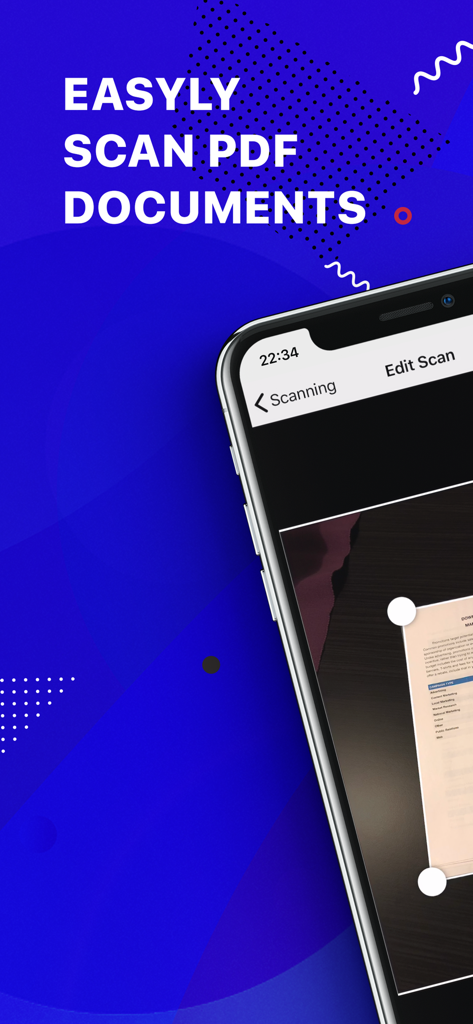
Interface do aplicativo móvel para digitalizar documentos PDF com detecção automática de bordas em um smartphone

Interface do aplicativo móvel para digitalizar documentos PDF com detecção automática de bordas em um smartphone

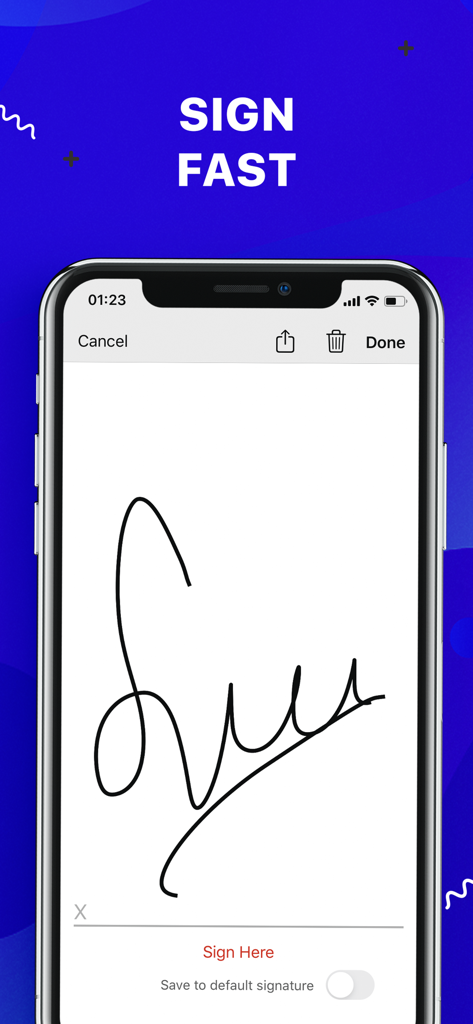
Tela do smartphone exibindo um recurso de assinatura eletrônica para assinar documentos

Tela do smartphone exibindo um recurso de assinatura eletrônica para assinar documentos

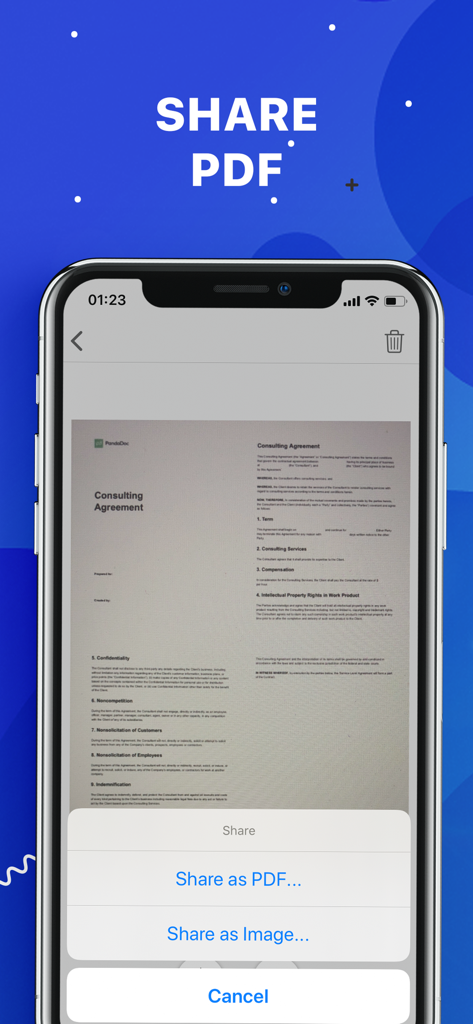
Interface do aplicativo Scanner plus mostrando opções para compartilhar um documento digitalizado como PDF ou imagem

Interface do aplicativo Scanner plus mostrando opções para compartilhar um documento digitalizado como PDF ou imagem

Seu Escritório, Onde Quer Que Você Vá

As ferramentas que destacam este app, escolhido por 3K+ usuários.

🚀

Digitalização Sem Internet

Mantenha a produtividade em qualquer ambiente. Digitalize, processe e salve documentos de alta qualidade sem precisar de uma conexão Wi-Fi ou de dados.

🖋️

Assinaturas Eletrônicas Com Um Toque

Acelere seus negócios assinando contratos e NDAs diretamente na sua tela. Assine, salve e envie de volta em questão de segundos.

☁️

Sincronização Instantânea na Nuvem

Mantenha seus arquivos seguros e acessíveis. Exporte perfeitamente seus scans aprimorados para Google Drive, Dropbox ou iCloud para uma vida sem papel.

Sobre o app

Tudo o que você precisa saber sobre Scanner+ Scan PDF Documents.

Descrição

“Scanner+” is an easy to use scanner app that will turn your iPhone into handy portable scanner. Easily scan, save and share any printed document in PDF or JPEG format. Scan anything you need: Receipts, documents, paper notes, fax papers, book and store your scans as multipage PDF or JPEG files. Save time by adding your signature to documents with a single tap. You can take this portable document scanner anywhere you go for business needs because Scanner+ doesn’t require Internet connection. Say goodbye to big scanner boxes and get this easiest PDF scanner+ now! Scanner+ App Features: - Scan to high quality PDF or JPEG - Save scans in grayscale, black and white or color - Automatic border detection for any scannable object - Advanced pic processing with enhancement and color correction, noise removing, automatic perspective correction and more - Multipage scanning - scan as many pages as you like Document Editor: - E-sign any document by adding your signature to scans within the app - Drag and change the order of your scanned documents Document Sharing Tools: - Share your scans via email - Easy print your scans with any Wi-Fi printer - Share and upload scanned documents to cloud services like Dropbox, Evernote, Yandex Disk, Box, OneDrive or Google Drive - Save scans to Camera Roll Terms Of Service: https://sulubeyn.com/terms.html Privacy Policy: https://sulubeyn.com/privacy.html You can cancel your subscription in the iTunes settings at least 24-hours before the end of the free trial period. Subscription payments will be charged to your iTunes account at confirmation of your purchase and upon commencement of each renewal term. * Please note: any unused portion of a free trial period (if offered) will be forfeited when you purchase a premium subscription during the free trial period. * You can cancel a free trial or subscription anytime by turning off auto-renewal through your iTunes account settings. This must be done 24 hours before the end of a free trial or subscription period to avoid being charged. The cancellation will take effect the day after the last day of the current subscription period, and you will be downgraded to the free service.

Última versão

1.6

Tamanho

36.8 MB

Data de lançamento

27 de out. de 2018

Todo o Seu Escritório, Bem no Seu Bolso

Junte-se a milhares de profissionais que digitalizam, assinam e compartilham documentos em segundos. Comece seu teste gratuito hoje e experimente a máxima liberdade sem papel.

Baixar no App Store

App information, icons, screenshots, and descriptions displayed on this page are sourced from the Apple App Store and are the property of their respective developers. Download estimates and rankings are based on MWM's proprietary models and may not reflect actual figures. This page is provided for informational and analytical purposes only.

Believe this page infringes your intellectual property? File a dispute