
Esta página não é uma página oficial do aplicativo ou de seu desenvolvedor, mas uma publicação editorial independente criada para fins informativos e de comentário. Salvo indicação expressa em contrário, nem o aplicativo nem seu desenvolvedor são afiliados, endossados, patrocinados, autorizados ou oficialmente conectados à MWM, Apple, Google Play, ao editor do aplicativo ou ao desenvolvedor do aplicativo, e nada nesta página implica que o aplicativo foi desenvolvido utilizando os serviços da MWM. Todas as marcas comerciais, logotipos, capturas de tela e outros conteúdos permanecem propriedade de seus respectivos proprietários.

Shot Designer
A ferramenta tudo-em-um para Diretores e Diretores de Fotografia criarem diagramas de câmera profissionais, listas de tomadas automatizadas e animações em tempo real. Otimize seu fluxo de trabalho e torne sua visão realidade, mesmo com o relógio correndo no set.
Downloads
96K+Avaliação
Total de avaliações
600Editor
Categoria
Photo & VideoIdiomas
1Última versão
1.80.8Tamanho
81.8 MBData de lançamento
10 de out. de 2012Domine o Set com Blocking de Precisão
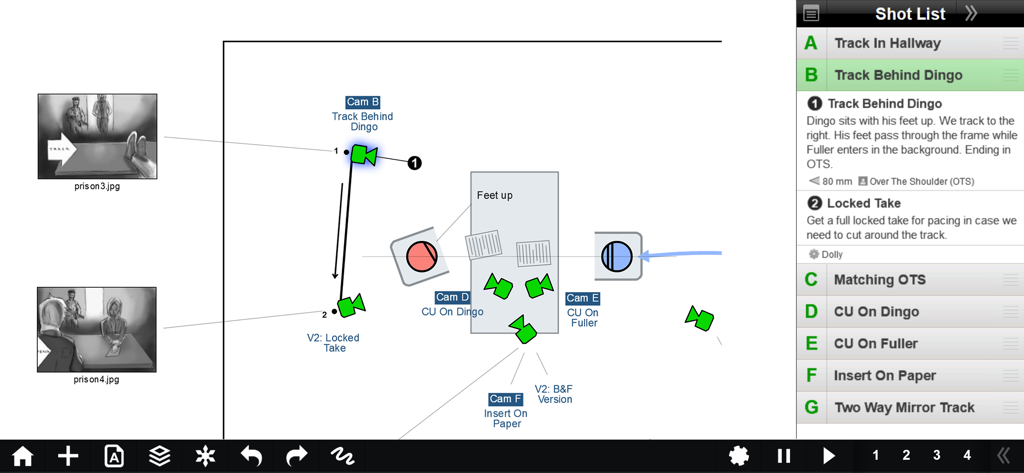
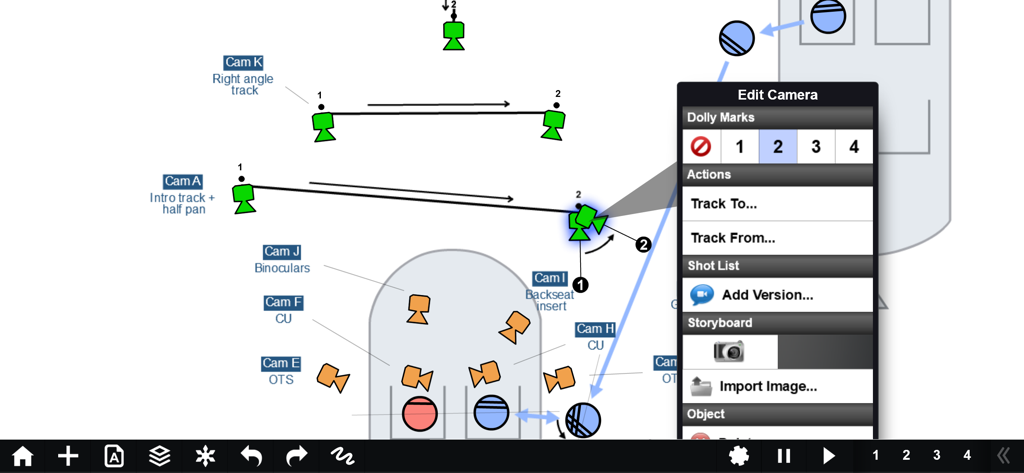
O Shot Designer revoluciona seu fluxo de trabalho, integrando diagramas de câmera, listas de tomadas e storyboards em uma única ferramenta profissional, criada para produção de alto risco.
Blocking Ultrarrápido
Crie diagramas de câmera complexos em segundos. Nosso software inteligente reorganiza as câmeras automaticamente quando você move os personagens, para que você possa re-bloquear mesmo enquanto os atores esperam.
Listas de Tomadas que Escrevem Sozinhas
Pare de perder tempo com planilhas. Sua lista de tomadas está diretamente ligada ao seu diagrama e se atualiza em tempo real enquanto você trabalha, garantindo que seu plano e sua lista estejam sempre sincronizados.
As capturas de tela e a descrição a seguir são provenientes diretamente da listagem oficial da loja do aplicativo e são propriedade do desenvolvedor.
App Store
Capturas
Descrição
Download
Apps Semelhantes
Apps com recursos e experiência semelhantes




Esta página não é uma página oficial do aplicativo ou de seu desenvolvedor, mas uma publicação editorial independente criada para fins informativos e de comentário. Salvo indicação expressa em contrário, nem o aplicativo nem seu desenvolvedor são afiliados, endossados, patrocinados, autorizados ou oficialmente conectados à MWM, Apple, Google Play, ao editor do aplicativo ou ao desenvolvedor do aplicativo, e nada nesta página implica que o aplicativo foi desenvolvido utilizando os serviços da MWM. Todas as marcas comerciais, logotipos, capturas de tela e outros conteúdos permanecem propriedade de seus respectivos proprietários.