Skylink TOD Alert

Skylink TOD Alert

Baixar no App Store
Logo de Skylink TOD Alert

Alerta TOD Skylink: O Companheiro Definitivo de Topo de Descida para MSFS

Recupere sua liberdade durante voos de longo curso. Receba notificações push em tempo real e dados de cockpit ao vivo em seu dispositivo móvel, garantindo que você nunca mais perca o ponto de descida.

Baixar no App Store

Editor

David Young

Categoria

Navigation

Downloads

0

Avaliação

1.0/5

Total de avaliações

0

Idiomas

1

Precisão em um Relance

Descubra a interface usada por 0 usuários.
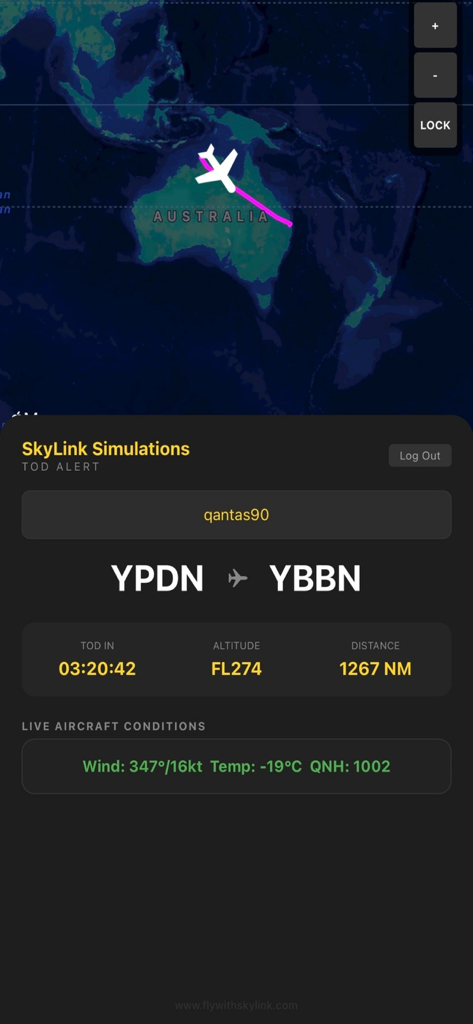
Aplicativo Skylink TOD Alert mostrando rastreamento de voo ao vivo e informações de descida

Aplicativo Skylink TOD Alert mostrando rastreamento de voo ao vivo e informações de descida

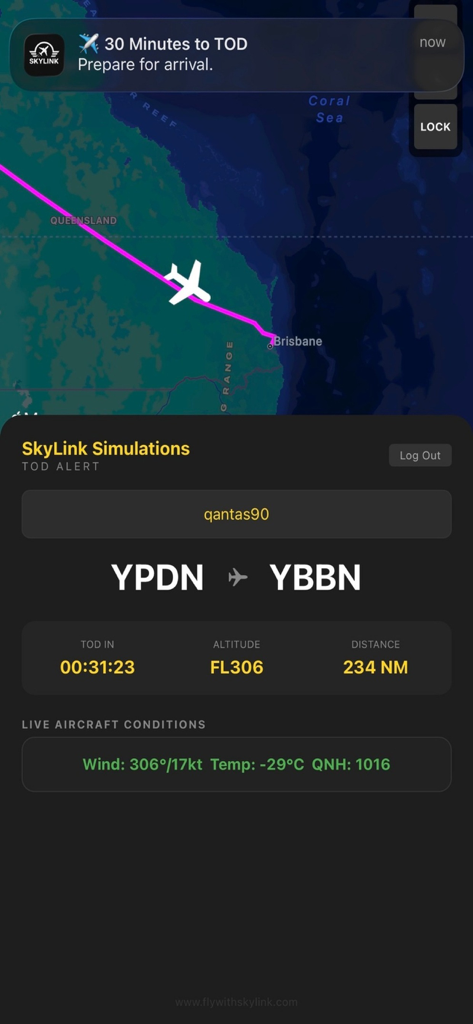
Interface do aplicativo móvel Skylink TOD Alert mostrando um mapa de voo ao vivo e uma notificação para topo de descida

Interface do aplicativo móvel Skylink TOD Alert mostrando um mapa de voo ao vivo e uma notificação para topo de descida

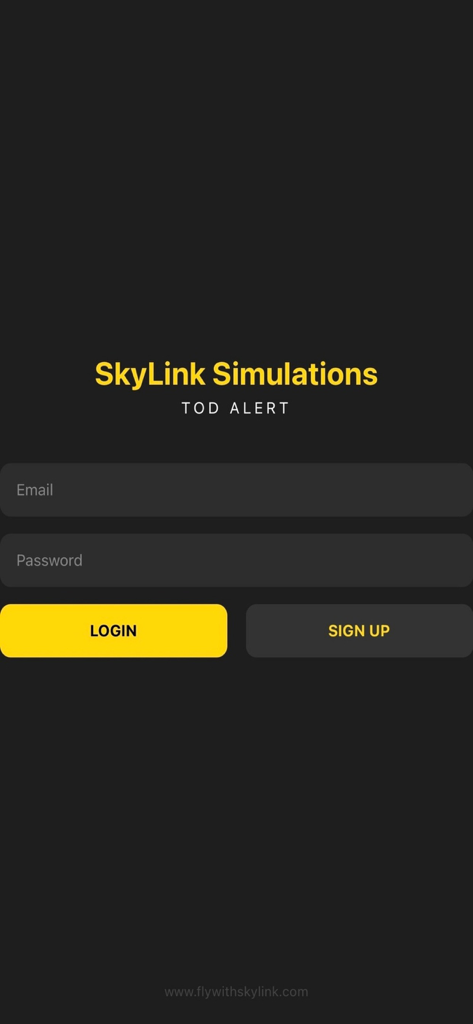
Tela de login para o aplicativo companheiro de simulação de voo Skylink TOD Alert

Tela de login para o aplicativo companheiro de simulação de voo Skylink TOD Alert

Consciência de Precisão do Cockpit

As ferramentas que destacam este app, escolhido por 0 usuários.

🔔

Alertas Inteligentes de Descida

Nunca mais perca seu Topo de Descida. Receba notificações push entregues diretamente ao seu dispositivo no momento em que for hora de se preparar para a chegada.

🗺️

Status de Voo ao Vivo

Rastreie sua aeronave em tempo real com um mapa interativo, incluindo dados ao vivo de vento, temperatura e altitude para o máximo de realismo.

✈️

Liberdade de Longo Curso

Recupere seu tempo durante a fase de cruzeiro. Perfeito para pilotos de companhias aéreas virtuais que precisam se afastar sem o risco de perder um waypoint.

Sobre o app

Tudo o que você precisa saber sobre Skylink TOD Alert.

Descrição

SkyLink TOD Alert Never miss your Top of Descent again. SkyLink TOD Alert is a real-time companion app for Microsoft Flight Simulator pilots who want accurate, hands-free Top of Descent awareness during flight. Paired with the free SkyLink TOD PC Bridge, the app tracks your active flight in real time and sends timely alerts so you know exactly when to prepare for descent, even during long-haul cruise. How It Works SkyLink TOD Alert works in conjunction with the SkyLink TOD PC Bridge, available for free from the SkyLink website. Install the SkyLink TOD PC Bridge on your PC Start your flight in Microsoft Flight Simulator Log in to SkyLink TOD Alert on your mobile device The bridge securely sends live flight data to the app Receive Top of Descent alerts and view live flight information The mobile app does not connect directly to Microsoft Flight Simulator. The PC Bridge handles all simulator communication. Key Features • Live Top of Descent countdown • Push notifications before TOD • Interactive live flight map • Displays departure and arrival airports • Remaining distance and current altitude • Live aircraft conditions including wind, temperature, and QNH • Designed for airliner operations • Works alongside MSFS on PC Why SkyLink TOD Alert During cruise, it’s easy to miss the moment descent planning begins. SkyLink TOD Alert continuously monitors your flight and notifies you at the right time, allowing you to step away from the sim without losing situational awareness. Ideal for long-haul flights, busy schedules, and pilots who want a smarter arrival workflow. Requirements • Microsoft Flight Simulator on PC • SkyLink TOD PC Bridge installed on the same PC • Active internet connection

Última versão

1.0

Tamanho

23.0 MB

Data de lançamento

5 de fev. de 2026

Pronto para sua próxima aproximação?

Pare de se prender ao simulador. Baixe o Alerta TOD Skylink hoje mesmo para ter a liberdade de um cockpit móvel e nunca mais perca um Topo de Descida.

Baixar no App Store

App information, icons, screenshots, and descriptions displayed on this page are sourced from the Apple App Store and are the property of their respective developers. Download estimates and rankings are based on MWM's proprietary models and may not reflect actual figures. This page is provided for informational and analytical purposes only.

Believe this page infringes your intellectual property? File a dispute