Slow Motion Video & Speed Up
Baixar no App Store

Esta página não é uma página oficial do aplicativo ou de seu desenvolvedor, mas uma publicação editorial independente criada para fins informativos e de comentário. Salvo indicação expressa em contrário, nem o aplicativo nem seu desenvolvedor são afiliados, endossados, patrocinados, autorizados ou oficialmente conectados à MWM, Apple, Google Play, ao editor do aplicativo ou ao desenvolvedor do aplicativo, e nada nesta página implica que o aplicativo foi desenvolvido utilizando os serviços da MWM. Todas as marcas comerciais, logotipos, capturas de tela e outros conteúdos permanecem propriedade de seus respectivos proprietários.


Logo de Slow Motion Video & Speed Up
Baixar no App Store

Slow Motion Video & Speed Up

A maneira mais fácil de desacelerar seus destaques ou acelerar seus vlogs. Ajuste seções específicas, adicione sua música favorita e compartilhe diretamente no Instagram e TikTok sem edição complexa.

Números Chave

Downloads

100K+

Avaliação

4.3/5

Total de avaliações

14K+

Editor

out thinking private limited

Categoria

Photo & Video

Idiomas

1

Última versão

1.93

Tamanho

42.6 MB

Data de lançamento

31 de out. de 2014
Recursos

Domine Cada Momento

Transforme suas filmagens brutas em conteúdo pronto para viralizar. Desacelere os destaques ou acelere o processo com ferramentas intuitivas projetadas para criadores sociais.

Mapeamento de Velocidade de Precisão

Não edite apenas o vídeo inteiro — selecione segmentos específicos para desacelerar para ênfase dramática ou acelerar para pular o supérfluo. Perfeito para manobras de skate e batidas musicais.

Trilha Sonora para Sua História

Troque facilmente o ruído de fundo original pelo seu áudio favorito. Adicione a vibe perfeita às suas edições cinematográficas em câmera lenta ou timelapse de alta energia com um toque.

As capturas de tela e a descrição a seguir são provenientes diretamente da listagem oficial da loja do aplicativo e são propriedade do desenvolvedor.

App Store

Capturas
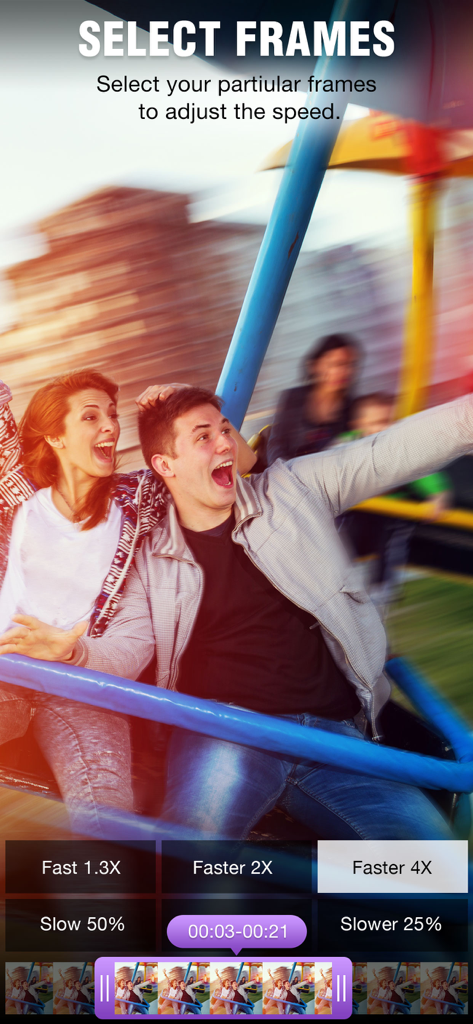
Slow Motion Video & Speed Up - A tela Selecionar Quadros do aplicativo ClipSpeed mostrando botões de ajuste de velocidade e uma linha do tempo do vídeo.
A tela Selecionar Quadros do aplicativo ClipSpeed mostrando botões de ajuste de velocidade e uma linha do tempo do vídeo.

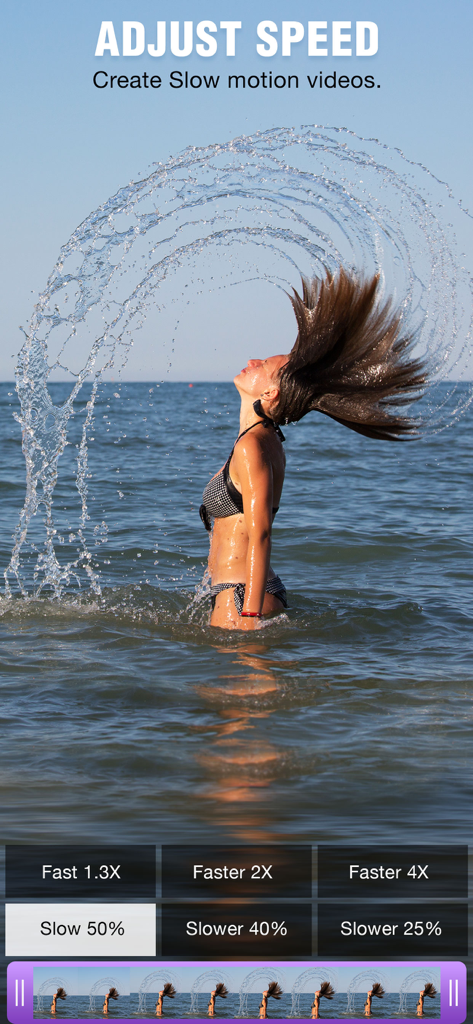
Slow Motion Video & Speed Up - Interface de um aplicativo de vídeo em câmera lenta mostrando uma mulher jogando o cabelo em um oceano

Interface de um aplicativo de vídeo em câmera lenta mostrando uma mulher jogando o cabelo em um oceano

Slow Motion Video & Speed Up - Interface de aplicativo móvel mostrando vários filtros de vídeo como sépia e vinheta sendo aplicados a um vídeo de verão
Interface de aplicativo móvel mostrando vários filtros de vídeo como sépia e vinheta sendo aplicados a um vídeo de verão

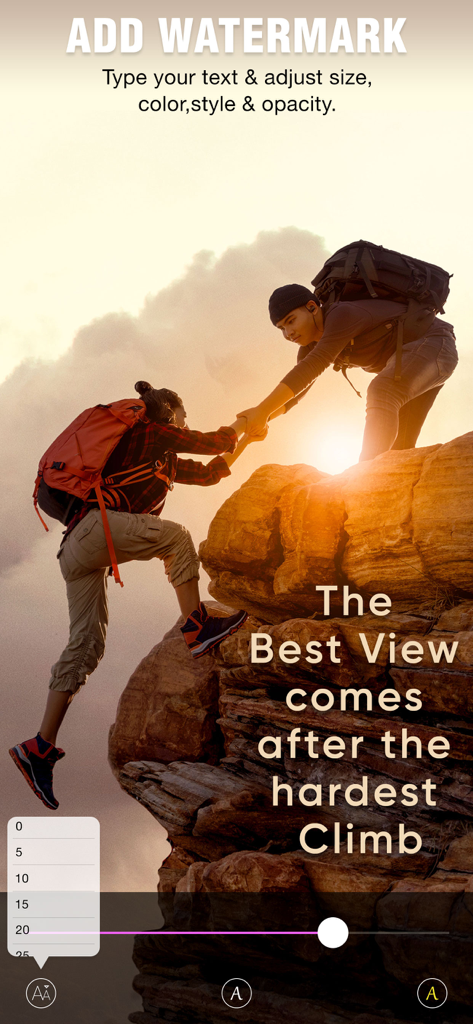
Slow Motion Video & Speed Up - Tela do aplicativo ClipSpeed mostrando a interface para adicionar e personalizar marcas d'água de texto em um vídeo
Tela do aplicativo ClipSpeed mostrando a interface para adicionar e personalizar marcas d'água de texto em um vídeo

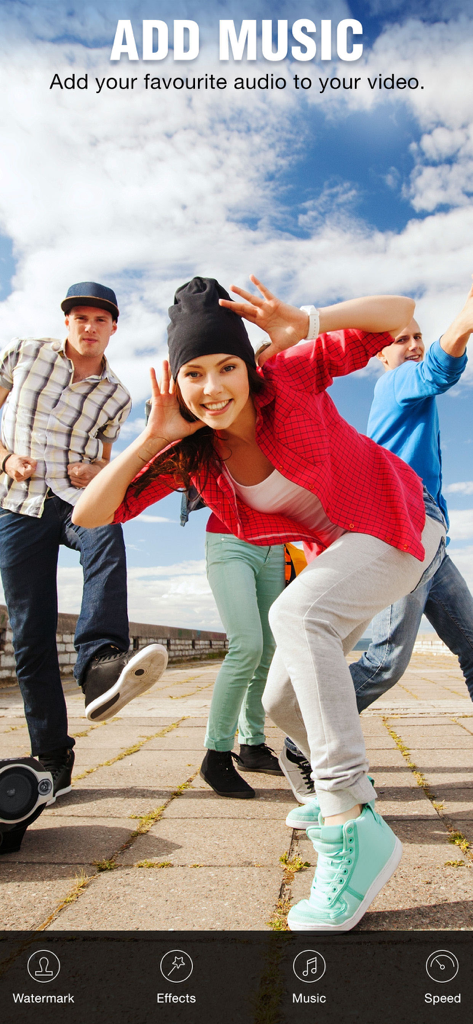
Slow Motion Video & Speed Up - Interface do aplicativo ClipSpeed mostrando o recurso Adicionar Música sobre um vídeo lifestyle de jovens amigos

Interface do aplicativo ClipSpeed mostrando o recurso Adicionar Música sobre um vídeo lifestyle de jovens amigos

Slow Motion Video & Speed Up - Uma tela do aplicativo ClipSpeed mostrando um surfista em uma onda com opções para salvar e compartilhar o vídeo editado.

Uma tela do aplicativo ClipSpeed mostrando um surfista em uma onda com opções para salvar e compartilhar o vídeo editado.

Descrição

ClipSpeed, increase or decrease video speed easily on your device. If you are looking for an app to make your video in slow motion or to make your video in fast motion, then download our ClipSpeed app to your iOS device. In this app you can also add background audio to your video clip. This app is exclusively designed to do only two task- to slow video and to fasten your video. If you are researching for what is the best slow motion app? then why don’t to try this app once? with our clipspeed app you can easily adjust the speed of the video without bothering much settings. Key Features of ClipSpeed app : 1. ClipSpeed app is exclusively designed to make slow motion video or fast motion video easily 2. Simple user interface 3. You can select the particular region of video clip to increase or decrease video speed 4. Add music to your video 4. Save to camera roll, upload to instagram, mail, upload to youtube, upload to viddy option are provided in the app itself. Steps to Slow down video or speed up video with ClipSpeed App: 1. Select the video clip that you want to increase or decrease video speed. 2. In the next screen you will be in “Adjust Speed” screen. Here you can increase or decrease the speed of the video. By default our clip speed app will select complete video, but you can choose only particular portion of that video by using selecting scroll bar at the bottom of Adjust speed window. Once you select the particular video position that you want to increase or decrease the video speed, next you decide whether you need to make slow motion video or fast motion video of the selected video clip. If you wish to make Fast Motion video, then drag the Video Speed controlling slider towards right side, if you wish to slow down the video then drag the video speed controller slider towards left side. Once you done that just click on the Right mark icon on the top right corner to generate new video clip. Once you done generating video you can save that generated video clip to your Camera roll, upload to instagram, you can mail that clip, upload to youtube or share it on viddy with our built-in social sharing option. 3. If you wish to add music to your video then click on Music icon on Adjust speed screen and choose the audio file that you need to add to your video If you are searching for slow motion video app or fast motion video app then download our ClipSpeed app to your device. Subscription Terms - Subscribe to get unlimited access to all premium features. - Upon confirmation of purchase, the payment will be charged to the iTunes account. - Until you turn off the auto-renew at least 24 hours before the end of the current period it will be automatically renewed. - If you decide to turn off auto-renewal, you can turn it off maybe by going to the account settings after purchase. - As per the policy, cancellation of the current subscription is not allowed during the active subscription period. Once purchased, refunds will not be returned for any unused portion of the subscription period. - The renewal amount will be charged from the account within 24 hours before the end of the current period. Terms of use - https://www.outthinkingindia.com/terms-of-use/ Privacy policy - https://www.outthinkingindia.com/privacy-policy/

Download

Baixar no App Store

Esta página não é uma página oficial do aplicativo ou de seu desenvolvedor, mas uma publicação editorial independente criada para fins informativos e de comentário. Salvo indicação expressa em contrário, nem o aplicativo nem seu desenvolvedor são afiliados, endossados, patrocinados, autorizados ou oficialmente conectados à MWM, Apple, Google Play, ao editor do aplicativo ou ao desenvolvedor do aplicativo, e nada nesta página implica que o aplicativo foi desenvolvido utilizando os serviços da MWM. Todas as marcas comerciais, logotipos, capturas de tela e outros conteúdos permanecem propriedade de seus respectivos proprietários.








