SoftMaker Presentations
Baixar no App Store

Esta página não é uma página oficial do aplicativo ou de seu desenvolvedor, mas uma publicação editorial independente criada para fins informativos e de comentário. Salvo indicação expressa em contrário, nem o aplicativo nem seu desenvolvedor são afiliados, endossados, patrocinados, autorizados ou oficialmente conectados à MWM, Apple, Google Play, ao editor do aplicativo ou ao desenvolvedor do aplicativo, e nada nesta página implica que o aplicativo foi desenvolvido utilizando os serviços da MWM. Todas as marcas comerciais, logotipos, capturas de tela e outros conteúdos permanecem propriedade de seus respectivos proprietários.


Logo de SoftMaker Presentations
Baixar no App Store

SoftMaker Presentations

Chega de se contentar com aplicativos móveis "lite". Crie, edite e entregue arquivos .pptx perfeitos em termos de pixels com recursos completos de desktop, integração perfeita com a nuvem e zero perda de formatação – onde quer que seu escritório esteja.

Números Chave

Downloads

40K+

Avaliação

4.7/5

Total de avaliações

0

Editor

SoftMaker Software GmbH

Categoria

Productivity

Idiomas

28

Última versão

1229.0909

Tamanho

79.7 MB

Data de lançamento

6 de jun. de 2022
Recursos

Poder de Apresentação Sem Concessões para Profissionais

Experimente a suíte completa de ferramentas de desktop no seu dispositivo móvel. Desde edição PPTX de alta fidelidade até animações de tirar o fôlego, crie e apresente sem limites.

Compatibilidade Perfeita com PowerPoint

Abra e salve arquivos .pptx com 100% de fidelidade. Sem layouts quebrados ou fontes ausentes – apenas apresentações perfeitas que funcionam em todos os seus dispositivos.

Poder de Desktop, Agilidade Móvel

Aproveite a interface completa da faixa de opções no iPad e barras de ferramentas otimizadas no iPhone. Slides mestres, AutoFormas e gráficos avançados agora estão no seu bolso.

As capturas de tela e a descrição a seguir são provenientes diretamente da listagem oficial da loja do aplicativo e são propriedade do desenvolvedor.

App Store

Capturas
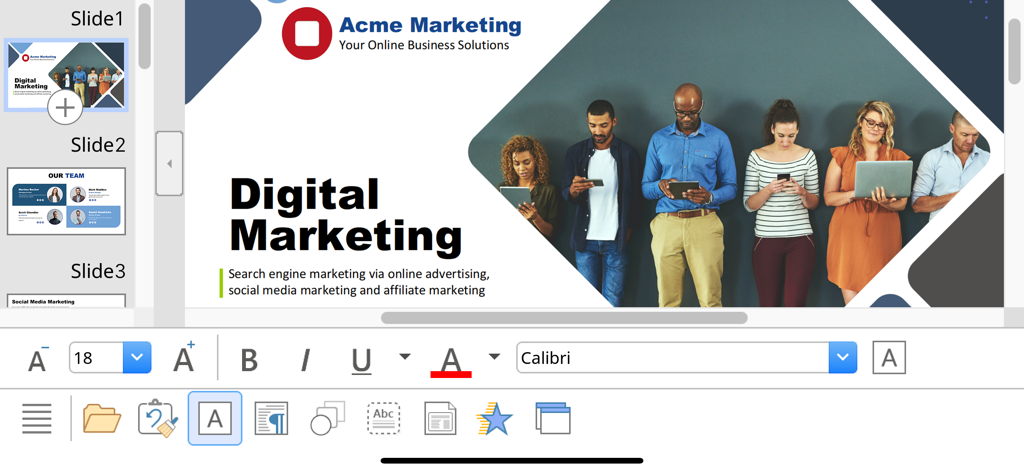
SoftMaker Presentations - Interface móvel SoftMaker Presentations mostrando um slide de marketing digital com ferramentas de edição e formatação de texto.
Interface móvel SoftMaker Presentations mostrando um slide de marketing digital com ferramentas de edição e formatação de texto.

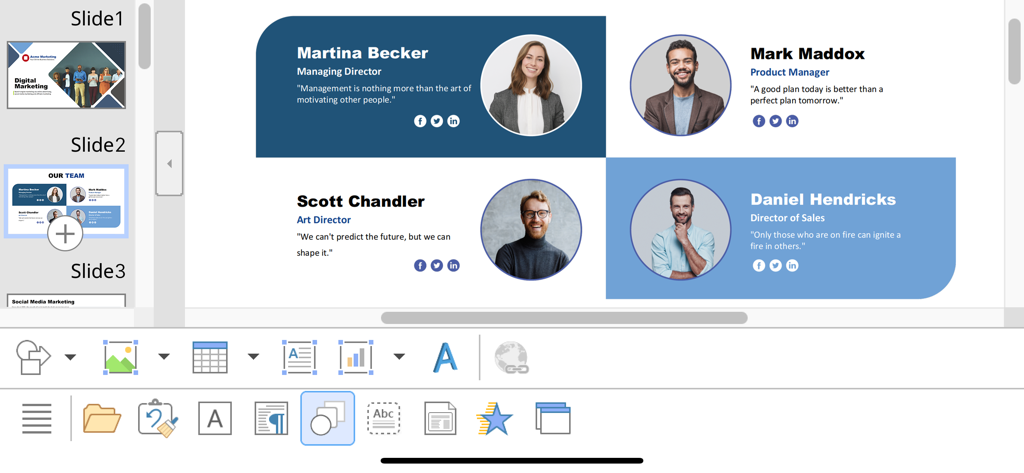
SoftMaker Presentations - Editando um slide de perfil de equipe no aplicativo SoftMaker Presentations no iOS
Editando um slide de perfil de equipe no aplicativo SoftMaker Presentations no iOS

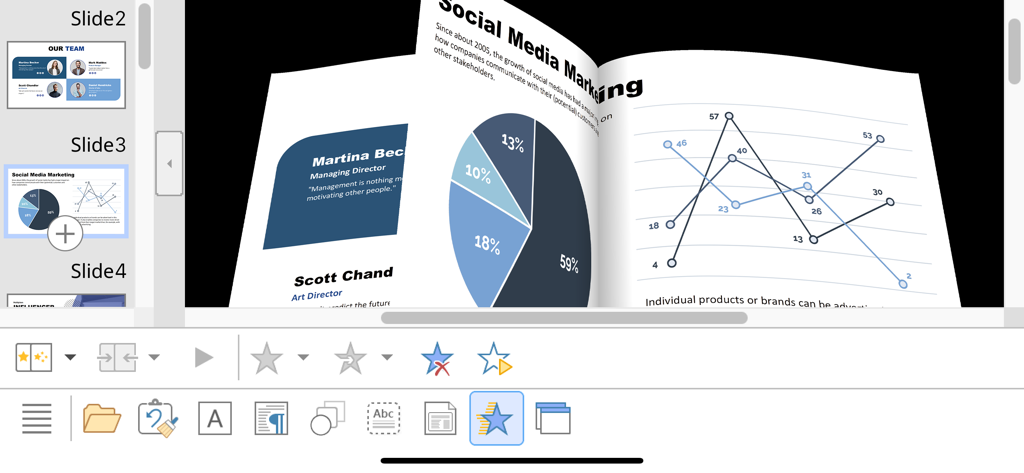
SoftMaker Presentations - Animação de transição de slide 3D no SoftMaker Presentations no iPhone mostrando gráficos e diagramas de marketing
Animação de transição de slide 3D no SoftMaker Presentations no iPhone mostrando gráficos e diagramas de marketing

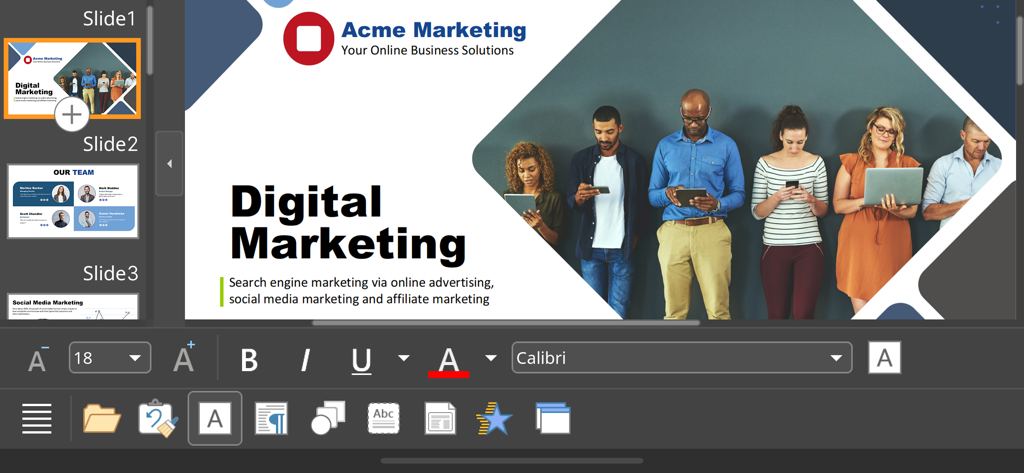
SoftMaker Presentations - Interface do aplicativo móvel SoftMaker Presentations editando um slide de apresentação de marketing digital

Interface do aplicativo móvel SoftMaker Presentations editando um slide de apresentação de marketing digital

Descrição

■ Presentations ► The only complete Office presentation program for your PowerPoint files ► Work on your PowerPoint presentations wherever and whenever you want. ► When working on the go, take advantage of a feature set that you would otherwise only know from your PC or Mac. ► Almost all features can be used permanently free of charge. The complete set of features that you know from Microsoft PowerPoint or Presentations on your Mac or PC is now offered by Presentations on your iPhone and iPad. Compatibility without compromise: Presentations uses the Microsoft Office PPTX format as its native format. This guarantees seamless data exchange. You can open your presentations directly in Microsoft PowerPoint without having to convert them. Intuitive operation on iPhone and iPad: Presentations always provides an ideal user experience, regardless of whether you're using it on your iPhone or an iPad. On an iPhone, you can use the practical toolbars with just one finger. On an iPad, you work with ribbons similar to those on your Mac or PC. Save locally or in the cloud: Presentations not only enables you to open and save documents stored on your device, but it also allows you to access your files in iCloud, Dropbox, OneDrive and all other cloud storage services. The Presentations user interface is available in English, German, French, Spanish, Italian and more than 20 other languages. Presentations brings the features of a desktop presentation program to your iPhone and iPad. You shouldn't settle for less. ■ Working with files ► Presentation files can be losslessly exchanged with Presentations for Mac, Windows and Linux. ► Open and save PPTX and PPT files with full fidelity from PowerPoint 97 to 2021 and PowerPoint 365 ► Export complete presentations as picture files or HTML web pages ■ Designing ► Numerous attractive design templates do the design work for you. ► Each template includes many matching color schemes. ► Slide layouts and slide masters ■ Comprehensive graphics functions ► Draw and design directly in the presentation ► PowerPoint-compatible AutoShapes ► Insert pictures in a range of file formats ► Great graphics functions such as mirror effects, soft shadows and transparencies ► Crop pictures, change brightness, contrast and gamma ► Drawings can be filled with colors, patterns, pictures and gradients. ► TextArt function for striking font effects ■ Animations and slide transitions ► Hundreds of different object and text animations ► Numerous breathtaking animations and slide transitions based on OpenGL ■ Flexible slide shows ► Both user-controlled and automatic slide shows without presenters (kiosk function) ► Interaction with the presentation via a virtual pen and highlighter ► Handouts for the audience ► Integrated slide sorter for managing and reordering slides ■ Other features Almost all features of Presentations for iOS can be used free of charge. The following additional features are available to you via an inexpensive subscription: ► Printing ► Export to PDF and PDF/A ► Sharing documents directly from Presentations ► Charts ► Photo albums ► Summary slides ► Free customer support A single subscription unlocks these features simultaneously in Presentations, TextMaker and PlanMaker for iOS. License agreement: https://www.apple.com/legal/internet-services/itunes/dev/stdeula/

Download

Baixar no App Store

Esta página não é uma página oficial do aplicativo ou de seu desenvolvedor, mas uma publicação editorial independente criada para fins informativos e de comentário. Salvo indicação expressa em contrário, nem o aplicativo nem seu desenvolvedor são afiliados, endossados, patrocinados, autorizados ou oficialmente conectados à MWM, Apple, Google Play, ao editor do aplicativo ou ao desenvolvedor do aplicativo, e nada nesta página implica que o aplicativo foi desenvolvido utilizando os serviços da MWM. Todas as marcas comerciais, logotipos, capturas de tela e outros conteúdos permanecem propriedade de seus respectivos proprietários.








