Starry sky Camera
Starry sky Camera
Baixar no App Store

Esta página não é uma página oficial do aplicativo ou de seu desenvolvedor, mas uma publicação editorial independente criada para fins informativos e de comentário. Salvo indicação expressa em contrário, nem o aplicativo nem seu desenvolvedor são afiliados, endossados, patrocinados, autorizados ou oficialmente conectados à MWM, Apple, Google Play, ao editor do aplicativo ou ao desenvolvedor do aplicativo, e nada nesta página implica que o aplicativo foi desenvolvido utilizando os serviços da MWM. Todas as marcas comerciais, logotipos, capturas de tela e outros conteúdos permanecem propriedade de seus respectivos proprietários.

Logo de Starry sky Camera
Baixar no App Store

Starry sky Camera

Desbloqueie todo o potencial do seu iPhone com empilhamento avançado de imagens e controles manuais de nível profissional. Projetado para o criador paciente que busca capturar impressionantes exposições de longa duração em 4K e o verdadeiro brilho da Via Láctea.

Números Chave

Downloads

23K+

Avaliação

2.3/5

Total de avaliações

100

Editor

HIROFUMI MARUO

Categoria

Photo & Video

Idiomas

2

Última versão

6.2

Tamanho

23.5 MB

Data de lançamento

22 de mai. de 2014
Recursos

Capture o Cosmos com Precisão Profissional

Transforme seu iPhone em uma poderosa ferramenta de astrofotografia com algoritmos avançados de empilhamento e controles manuais completos projetados para o céu escuro.

Empilhamento Inteligente de Estrelas

Escolha entre três modos de composição especializados para maximizar o brilho e a clareza, eliminando o ruído digital em longas exposições.

Controles Manuais de Nível Profissional

Assuma o controle total do seu sensor com configurações granulares para ISO, velocidade do obturador, foco manual e temperatura de cor Kelvin.

As capturas de tela e a descrição a seguir são provenientes diretamente da listagem oficial da loja do aplicativo e são propriedade do desenvolvedor.

App Store

Capturas
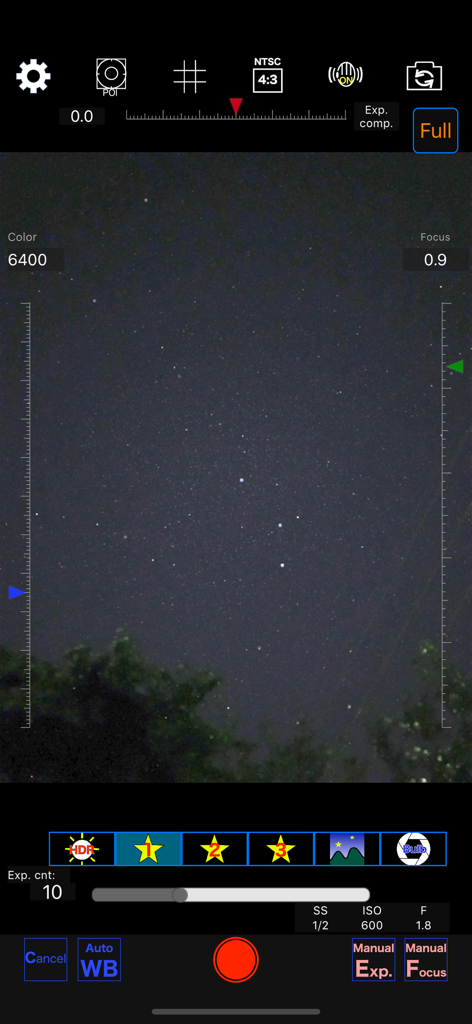
Starry sky Camera - Interface do aplicativo Câmera Céu Estrelado mostrando configurações manuais para fotografia noturna
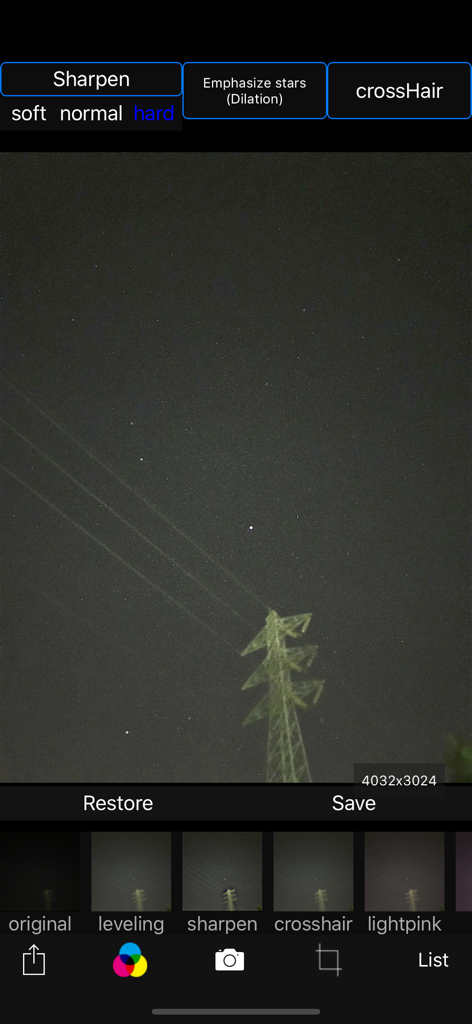
Interface do aplicativo Câmera Céu Estrelado mostrando configurações manuais para fotografia noturna

Starry sky Camera - Interface do aplicativo Câmera Céu Estrelado para edição de fotos do céu noturno com filtros de nitidez de estrelas
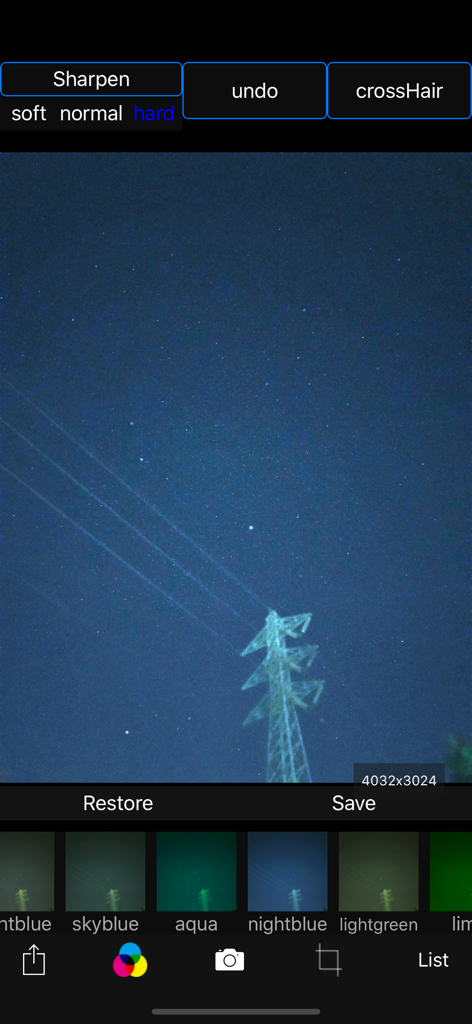
Interface do aplicativo Câmera Céu Estrelado para edição de fotos do céu noturno com filtros de nitidez de estrelas

Starry sky Camera - Interface do aplicativo Câmera Céu Estrelado mostrando uma foto do céu noturno com vários filtros de cor e opções de nitidez
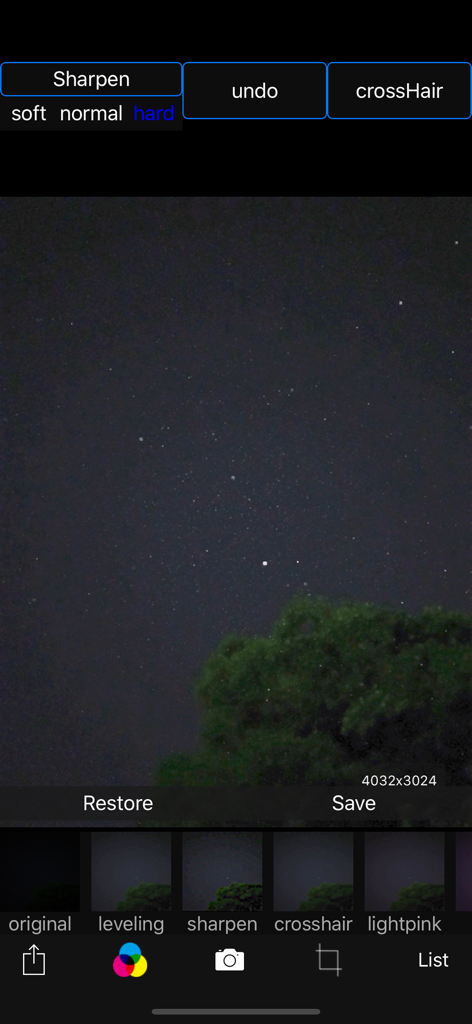
Interface do aplicativo Câmera Céu Estrelado mostrando uma foto do céu noturno com vários filtros de cor e opções de nitidez

Starry sky Camera - Interface de edição do aplicativo Câmera Céu Estrelado com uma foto do céu noturno e opções de filtro
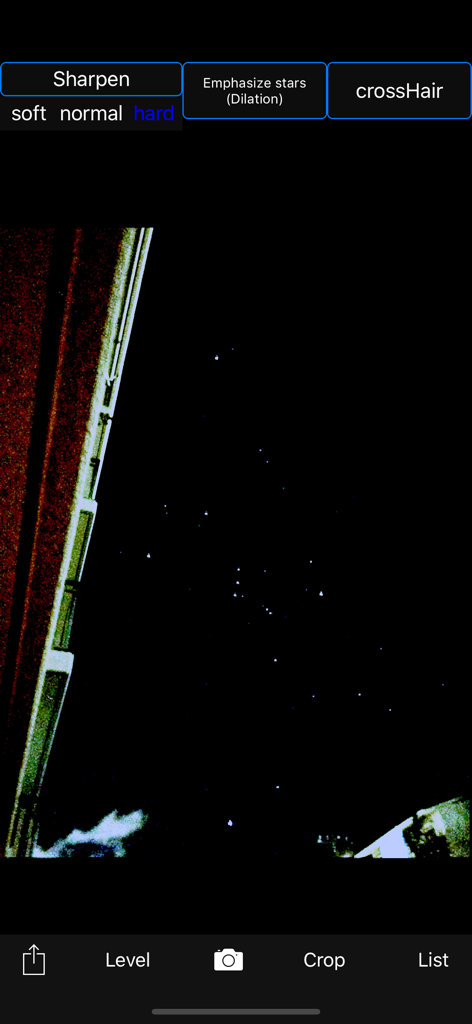
Interface de edição do aplicativo Câmera Céu Estrelado com uma foto do céu noturno e opções de filtro

Starry sky Camera - Aplicativo Câmera Céu Estrelado editando uma foto do céu noturno com ferramentas de nitidez de estrelas
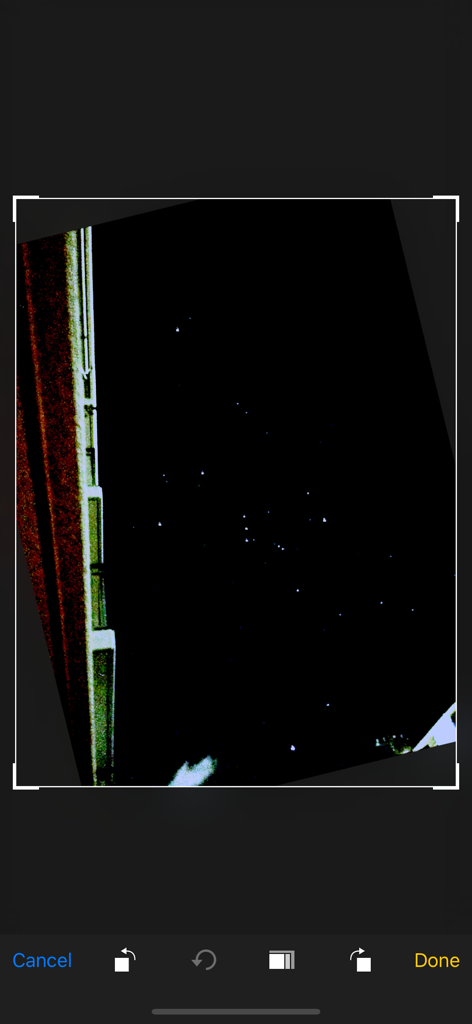
Aplicativo Câmera Céu Estrelado editando uma foto do céu noturno com ferramentas de nitidez de estrelas

Starry sky Camera - Captura de tela de uma foto do céu noturno sendo editada na interface do aplicativo Câmera Céu Estrelado
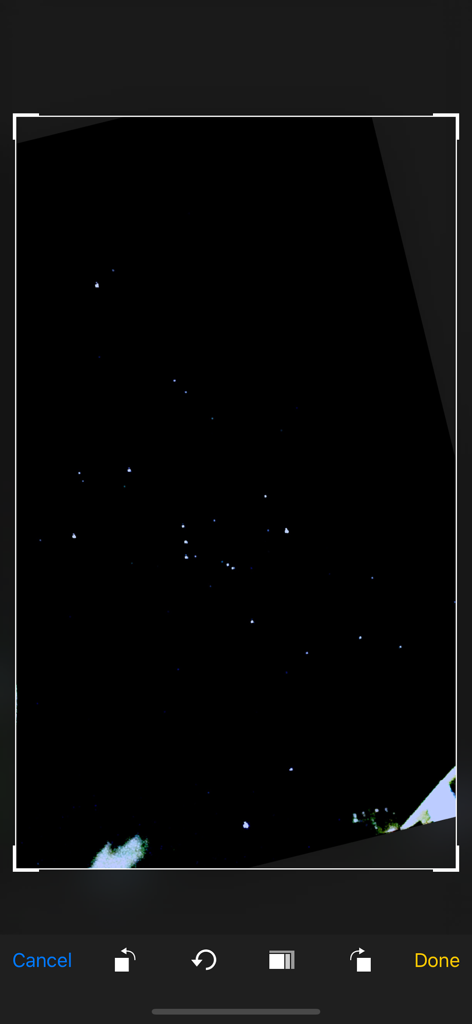
Captura de tela de uma foto do céu noturno sendo editada na interface do aplicativo Câmera Céu Estrelado

Starry sky Camera - Uma tela de aplicativo móvel mostrando uma foto de céu estrelado sendo cortada e editada.
Uma tela de aplicativo móvel mostrando uma foto de céu estrelado sendo cortada e editada.

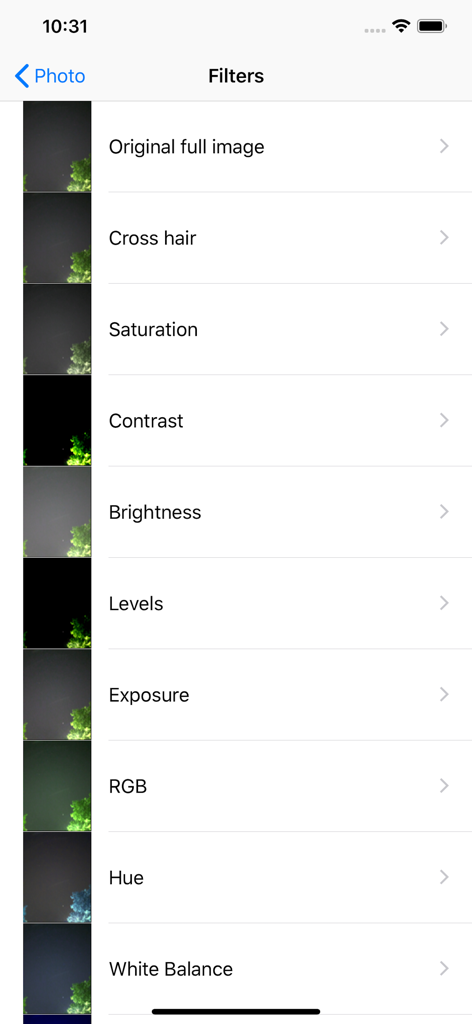
Starry sky Camera - Lista de filtros de edição de fotos no aplicativo Câmera Céu Estrelado mostrando opções como saturação, contraste e brilho

Lista de filtros de edição de fotos no aplicativo Câmera Céu Estrelado mostrando opções como saturação, contraste e brilho

Descrição

This camera app is able to take pictures of a real starry sky. You can take stars of the first magnitude and stars of the second magnitude or less in good condition. You can also get the pictures processed through dozens or more kinds of image processing filter. To take pictures of the starry sky, you have only to (1)set your iPhone camera toward a starry sky on a tripod, (2)tap the star icon (star1, star2 or star3), (Star1 is recommended.) (3)release the shutter, and just wait a minute or so. For Star 1, select the brightest pixel for each pixel in the continuous shooting image to highlight the brightness of the stars in the dark night sky. Star 2 raises the tone of brightness according to the number of continuous shots and shoots brightly. Star 3 adds brightness to each pixel of the continuous shooting image and shoots very brightly. Even with the same number of exposures, the images are brightly combined in the low to high order of star 1, star 2, star 3. However, please note that the brightness of Star 3 tends to be saturated. If the picture you took is dark, try increasing the number of exposures or setting the exposure compensation to a positive value. On the other hand, if the picture you took is too bright, try reducing the number of exposures or setting the exposure compensation to negative. Also, if you set the number of exposures to 1, you can use it as a camera app similar to a normal camera app. The main features of this app are as follows. [Initial setting] (1) Camera position / library selection (setting screen) You can select the front camera and the rear camera. Also, if you select the library, you can import photos from the camera roll. (2) Selection of resolution You can select 4K (2K) and the highest resolution. (3) Shooting scene settings The following scenes (functions) can be set. Daytime (HDR), Starry sky 1 (comparative bright composition), Starry sky 2 (screen composition), Starry sky 3 (additional composition), Night view Valve (superimposed) (4) Color temperature setting When white balance is set to manual, 1000 K to 12000 K can be selected as the color temperature. If it is set to auto, the automatic setting value will be used. (5) Focus setting If the focus is set to manual, you can set the focus at any distance within the range of device performance. If set to auto, it will be the automatic setting value. (6) Exposure compensation settings It can be set within the range of device performance. (7) Camera shake correction function The camera shake correction function is useful for minute camera shake. Also, even if the star moves during shooting due to diurnal movement, the deviation is corrected and combined. (8) HDR (high dynamic range) function You can take multiple pictures with automatically changed exposure and combine them to take a picture with a pseudo-widened dynamic range. (9) Manual exposure setting function The shutter speed and ISO value can be manually set to any value within the range of device performance. [Camera function] Camera work is possible according to the contents set in the initial settings. You can also pinch in and out for digital zoom. The shutter also has a 2-second or 10-second timer to avoid camera shake when tapping. These can be selected by pressing and holding the shutter icon. [List display function] Photos taken with this app are stored in this app at the same time as they are stored in the camera roll, and can be displayed in a list with shooting date and time information on the list display screen. You can delete the tapped image by tapping Select, selecting the image, and tapping the trash can icon. [Image processing function] Tap the displayed image to display the filter list for image processing. There are about 70 types of filters such as brightness adjustment, contrast, blur, sharpening, sepia, monochrome, edge detection, sketch, etc.

Download

Baixar no App Store

Esta página não é uma página oficial do aplicativo ou de seu desenvolvedor, mas uma publicação editorial independente criada para fins informativos e de comentário. Salvo indicação expressa em contrário, nem o aplicativo nem seu desenvolvedor são afiliados, endossados, patrocinados, autorizados ou oficialmente conectados à MWM, Apple, Google Play, ao editor do aplicativo ou ao desenvolvedor do aplicativo, e nada nesta página implica que o aplicativo foi desenvolvido utilizando os serviços da MWM. Todas as marcas comerciais, logotipos, capturas de tela e outros conteúdos permanecem propriedade de seus respectivos proprietários.








