Steelpan App PRO V2
Steelpan App PRO V2
Baixar no App Store

Esta página não é uma página oficial do aplicativo ou de seu desenvolvedor, mas uma publicação editorial independente criada para fins informativos e de comentário. Salvo indicação expressa em contrário, nem o aplicativo nem seu desenvolvedor são afiliados, endossados, patrocinados, autorizados ou oficialmente conectados à MWM, Apple, Google Play, ao editor do aplicativo ou ao desenvolvedor do aplicativo, e nada nesta página implica que o aplicativo foi desenvolvido utilizando os serviços da MWM. Todas as marcas comerciais, logotipos, capturas de tela e outros conteúdos permanecem propriedade de seus respectivos proprietários.

Logo de Steelpan App PRO V2
Baixar no App Store

Steelpan App PRO V2

Desbloqueie o aprendizado de nível profissional com o Steelpan Professor. Pratique arranjos vencedores do Panorama, conecte-se via MIDI e personalize seu layout—do Tenor ao Baixo, o ultimate pan yard digital está no seu bolso.

Números Chave

Downloads

3K+

Avaliação

4.4/5

Total de avaliações

0

Editor

salmon cupid

Categoria

Music

Idiomas

1

Última versão

1.0.7

Tamanho

43.2 MB

Data de lançamento

23 de jan. de 2022
Recursos

Domine a Arte do Steelpan em Qualquer Lugar

Experimente a orquestra de aço digital mais avançada do mundo. Projetada para profissionais e alunos, nossa tecnologia patenteada traz o som e a sensação autênticos do Caribe para seus dedos.

Domine com o Steelpan Professor

Aprenda arranjos lendários do Panorama e qualquer arquivo MIDI com orientação visual em tempo real que mostra exatamente onde tocar cada nota.

Mapeamento Personalizado de Pads Patenteado

Personalize seu layout para corresponder ao seu instrumento físico. Nossa tecnologia de mapeamento exclusiva permite que você programe qualquer nota em qualquer local para prática perfeita.

As capturas de tela e a descrição a seguir são provenientes diretamente da listagem oficial da loja do aplicativo e são propriedade do desenvolvedor.

App Store

Capturas
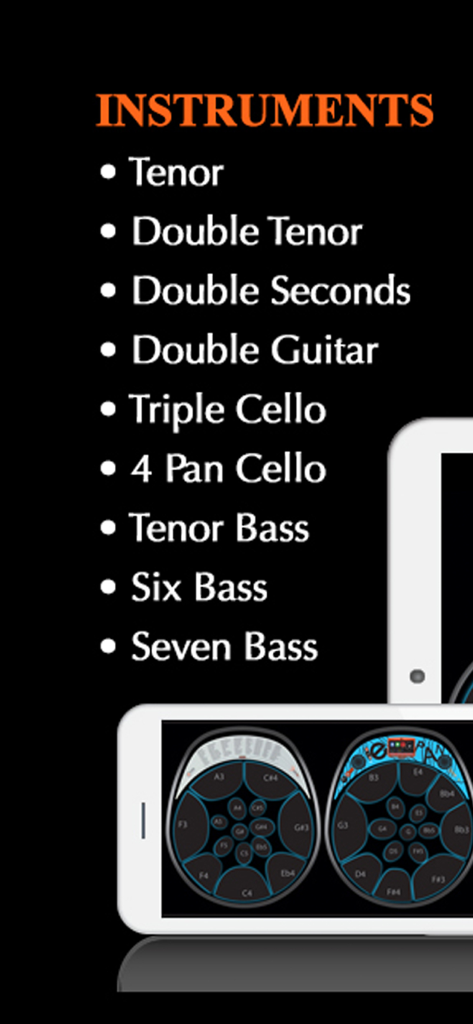
Steelpan App PRO V2 - Lista de instrumentos do Steelpan App PRO V2 e interface digital.
Lista de instrumentos do Steelpan App PRO V2 e interface digital.

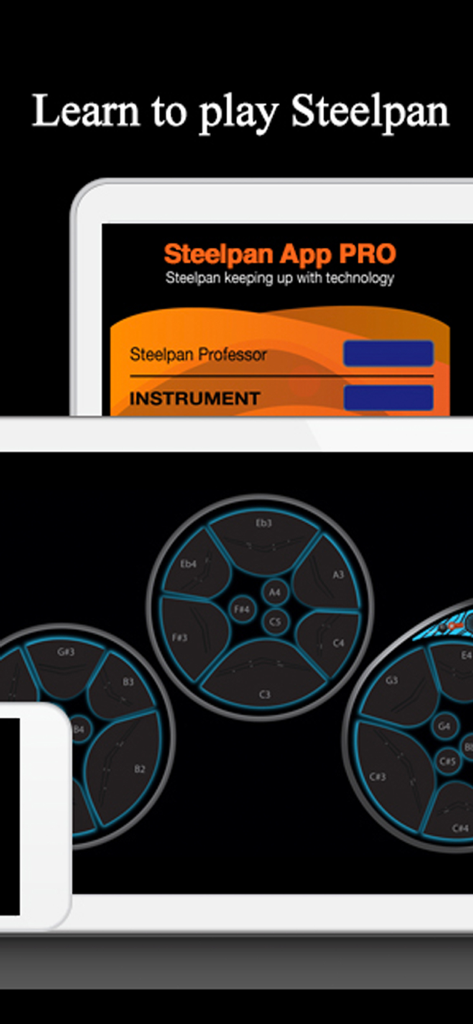
Steelpan App PRO V2 - Interface do Steelpan App PRO V2 mostrando pads de bateria digitais e marcações de notas musicais em um tablet.
Interface do Steelpan App PRO V2 mostrando pads de bateria digitais e marcações de notas musicais em um tablet.

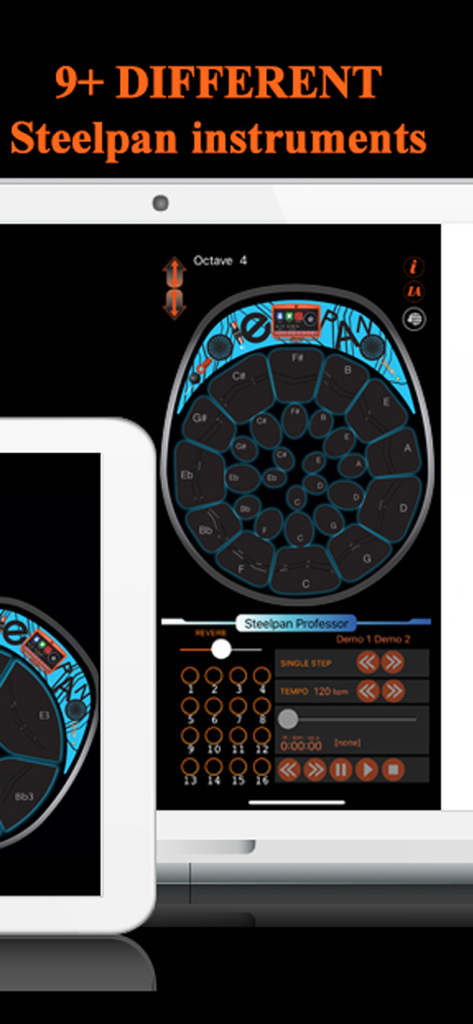
Steelpan App PRO V2 - Interface de usuário do Steelpan App PRO V2 exibindo um layout de instrumento virtual e ferramentas de aprendizado em um tablet
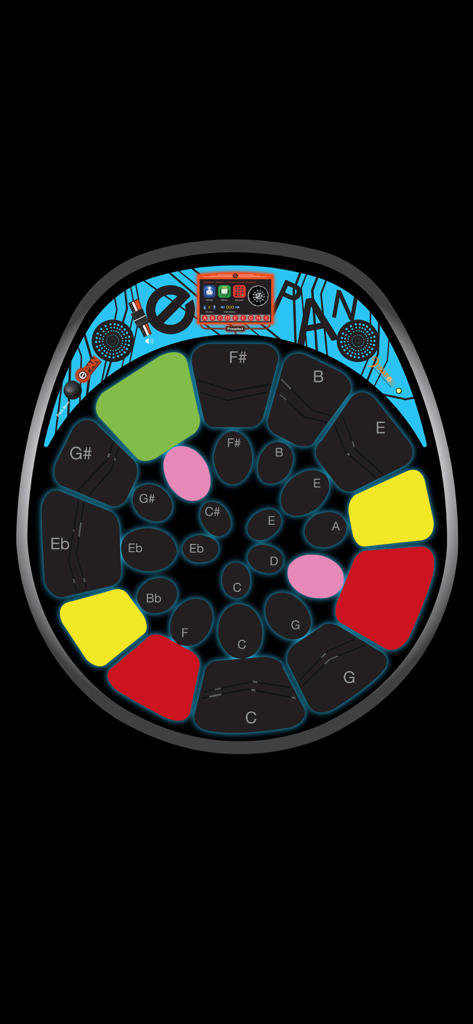
Interface de usuário do Steelpan App PRO V2 exibindo um layout de instrumento virtual e ferramentas de aprendizado em um tablet

Steelpan App PRO V2 - Interface digital de steelpan com pads coloridos para aprendizado e performance musical
Interface digital de steelpan com pads coloridos para aprendizado e performance musical

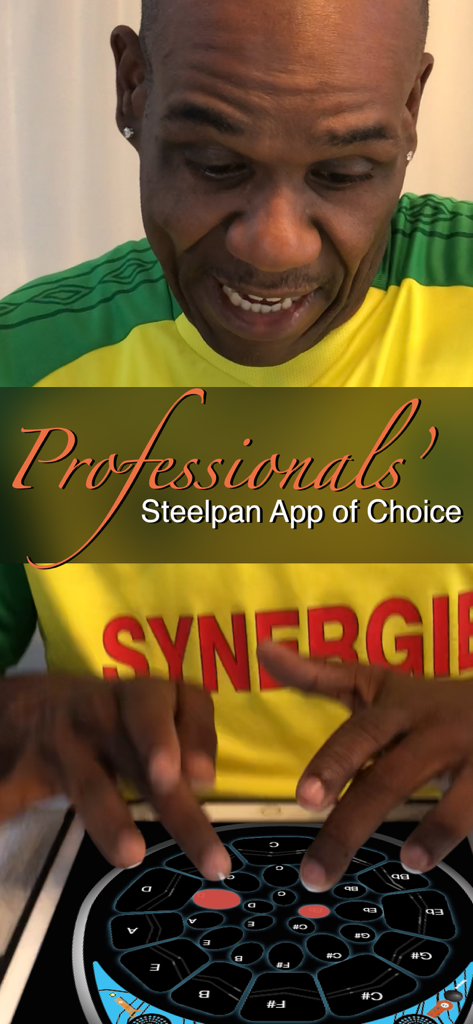
Steelpan App PRO V2 - Um músico profissional tocando o Steelpan App PRO V2 em um tablet

Um músico profissional tocando o Steelpan App PRO V2 em um tablet

Steelpan App PRO V2 - Duas crianças sentadas na grama olhando para um tablet para o aplicativo de educação musical Steelpan Professor.
Duas crianças sentadas na grama olhando para um tablet para o aplicativo de educação musical Steelpan Professor.

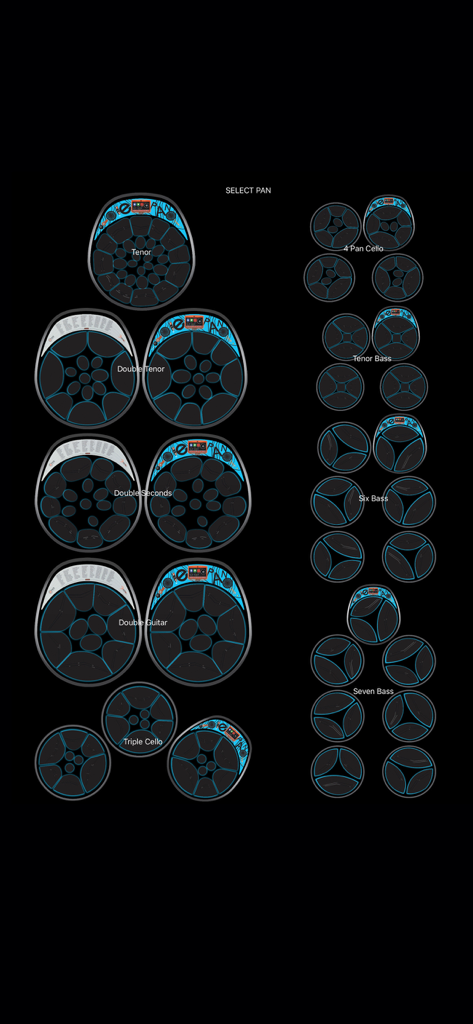
Steelpan App PRO V2 - Menu de seleção de instrumentos no Steelpan App PRO V2 mostrando vários tipos de tambores de aço de Tenor a Seven Bass
Menu de seleção de instrumentos no Steelpan App PRO V2 mostrando vários tipos de tambores de aço de Tenor a Seven Bass

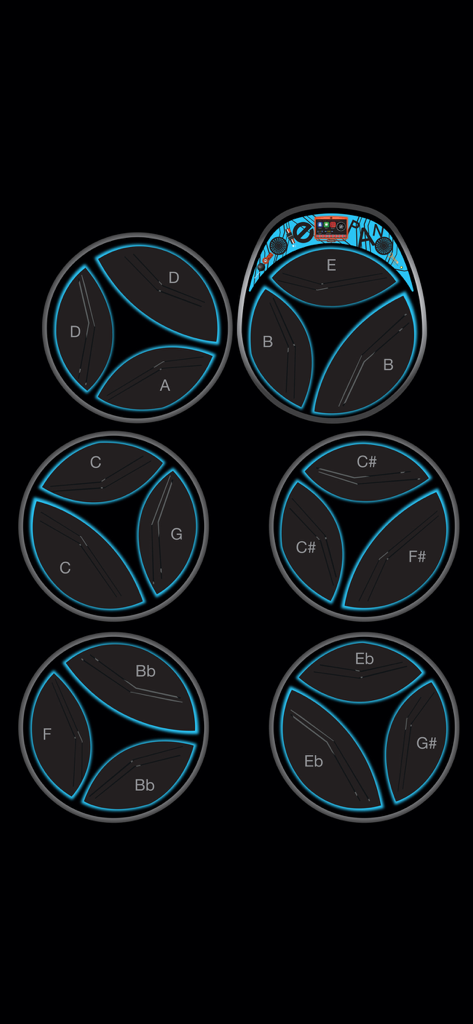
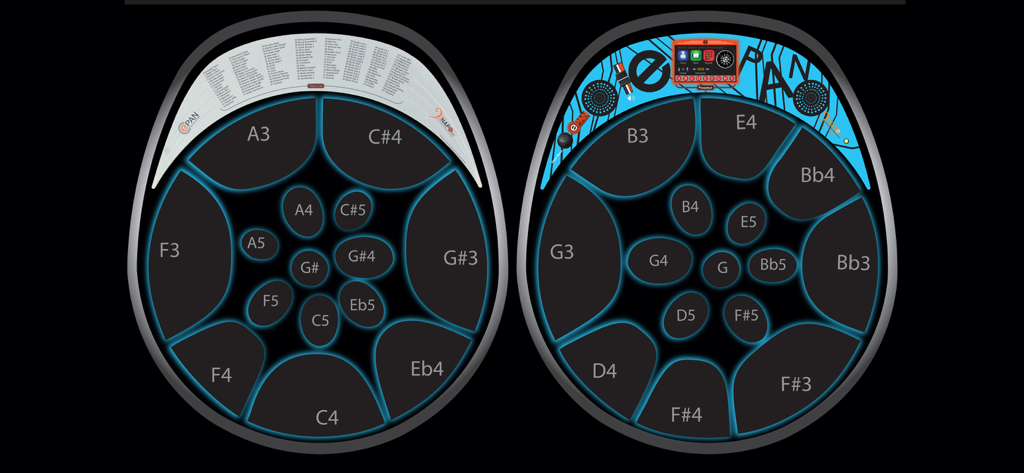
Steelpan App PRO V2 - Interface digital de um steelpan six-bass apresentando pads circulares com notas musicais rotuladas e contornos azuis brilhantes.
Interface digital de um steelpan six-bass apresentando pads circulares com notas musicais rotuladas e contornos azuis brilhantes.

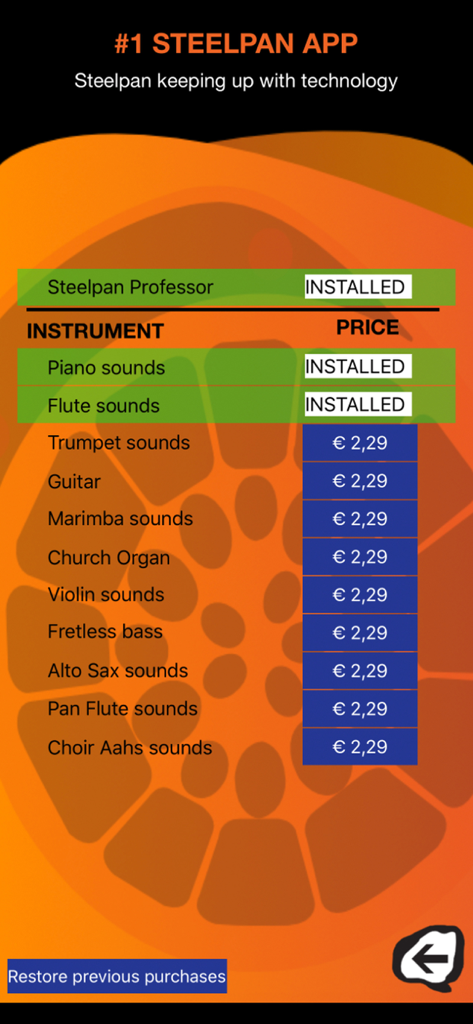
Steelpan App PRO V2 - Tela de compra no aplicativo para Steelpan App PRO V2 mostrando sons de instrumentos musicais disponíveis e o recurso Steelpan Professor.
Tela de compra no aplicativo para Steelpan App PRO V2 mostrando sons de instrumentos musicais disponíveis e o recurso Steelpan Professor.

Steelpan App PRO V2 - Layout digital de steelpan mostrando mapeamentos de notas profissionais e interface E-Pan

Layout digital de steelpan mostrando mapeamentos de notas profissionais e interface E-Pan

Descrição

This app is the most popular steelpan learning and music discovery tool. Learn how to play the Steelpan like a pro with our Steelpan Professor with Core MIDI capabilities. This Steelpan App PRO possesses technology that is PATENTED. VARIED INSTRUMENTS This app possesses some features of the E-Pan; the World's 1st Electronic Synthesized Steelpan. It is as the name implies; the BEST steelpan app on the market. Not only can you play different styles of steelpan on instruments such as Tenor (soprano voice), Double Tenor (alto voice), Double Seconds (alto voice), Double Guitar (tenor voice), Triple Cello (tenor voice), 4 Pan Cello (tenor voice), Tenor Bass (baritone voice), Six Bass (bass voice) and Seven Bass (bass voice), but it is a teaching tool. EDIT PAD MAPPING This Steelpan App PRO V2 is the first and only app that allows users to "Edit Pad Mapping" by programming any note in any location he/she sees fit. STEELPAN PROFESSOR This app has an In-App available for users to acquire a feature called "Steelpan Professor" through the use of MIDI files allowing them to learn any song available on the web. It also has a feature that works with iOS Core MIDI System. For example, when you connect your tablet or smartphone to a keyboard or electronic steelpan, you can play your instrument and the exact notes will be mirrored on your tablet or smartphone with the sound coming from your tablet or smartphone. FEATURES • This Steelpan App PRO allows you to teach and learn virtually. • Once you have acquired the "Steelpan Professor" the history-making arrangements from Duvone Stewart come FREE; "The year for love" (played by BP Renegades) and "Limbo" (played by Pan Elders). Both these arrangements placed 1st in Panorama in 2018. This has never been achieved before. • It allows you to use any MIDI file available on the web to learn to play any song available. • It allows you to change octaves. • It has a note display feature. • The Steelpan App PRO provides access to the sounds of just about every musical instrument which is built-in to the app. • Users can also choose any particular instrument range as the Steelpan App PRO will be able to play the complete range from the highest Tenor (soprano voice) B6 to the lowest Bass (bass voice) E1. • With the use of a lightning connector you can connect your tablet or smartphone to a MIDI controller, keyboard, or electronic Steelpan (such as the E-Pan). Playing the controller will control this app lighting up the corresponding note. • Steelpan App PRO will facilitate play-along to accompany your favourite songs (karaoke-style) by using the Steelpan Professor. • It will help you learn how to read music. • It will help you to teach in the classroom digitally. • It will help you to create tutorials digitally when hooked up to a controller. INSTRUCTIONS • IMPORTANT - After downloading this app, please turn the ringer "on" on your device and turn the volume up in order to hear the instruments play. • Place two fingers on the screen and with a pinching motion, the user would be able to select an instrument of choice. • Pressing the "Edit Pad Mapping" button allows users to change the notes. After pressing the "Edit Pad Mapping" button, first, press the note you would like to change to select it then press the "up" and "down" arrow to scroll to your note and octave of choice. • Visit our YouTube channel for more instructions about how to use this app. To access the YouTube channel, go to YouTube and search #1 Steelpan App GOLD/PRO. We will be uploading pertinent information to this channel from time to time. You can also find us on facebook as "Steelpan App". • The "IA" button takes you to our In-App page where you can download the "Steelpan Professor" and different instrument tones. Privacy Policy: https://yourwebsite.com/privacy Terms of Use (EULA): https://www.apple.com/legal/internet-services/itunes/dev/stdeula/

Download

Baixar no App Store

Esta página não é uma página oficial do aplicativo ou de seu desenvolvedor, mas uma publicação editorial independente criada para fins informativos e de comentário. Salvo indicação expressa em contrário, nem o aplicativo nem seu desenvolvedor são afiliados, endossados, patrocinados, autorizados ou oficialmente conectados à MWM, Apple, Google Play, ao editor do aplicativo ou ao desenvolvedor do aplicativo, e nada nesta página implica que o aplicativo foi desenvolvido utilizando os serviços da MWM. Todas as marcas comerciais, logotipos, capturas de tela e outros conteúdos permanecem propriedade de seus respectivos proprietários.







