
Esta página não é uma página oficial do aplicativo ou de seu desenvolvedor, mas uma publicação editorial independente criada para fins informativos e de comentário. Salvo indicação expressa em contrário, nem o aplicativo nem seu desenvolvedor são afiliados, endossados, patrocinados, autorizados ou oficialmente conectados à MWM, Apple, Google Play, ao editor do aplicativo ou ao desenvolvedor do aplicativo, e nada nesta página implica que o aplicativo foi desenvolvido utilizando os serviços da MWM. Todas as marcas comerciais, logotipos, capturas de tela e outros conteúdos permanecem propriedade de seus respectivos proprietários.


Symphony Pro - Music Notation
Transforme seu iPad em um poderoso manuscrito digital. Componha, edite e compartilhe partituras orquestrais completas com a precisão do Apple Pencil e a versatilidade de um estúdio profissional—a qualquer hora, em qualquer lugar.
Downloads
255K+Avaliação
Total de avaliações
3K+Editor
Categoria
MusicIdiomas
1Última versão
6.7.6Tamanho
365.0 MBData de lançamento
7 de jan. de 2011Componha Sem Limites
O Symphony Pro combina a sensação tátil de um bloco de manuscritos com o poder de uma suíte de gravação profissional, projetada especificamente para o fluxo de trabalho moderno do iPad.
Reconhecimento Natural de Caligrafia
Escreva música naturalmente com seu Apple Pencil e veja seus esboços se transformarem instantaneamente em notação profissional de alta fidelidade.
Poder Orquestral Completo
Comande até 100 pautas e 48 instrumentos com articulações de nível profissional, projetados para tudo, desde leadsheets até sinfonias.
As capturas de tela e a descrição a seguir são provenientes diretamente da listagem oficial da loja do aplicativo e são propriedade do desenvolvedor.
App Store
Capturas
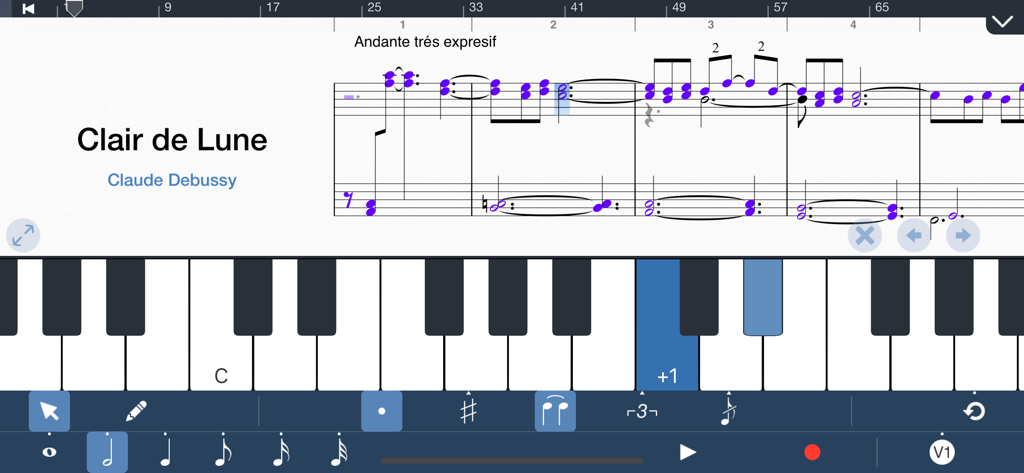
Interface do aplicativo Symphony Pro mostrando uma partitura musical de Clair de Lune com um teclado de piano virtual e ferramentas de notação.
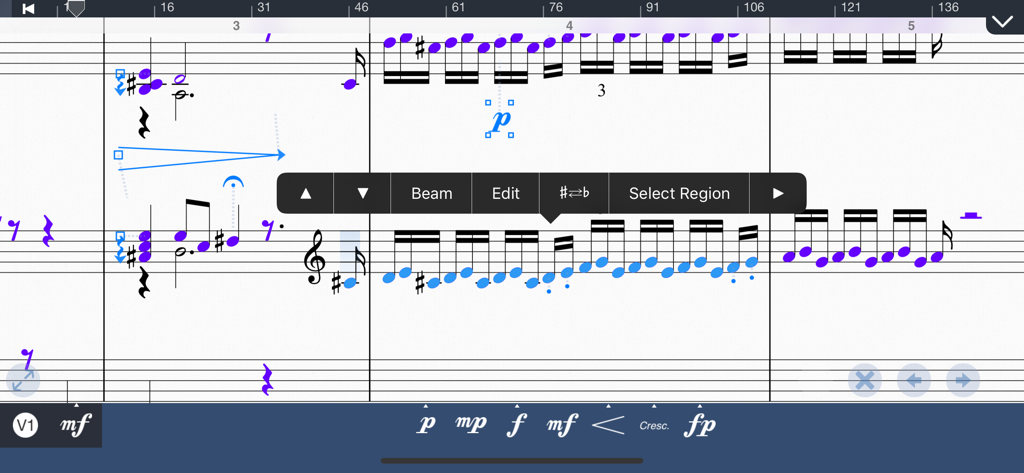
Interface de edição de partitura musical com notas e dinâmicas no Symphony Pro.
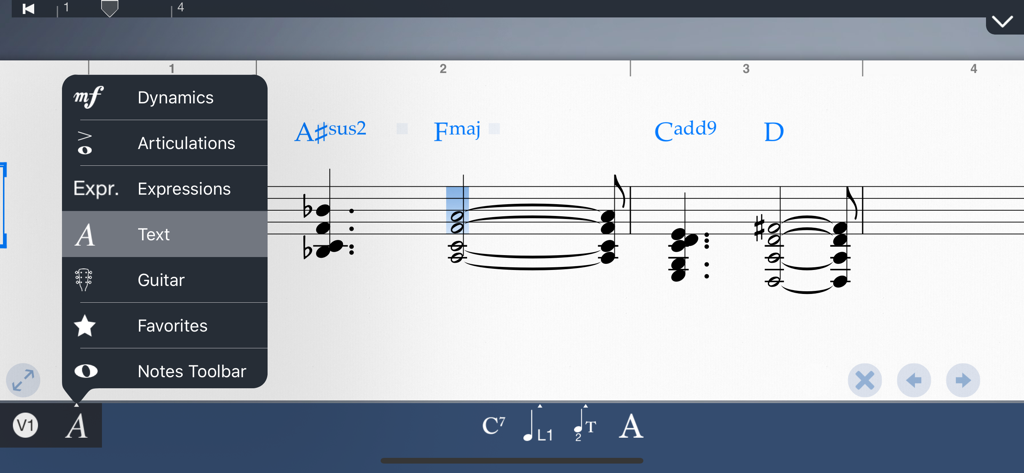
Interface do aplicativo Symphony Pro mostrando uma partitura musical com cifras e um menu de edição aberto para dinâmicas e texto.
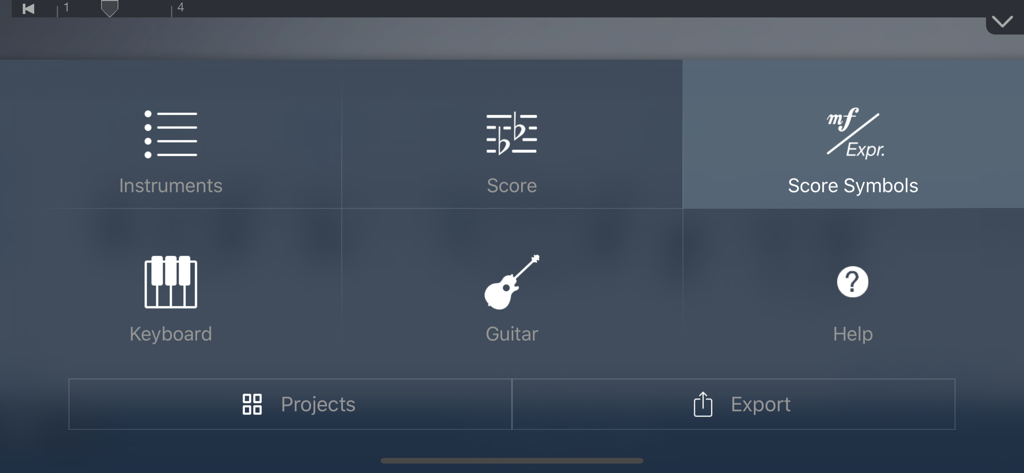
Interface do menu principal do aplicativo de notação musical Symphony Pro com ícones de instrumentos, partituras e ferramentas de símbolos.
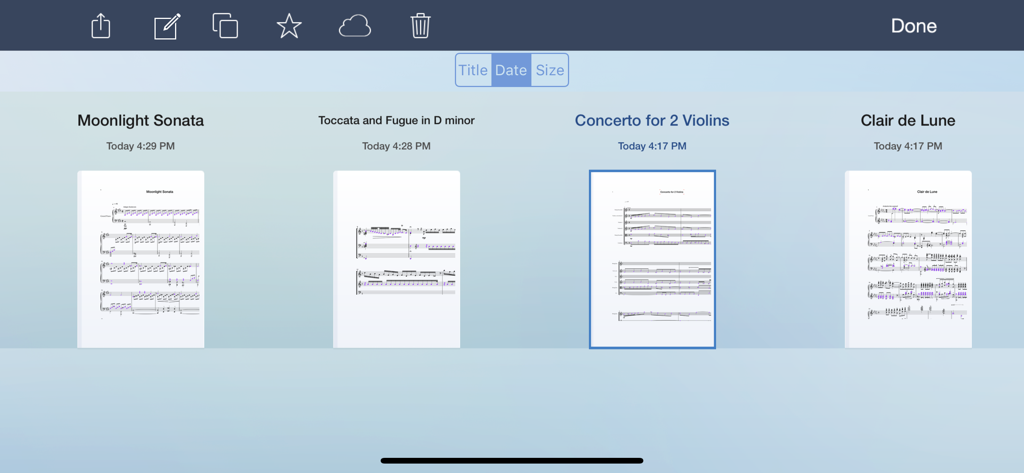
A biblioteca de partituras musicais no Symphony Pro mostrando várias composições salvas.
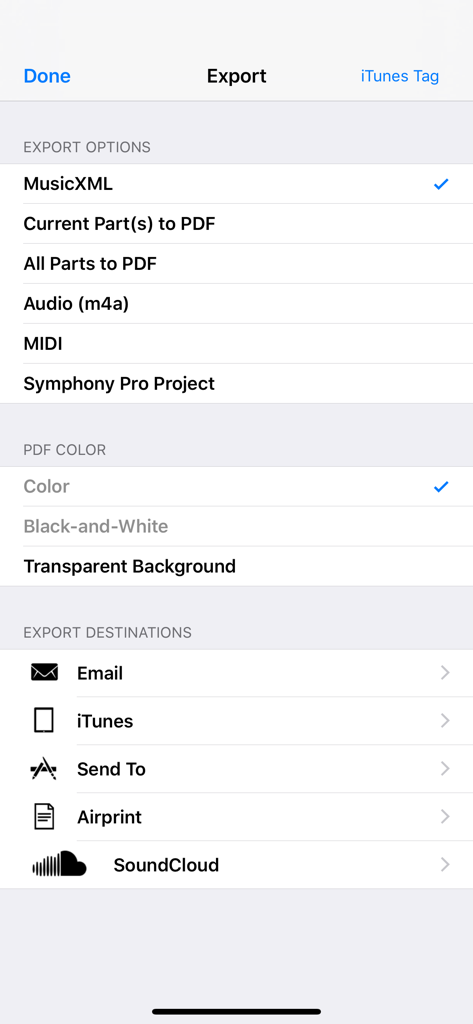
Menu de exportação do Symphony Pro mostrando opções para MusicXML, PDF, MIDI e compartilhamento por e-mail ou SoundCloud.
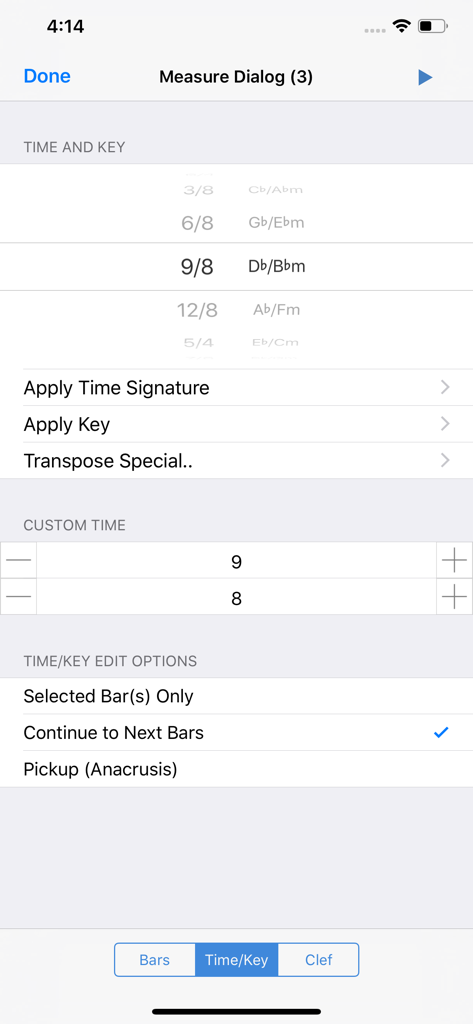
Interface do aplicativo Symphony Pro para selecionar compassos e armaduras de clave musicais.
Descrição
Download
Apps Semelhantes
Apps com recursos e experiência semelhantes

来音制谱-sheet music editing
Beijing Xihang Technology Co., Ltd.

Dorico - Compose Music
Steinberg Media Technologies GmbH

Composer Pro - Score Creator
嵩 张

Sibelius
Avid Technology Inc

Notation Pad-Sheet Music Score
嵩 张

Piano+ - Sheet Music Composer
嵩 张

Score Creator: compose music
Sharp Notes Company Limited

Maestro - Music Composer
Future Sculptor Pty Ltd

NotateMe
Neuratron Limited
Esta página não é uma página oficial do aplicativo ou de seu desenvolvedor, mas uma publicação editorial independente criada para fins informativos e de comentário. Salvo indicação expressa em contrário, nem o aplicativo nem seu desenvolvedor são afiliados, endossados, patrocinados, autorizados ou oficialmente conectados à MWM, Apple, Google Play, ao editor do aplicativo ou ao desenvolvedor do aplicativo, e nada nesta página implica que o aplicativo foi desenvolvido utilizando os serviços da MWM. Todas as marcas comerciais, logotipos, capturas de tela e outros conteúdos permanecem propriedade de seus respectivos proprietários.