TapShot: Sports Action Camera

TapShot: Sports Action Camera

Baixar no App Store
Logo de TapShot: Sports Action Camera

TapShot: Câmera de Ação Esportiva — Capture Cada Momento Decisivo Com Facilidade

A câmera definitiva para pais na lateral e fãs de esportes. Controle o zoom com um dedo, toque em qualquer lugar para atirar e adicione logotipos de equipe instantaneamente — projetada para manter seus olhos na ação, não no botão do obturador.

Baixar no App Store

Editor

Emotive Engines, LLC

Categoria

Photo & Video

Downloads

200

Avaliação

1.0/5

Total de avaliações

0

Idiomas

1

Ação em Cada Quadro

Descubra a interface usada por 200 usuários.
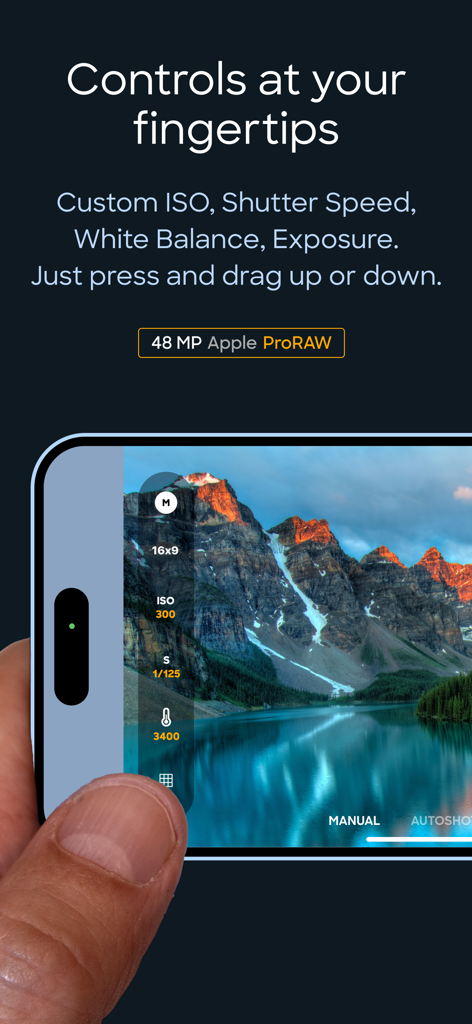
Interface mostrando controles manuais de ISO e velocidade do obturador no aplicativo TapShot

Interface mostrando controles manuais de ISO e velocidade do obturador no aplicativo TapShot

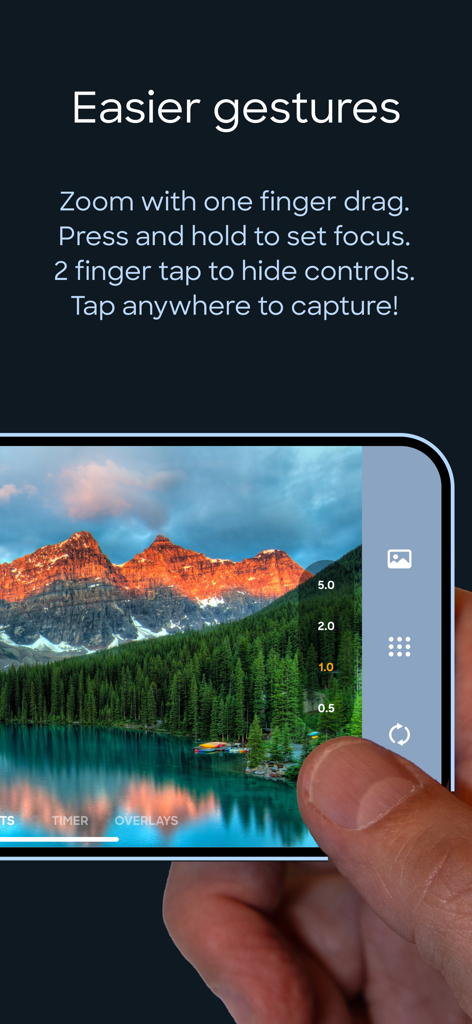
Uma pessoa usando um dedo para controlar o zoom e capturar uma foto na interface do aplicativo de câmera esportiva TapShot

Uma pessoa usando um dedo para controlar o zoom e capturar uma foto na interface do aplicativo de câmera esportiva TapShot

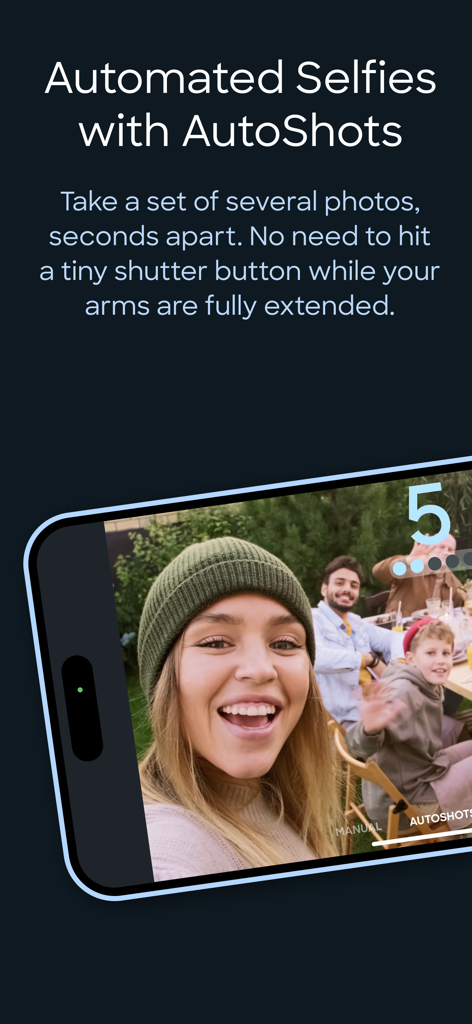
Tela de smartphone mostrando o recurso AutoShots do aplicativo TapShot para selfies em grupo automatizadas

Tela de smartphone mostrando o recurso AutoShots do aplicativo TapShot para selfies em grupo automatizadas

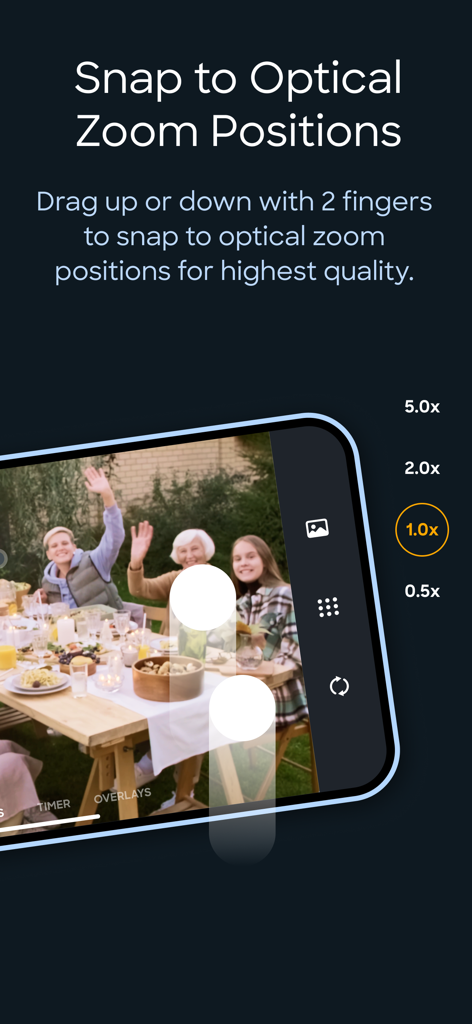
Interface do aplicativo TapShot mostrando níveis de zoom óptico para fotografia esportiva de alta qualidade

Interface do aplicativo TapShot mostrando níveis de zoom óptico para fotografia esportiva de alta qualidade

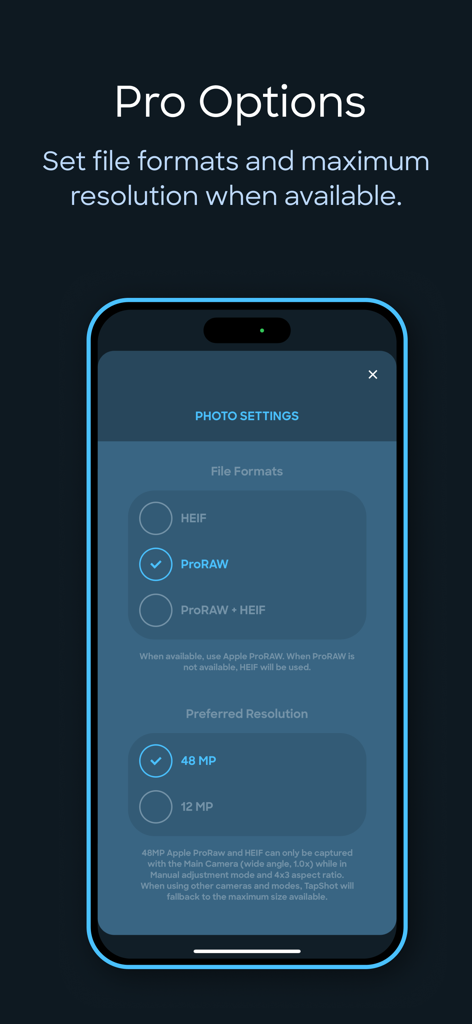
Tela de configurações do aplicativo TapShot mostrando opções para formato de arquivo ProRAW e resolução de 48 megapixels

Tela de configurações do aplicativo TapShot mostrando opções para formato de arquivo ProRAW e resolução de 48 megapixels

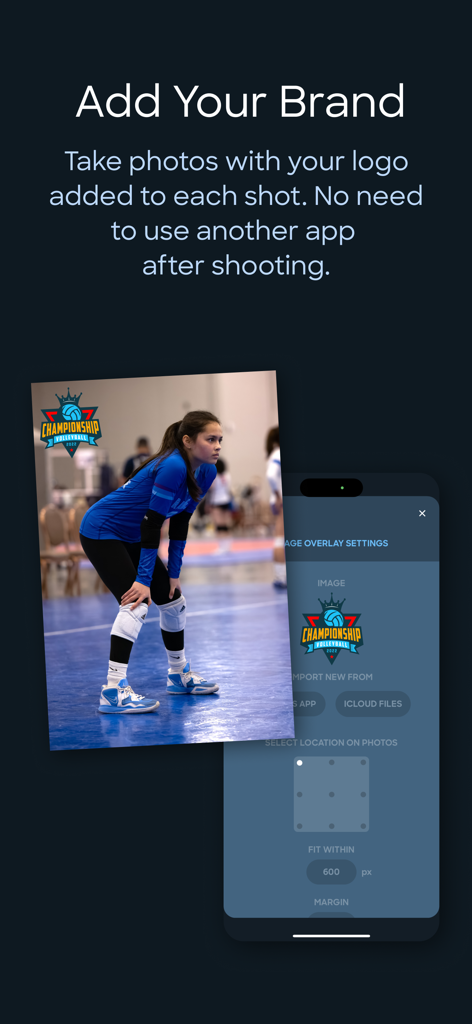
Interface do aplicativo TapShot mostrando uma foto de vôlei com uma marca d'água de logotipo de equipe personalizada e configurações de branding.

Interface do aplicativo TapShot mostrando uma foto de vôlei com uma marca d'água de logotipo de equipe personalizada e configurações de branding.

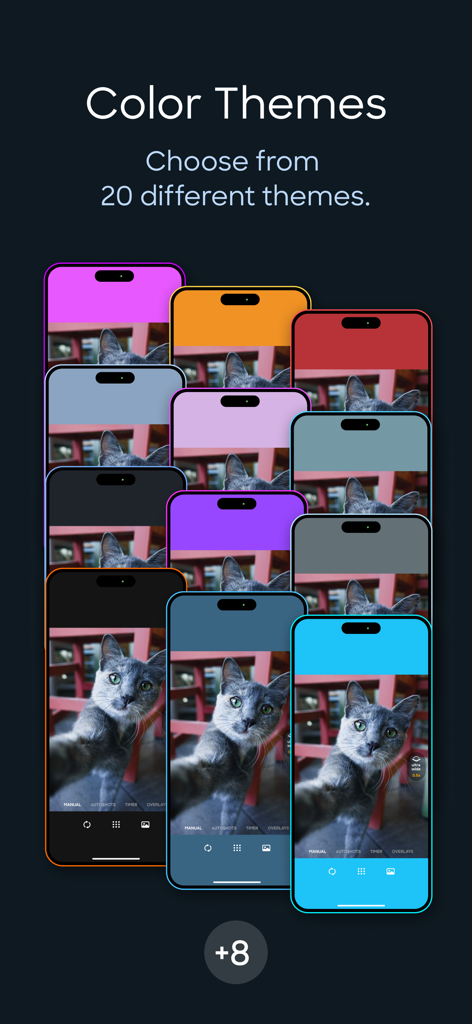
Exibição de vários temas de cores para a interface do aplicativo TapShot exibida em vários iPhones

Exibição de vários temas de cores para a interface do aplicativo TapShot exibida em vários iPhones

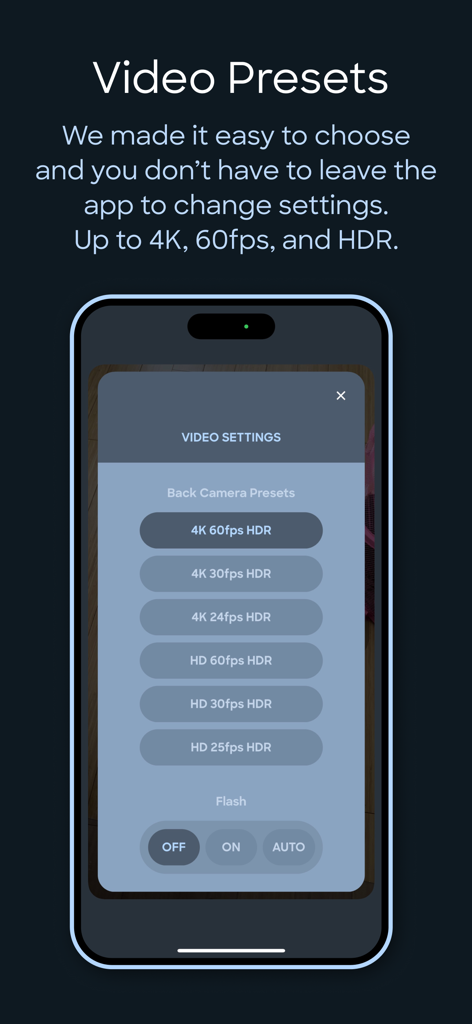
Interface do aplicativo TapShot mostrando predefinições de gravação de vídeo, incluindo 4K 60fps HDR e configurações de flash

Interface do aplicativo TapShot mostrando predefinições de gravação de vídeo, incluindo 4K 60fps HDR e configurações de flash

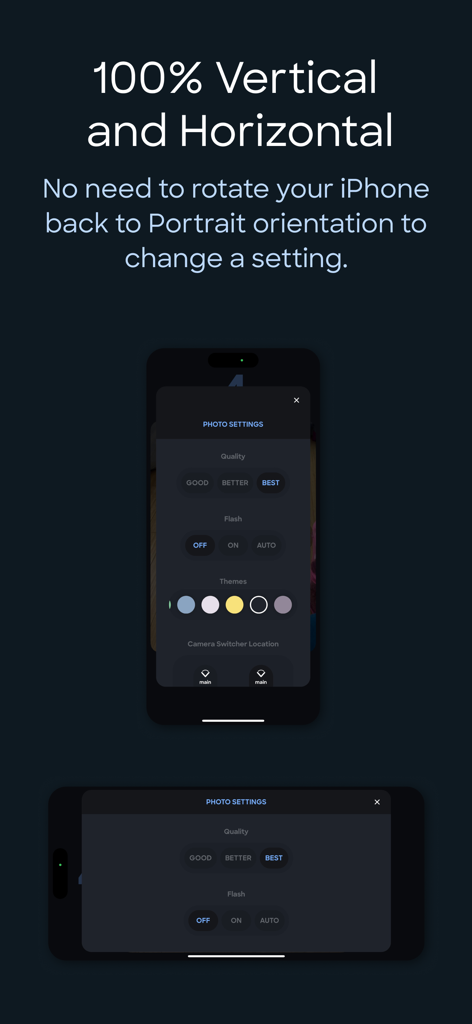
Interface de configurações do aplicativo TapShot mostrada em orientações vertical e horizontal do iPhone.

Interface de configurações do aplicativo TapShot mostrada em orientações vertical e horizontal do iPhone.

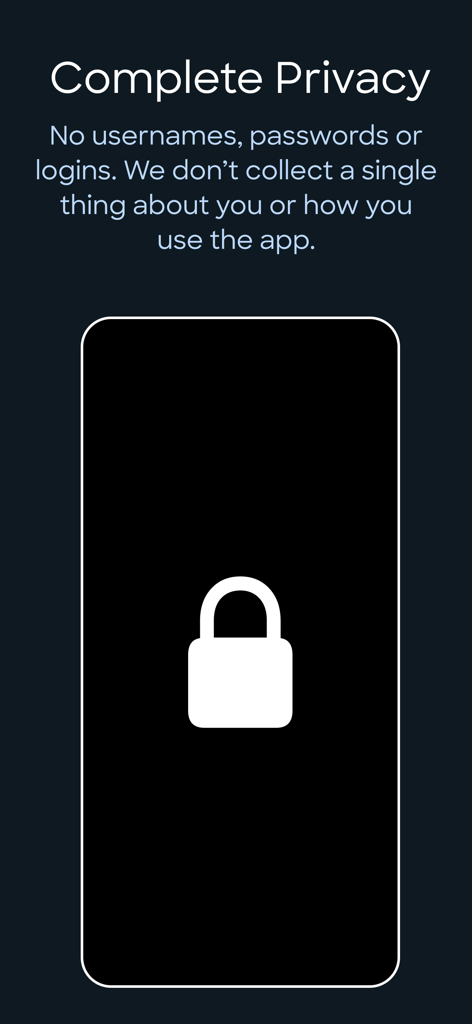
Tela do aplicativo TapShot detalhando privacidade completa sem logins ou coleta de dados

Tela do aplicativo TapShot detalhando privacidade completa sem logins ou coleta de dados

Capture Cada Jogada Vencedora Como um Profissional

As ferramentas que destacam este app, escolhido por 200 usuários.

☝️

Controle de Ação com Um Dedo

Aumente o zoom e tire fotos com um único arrastar e toque. Chega de tropeçar em botões pequenos enquanto a ação acontece no campo.

🏷️

Logotipos de Equipe Instantâneos

Adicione automaticamente o logotipo da sua escola ou clube a cada foto enquanto a tira. Crie mídia esportiva de nível profissional para compartilhamento social instantaneamente.

🔥

Velocidade e Qualidade Profissional

Fotografe em 48MP ProRAW e 4K 60FPS. Predefinições de alto desempenho garantem que você nunca perca uma foto decisiva devido ao atraso do obturador.

Sobre o app

Tudo o que você precisa saber sobre TapShot: Sports Action Camera.

Descrição

ONE FINGER ZOOM FOR SPORTS Drag one finger up or down to zoom in and out. Immediately tap your finger wherever it is to capture a photo. Perfect for volleyball, basketball, and all your kid's sporting events. Faster and easier to use than the standard pinch gesture. JUST TAP TO SHOOT Tap anywhere on the image preview to take a photo or start/stop video recording while in video mode. No tiny shutter button. This is so much easier for taking selfies while your arms and hands are fully extended — just focus on framing the shot and tap away. 48 MP APPLE ProRAW AND HEIF For iPhones that support it. CUSTOM FOCUS POINTS Long press for half a second where you would like to set the focus point while maintaining exposure settings. CUSTOM ISO, SHUTTER SPEED, WHITE BALANCE & EXPOSURE BIAS ADJUSTMENTS ToolPod has Auto and Manual modes for toggling between fully automatic photo capture and making manual adjustments to ISO, Shutter Speed and White Balance. ADD YOUR LOGO WHILE TAKING PHOTOS Import your brand or school sports team logo and have it placed on your photos while taking them! No need to use another app afterwards. Choose from 9 locations and set the size and space from the edges. Supports alpha transparency when importing a PNG from iCloud Files. DEPTH CAPTURE MODE On capable iPhones and iPads, use Depth mode to capture and embed depth data to your selfies and rear camera photos. Open and edit with the native Photos app to apply lighting effects and adjust depth of field settings. 4x3 OR 16x9 PHOTO ASPECT RATIOS Traditional 4x3 size or wider 16x9, ideal for social media and video projects. SINGLE FINGER ZOOMING Zoom in and out with one finger! It’s easier and your zooms are smoother while recording video. If your iPhone is in the horizontal orientation you can even drag up and down at the side of the screen so your finger doesn’t block the subjects you are taking photos of. And just tap where your finger is to capture! No need to go the extra distance to a shutter button. SNAP TO OPTICAL ZOOM POSITIONS Drag with two fingers up or down to snap to the available optical zoom positions of your iPhone. This ensures you are only shooting at the optical zoom positions of your iPhone for best quality. CLEAN VIEW MODE Tap with 2 fingers to hide UI controls for an unobstructed image preview. Tap again with 2 fingers to restore them. PERSONAL PHOTO BOOTH WITH AUTOSHOTS Automated selfie sets. Because no one takes just one selfie — TapShot can automatically take a set of several photos, seconds apart. It means less physical coordination and you can keep your eyes on the screen to frame the perfect poses. If you just need one photo, there is a traditional simple countdown timer as well. BEAUTIFUL COLOR THEMES Choose from 20 different color themes to make your photo and video capturing experience match the color of your iPhone or case. EASY CAMERA SWITCHER The camera switcher always tells you which camera you are using, the current zoom factor, and if you’re at the optical zoom factor for that camera to use the best quality possible. VIDEO RECORDING PRESETS We made it easy to get the right level of quality versus file size. You don’t kneed to know complex video and photo terminology. And you don't need to leave the app to change any settings. 4K, 60FPS, HDR – if your device supports it you can use it in TapShot. COMPLETE PRIVACY No usernames, passwords or logins. We don’t collect a single thing about you or how you use the app. Nothing whatsoever is transmitted from your device to us. Your photos are saved directly to your iPhone’s camera roll so you can use the Photos app to manage and share. Terms of Use: https://www.apple.com/legal/internet-services/itunes/dev/stdeula/ Privacy Policy: https://tapshot.app/privacy

Última versão

2.6.0

Tamanho

21.3 MB

Data de lançamento

13 de jun. de 2023

Nunca Mais Perca o Momento Decisivo do Jogo do Seu Filho

Junte-se a milhares de pais de esportistas e criadores amadores capturando ação de nível profissional com zoom de um dedo e branding instantâneo. Seguro, privado e projetado para a lateral do campo.

Baixar no App Store

App information, icons, screenshots, and descriptions displayed on this page are sourced from the Apple App Store and are the property of their respective developers. Download estimates and rankings are based on MWM's proprietary models and may not reflect actual figures. This page is provided for informational and analytical purposes only.

Believe this page infringes your intellectual property? File a dispute