
Esta página não é uma página oficial do aplicativo ou de seu desenvolvedor, mas uma publicação editorial independente criada para fins informativos e de comentário. Salvo indicação expressa em contrário, nem o aplicativo nem seu desenvolvedor são afiliados, endossados, patrocinados, autorizados ou oficialmente conectados à MWM, Apple, Google Play, ao editor do aplicativo ou ao desenvolvedor do aplicativo, e nada nesta página implica que o aplicativo foi desenvolvido utilizando os serviços da MWM. Todas as marcas comerciais, logotipos, capturas de tela e outros conteúdos permanecem propriedade de seus respectivos proprietários.

Thermo Watch for Nest & Ecobee
Comande sua casa com Atalhos de Voz da Siri e seu Apple Watch. Desfrute de um controle rápido, privado e totalmente independente do seu termostato — mesmo quando o seu iPhone ficar para trás.
Downloads
114K+Avaliação
Total de avaliações
500Editor
Categoria
LifestyleIdiomas
1Última versão
15.9Tamanho
63.7 MBData de lançamento
21 de mar. de 2016Domine o seu Clima, Naturalmente
O elo perdido entre seus termostatos inteligentes e o ecossistema Apple que você ama. Rápido, privado e poderoso.
Integração Perfeita com a Siri
Finalmente controle o seu Nest com comandos de voz naturais. Use atalhos personalizados como "E aí Siri, estou com frio" no seu Watch, iPhone ou HomePod.
Controle Otimizado para o Pulso
Ajuste a temperatura da sua casa com um simples giro da Digital Crown ou monitore o status do seu sistema de climatização instantaneamente através das complicações do mostrador do relógio.
As capturas de tela e a descrição a seguir são provenientes diretamente da listagem oficial da loja do aplicativo e são propriedade do desenvolvedor.
App Store
Capturas
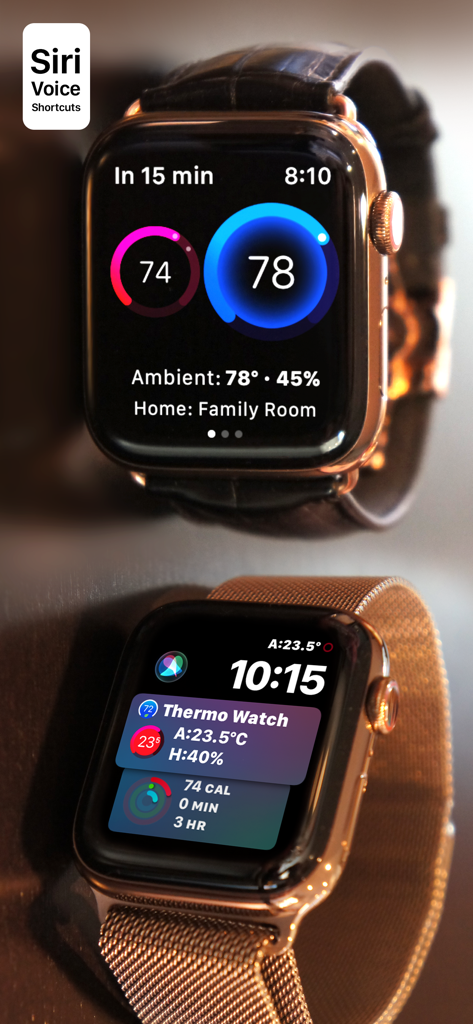
Interface do aplicativo Thermo Watch no Apple Watch mostrando controles de termostato inteligente para Nest e Ecobee
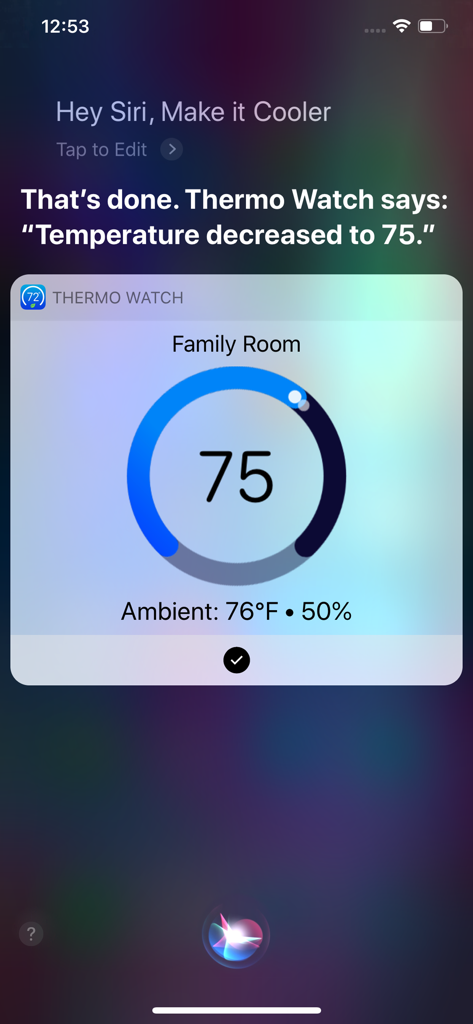
Interface de comando de voz da Siri mostrando ajuste de temperatura com o Thermo Watch em um iPhone
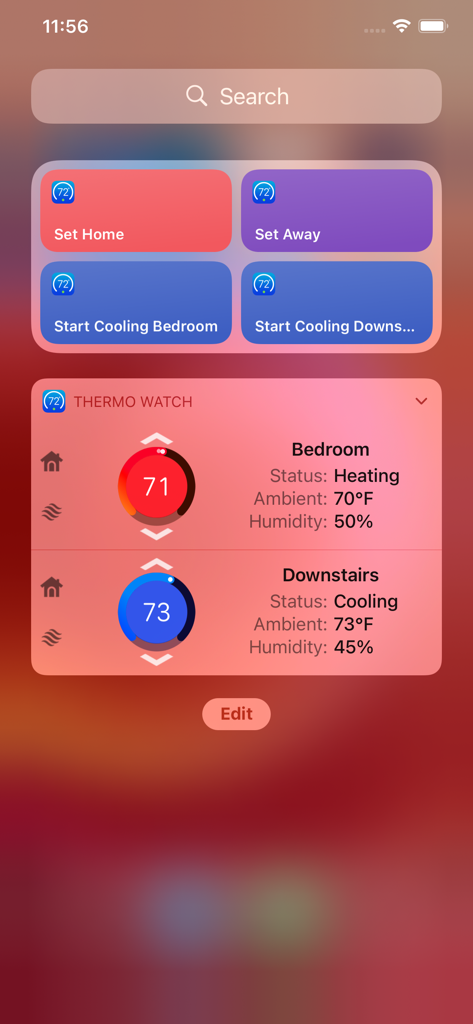
Widget do aplicativo Thermo Watch no iPhone mostrando temperatura e status para várias zonas da casa
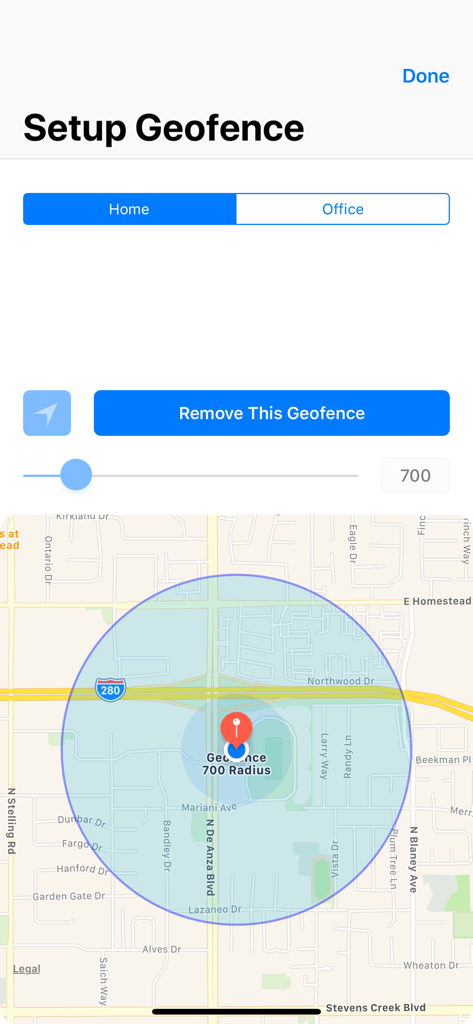
Tela de configuração de geofence mostrando um mapa com um raio circular para localizações de casa e escritório
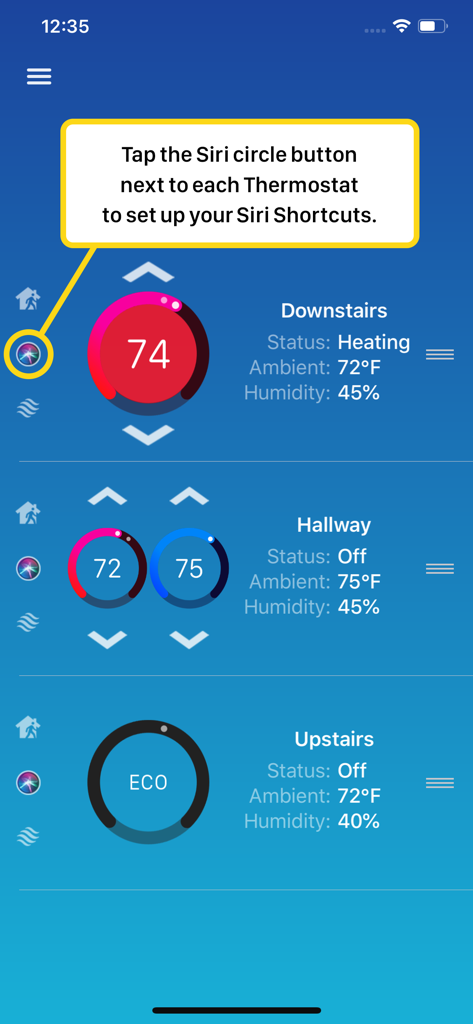
Interface do aplicativo Thermo Watch mostrando como configurar Atalhos da Siri para vários termostatos inteligentes
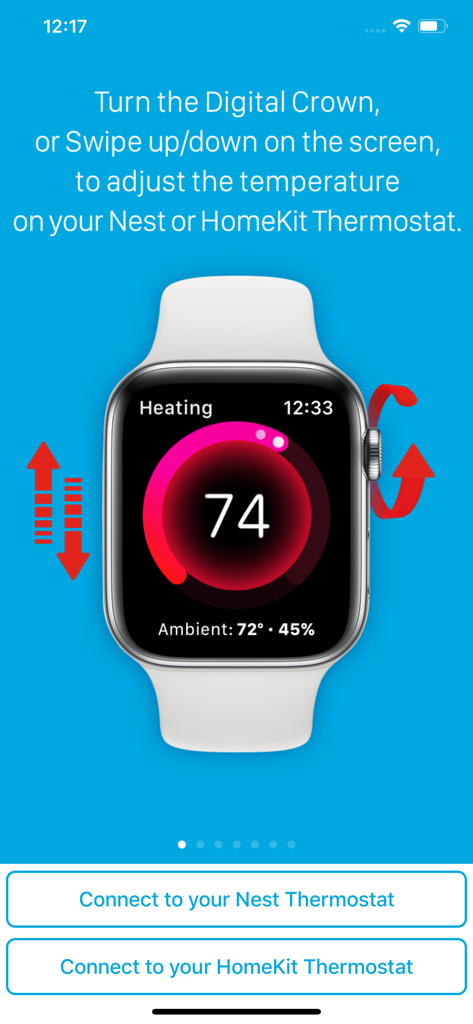
Interface do Apple Watch mostrando controle de temperatura para termostatos Nest e HomeKit via Digital Crown e deslizamento
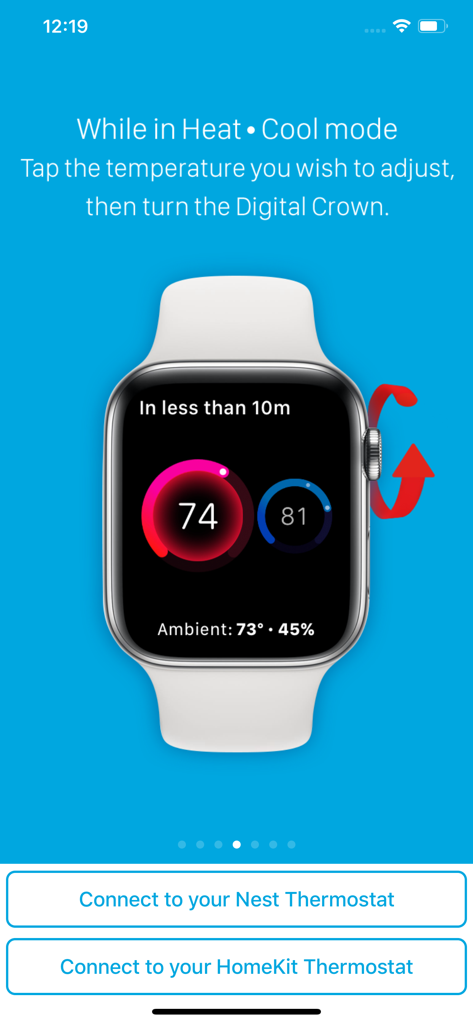
Interface do Apple Watch mostrando ajuste de temperatura para termostatos Nest e HomeKit usando a Digital Crown
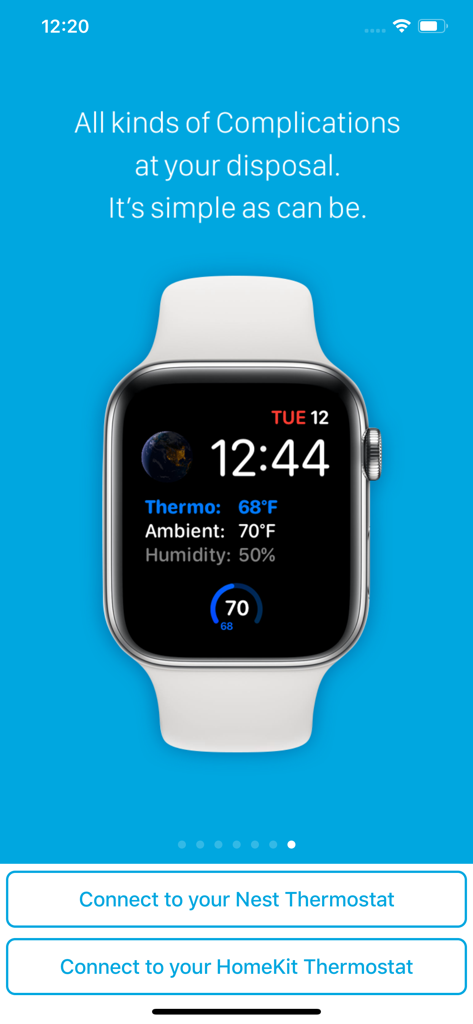
Mostrador do Apple Watch mostrando complicações de temperatura do termostato, temperatura ambiente e umidade do aplicativo Thermo Watch.
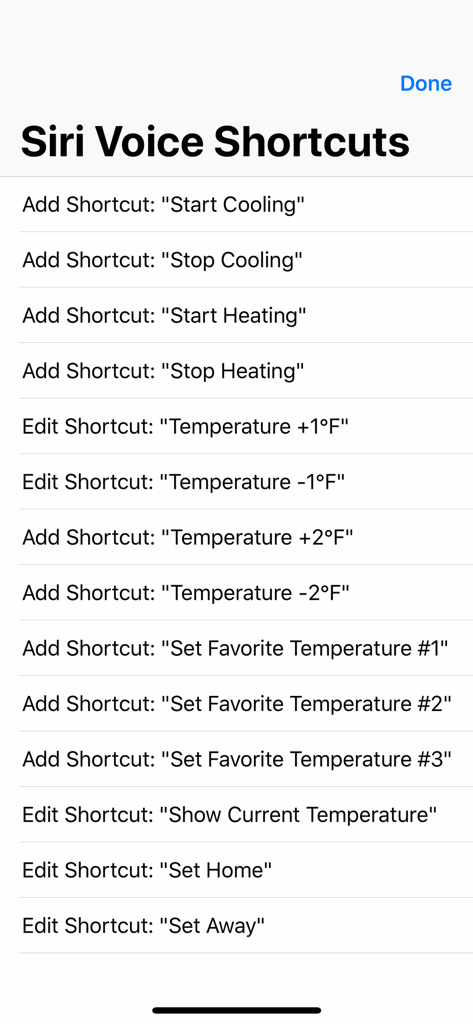
Uma lista de Atalhos de Voz da Siri no aplicativo Thermo Watch para controlar termostatos Nest e Ecobee.
Descrição
Download
Apps Semelhantes
Apps mais bem classificados na mesma categoria

Pinterest, Inc.

Alipay - Simplify Your Life
Alipay (Hangzhou) Technology Co., Ltd.

Dianping: Discover Good Places
Hanhai Information Technology (Shanghai) Co.Ltd

美团-美好生活小帮手
Sankuai Technology Co., Ltd.

Lemon8 - Lifestyle Community
TIKTOK PTE. LTD.

Xiaomi Home
Beijing Xiaomi Co., Ltd

Tinder Dating App: Date & Chat
Tinder LLC

SmartThings
Samsung Electronics Co., Ltd.

VNeTraffic
GLOBAL TECHNOLOGY - TELECOMMUNICATIONS CORPORATION
Esta página não é uma página oficial do aplicativo ou de seu desenvolvedor, mas uma publicação editorial independente criada para fins informativos e de comentário. Salvo indicação expressa em contrário, nem o aplicativo nem seu desenvolvedor são afiliados, endossados, patrocinados, autorizados ou oficialmente conectados à MWM, Apple, Google Play, ao editor do aplicativo ou ao desenvolvedor do aplicativo, e nada nesta página implica que o aplicativo foi desenvolvido utilizando os serviços da MWM. Todas as marcas comerciais, logotipos, capturas de tela e outros conteúdos permanecem propriedade de seus respectivos proprietários.