
Esta página não é uma página oficial do aplicativo ou de seu desenvolvedor, mas uma publicação editorial independente criada para fins informativos e de comentário. Salvo indicação expressa em contrário, nem o aplicativo nem seu desenvolvedor são afiliados, endossados, patrocinados, autorizados ou oficialmente conectados à MWM, Apple, Google Play, ao editor do aplicativo ou ao desenvolvedor do aplicativo, e nada nesta página implica que o aplicativo foi desenvolvido utilizando os serviços da MWM. Todas as marcas comerciais, logotipos, capturas de tela e outros conteúdos permanecem propriedade de seus respectivos proprietários.


Things 3
Das tarefas rotineiras aos seus maiores objetivos de vida, organize todas as esferas da sua vida com uma interface projetada para beleza, simplicidade e fluidez.
Downloads
832K+Avaliação
Total de avaliações
48K+Editor
Categoria
ProductivityIdiomas
9Última versão
3.22.6Tamanho
124.9 MBData de lançamento
18 de mai. de 2017Domine seu dia com organização sem esforço
Projetado para quem valoriza clareza e excelência, Things 3 combina estética premiada com recursos poderosos para ajudá-lo a alcançar seus maiores objetivos.
Seu Dia, Simplificado
Veja seus eventos de calendário e tarefas juntos em uma lista Hoje limpa que o ajuda a focar no que vem a seguir sem confusão.
Estrutura para Cada Área
Organize seu mundo em Áreas distintas, como Carreira ou Casa, e use Projetos para transformar grandes ambições em passos acionáveis.
Perguntas Frequentes
Tudo o que você precisa saber sobre Things 3
O que é o aplicativo Things 3?
Things 3 é um aplicativo de lista de tarefas premiado que ajuda os usuários a planejar seu dia, gerenciar projetos e progredir em direção a metas. Ele oferece uma interface fácil de usar para organizar tarefas e áreas da vida.
Posso organizar minhas tarefas em projetos com o Things 3?
Sim, o Things 3 permite que você crie Projetos para qualquer grande objetivo. Você pode adicionar tarefas para alcançá-lo, usar títulos para estruturar sua lista, anotar notas e definir prazos.
O Things 3 suporta tarefas recorrentes?
Sim, o Things 3 suporta tarefas recorrentes através de seu recurso "Repetidores". Isso repete automaticamente as tarefas em um cronograma que você define dentro do aplicativo.
Como o Things 3 ajuda a organizar diferentes áreas da minha vida?
O Things 3 permite que os usuários criem "Áreas" para cada esfera da vida, como Trabalho, Família ou Finanças. Isso mantém tudo organizado e fornece uma visão geral de seus planos.
Posso adicionar notas e listas de verificação às minhas tarefas no Things 3?
Sim, o Things 3 permite que os usuários adicionem notas, marquem, agendem e dividam tarefas em etapas menores. Você também pode criar listas de verificação dentro das tarefas, como mostrado no aplicativo.
O Things 3 se integra ao meu calendário?
Sim, o Things 3 oferece integração com calendário. Ele exibe seus eventos de calendário ao lado de suas tarefas nas listas Hoje e Próximas para uma visualização combinada de sua agenda.
O Things 3 está disponível em outros dispositivos Apple como Mac ou Apple Watch?
Sim, o Things 3 está disponível para Mac, iPad e Apple Vision Pro, que são vendidos separadamente. Ele também oferece um aplicativo dedicado para Apple Watch, com sincronização instantânea.
Como o Things 3 lida com lembretes de tarefas?
O Things 3 fornece um recurso de Lembretes. Os usuários podem definir um horário específico e o aplicativo os notificará sobre sua tarefa, garantindo que as tarefas não sejam perdidas.
O Things 3 oferece um modo escuro?
Sim, o Things 3 apresenta um belo modo escuro. Ele é adaptado para iPhone e se integra a recursos do sistema, incluindo o modo escuro automático ao pôr do sol, aprimorando o conforto visual.
Posso usar widgets com o Things 3?
Sim, o Things 3 inclui widgets. Eles permitem que você veja suas listas de tarefas diretamente em suas telas iniciais e de bloqueio, fornecendo acesso rápido e uma visão geral imediata de suas tarefas pendentes.
Como posso encontrar rapidamente tarefas específicas no Things 3?
O Things 3 possui "Busca Rápida". Essa funcionalidade permite que você localize instantaneamente tarefas específicas ou alterne eficientemente entre diferentes listas diretamente na interface do aplicativo.
O Things 3 oferece sincronização na nuvem para tarefas?
Sim, o Things 3 oferece sincronização gratuita em todos os seus dispositivos Apple através de seu serviço proprietário Things Cloud. Isso garante que suas tarefas e dados estejam sempre atualizados e consistentes.
Existe um teste gratuito para o Things 3?
Sim, um teste gratuito para o Things 3 está disponível especificamente para usuários de Mac. Você pode baixar e avaliar o aplicativo visitando www.things.app antes de comprar.
Como posso criar uma tarefa a partir de um e-mail usando o Things 3?
O Things 3 permite que você encaminhe um e-mail para o aplicativo, que então converte o conteúdo do e-mail em uma nova tarefa. Esse recurso é conhecido como "Mail to Things".
O Things 3 suporta formatação Markdown para notas?
Sim, o Things 3 suporta formatação Markdown. Os usuários podem estruturar e estilizar suas notas dentro do aplicativo, permitindo entradas de texto organizadas e visualmente aprimoradas.
As capturas de tela e a descrição a seguir são provenientes diretamente da listagem oficial da loja do aplicativo e são propriedade do desenvolvedor.
App Store
Capturas
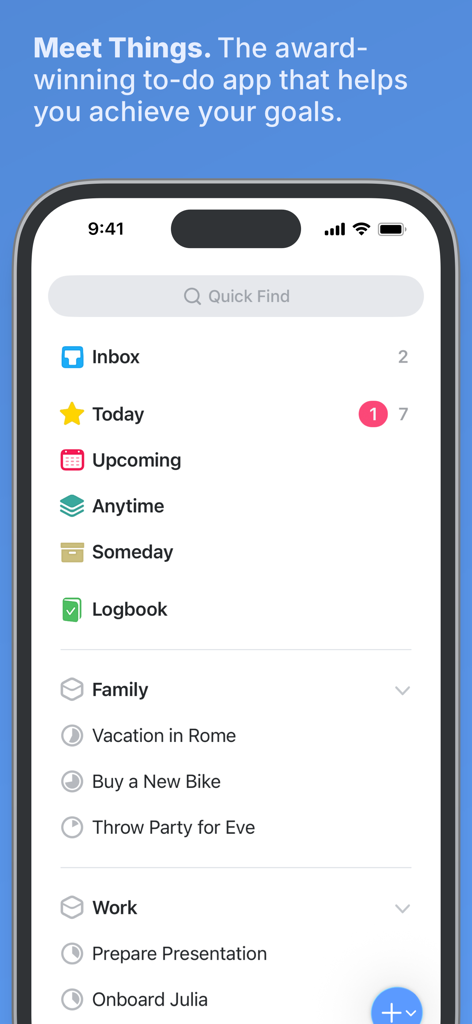
Painel principal do aplicativo gerenciador de tarefas Things 3 no iPhone com listas de projetos organizadas e design minimalista.
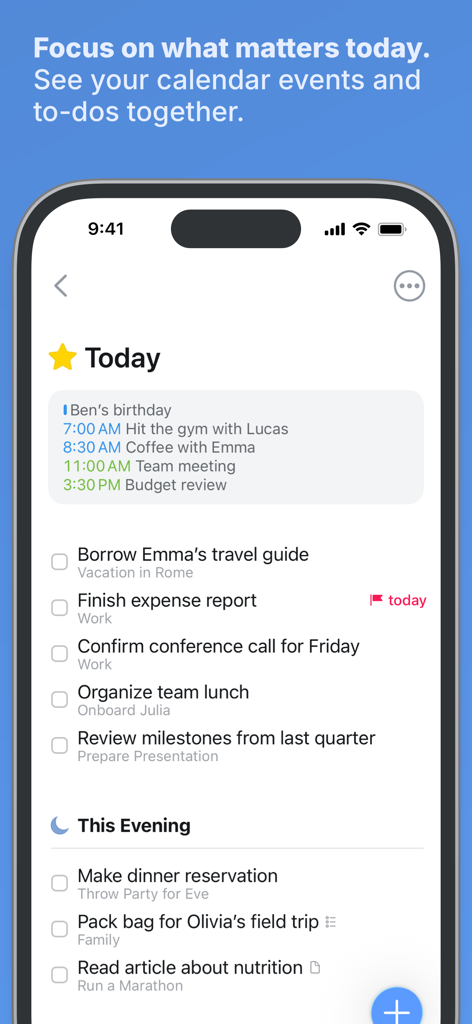
Aplicativo Things 3 no iPhone exibindo a lista Hoje com eventos de calendário e tarefas organizadas.
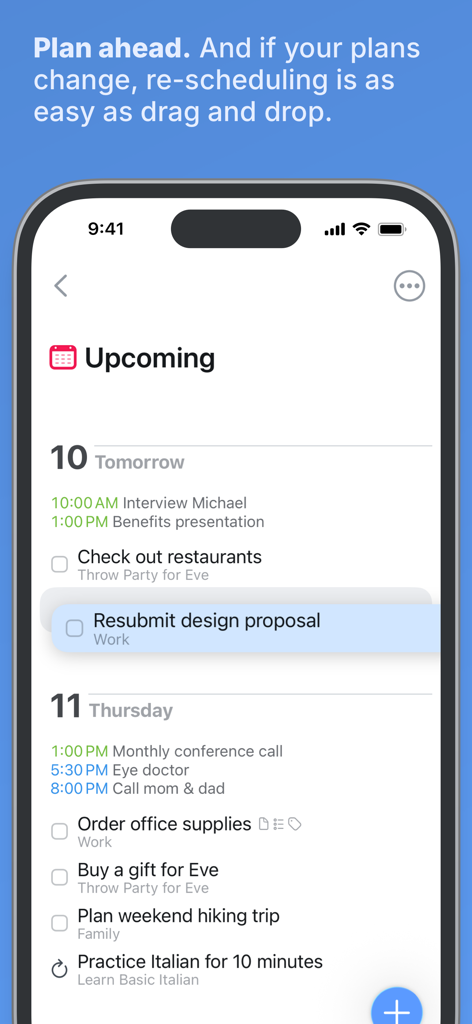
Captura de tela do aplicativo Things 3 mostrando a lista de tarefas futuras e o recurso de reagendamento por arrastar e soltar.
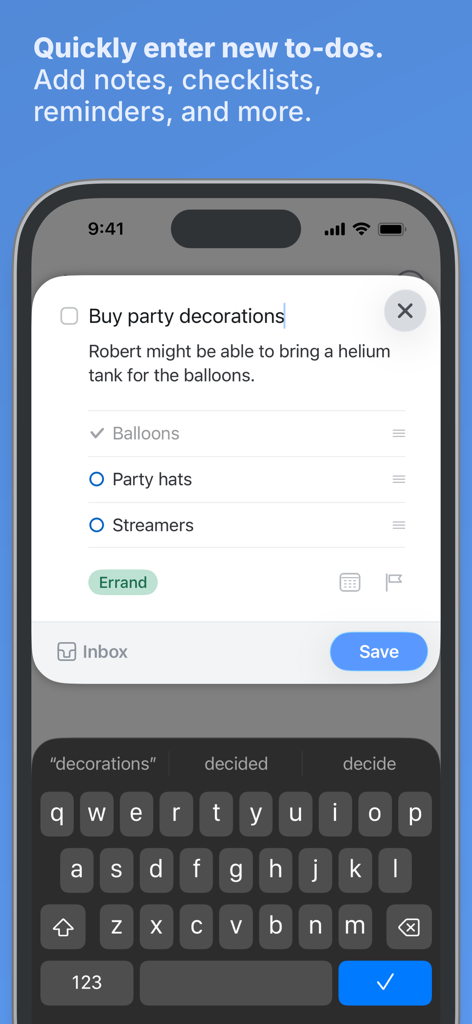
Captura de tela do iPhone mostrando a interface de entrada rápida do Things 3 para criar uma nova tarefa com notas e uma lista de verificação.
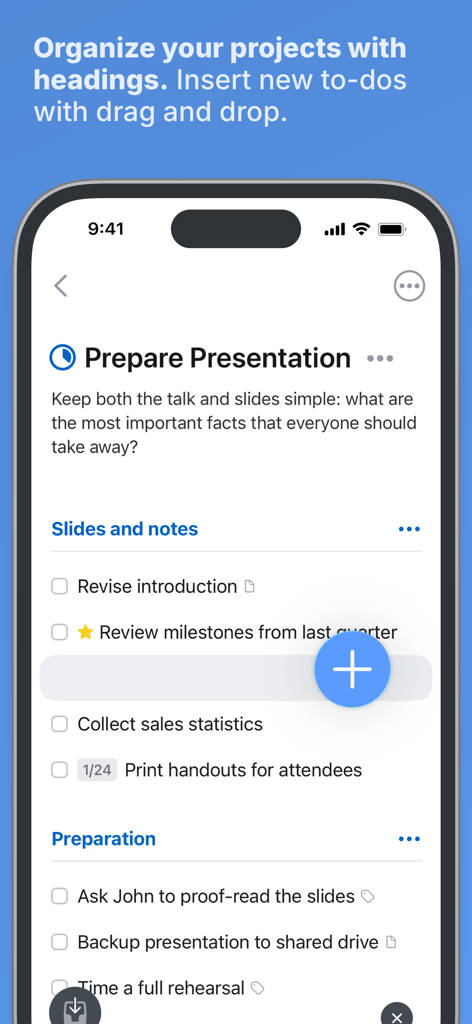
Interface do Things 3 mostrando organização de projetos com títulos e um recurso de arrastar e soltar para tarefas.
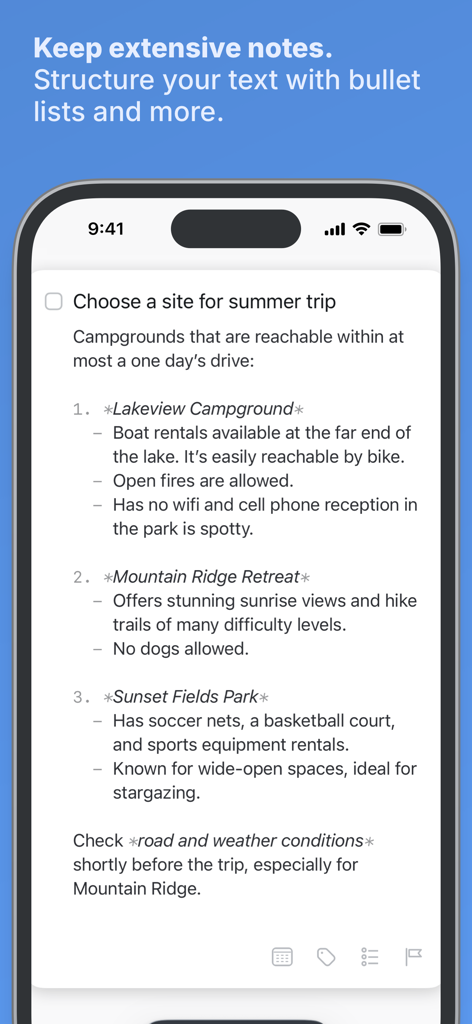
Uma tarefa no Things 3 mostrando notas estruturadas com marcadores e formatação markdown.
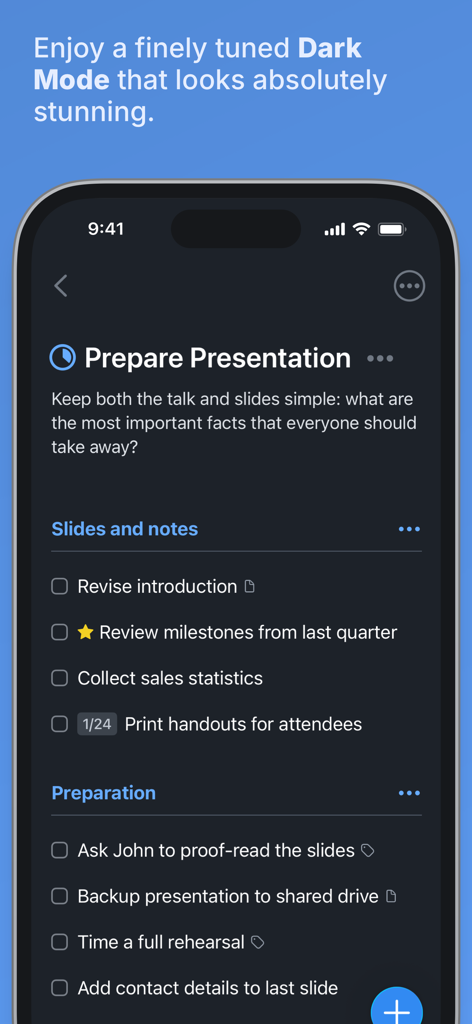
Interface do aplicativo gerenciador de tarefas Things 3 no modo escuro no iPhone, mostrando uma lista de projetos.
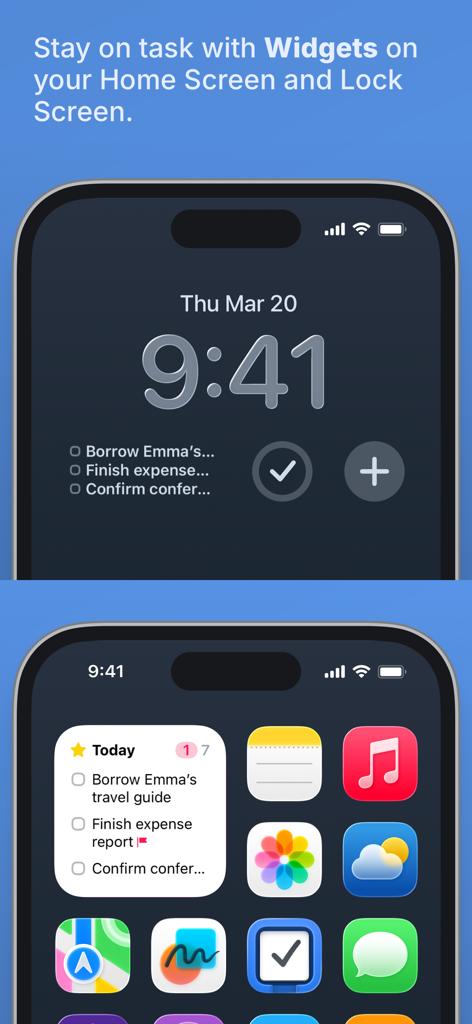
Widgets do aplicativo Things 3 exibidos na tela inicial e na tela de bloqueio do iPhone.
Descrição
Download
Apps Semelhantes
Apps com recursos e experiência semelhantes

Notion: Notes, Tasks, AI
Notion Labs, Incorporated

Freenotes®: AI Notes Taking
Hangzhou Free Notes Technology Co., Ltd

Structured - Daily Planner
unorderly GmbH

Google Tasks: Get Things Done
Google LLC

TickTick:To-Do List & Calendar
Appest Limited

Noteful: Notes & PDF Markup
Noteful Technologies Ltd

Todoist: To Do List & Calendar
Doist Inc.

To do list MinimaList & Widget
Inner Grow Limited

monday.com - Work Platform
monday.com Ltd.
Esta página não é uma página oficial do aplicativo ou de seu desenvolvedor, mas uma publicação editorial independente criada para fins informativos e de comentário. Salvo indicação expressa em contrário, nem o aplicativo nem seu desenvolvedor são afiliados, endossados, patrocinados, autorizados ou oficialmente conectados à MWM, Apple, Google Play, ao editor do aplicativo ou ao desenvolvedor do aplicativo, e nada nesta página implica que o aplicativo foi desenvolvido utilizando os serviços da MWM. Todas as marcas comerciais, logotipos, capturas de tela e outros conteúdos permanecem propriedade de seus respectivos proprietários.