TV Cast for Fire TV®

TV Cast for Fire TV®


Baixar no App StoreBaixar no Google Play
Logo de TV Cast for Fire TV®
TV Cast para Fire TV®: A Solução Completa para Transmitir Qualquer Vídeo da Web

Crie a ponte entre seu iPhone e o Amazon Fire TV. Transmita facilmente filmes online, esportes ao vivo e sua mídia pessoal para a tela grande com um único toque.

Editor

Kraus und Karnath GbR 2Kit Consulting

Categoria

Photo & Video

Downloads

1M+

Avaliação

3.9/5

Total de avaliações

9K+

Idiomas

1

Sua Web, Na Sua TV

Descubra a interface usada por 1M+ usuários.
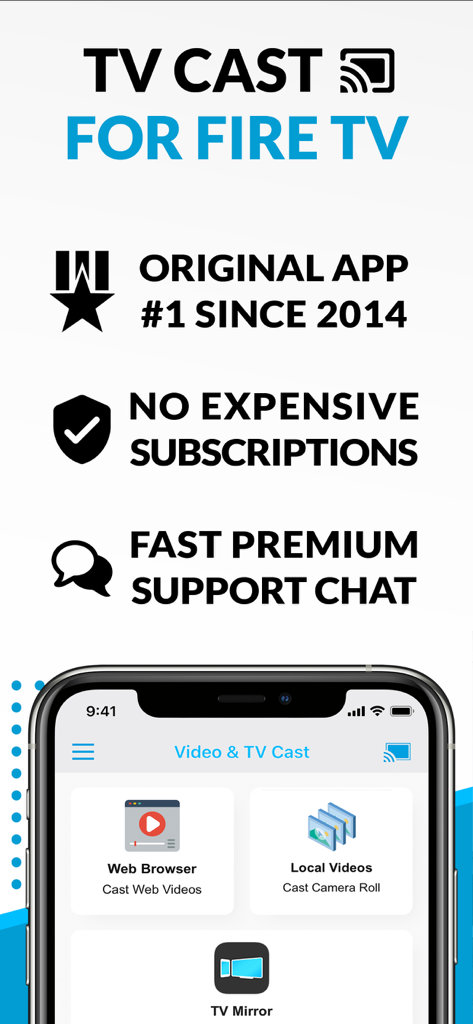
Interface do aplicativo TV Cast for Fire TV mostrando navegador da web e recursos de transmissão de vídeo local

Interface do aplicativo TV Cast for Fire TV mostrando navegador da web e recursos de transmissão de vídeo local

Um smartphone transmitindo uma foto pessoal de uma mulher para uma grande tela Amazon Fire TV

Um smartphone transmitindo uma foto pessoal de uma mulher para uma grande tela Amazon Fire TV

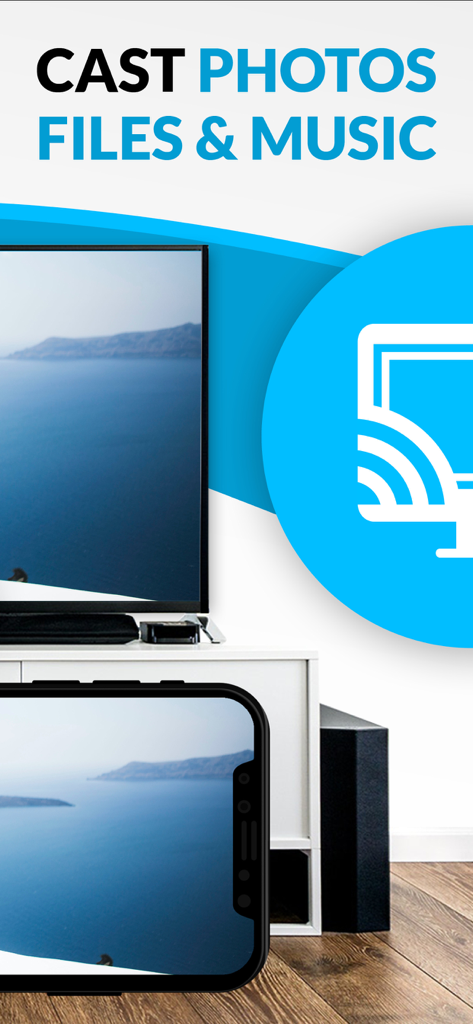
Um iPhone e uma tela de TV exibindo a mesma foto de paisagem com texto sobre transmissão de fotos, arquivos e músicas

Um iPhone e uma tela de TV exibindo a mesma foto de paisagem com texto sobre transmissão de fotos, arquivos e músicas

Melhore a Experiência da Sua Sala de Estar

As ferramentas que destacam este app, escolhido por 1M+ usuários.

🌐

Transmita Qualquer Vídeo da Web

Navegue em qualquer site e transmita esportes, notícias ou filmes de nicho diretamente para sua TV. Se está na web, você pode assistir na tela grande.

📸

Home Theater Pessoal

Compartilhe instantaneamente suas próprias fotos, vídeos e músicas do seu telefone ou iCloud para reviver suas memórias favoritas com familiares e amigos.

🛡️

Controle Sem Anúncios

Elimine pop-ups intrusivos e assuma o controle com uma barra de reprodução remota integrada que permite avançar e sincronizar em todos os seus dispositivos iOS.

Sobre o app

Tudo o que você precisa saber sobre TV Cast for Fire TV®.

Descrição

Watch webvideos, online movies, live tv streams and your personal photos, videos & music on your Amazon Fire TV. Enjoy the show on your big screen. With Video & TV Cast you can browse through the web and stream any video you want on your Amazon Fire TV (movies, tv shows, sports, music and more). Just navigate to your favorite website and send the embedded video with a single tap to your Amazon Fire TV. The discovered video will be shown below the browser. A tap on the video link will send it to your Amazon Fire TV immediately. Streaming personal media from your device is also supported. >>> Important Notes * The app only works with a Amazon Fire TV or Fire TV Stick. * iTunes movies, Flash video and DRM protected videos like Amazon Prime, Netflix, Hulu, Vudu, DirecTV, Xfinity, HBO now are not supported! * Please test your favorite videos with the free edition before upgrading! * The app streams only the video part of a website and not the whole website content (No screen or tab mirroring!). * Sometimes it is necessary to play the video on your iPad or iPhone first before it gets discovered by the app for streaming. It may also be neccessary to start casting multiple times until it works with specific videos. * If a video is not working at all, please check the FAQ on the app startpage. If that does not help you, please drop us an email before leaving a negative comment on the App Store. We will try to add support for that website as soon as possible. >>> UPGRADE FEATURES (available as in-app purchases) * Premium Edition: Unlocks all of the features listed here. Also future features are included, so you do not have to pay for them when they are released in an updated app version. * Remote Playbar: A remote control that allows you to fast forward or rewind videos while browsing. It syncs across all your iPads & iPhones that are connected to the same Fire TV. So your video can be controlled by different users in the same room. * Personal Media: Cast unlimited personal photos, videos and music directly from your device or from cloud services like iCloud and Dropbox. * Ad-Blocker: Blocks ads & popups on most websites and removes the sponsoring ads from the app. You can update and enable/disable ad-blocking at any time in the settings. * Bookmarks: Save unlimited website bookmarks. Synchronize and transfer them between different TV Cast apps and iOS devices by using backup and restore via iCloud. * Desktop Mode: Change the browser user-agent and cloak your iPhone/iPad as a desktop PC to load the desktop website instead of a mobile website. Please note that this will NOT enable video casting on websites that serve Flash videos in desktop mode. * Change Homepage: Set your personal homepage in the settings. >>> A MESSAGE FROM THE DEVELOPERS Countless websites have been reported to us and we already support more than 90% of all videos on the internet. But still we know that things can get even better. Your feedback and priorities will drive our work ahead, and you’ll see new features and more supported websites in our next app updates. Disclaimer: This app is not affiliated with Amazon or any other trademark mentioned here. This app was not created or endorsed by Amazon.

Última versão

3.10

Tamanho

37.7 MB

Data de lançamento

12 de abr. de 2015

Pronto para Desbloquear Sua Tela Grande?

Junte-se a mais de 1 milhão de espectadores que criam a ponte entre iPhone e Fire TV. Baixe agora para transmitir vídeos da web, fotos de família e muito mais com apenas um toque.

Baixar no App StoreBaixar no Google Play

App information, icons, screenshots, and descriptions displayed on this page are sourced from the Apple App Store and are the property of their respective developers. Download estimates and rankings are based on MWM's proprietary models and may not reflect actual figures. This page is provided for informational and analytical purposes only.

Believe this page infringes your intellectual property? File a dispute