Vocal Extractor -Karaoke maker
Baixar no App Store

Esta página não é uma página oficial do aplicativo ou de seu desenvolvedor, mas uma publicação editorial independente criada para fins informativos e de comentário. Salvo indicação expressa em contrário, nem o aplicativo nem seu desenvolvedor são afiliados, endossados, patrocinados, autorizados ou oficialmente conectados à MWM, Apple, Google Play, ao editor do aplicativo ou ao desenvolvedor do aplicativo, e nada nesta página implica que o aplicativo foi desenvolvido utilizando os serviços da MWM. Todas as marcas comerciais, logotipos, capturas de tela e outros conteúdos permanecem propriedade de seus respectivos proprietários.

Logo de Vocal Extractor -Karaoke maker
Baixar no App Store

Vocal Extractor -Karaoke maker

Transforme qualquer música em sua biblioteca em instrumentais de qualidade de estúdio ou vocais isolados. Potencializado por deep learning para criadores, cantores e DJs.

Números Chave

Downloads

369K+

Avaliação

4.3/5

Total de avaliações

2K+

Editor

Hikaru Tsuyumine

Categoria

Music

Idiomas

2

Última versão

5.6

Tamanho

78.7 MB

Data de lançamento

3 de nov. de 2018
Recursos

Ferramentas de Áudio Profissionais para Todo Criador

Transforme qualquer música em sua biblioteca em instrumentais de qualidade de estúdio ou vocais isolados usando nossa tecnologia avançada impulsionada por IA.

Separação com IA

Vá além do filtro básico. Nosso motor de deep learning extrai vocais cristalinos, mesmo de gravações complexas, mono ou fora de centro.

Karaoke e Stems Instantâneos

Crie faixas de acompanhamento perfeitas para praticar ou vocais a cappella isolados para o seu próximo remix viral nas redes sociais em segundos.

As capturas de tela e a descrição a seguir são provenientes diretamente da listagem oficial da loja do aplicativo e são propriedade do desenvolvedor.

App Store

Capturas
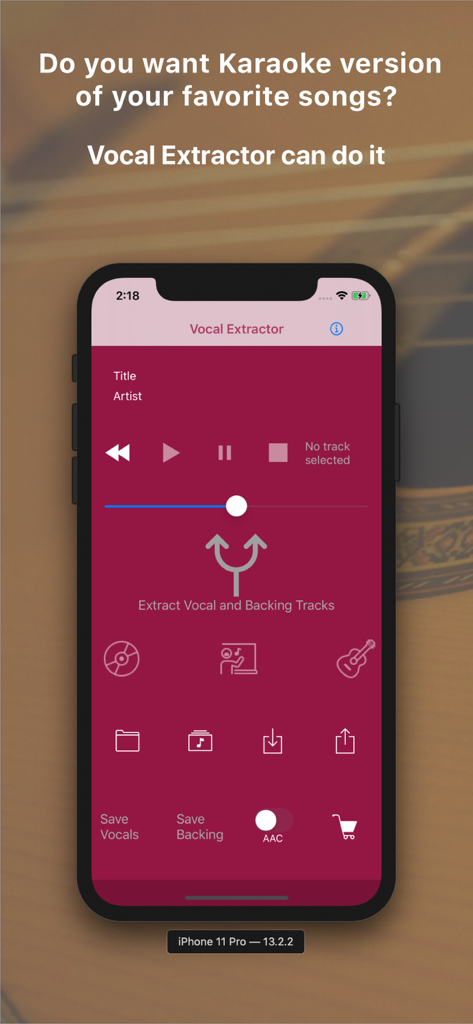
Vocal Extractor -Karaoke maker - Tela principal do aplicativo Extrator de Voz em um iPhone mostrando opções para separar vocais e faixas de acompanhamento para karaoke
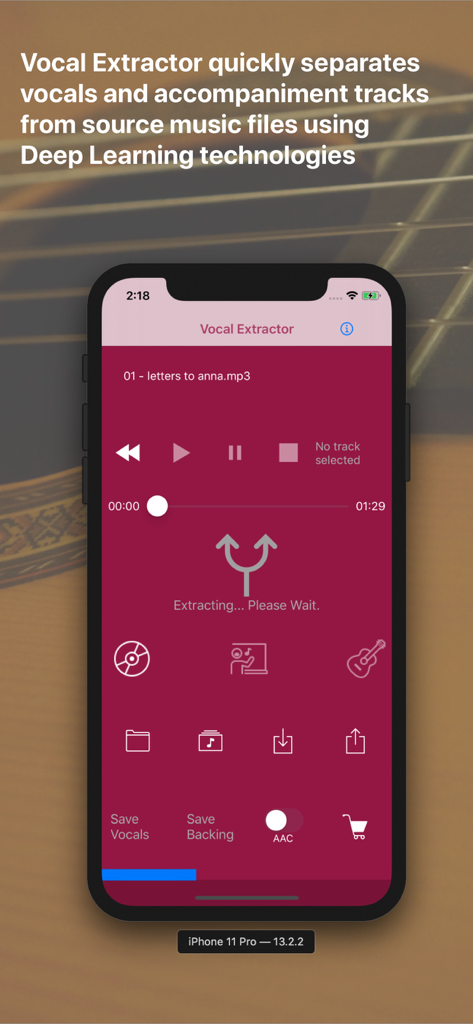
Tela principal do aplicativo Extrator de Voz em um iPhone mostrando opções para separar vocais e faixas de acompanhamento para karaoke

Vocal Extractor -Karaoke maker - Interface do aplicativo Extrator de Voz mostrando separação por IA de vocais e faixas de acompanhamento
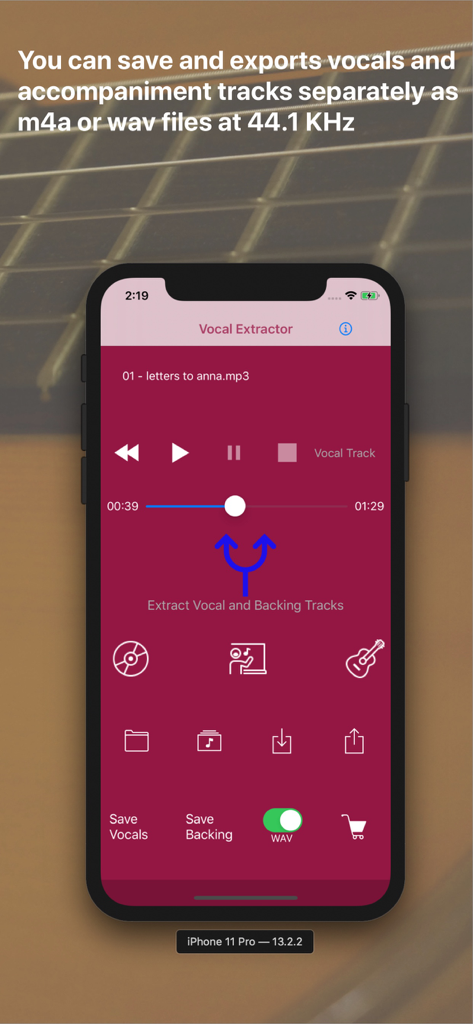
Interface do aplicativo Extrator de Voz mostrando separação por IA de vocais e faixas de acompanhamento

Vocal Extractor -Karaoke maker - Tela do aplicativo Extrator de Voz mostrando botões para extrair e salvar vocais e faixas de acompanhamento.

Tela do aplicativo Extrator de Voz mostrando botões para extrair e salvar vocais e faixas de acompanhamento.

Descrição

Feature Overview Vocal Extractor separates songs in your Music Library into vocals and accompaniment with just a tap of a button on the main screen (*1), instantly creating karaoke and a cappella tracks. The generated vocal and backing (karaoke) tracks can be saved as files and exported to iCloud, Dropbox, Google Drive, and other platforms. This allows you to use the isolated tracks in other applications or on different platforms (*2). Unlike traditional apps based on OOPS (Out of Phase Stereo) technology, Vocal Extractor leverages AI and deep learning to separate vocals from songs, including monaural recordings and tracks where the vocals are not center-panned—cases where traditional apps cannot remove vocals. You can import music files in mp3, m4a, or wav formats from iCloud, Dropbox, Google Drive, and other sources. This includes live recordings created with other apps, allowing you to remove or extract vocals from them. The embedded player allows you to toggle between the original, vocal, or backing tracks while playing the audio. *1. Only songs downloaded to your device and not protected by DRM can be used as source data. *2. Saved output files will have a sampling rate of 44.1kHz and be in m4a or wav format, either mono or stereo. Saving files is an in-app purchase feature. We recommend testing the vocal separation quality in the embedded player before purchasing. How to Use 1.Launch the App After the launch screen, the main screen will appear. Tap the Music Library button, select a song, and load it into the app. 2.Extract Vocals Tap the Vocal Extract button in the center of the main screen. The extraction process will begin, and once completed, the Vocal, Backing, and Save buttons will become active. 3.Playback Tracks Select either the Original, Vocal, or Backing track and tap the Play Back button to listen to the chosen track. 4.Save Tracks After extraction, the Save Vocal and Save Backing buttons will be enabled. The first time you tap one of these buttons, the in-app purchase screen will appear. Before purchasing, we recommend confirming the quality of the vocal separation in the embedded player. Once purchased, the in-app purchase screen will no longer appear, and you can save files after confirming via a pop-up. 5.File Naming Saved files will be named with the original file name (excluding the suffix) plus "_vocal.m4a" or "_backing.m4a". File renaming is not supported in this version. Output files are in 44.1kHz m4a or wav format. 6.Export Files To export files from the app container, tap the Export button. A list of saved files will appear. Select a file and tap the Export menu in the navigation bar. The document provider screen will appear, allowing you to choose a location to save the file. A pop-up will confirm when the export has started successfully. Exporting occurs in the background. 7.Import Source Files You can use m4a, mp3, and wav files as source data. Place these files in iCloud, Dropbox, Google Drive, or another document provider configured on your iPhone. Then, tap the Import button to add the file to the app's container. 8.Load Imported Files After importing a file, tap the File button to see a list of imported files. Select a file and tap the Load menu in the navigation bar to load the content for extraction or playback. 9.Document Provider Compatibility Import and export functions only work with document providers properly configured on your device. For more information, visit http://vocalextractor.com/en/. Some icons used on the main screen are sourced from Icons8. https://icons8.com

Download

Baixar no App Store

Esta página não é uma página oficial do aplicativo ou de seu desenvolvedor, mas uma publicação editorial independente criada para fins informativos e de comentário. Salvo indicação expressa em contrário, nem o aplicativo nem seu desenvolvedor são afiliados, endossados, patrocinados, autorizados ou oficialmente conectados à MWM, Apple, Google Play, ao editor do aplicativo ou ao desenvolvedor do aplicativo, e nada nesta página implica que o aplicativo foi desenvolvido utilizando os serviços da MWM. Todas as marcas comerciais, logotipos, capturas de tela e outros conteúdos permanecem propriedade de seus respectivos proprietários.







