WritePDF

WritePDF

Baixar no App Store
Logo de WritePDF

WritePDF: Poder de Documentos de Classe Desktop para o Profissional Móvel

Vá além de anotações simples com o motor de PDF mais avançado para iPad. Edite, combine e assine documentos com ferramentas profissionais, gerenciamento seguro na nuvem e uma pesquisa global que encontra o que você precisa sem nem abrir um arquivo.

Editor

EuroSmartz Ltd

Categoria

Business

Downloads

129K+

Avaliação

3.8/5

Total de avaliações

800

Idiomas

7

Poder Profissional em um Relance

Descubra a interface usada por 129K+ usuários.
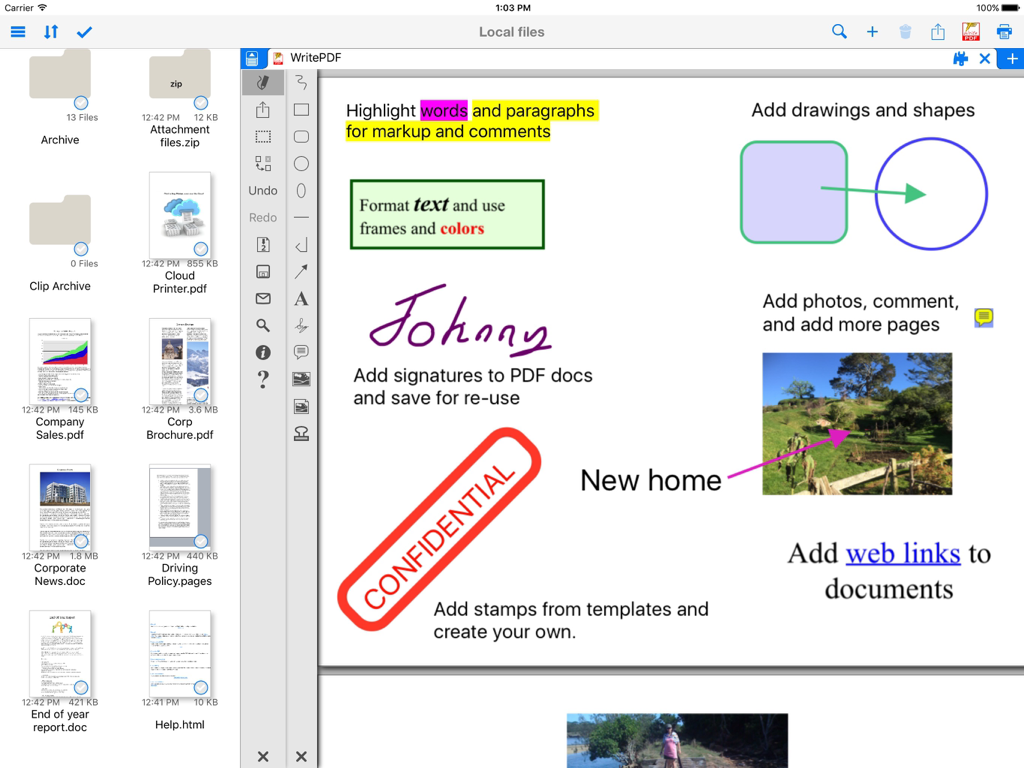
Interface do aplicativo WritePDF no iPad mostrando ferramentas de anotação de documentos, incluindo realce de texto, assinaturas digitais e selos

Interface do aplicativo WritePDF no iPad mostrando ferramentas de anotação de documentos, incluindo realce de texto, assinaturas digitais e selos

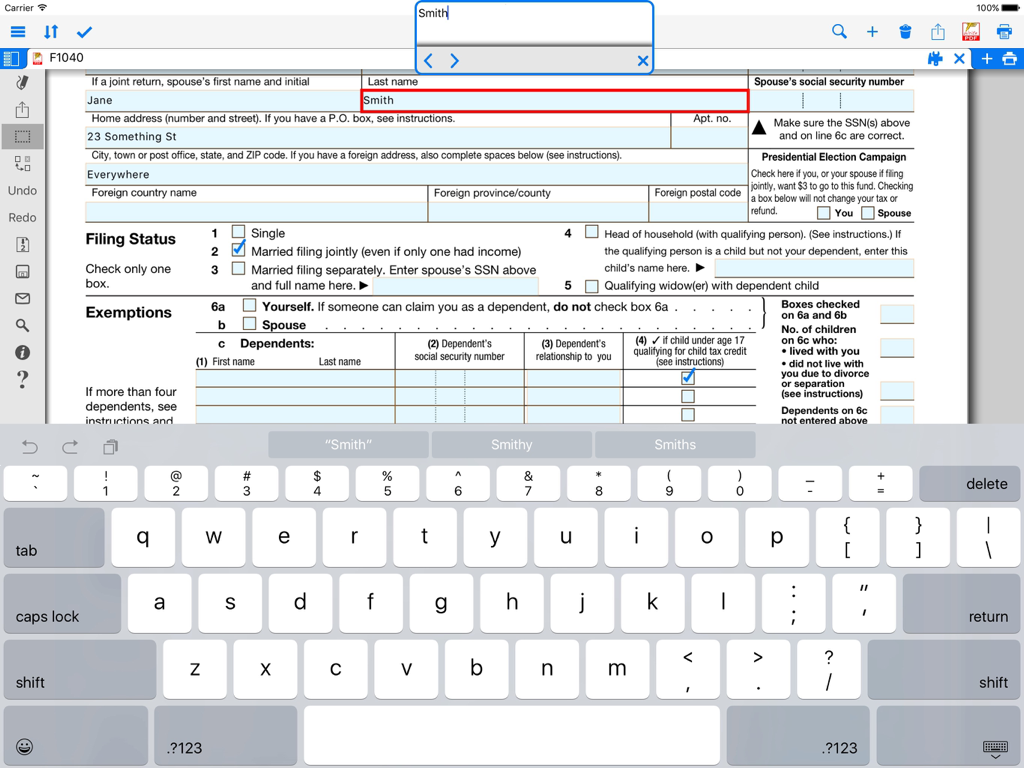
Preenchendo um formulário PDF em um iPad usando o aplicativo WritePDF

Preenchendo um formulário PDF em um iPad usando o aplicativo WritePDF

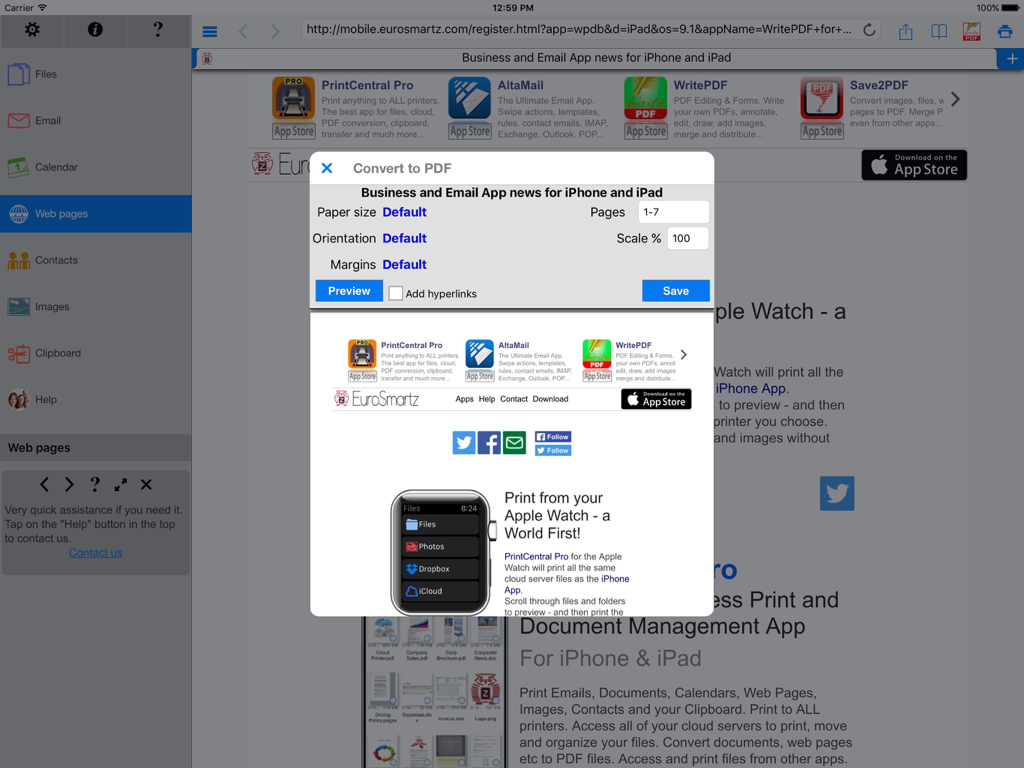
Interface do aplicativo WritePDF para iPad mostrando a caixa de diálogo de conversão de página da web para PDF com configurações de documento.

Interface do aplicativo WritePDF para iPad mostrando a caixa de diálogo de conversão de página da web para PDF com configurações de documento.

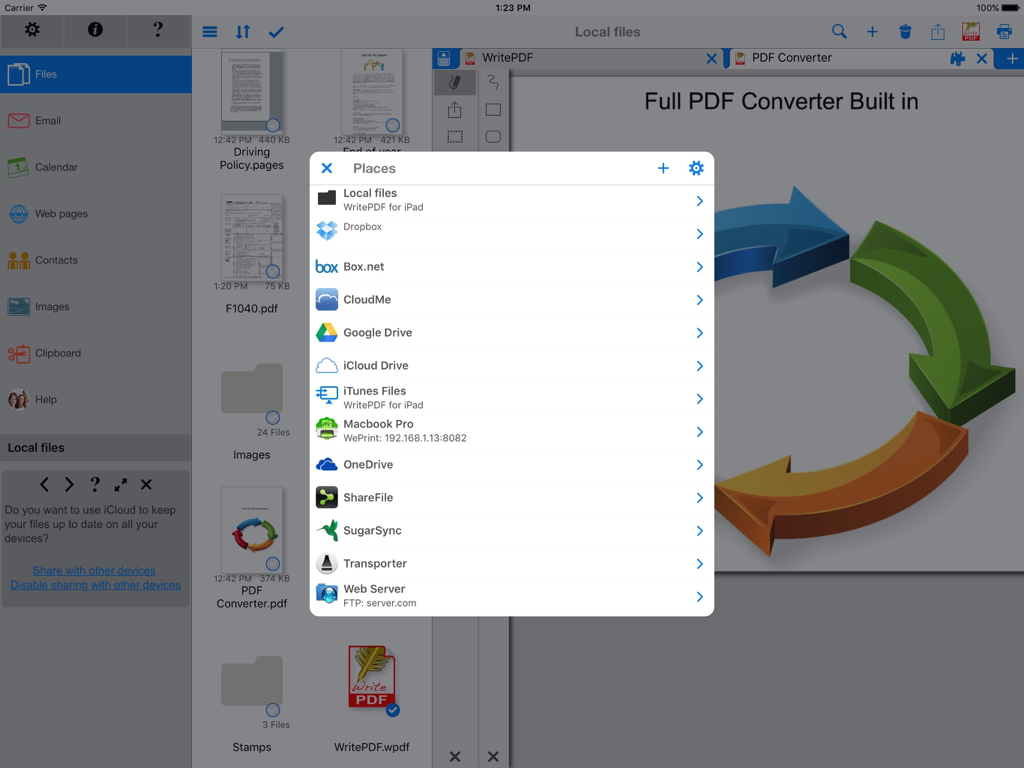
Interface do WritePDF para iPad exibindo uma lista de serviços de armazenamento em nuvem integrados para gerenciamento de documentos

Interface do WritePDF para iPad exibindo uma lista de serviços de armazenamento em nuvem integrados para gerenciamento de documentos

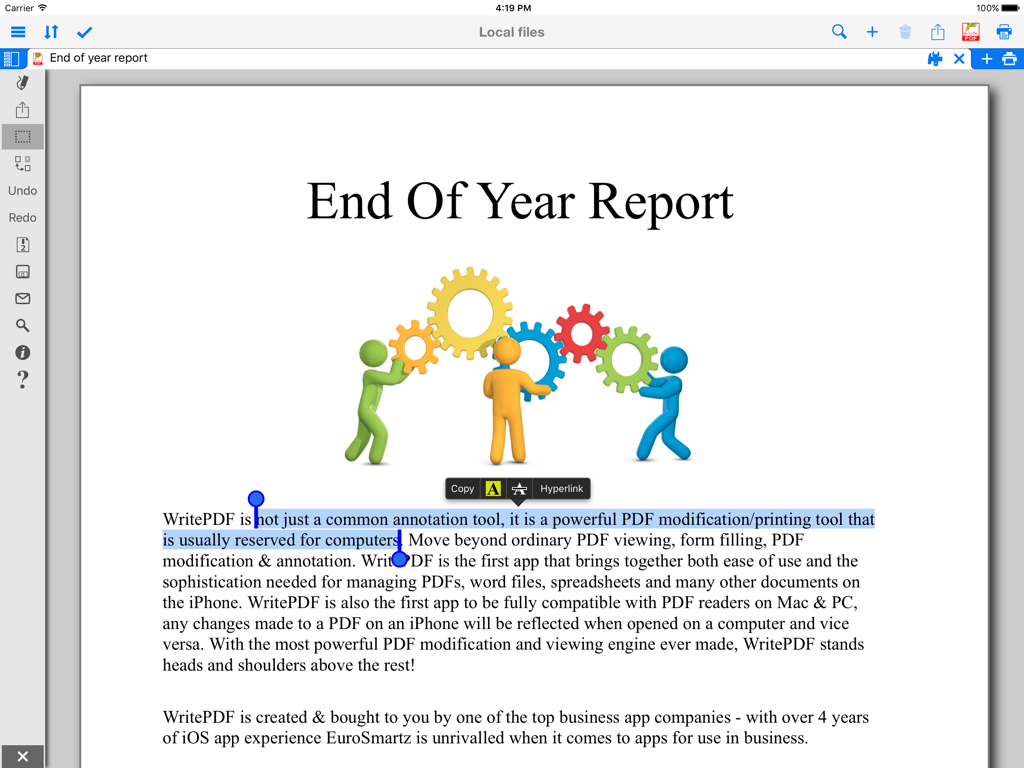
Tela do iPad mostrando opções de realce de texto e anotação em um relatório PDF profissional

Tela do iPad mostrando opções de realce de texto e anotação em um relatório PDF profissional

Poder de Classe Desktop no Seu iPad

As ferramentas que destacam este app, escolhido por 129K+ usuários.

🖋️

Modificação Profissional de Documentos

Combine tipos de arquivo, preencha formulários complexos e anote com a precisão e sofisticação de um PC desktop, tudo em movimento.

🔍

Pesquisa Global Instantânea

Encontre informações críticas em segundos. Pesquise palavras-chave em todos os arquivos armazenados e baseados em nuvem simultaneamente, sem nunca abri-los.

🔒

Fluxo de Trabalho Seguro na Nuvem

Edite e converta documentos diretamente na nuvem sem fazer download. Mantenha a integridade rigorosa dos dados e a conformidade de segurança profissional.

Sobre o app

Tudo o que você precisa saber sobre WritePDF.

Descrição

WritePDF is more than just a common annotation tool, it is a powerful PDF modification/printing tool that is usually reserved for computers. Move beyond ordinary PDF viewing, form filling, PDF modification & annotation. WritePDF is the first app that brings together both ease of use and the sophistication needed for managing PDFs, word files, spreadsheets and many other documents on the iPad. WritePDF is also the first app to be fully compatible with PDF readers on Mac & PC, any changes made to a PDF on an iPad will be reflected when opened on a computer and vice versa. With the most powerful PDF modification and viewing engine ever made, WritePDF stands heads and shoulders above the rest! One of the most powerful and security focused features of WritePDF is the ability to read, convert and annotate PDFs in the Cloud without having to download them first. This means that you can keep all of your documents and files in the Cloud and access them on demand in a very secure environment when away from the office. It also give organisations control on documents and files. WritePDF is created & bought to you by one of the top business app companies - with years of iOS app experience from 2008, EuroSmartz is unrivaled when it comes to apps for use in business. - "Being able to quickly highlight text ready for revision is awesome" - "The ability to search for a word or phrase over all of the PDFs & files I have without opening them is something I can't even do on my PC" - "Form filling is made so easy with WritePDF, I have just applied for a new bank account using my iPad" - "The ability to quickly access a document in the cloud and modify it is the #1 feature in my book" - "I can now edit my PDF and print it to my old printer that is not AirPrint enabled, just magic!" Main Features √ Modifying PDFs > Add arrows, circles, squares and other shapes to a PDF > Fill in PDF forms & add text > Use Highlighter to highlight single words or entire sections > Add web page links to words or sections of text > Transfer PDFs to & from other apps using "Open in.." > Fully compatible with most PC, Mac & iOS App PDF viewers, shows all changes > Insert pictures to a PDF > Quickly & seamlessly transfer PDFs or files from Pages, Numbers or Keynote using Open in √ Global Search > Search for keywords or phrases in ALL files stored within WPDF without opening them > Search results displayed as tapable links √ Cloud Services > Annotate, read and convert files & PDFs directly in the Cloud without downloading > Securely access documents and files and keep control of where they are stored > CloudMe, Sharefile, Box.net, Dropbox, Google Docs, iDisk, FTP, WebDAV all supported √ PDF Page Organization > Move, delete or add pages > Add, delete, rotate, copy/paste & rearrange pages > Add selected pages to an existing PDF from docs, spreadsheets or other files √ Form Filling > Easily fill in PDF forms, even with multiple fields and boxes > Save your signature in the app and reuse when needed > Email/print completed form right from within the app √ PDF Conversion & Merging View/Convert/Merge Microsoft Office files, Photos, PDFs, Contacts, Web Pages, Email & Email attachments as well as many more file formats > Create a single PDF from multiple files even if they are a different format (i.e. merge a Word file with a Pages document with an existing PDF etc) > Print or convert PDFs from other apps using Open in or other methods √ Full featured Printing > Print direct to most existing WiFi or shared printers, or use the free printer software for ALL printers. > Print from Pages, Numbers or Keynote extremely quickly & easily without the need for an AirPrint printer using Open in > Print remotely via 3G/EDGE or Google Cloud Print √ Reminders & Keywords > Set a reminder for a file, PDF or document > Add keywords to any file for easy searching

Última versão

4.7

Tamanho

44.4 MB

Data de lançamento

28 de fev. de 2012

Pronto para Transformar seu iPad em uma Estação de Trabalho Profissional?

Junte-se a mais de 129.000 profissionais móveis que confiam no WritePDF para edição de classe desktop, gerenciamento seguro na nuvem e impressão perfeita — a qualquer hora, em qualquer lugar.

Baixar no App Store

App information, icons, screenshots, and descriptions displayed on this page are sourced from the Apple App Store and are the property of their respective developers. Download estimates and rankings are based on MWM's proprietary models and may not reflect actual figures. This page is provided for informational and analytical purposes only.

Believe this page infringes your intellectual property? File a dispute