Accessibility Checker - AI EAA

Accessibility Checker - AI EAA

Herunterladen auf App Store
Logo von Accessibility Checker - AI EAA

Accessibility Checker - AI EAA: Meistern Sie Konformität und inklusives Design von unterwegs

Das ultimative professionelle Toolkit für Designer und Entwickler, um mobile Websites zu prüfen, WCAG 2.1/3.0 Farbkontraste zu verifizieren und die ADA- und EAA-Konformität mit KI-gestützter Präzision sicherzustellen.

Herunterladen auf App Store

Herausgeber

Accessible Resources Ltd

Kategorie

Utilities

Downloads

33K+

Bewertung

3.0/5

Bewertungen gesamt

0

Sprachen

1

Sichtbarkeit in Aktion

Entdecken Sie die Oberfläche, die von 33K+ Nutzern verwendet wird.
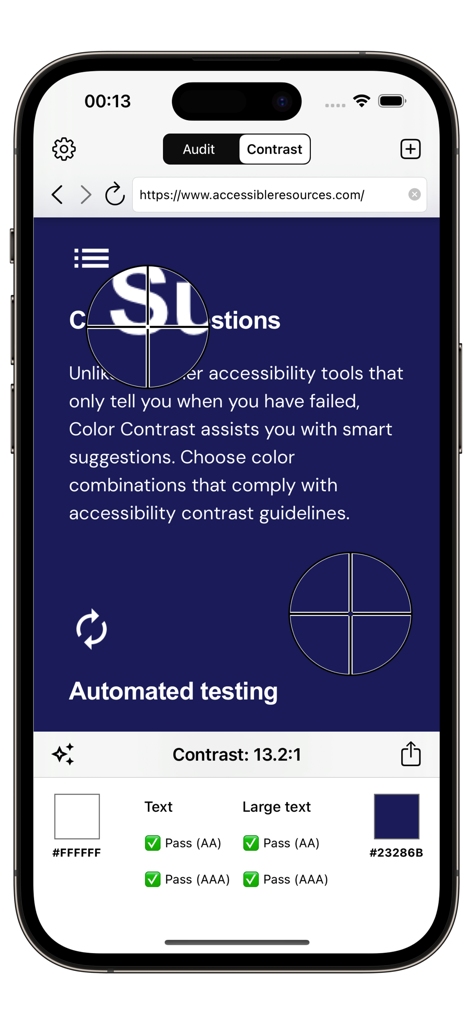
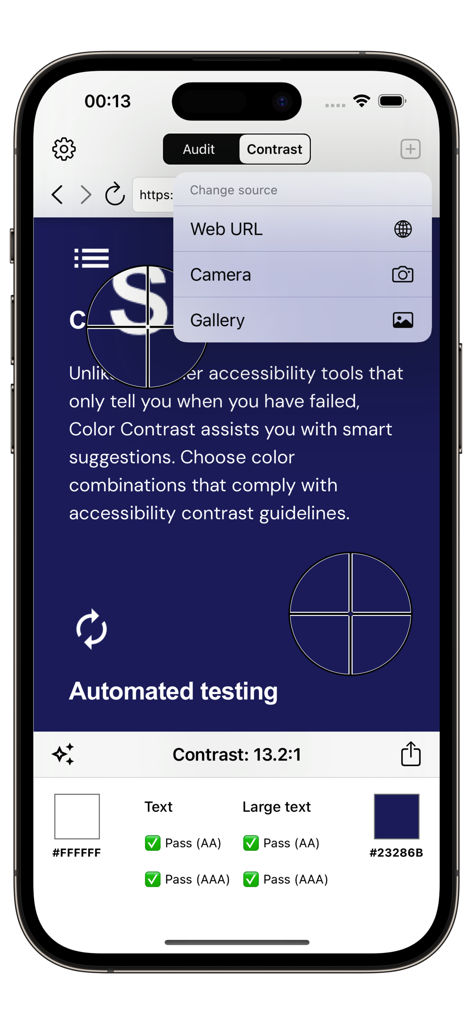
Mobile App-Benutzeroberfläche, die einen Farbkontrast-Test mit bestandenen WCAG-Ergebnissen zeigt

Mobile App-Benutzeroberfläche, die einen Farbkontrast-Test mit bestandenen WCAG-Ergebnissen zeigt

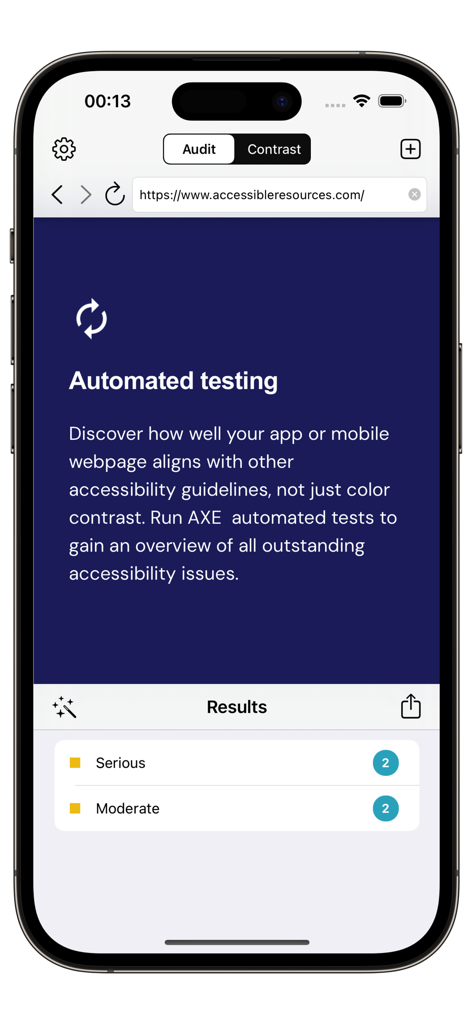
Screenshot der Accessibility Checker App, der automatisierte Ergebnisse von Barrierefreiheits-Tests für eine mobile Website zeigt.

Screenshot der Accessibility Checker App, der automatisierte Ergebnisse von Barrierefreiheits-Tests für eine mobile Website zeigt.

Eine mobile App-Benutzeroberfläche, die eine Farbkontrastprüfung mit Ergebnissen eines Verhältnisses von 13,2 zu 1 und bestandener WCAG-Konformität für AA- und AAA-Stufen anzeigt.

Eine mobile App-Benutzeroberfläche, die eine Farbkontrastprüfung mit Ergebnissen eines Verhältnisses von 13,2 zu 1 und bestandener WCAG-Konformität für AA- und AAA-Stufen anzeigt.

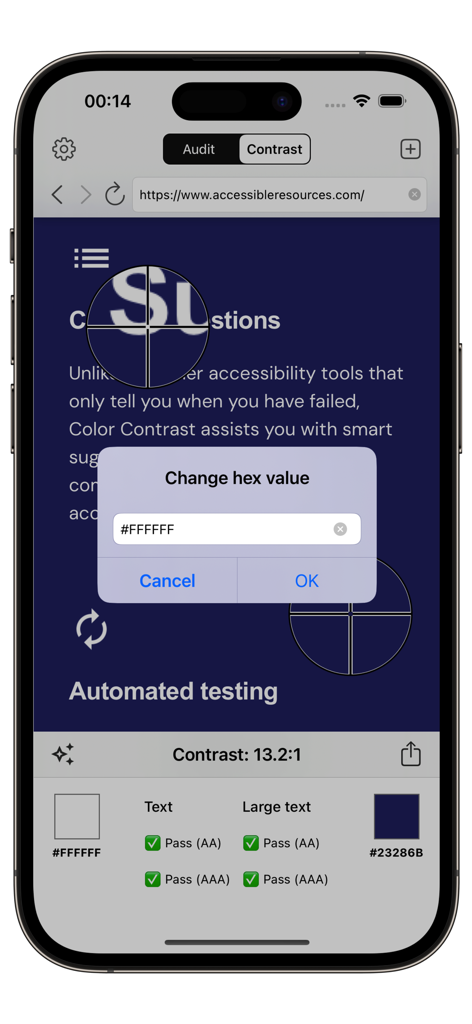
Farbkontrastanalyse auf einer mobilen Website mit der Accessibility Checker App, die den WCAG-Konformitätsstatus anzeigt

Farbkontrastanalyse auf einer mobilen Website mit der Accessibility Checker App, die den WCAG-Konformitätsstatus anzeigt

Accessibility Checker App-Benutzeroberfläche auf dem iPhone, die automatisierte Audit-Ergebnisse für eine Website einschließlich schwerwiegender und mäßiger Probleme zeigt.

Accessibility Checker App-Benutzeroberfläche auf dem iPhone, die automatisierte Audit-Ergebnisse für eine Website einschließlich schwerwiegender und mäßiger Probleme zeigt.

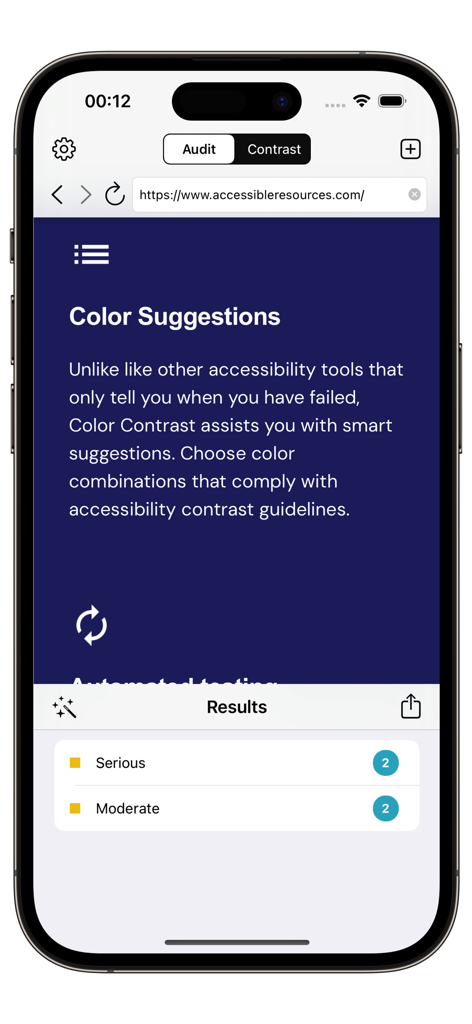
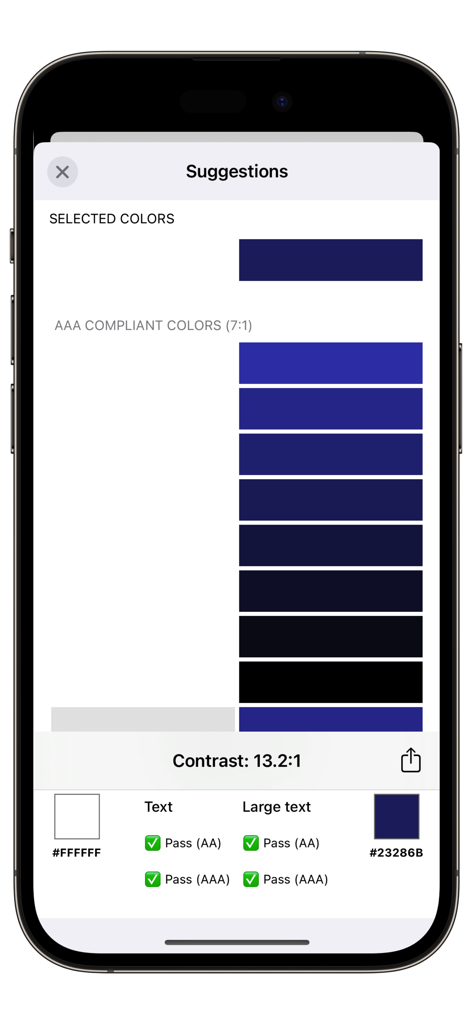
Mobiler App-Bildschirm, der Farbkontrastvorschläge und bestandene Ergebnisse für die WCAG AAA Barrierefreiheits-Konformität zeigt

Mobiler App-Bildschirm, der Farbkontrastvorschläge und bestandene Ergebnisse für die WCAG AAA Barrierefreiheits-Konformität zeigt

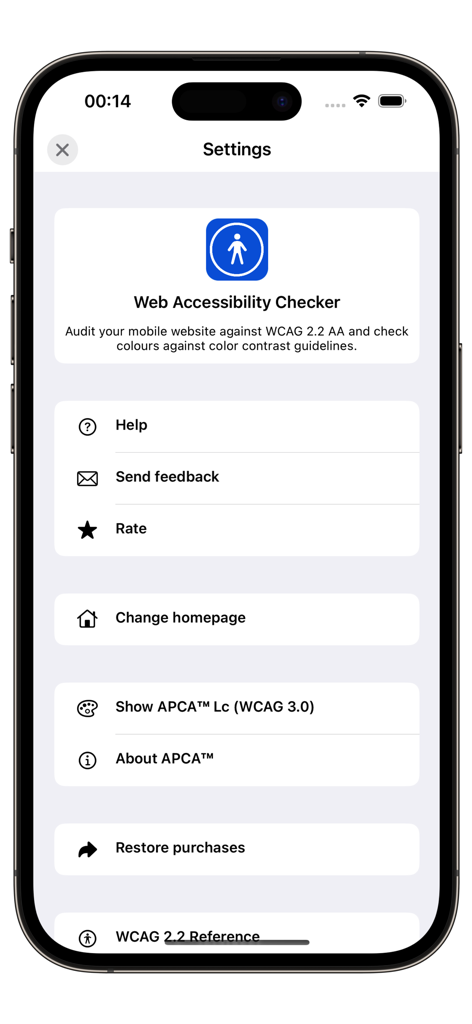
Einstellungsbildschirm der Accessibility Checker App, der Optionen für WCAG 2.2 und APCA WCAG 3.0 Audits zeigt

Einstellungsbildschirm der Accessibility Checker App, der Optionen für WCAG 2.2 und APCA WCAG 3.0 Audits zeigt

Erstellen Sie inklusive digitale Produkte mit Vertrauen

Die Tools, die diese App auszeichnen, gewählt von 33K+ Nutzern.

🚀

Sofortige automatisierte Audits

Scannen Sie jede mobile Website mit AxeCore, um kritische Barrierefreiheits-Verstöße zu erkennen und rechtliche Risiken in Sekundenschnelle zu eliminieren.

🌈

Erweiterte Kontrastanalyse

Validieren Sie die Textlesbarkeit gemäß WCAG 2.1 und 3.0 Standards mit intuitiver Farbauswahl und entwicklerbereiten Code-Exporten.

📄

Professionelle Konformitätsberichte

Erstellen und teilen Sie detaillierte Audits sofort, um Stakeholder abzustimmen, Design-Entscheidungen zu begründen und Ihre Fortschritte bei der Barrierefreiheit zu dokumentieren.

Über die App

Alles, was Sie über wissen müssen Accessibility Checker - AI EAA.

Beschreibung

The European Accessibility Act (EAA) is legislation adopted by the European Union (EU) aimed at improving the accessibility of products and services for people with disabilities across the EU. The act sets out harmonized accessibility requirements for a range of products and services, making it easier for people with disabilities to participate fully in society and the economy. Accessibility Checker can help assess websites for compliance with the EAA - while full conformance checking will require manual testing, a set of automated tests can determine a baseline level of accessibility and give an indication as to the level of conformance. There are two tools provided: 1. Run an automated accessibility test using AxeCore against a website. This will detect and provide a list of accessibility issues. 2. Color Contrast is a tool to measure the contrast between two colors in a screenshot or mobile website, helping ensure your app meets the internationally recognized recommendations in the Web Content Accessibility Guidelines (WCAG), for both versions 2.1 and 3.0 (Silver) Color Contrast has the following features: + Verify that the color contrast between two colors in an app, website or photo is sufficient to pass WCAG 2.1 accessibility guidelines / Section 508. + View suggested colors + Generate a report that can be shared using SMS, Email or Notes. + Verify color contrast directly from Safari and Photos app. To use Color Contrast 1. Load an image or website by tapping the icon in the top right corner. The image can be an existing image from the Photo Library or a new picture taken with the camera. Enter a URL to load a mobile website. 2. Move each color picker in turn to select two colors. You can also pan around the image by swiping left/right/up/down or pinch to zoom in/out. 3. The Color Contrast results will be displayed at the bottom of the screen. 4. Tap the 'Share' icon to create a report that can be emailed, added to notes, copied or saved to your Photo Library. About WCAG 2.2 WCAG 2.2 accessibility guidelines have three levels of compliance, A, AA and AAA. When considering large text (i.e. text which is above 18pt or larger), the minimum AA color contrast ratio is 3:1 and for AAA the ratio is 4.5:1. For normal text, the AA color contrast ratio is 4.5:1 and for AAA the color contrast ratio is 7:1. For more information about WCAG 2.2, see https://www.w3.org/TR/WCAG22/ * WCAG 3.0 (Silver) * The W3C Accessibility Guidelines 3.0 (Silver) reference an experimental color algorithm known as S-LUV Advanced Perceptual Contrast (SAPA) or Advanced Perceptual Contrast Algorithm (APCA). This algorithm can be enabled within the app via left-hand menu. To re-iterate, this algorithm is experimental and is likely to change in future. For more information on SAPC-APCA, visit https://github.com/Myndex/SAPC-APCA/ Copy colors to clipboard With Color Contrast you can also copy the current color to the clipboard in the follow formats: - HTML Hex (e.g. #EEFFEE) - UIColor from RGBA (e.g. UIColor(red:0, green:0, blue:0, alpha:0) ) - UIColor from HSB (e.g UIColor(hue:0, saturation:0, brightness:0, alpha:0)) We are continually improving Accessibility Checker, if you have any questions or feedback, please contact info@accessibleresources.com

Neueste Version

6.2

Größe

28.2 MB

Erstveröffentlichung

30. März 2016

Machen Sie jeden Pixel barrierefrei und konform

Schließen Sie sich über 33.000 Entwicklern und Designern an, die KI-gestützte Audits nutzen, um WCAG-Standards zu erfüllen und ihr Unternehmen vor ADA-Rechtsstreitigkeiten zu schützen.

Herunterladen auf App Store

App information, icons, screenshots, and descriptions displayed on this page are sourced from the Apple App Store and are the property of their respective developers. Download estimates and rankings are based on MWM's proprietary models and may not reflect actual figures. This page is provided for informational and analytical purposes only.

Believe this page infringes your intellectual property? File a dispute