KI Tattoo Generator & Art INK: Visualisiere dein nächstes Meisterwerk, bevor die Nadel trifft
Verwandle deine Gedanken in Sekundenschnelle in individuelle Designs. Probiere jeden Stil auf deiner eigenen Haut aus und gehe ohne Zweifel in deinen nächsten Termin.
Entdecken Sie die Oberfläche, die von 37K+ Nutzern verwendet wird.
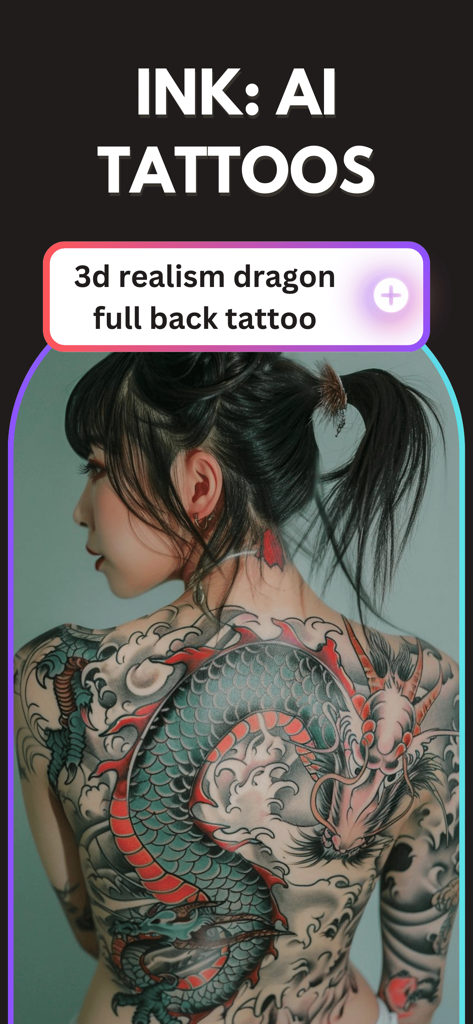
Ein realistisches, von KI generiertes Drachentattoo auf dem ganzen Rücken einer Frau
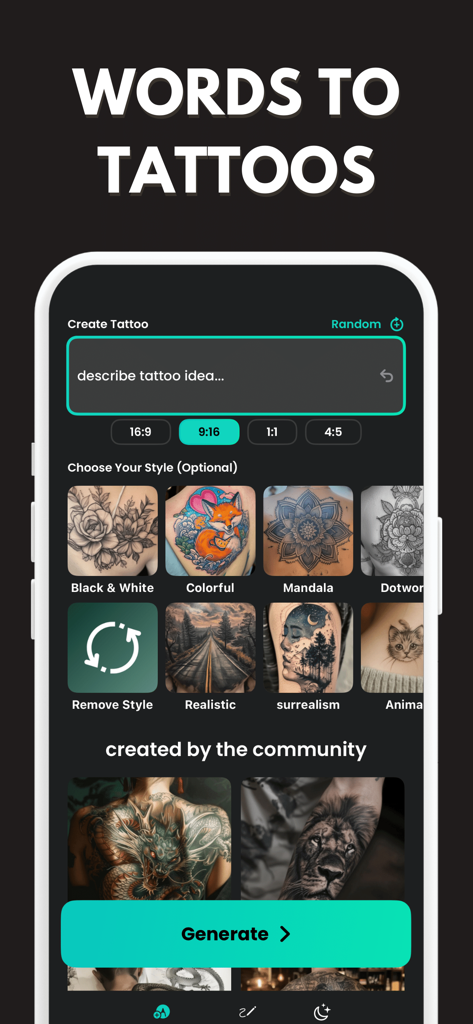
Oberfläche der KI-Tattoo-Generator-App mit einem Textfeld für Tattoo-Ideen und verschiedenen künstlerischen Stilauswahlen.
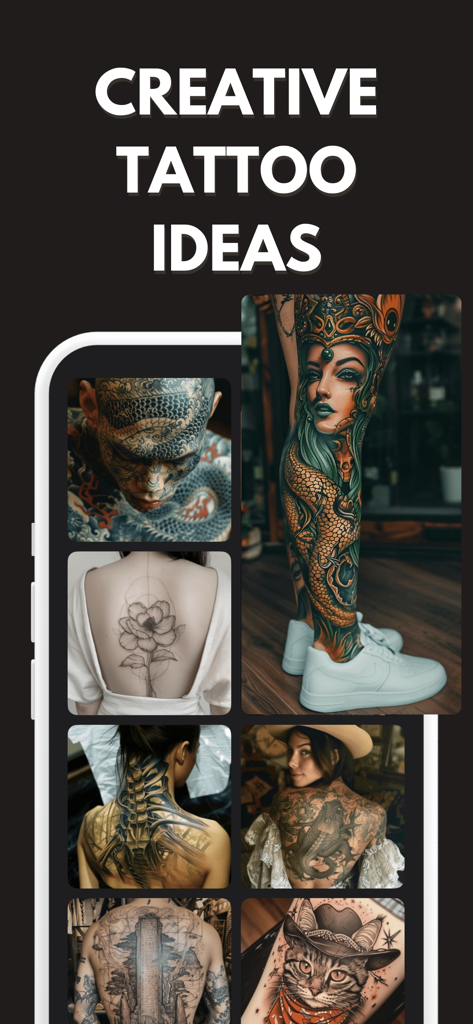
Eine Sammlung verschiedener KI-generierter Tattoo-Designs, darunter japanischer Stil, feine Blumenlinien und realistische Bein-Kunst.
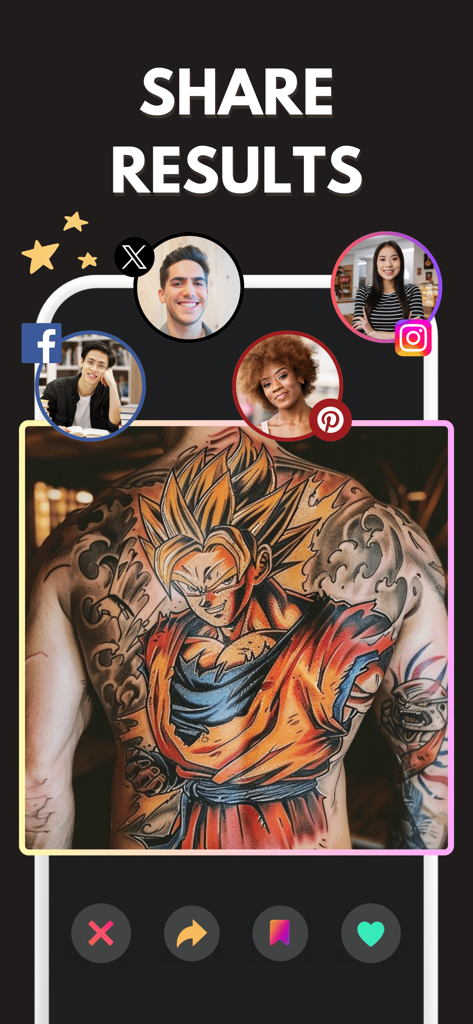
App-Bildschirm, der ein Anime-Charakter-Tattoo-Design auf dem Rücken einer Person mit Social-Media-Sharing-Symbolen zeigt
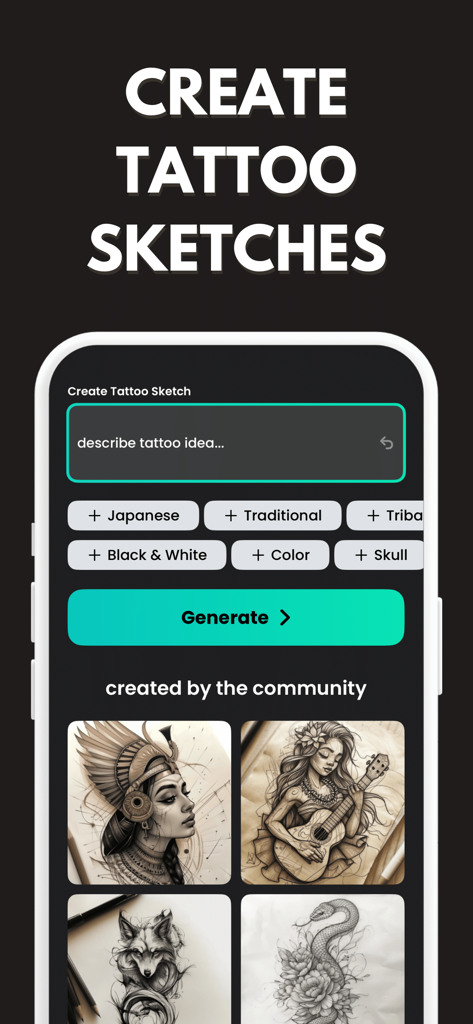
Oberfläche der KI-Tattoo-Generator-App mit einem Eingabefeld zur Beschreibung von Tattoo-Ideen und Stil-Tags wie Japanisch und Traditionell
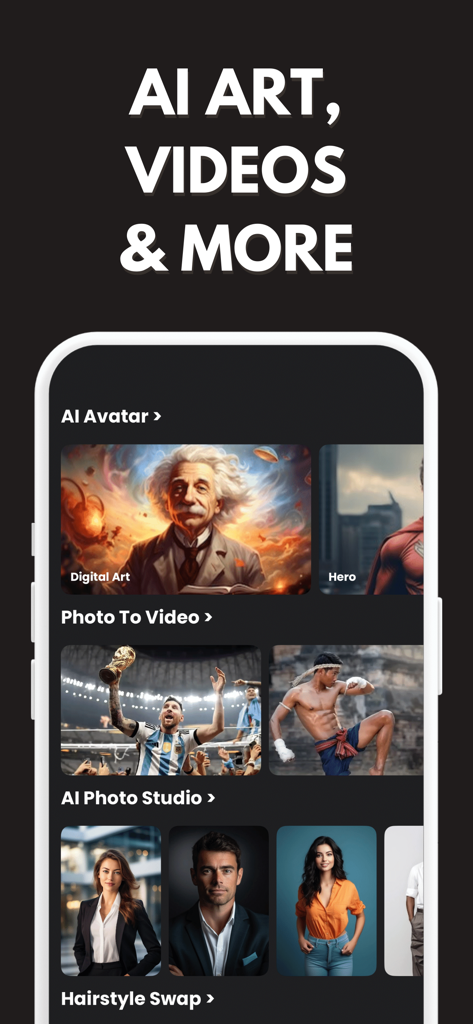
Oberfläche der KI-Tattoo-Generator-App, die die Funktionen KI-Avatar und KI-Foto-Studio zeigt
Visualisiere dein nächstes Tattoo
Die Tools, die diese App auszeichnen, gewählt von 37K+ Nutzern.
🎨
Sofortige KI-Generierung
Beschreibe deine Vision in einfachen Worten und sieh zu, wie unsere KI einzigartige, hochauflösende Konzepte erstellt, die auf deine persönliche Ausstrahlung zugeschnitten sind.
📸
Realistische Körper-Anprobe
Höre auf zu raten. Lade ein Foto jedes Körperteils hoch, um Platzierung und Größe zu visualisieren, damit dein Tattoo im echten Leben perfekt aussieht.
🩹
Intelligente Abdeckungs-Werkzeuge
Planst du, ein altes Stück oder eine Narbe zu verdecken? Generiere clevere Designs, die sich natürlich in deine Haut einfügen und dir einen Neuanfang ermöglichen.
Über die App
Alles, was Sie über wissen müssen AI Tattoo Generator & Art INK.
Beschreibung
Create your next tattoo idea in minutes with INK – AI Tattoo Generator. Turn simple words into amazing tattoos within seconds. Easy to use and perfect for finding your dream tattoo design.
If you’re looking for fresh AI Tattoo Ideas, a clean AI Tattoo Design, or a simple way to explore AI Tattoos before you go to a tattoo studio, INK is made for you. You don’t need drawing skills. You don’t need special tools. Just type what you want, pick a style, and the AI Tattoo Generator helps you create designs you can save and share.
Turn your idea into an AI Tattoo Design
Everyone starts with a thought: “I want a rose,” “a dragon,” “a small tattoo,” or “something meaningful.” INK helps you turn that thought into a real AI Tattoo Design. Tell the app what you want to see, and your AI Tattoo Maker creates different options. You can make a bold tattoo, a minimal tattoo, or something detailed.
Try-on and cover-up tattoos
Not sure if a tattoo fits your body or if a cover-up will really work? With INK’s AI Tattoo Generator, you can try-on tattoos before you commit and explore smart cover-up tattoo ideas in seconds. Upload a photo, pick your style and generate AI Tattoos that match your placement—like wrist, forearm, shoulder, or sleeve.
Want to hide an old tattoo, scar, or faded ink? INK helps you create clean AI Tattoo Designs that blend naturally with your skin area, so you can compare multiple AI Tattoo Ideas and find a cover-up direction you actually like before visiting a tattoo studio.
Explore many styles of AI Tattoos
INK is an AI Tattoo Creator that can generate tattoos in many popular styles. Try:
• Fine line and minimalist
• Japanese style tattoos
• Blackwork and dotwork
• Traditional and neo-traditional
• Watercolor, anime, realism, geometric, and more
No matter if you want a small wrist tattoo, a shoulder tattoo, a sleeve concept, or a back piece idea, the AI Tattoo Generator can help you see different directions and pick what you like.
Create AI Tattoos from your reference image
Already found a style you like? Upload a picture for inspiration and let INK create new AI Tattoos based on it. This is helpful if you have:
• A tattoo you like but want it to be different
• A sketch or symbol you want to improve
• A photo idea (like a flower, animal, or object)
INK works like an AI Tattoo Maker that helps you explore variations, so you can find an AI Tattoo Design that matches your taste.
Easy changes, fast results
INK is built for normal people who just want the process to be easy. You can:
• Try different tattoo styles
• Choose different themes (nature, animals, skulls, angels, myth, cyber, flowers, lettering, and more)
• Make the design simpler or more detailed
• Create multiple AI Tattoo Ideas and pick your favorite
This makes INK a practical AI Tattoo Generator for everyday use. It’s great if you feel unsure and want to compare a few AI Tattoos before you decide.
Save your favorite AI Tattoo Ideas
When you find designs you like, save them to your collection. Build a personal gallery of AI Tattoo Ideas and keep them for later. Many people use INK as an idea board: create several AI Tattoo Design options, then choose the one that feels right after a day or two.
You can also share your saved AI Tattoos with friends or your tattoo artist. It’s easier to explain what you want when you can show a clear image.
For first tattoos and experienced tattoo fans
INK is helpful for:
• First-time tattoo planning (simple, clear, and easy)
• People who want more AI Tattoo Ideas
• Anyone looking for an AI Tattoo Maker to try styles
• Tattoo lovers who want to Create AI Tattoos for future sessions
• Artists who need quick inspiration for an AI Tattoo Design
Download INK – AI Tattoo Generator and start exploring AI Tattoo Ideas, creating your own AI Tattoo Design, and building a collection of AI Tattoos you actually love.
Terms of Use (EULA): https://www.inkaitattoo.com/terms
Privacy Policy: https://www.inkaitattoo.com/privacy
Neueste Version
3.0.2
Größe
108.7 MB
Erstveröffentlichung
16. Apr. 2024
Sieh es auf deiner Haut, bevor die Nadel berührt
Schließe dich Tausenden von Menschen an, die KI nutzen, um ihre Tattoos zu entwerfen, anzuprobieren und zu perfektionieren. Lade INK noch heute herunter und gehe mit absoluter Zuversicht in deine nächste Tattoositzung.
App information, icons, screenshots, and descriptions displayed on this page are sourced from the Apple App Store and are the property of their respective developers. Download estimates and rankings are based on MWM's proprietary models and may not reflect actual figures. This page is provided for informational and analytical purposes only.
Believe this page infringes your intellectual property? File a dispute