AirTrack NG

AirTrack NG

Herunterladen auf App Store
Logo von AirTrack NG

AirTrack NG: Das professionelle Glascockpit für Ihren Flugsimulator

Verwandeln Sie Ihr iPad oder Ihren Mac in ein High-Fidelity-Boeing-Cockpit. Erleben Sie pixelgenaue Instrumente, Echtzeit-MCP-Steuerung und nahtlose Integration für X-Plane und MSFS 2020.

Herausgeber

Haversine Ltd

Kategorie

Navigation

Downloads

15K+

Bewertung

1.0/5

Bewertungen gesamt

0

Sprachen

1

Ihr Cockpit, neu interpretiert

Entdecken Sie die Oberfläche, die von 15K+ Nutzern verwendet wird.
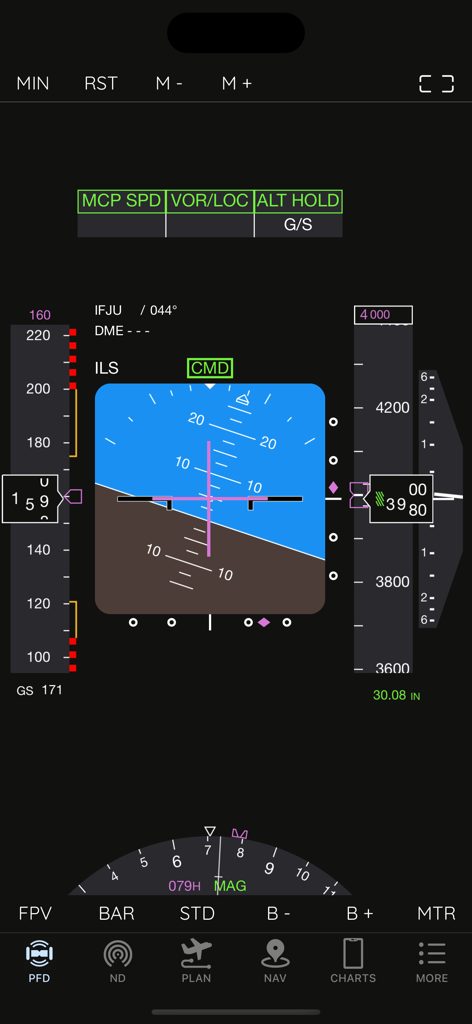
AirTrack NG primäres Flugdisplay für Flugsimulatoren

AirTrack NG primäres Flugdisplay für Flugsimulatoren

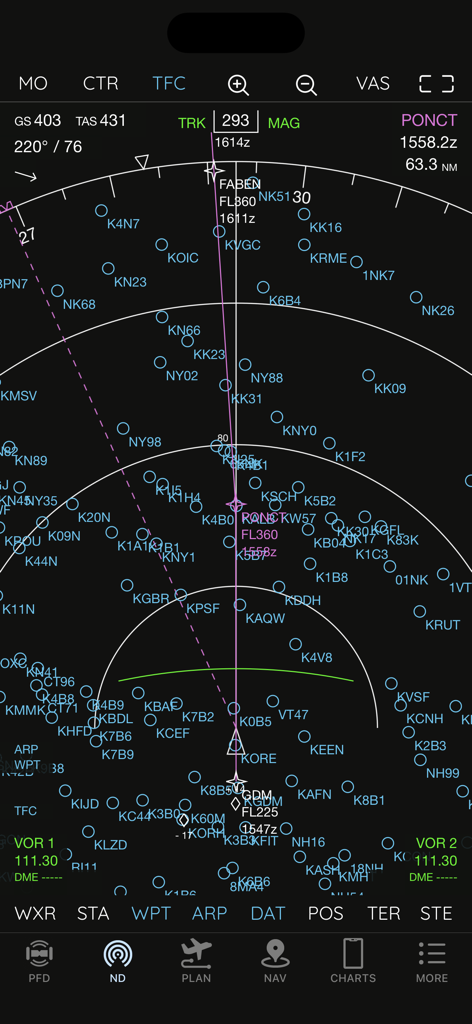
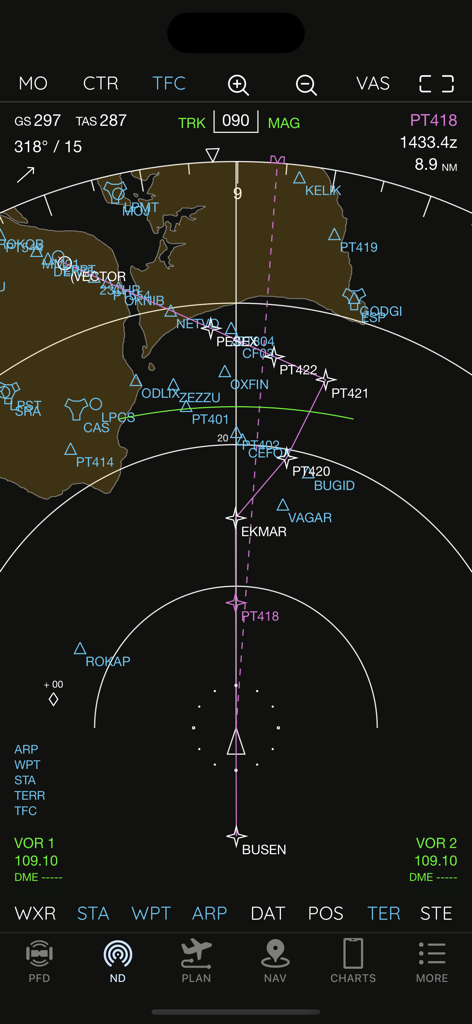
AirTrack NG Navigationsdisplay mit Boeing-Stil-Instrumenten und Wegpunkten

AirTrack NG Navigationsdisplay mit Boeing-Stil-Instrumenten und Wegpunkten

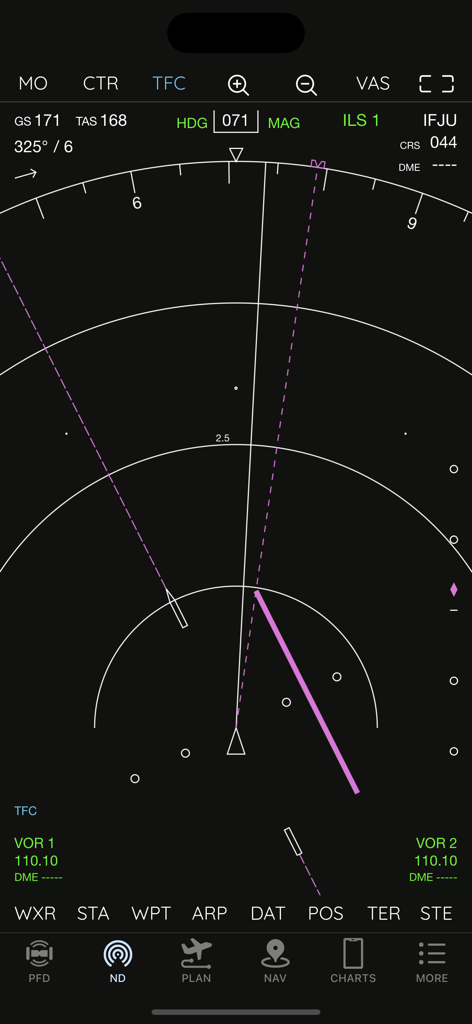
AirTrack NG Navigationsdisplay im Boeing 737-Stil mit Flugdaten

AirTrack NG Navigationsdisplay im Boeing 737-Stil mit Flugdaten

AirTrack NG Navigationsdisplay mit Flugspur und Wegpunkten

AirTrack NG Navigationsdisplay mit Flugspur und Wegpunkten

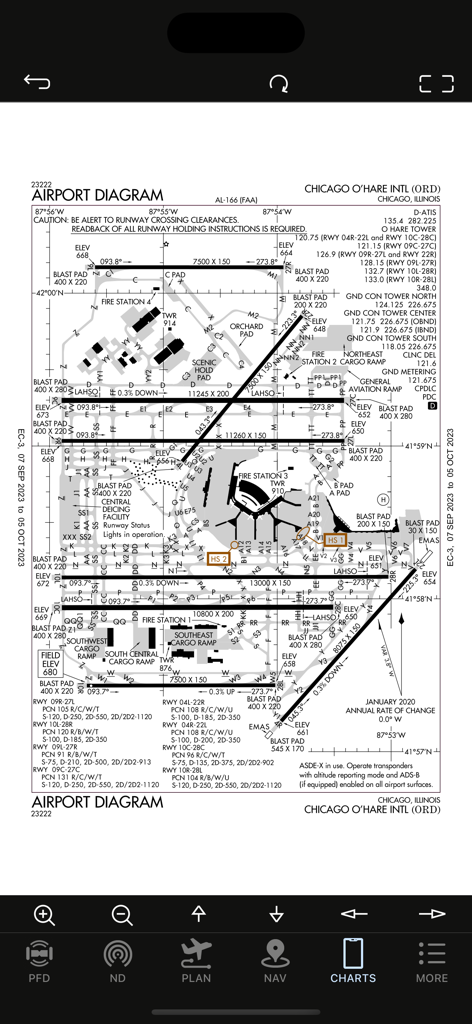
Diagramm-Karte des Chicago O'Hare International Airport (ORD) angezeigt auf der AirTrack NG App

Diagramm-Karte des Chicago O'Hare International Airport (ORD) angezeigt auf der AirTrack NG App

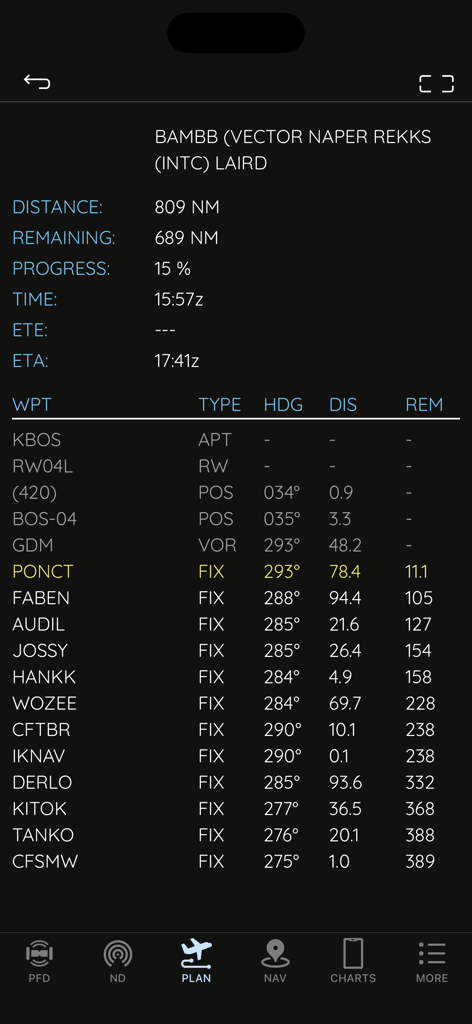
Flugplanungsbildschirm in AirTrack NG mit Wegpunkten, Entfernung und Kurs für die Flugsimulator-Navigation.

Flugplanungsbildschirm in AirTrack NG mit Wegpunkten, Entfernung und Kurs für die Flugsimulator-Navigation.

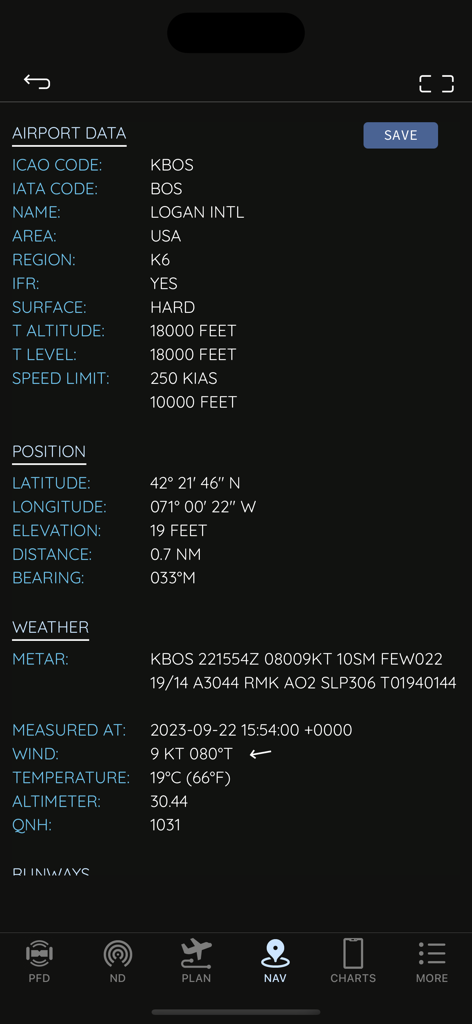
AirTrack NG Benutzeroberfläche mit technischen Flughafendaten und Echtzeitwetter für den Logan International Airport

AirTrack NG Benutzeroberfläche mit technischen Flughafendaten und Echtzeitwetter für den Logan International Airport

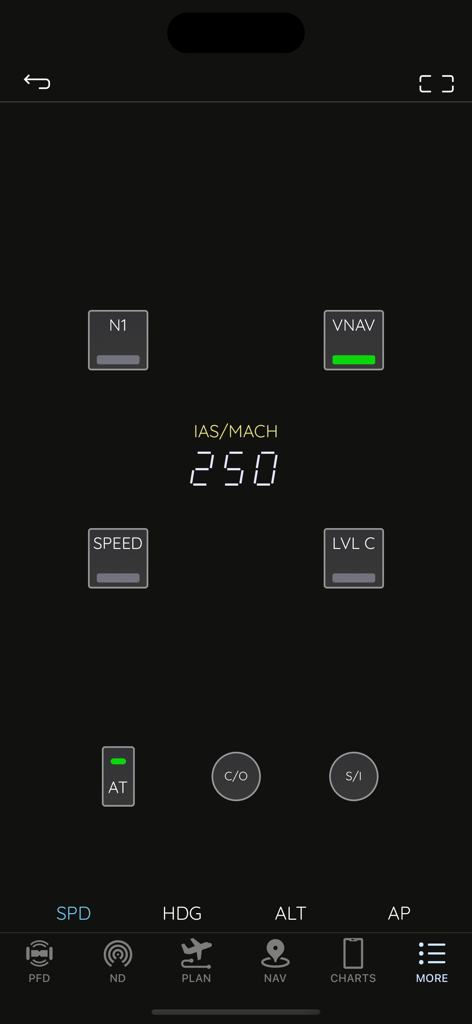
AirTrack NG App-Benutzeroberfläche mit Boeing-Stil Mode Control Panel mit Autopilot-Geschwindigkeitseinstellungen

AirTrack NG App-Benutzeroberfläche mit Boeing-Stil Mode Control Panel mit Autopilot-Geschwindigkeitseinstellungen

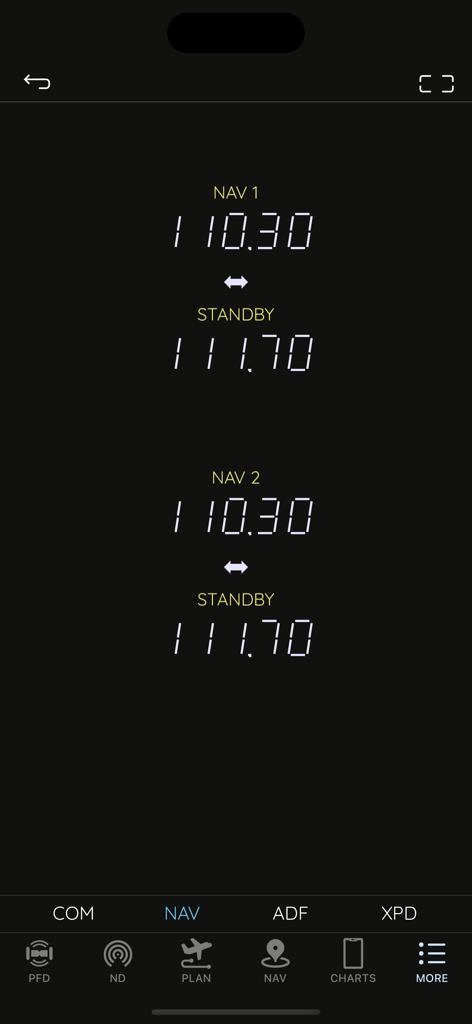
AirTrack NG Navigationsradio-Schnittstelle mit aktiven und Standby-Frequenzen für die Flugsimulation

AirTrack NG Navigationsradio-Schnittstelle mit aktiven und Standby-Frequenzen für die Flugsimulation

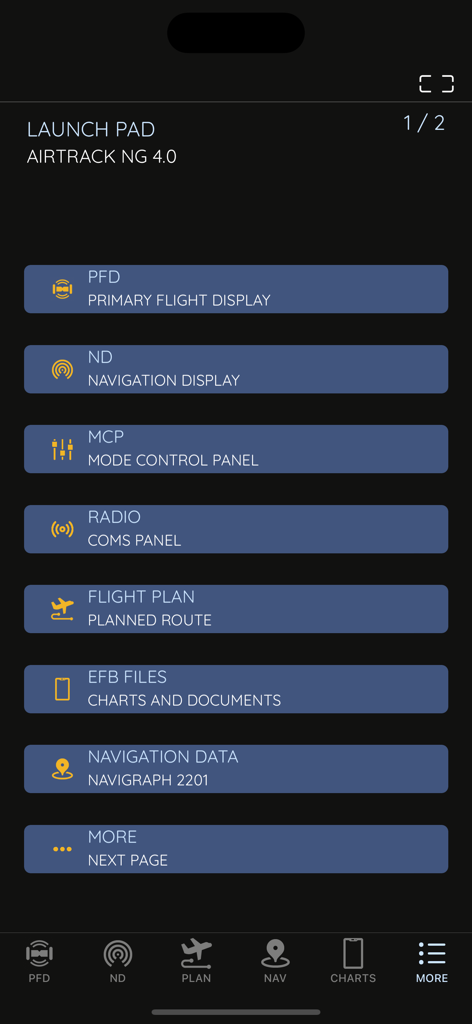
AirTrack NG App Launchpad mit Menüoptionen für PFD, ND, MCP und Flugplanungswerkzeuge

AirTrack NG App Launchpad mit Menüoptionen für PFD, ND, MCP und Flugplanungswerkzeuge

Verwandeln Sie Ihr Simulationserlebnis

Die Tools, die diese App auszeichnen, gewählt von 15K+ Nutzern.

✈️

Authentische 737 NG Avionik

Atemberaubend genaue PFD- und ND-Anzeigen mit hochauflösender Grafik, entwickelt für maximale Immersion in Ihrem Heimcockpit.

🎛️

Taktile Autopilot-Steuerung

Steuern Sie Ihren Flug mit einem dedizierten Remote-MCP und Radiostack, wodurch lästige Mausklicks zur Unterbrechung der Immersion entfallen.

🗺️

Vereinte Flugplanung

Importieren Sie mühelos SimBrief-Pläne und greifen Sie an einem Ort auf Echtzeit-METARs, VATSIM-Verkehr und Navigraph-fähige Karten zu.

Über die App

Alles, was Sie über wissen müssen AirTrack NG.

Beschreibung

AirTrack is an application designed to integrate with flight simulators in real time over a local area network, providing remote flight display and control through glass cockpit instruments, as well as control over some of the simulation variables. It replicates instruments and panels found on real planes using devices such as tablets and computers.  With the aid of a plugin in the simulator, flight data is exchanged over the local network and displayed on the Mac, iPad and iPhone apps. Likewise actions on these are propagated back to the simulator and allow for its remote control. But if this isn't enough, AirTrack can also use your device's built-in GPS, Accelerometer and Gyro to determine your current movements and attitude and the Internet to download real weather to simulate an aircraft's sensors. Turn your car trip into a flight experience by getting information about your instant position, heading and surrounding waypoints. See yourself in an EFIS style navigation display / primary flight display or plan your multi-leg trip with the built in flight planner which gives you real-time information about your waypoints, how far they are and how long it will take you to reach them. For a comprehensive summary overview visit the app pages at: https://haversine.com/airtrack For a detailed in depth description of how things work, check its operations manual at: https://haversine.com/airtrack/operations In its present version AirTrack supports both the X-Plane (10, 11, 12, …) for which it was originally developed, and the Microsoft Flight Simulator 2020. Plugins currently exist for X-Plane and MSFS2020. In the future AirTrack may and will quite possibly support other simulators and flight data sources as it has been designed with horizontal expansion in mind. Plugins can be downloaded from: https://haversine.com/airtrack/downloads The following are just some of its features and components: - Pixel perfect, totally re-scalable and optimised for retina and super retina displays - Multi window-panel support on iPad and Mac including stage manager - Boeing 737 NG style Primary Flight Display with EFIS panel - Boeing 737 NG style Navigation Display with EFIS panel - Standalone TCAS engine for collision avoidance on the ND with TA and TA/RA - Terrain database with the world map included in the ND - 737 NG style Mode Control Panel - MCP for auto-pilot control - A radio stack comprising COM, NAV, ADF and XPDR radios - A default navigation database with possibility of upgrade to latest Navigraph or FAA CIFP - Detailed airport information pages with weather, runways, approaches, procedures and frequencies - A Flight planner with airports runways, SID,STAR, Approach procedures, direct entry routes, world routes and weather - SimBrief flight plan import - Air Traffic sourced from Simulator, VATIM, IVAO and real world ADS-B - Worldwide airport weather based on real time world METARs - EFB with User files, charts, cloud charts and US based publications - Free Air Account Cloud services including Charts, Routes and Waypoints - Remote Yoke/Joystick/Rudder control for flight simulator. - Support for X-Plane flight simulator - Support for Microsoft Flight Simulator 2020 - Enhanced support for the Zibo 737 NG family of aircraft for X-Plane - Enhanced support for the PMDG 737 NG family of aircraft for MSFS2020 This version of AirTrack includes Boeing Instruments and unlocked access to all related panels (PFD, ND, MCP, Radio and Flight Planner). Terms of Use: https://haversine.com/airtrack/tou

Neueste Version

4.2.2

Größe

290.8 MB

Erstveröffentlichung

27. Sept. 2023

Bereit, Ihr Cockpit zu vervollständigen?

Schließen Sie sich Tausenden von virtuellen Piloten an und holen Sie sich professionelle Boeing 737-Instrumentierung auf Ihr mobiles Gerät. Synchronisieren Sie nahtlos mit MSFS 2020 oder X-Plane und erleben Sie das nächste Level an Simulatorrealismus.

Herunterladen auf App Store

App information, icons, screenshots, and descriptions displayed on this page are sourced from the Apple App Store and are the property of their respective developers. Download estimates and rankings are based on MWM's proprietary models and may not reflect actual figures. This page is provided for informational and analytical purposes only.

Believe this page infringes your intellectual property? File a dispute